Author: way0utwest

  • Fun with SQLskills

    I’m in a fun mood today, so a few silly items for you.

    The last few weeks, Paul Randal (blog | @PaulRandal) of SQLskills has been doing a quiz on Twitter some days. He’s asked some rather difficult questions on Twitter, and people have had fun following along. I decided to get in on the fun today with a few questions of my own as a “pre-test” to his quiz.

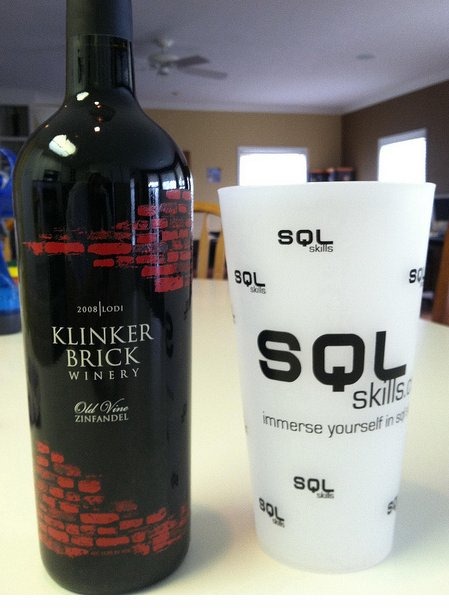
    Question 1: Which of these glasses does Kimberly Tripp (blog | @KimberlyLTripp) prefer?

    fun3

    Question 2: What is this and is how does it relate to Paul Randal?

    fun2

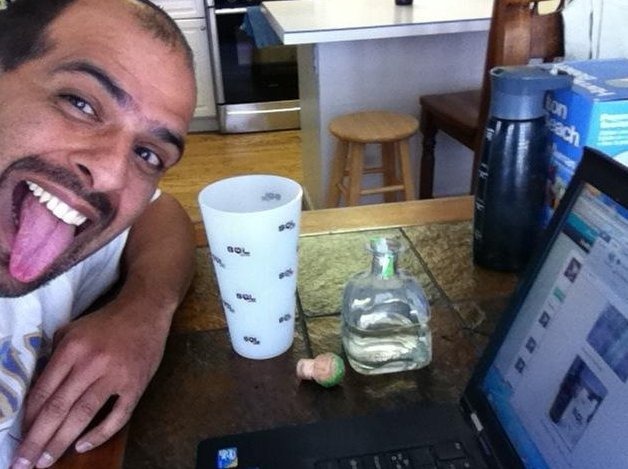
    Question 3: Will it fit?

    fun1

    I’m having fun today, as you can see

    fun4

    In case you really want the answers:

    A1: none of them; they’re all empty!

    A2: It’s a kilt, which is a skirt for boys from Scotland. That’s where Paul was born.

    A3: I’ll let you know after this evening Winking smile

  • How To Make Your Laptop 100x Faster

    Simon Sabin had his own take on increasing laptop speed. He had some good ideas, but he inspired me to try to top his suggestions. Here’s what I came up with:

    speed

    Anyone needing help, let me know. I can swing by.

  • Stalking the Bad Guys

    Tracking down bad guys

    Suppose you found some malicious code on your system. Maybe it’s a login that didn’t below at the sysadmin level, or maybe a stored procedure that might disable a trigger, make a change, and re-enable the trigger. What do you do?

    Suppose you stumbled upon a strange stored procedure in one of your databases. It wasn’t something you had coded, and it appeared to be altering permissions, maybe adding a login, or even querying sensitive data. What do you do?

    The easy answer is to delete the procedure and go on about your day. Some of you might save a copy of the code, along with its permissions and make a note to check the system a week or two later and see if it needed to be there.  However I’m not sure that is the best action to take.

    If you are unaware of the origins of code, it can be detrimental to your system if you remove object. A legitimate stored procedure might cause application errors, which can result in some type of discipline. At the very least, managers might be upset with you for taking action without understanding the consequences.

    I think a different approach might be better. Set up auditing or tracing, focusing on the code and documenting any actions. I would talk to security people and potentially initiate lower level tracing of the network to determine who is making use of this code. If it’s truly malicious code, it’s not necessarily your job to stop someone. Setting up the honeypot, documenting actions, and then allowing someone else to determine the final action might be the best way to deal with the situation.

    Steve Jones


    The Voice of the DBA Podcasts

  • Checking Permissions

    Someone posted this query recently:

    select a.*,name, b.* from sys.database_principals a, sys.database_permissions b
    
    where permission_name = 'INSERT' and b.grantee_principal_id = a.principal_id

    That’s a little ugly, so let’s fix it:

    SELECT  a.name, a.principal_id, a.is_fixed_role
          , a.default_schema_name
          , b.permission_name, b.permission_name
          , b.state_desc
     FROM sys.database_principals a
      INNER JOIN sys.database_permissions b
      ON b.grantee_principal_id = a.principal_id
    WHERE permission_name = 'INSERT' 

    If you run this, you’ll get INSERT permissions in your database. In this case, the person had one row returned that had “public” in it, as shown.

    results1

    I normally don’t have permissions for public, but in this case I had run this first:

    GRANT INSERT ON Person.Address TO Public

    I don’t recommend permissions for public, and you really ought to run this on all your servers:

    SELECT a.name, a.principal_id, a.is_fixed_role
          , a.default_schema_name
          , b.permission_name, b.permission_name
          , b.state_desc
     FROM sys.database_principals a
      INNER JOIN sys.database_permissions b
      ON b.grantee_principal_id = a.principal_id
    WHERE a.name = 'public' AND major_id > 0

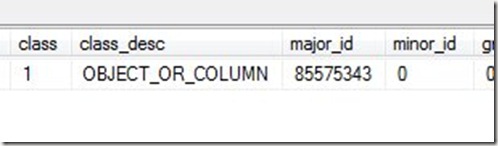
    How do you find out which objects have permissions? There’s a clue in the last query. If you scroll across in the results, there’s a major_id column. You can use that to find the object.
    results2

    The OBJECT_NAME function is handy here, and it takes an object_id, which is the major_id. If I run this:

    SELECT OBJECT_NAME(85575343)

    I get “Address” back, which is the object I altered.

    And, of course, we need to clean up

    REVOKE INSERT ON Person.Address TO Public