Author: way0utwest

  • Anyone Can Click Through Once

    I was watching some of the Virtual Summit conference content (which is still available) trying to catch up on a few sessions that I missed during the event. One of the sessions I watched was a PowerShell panel. In the panel, Ben Miller (b | t | L) said that “anyone can click their way through something once.”

    I agree with that. It’s really easy to run through something once, even a long wizard or install process. Most of us find it easier to just get something done than work on a script to complete it. Often, I find myself doing this for tasks that I tackle rarely, like installing SQL Server. With the growth of containers, I rarely install SQL Server anymore, but the few times I might want a VM outside of a cloud system, I find it easier to just run the install than find a script and alter the settings.

    However, there are tasks I need to repeat. Anything that I might need to run more than once or twice, I usually do think about scripting. I look at T-SQL and PowerShell, both of which are very useful, but have different times and places where they fit better. The key, however, is that running a repeatable process is easier when it’s scripted.

    This is true whether you are doing something for yourself or for your employer. When you have to repeat a series of steps, it’s too easy to forget one or make a mistake. Maybe more importantly, as more companies adopt DevOps automation and pipelines, the need for command line automation and logging is critical.

    One of the panelists noted that they think PoSh is critical for your career and wouldn’t hire someone that didn’t know the technology. Not everyone agrees, but the tremendous growth of systems, the need to often deploy changes using automation, and the likelihood that you will see PoSh on the Microsoft platform, I tend to think this is something employers will strongly desire.

    Steve Jones

    Listen to the podcast at Libsyn, Stitcher, Spotify, or iTunes.
  • Fixing Python on Windows 10 – #SQLNewBlogger

    Another post for me that is simple and hopefully serves as an example for people trying to get blogging as #SQLNewBloggers.

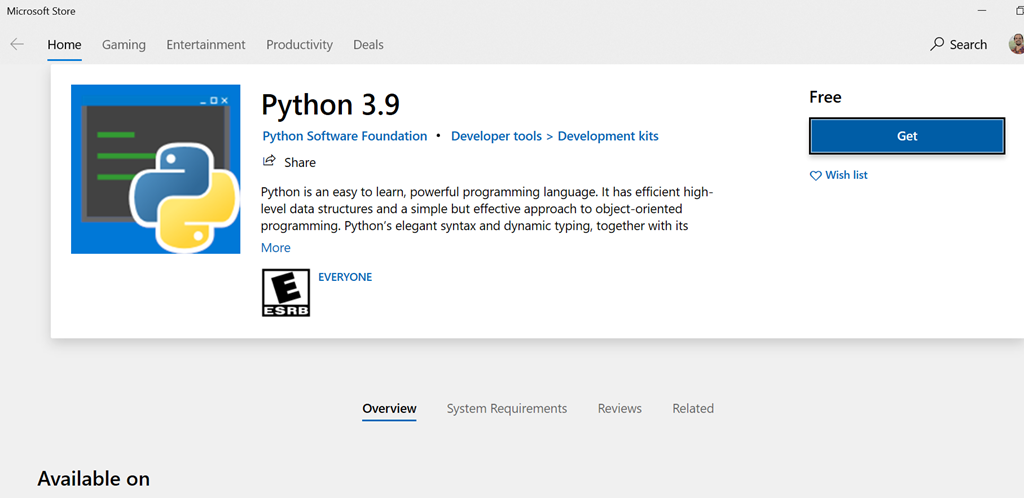
    The other day I picked up a laptop, opened a command prompt and typed “python” to check something. I got this:

    2021-02-04 17_52_35-Microsoft Store

    I did have Python 3.8 installed, so upgrading to 3.9 wasn’t out of the question. However, why did this come up?

    I searched around and found out that Windows sets up application aliases for some versions. I can only assume since I had python on here that some update last fall did this and I hadn’t used this laptop for python because I’m stuck at home.

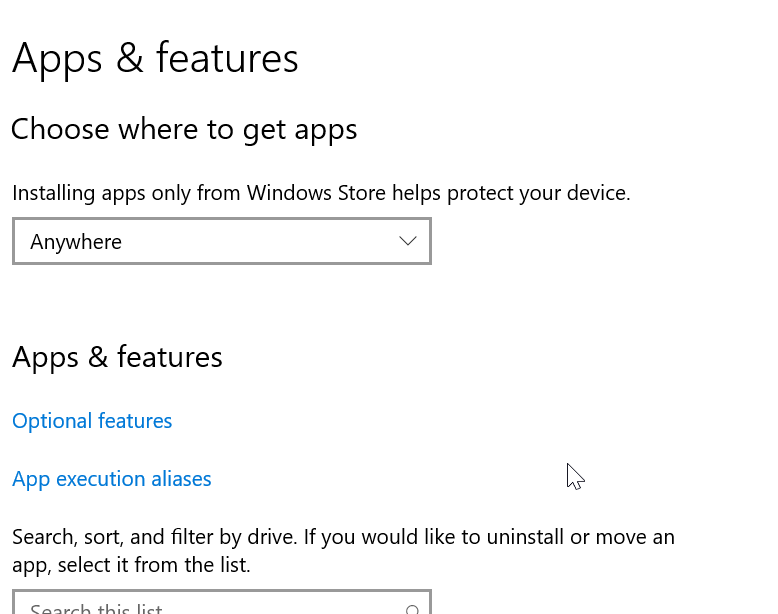
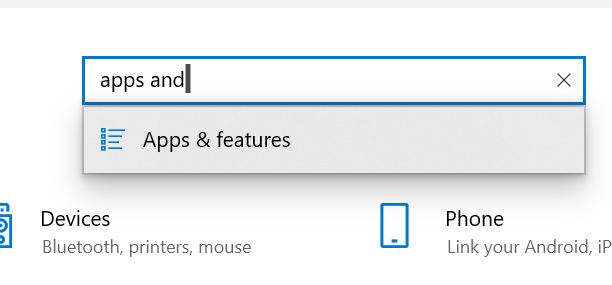
    I saw this on SO as an issue, and followed the instructions. I used Win+I to open the control panel. Here I typed “apps and” to get to Apps and Features.

    2021-02-04 17_56_28-Settings

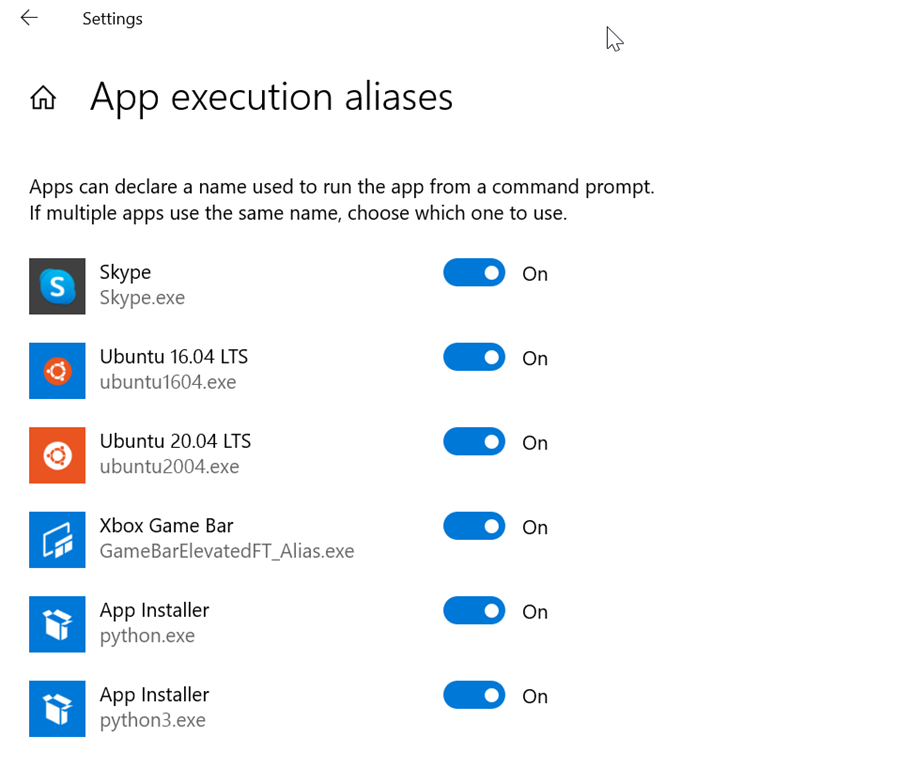
    In here, I see there are “App execution aliases” as a link.

    2021-02-04 17_56_57-Settings

    In here, I see that both Python.exe and Python3.exe are set as aliases.

    2021-02-04 17_57_38-Settings

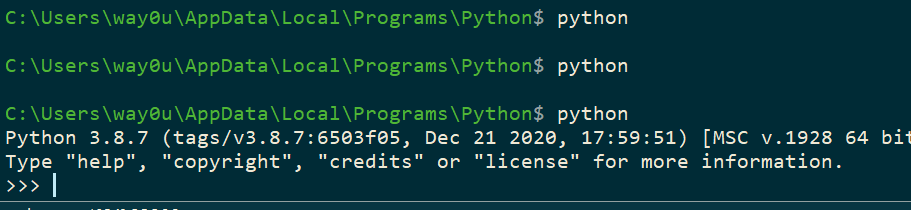
    I turned these last two off and then when I type “python,” I get what I want.

    2021-02-04 17_58_14-cmd - python

    SQLNewBlogger

    I wrote this as many of us run into silly issues, and while I found that SO article quickly, you might not. Your search terms might be different, or the search engine might give you different results. This might help you get setup quickly with Python, which is becoming more useful for data professionals.

    This took my about 5 minutes to type up and grab a few screenshots.

  • A Bug or a Vandalism Opportunity

    I hadn’t heard about this problem at all until I saw a story recently. Apparently a one line command can be hidden inside a Windows shortcut file, a ZIP archive, batch files, or various other vectors. This command can trigger hard drive errors that corrupt the device.

    Yikes. A researcher apparently has been trying to draw attention to this since August, but it has not been fixed. What is scary is that this issues can be exploited by tricking standard accounts in Windows, not just privileged ones.

    However.

    It’s not really a big problem. I asked around and someone sent me a few links that this doesn’t actually corrupt the drive, but just gets Windows to report this. In that case, this might not actually do anything, but it certainly would cause my blood pressure to rise and my heart to skip a beat. This also might be a great phishing vector.

    If you get a message about corruption, check that it’s actual corruption and not just the report from a shortcut or link that uses this message. Certainly, be careful about what you click.

    And if you’re thinking of playing a joke on someone, this isn’t a good choice. This is more like vandalism than fun. I certainly wouldn’t be pleased if you did this to me.

    Steve Jones

    Listen to the podcast at Libsyn, Stitcher, Spotify, or iTunes.
  • Daily Coping 9 Feb 2021

    I started to add a daily coping tip to the SQLServerCentral newsletter and to the Community Circle, which is helping me deal with the issues in the world. I’m adding my responses for each day here. All my coping tips are under this tag. 

    Today’s tip is to do an act of kindness to make life easier for someone else.

    In the current world, I don’t get the chance to see many people. Even those I do get to see are light, brief contacts. The person I see most often is my wife, and she certainly has a very busy life. Her horse training hasn’t slowed with the pandemic, and with mild winter weather, she has very full days.

    I like to cook, so I made it a point a few times in the last couple weeks to make lunch, pack up a plate, and carry it out to the barn/arena so she could eat while teaching. She often won’t take the breaks, or has a tight schedule, so providing her some food makes life easier.