Author: way0utwest

  • Daily Coping 27 Jan 2021

    I started to add a daily coping tip to the SQLServerCentral newsletter and to the Community Circle, which is helping me deal with the issues in the world. I’m adding my responses for each day here. All my coping tips are under this tag. 

    Today’s tip is to get back in contact with an old friend you miss.

    I’ve had a great life and been able to meet many people. Some of these have become friends, and at times, life has taken us in different directions. Some of my friends are people I used to work with, and for a few of these, I’ve made time to visit them when I am in their area.

    That hasn’t happened in a long time, well over a year at this point.

    I reached out to someone recently that I haven’t seen in a long time, just to touch base, say hi, and have a conversation. It was 10 minutes out of my day, but 10 minutes that made me smile. I hope they can say the same thing.

  • Live versus Stored Data

    I’ve been working with various technologies as experiments over the last few years. I’m curious how useful I find them, as well as how they might help the clients and customers I run into at Redgate Software.

    I think Jupyter notebooks are a technology that has a lot of promise, and their use is growing in many organizations. One of the interesting things with notebooks is they can store results inside them, which allows a transfer of information in an interesting fashion. If I re-run a cell, the results can change and comparing them is challenging, but that is a separate issue. At least I can capture the results and share them.

    I’ve also been working with Power BI at times. I saw a demo of a query from PBI to Excel, where the data was then stored in the PBIX file. This query was disconnected, but it could be refreshed. You can also configure how this works, so you get the choice of live or stored data.

    If you are distributing information to users, those of us in the database world often think about having live data available and queried from a database, but often the same data gets queried over and over, which creates a load on our system. I know the data is often cached in these situations, but cache is a previous resource, so limiting the repeat queries can be valuable.

    I do think this is a decision point for some applications, where we might choose to limit the amount of live data v stored data. There are times when speed matters more than having exact data, so cached or stored data works well. Sometimes the most current data is critical, and you need to query the database.

    How do you decide when you want a live connection to a database, and when stored data is acceptable. I don’t know that I have any rules, but I evaluate each situation and try to work with users to make a decision. I suspect most people do the same thing, but if you always use live data, let me know today.

    Steve Jones

    Listen to the podcast at Libsyn, Stitcher, Spotify, or iTunes.

  • Daily Coping 26 Jan 2021

    I started to add a daily coping tip to the SQLServerCentral newsletter and to the Community Circle, which is helping me deal with the issues in the world. I’m adding my responses for each day here. All my coping tips are under this tag. 

    Today’s tip is to focus on what’s good today, no matter how tough.

    I have mostly good days through the pandemic, though some are certainly hard. A few weeks ago, I had a tough day. Gareth Swanepoel passed away, which was a shock. I attended his funeral remotely on Zoom, tears falling.

    Gareth wasn’t a close friend, but he was someone I knew fairly well and had interacted with many times over the years. I could appreciate his smile and his infectious positive attitude towards life.

    The good was that I sat and remembered him, and appreciated some of the good times we had.

  • Recovering Data from a Backup with SQL Data Compare

    I had a customer recently ask about how to recover data from a backup file. I believe the request was for SQL Backup, but I knew there was another way, and I suggested SQL Data Compare. We used to have an object level recovery tool, but that wasn’t very popular. However, SQL Data Compare can handle this task and I’ll show you how.

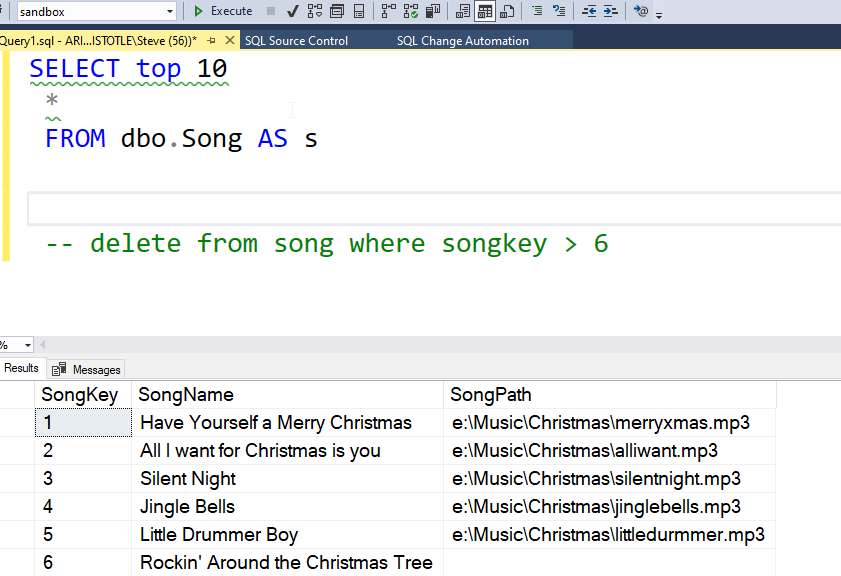
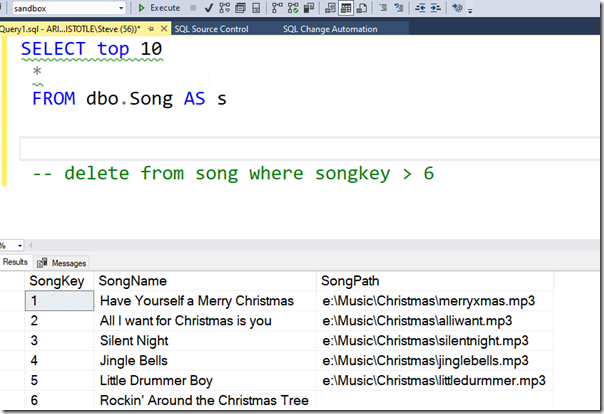
    I’ve got a database, called Sandbox, and I take a backup of the database. After this, I delete some data, and I see then a few rows in a table. You can see 6 rows below.
    2021-01-19 17_21_15-SQLQuery1.sql - ARISTOTLE.sandbox (ARISTOTLE_Steve (56))_ - Microsoft SQL Server

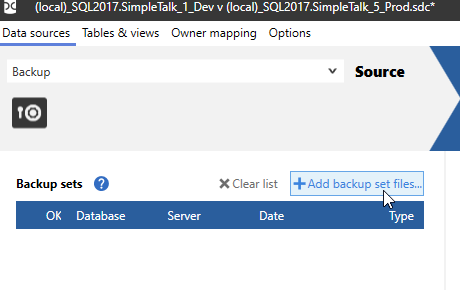
    Now, I know there was more data in here. Imagine someone accidentally deleted data, and we want to get it back quickly. If I open SQL Data Compare, I can change the “Source” from the default, of a database, to a backup. I choose this from the dropdown near the “Source” text.
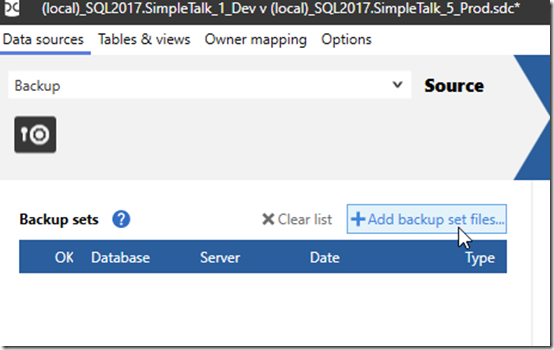
    2021-01-19 17_18_22-(local)_SQL2017.SimpleTalk_1_Dev v (local)_SQL2017.SimpleTalk_5_Prod.sdc_

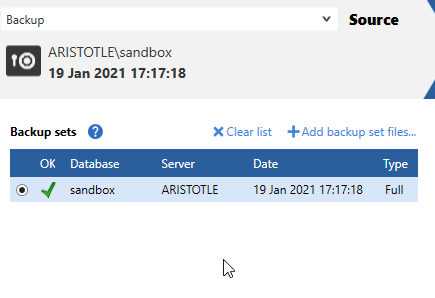
    I can then add backup files. If I click the link, I get select a file from a file picker. Once I do this, I see this is a valid backup set. If needed, I could choose multiple files here.
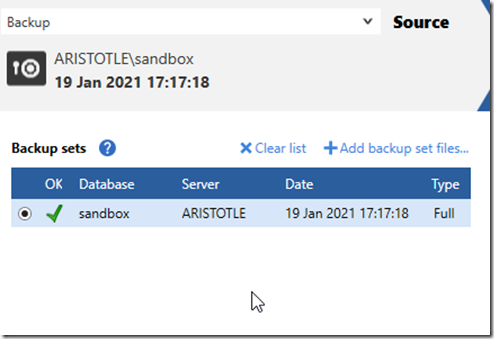
    2021-01-19 17_18_32-(local)_SQL2017.SimpleTalk_1_Dev v (local)_SQL2017.SimpleTalk_5_Prod.sdc_

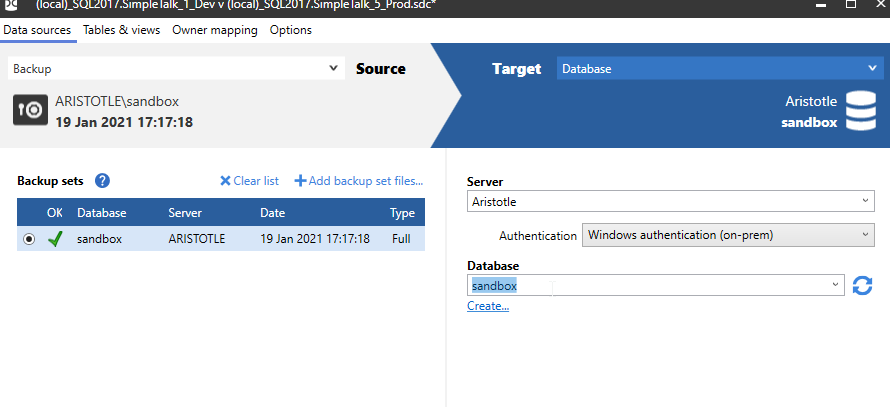
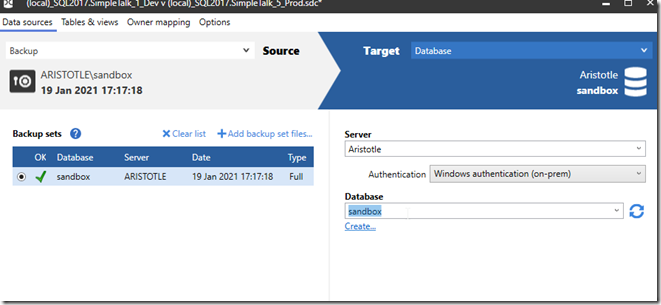
    Once I have this, I can then select my database in the Target. I’ll then click the Compare button.
    2021-01-19 17_18_46-(local)_SQL2017.SimpleTalk_1_Dev v (local)_SQL2017.SimpleTalk_5_Prod.sdc_

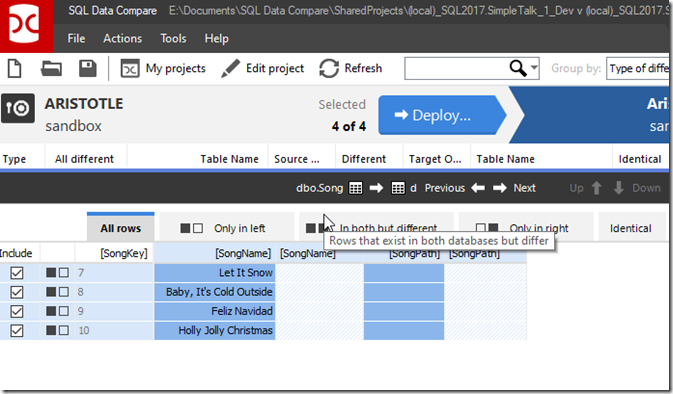
    Data Compare does it’s work and I end up with a list of identical, different, and missing objects. In this case, most everything is the same, but I have one object that is different. If I select the object, I see there are 4 missing rows.
    2021-01-19 17_19_03-SQL Data Compare - E__Documents_SQL Data Compare_SharedProjects_(local)_SQL2017.

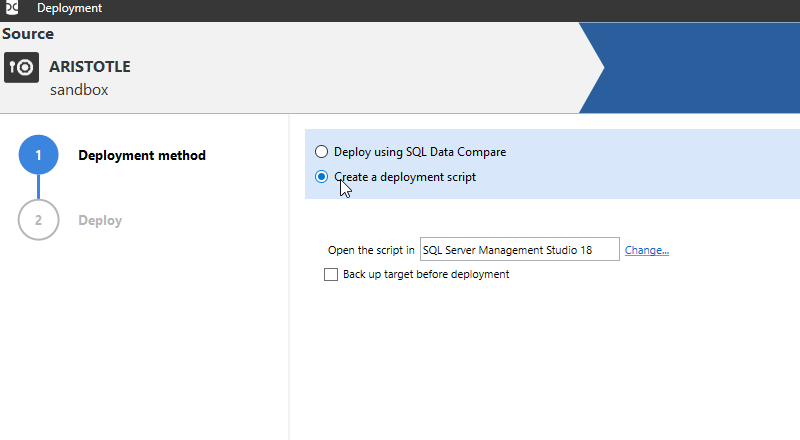
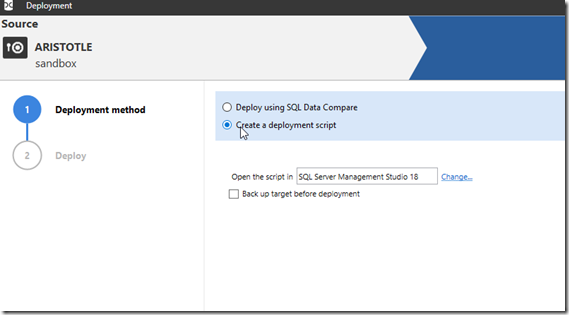
    If I click the Deploy button, I get generate a script. This is the same process many people use with SQL Compare to generate code differences.
    2021-01-19 17_19_14-Deployment

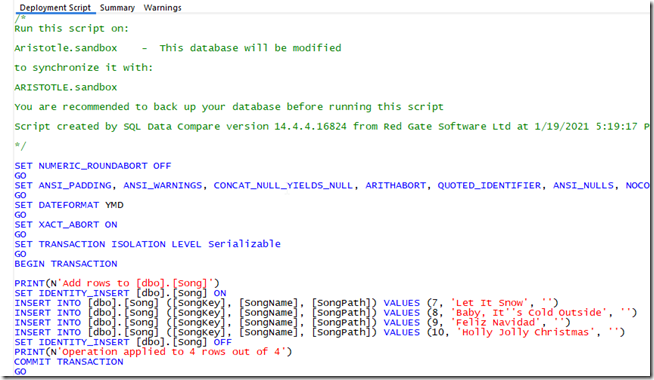
    When this is done, I see my script contains a number of insert statements. If I’d changed some data, I would also see update statements here.
    2021-01-19 17_19_20-Deployment

    I can now run this script to recover my data.

    This is a quick and easy way to recover data. I do need a primary key for Data Compare to work, one of many reasons to ensure your tables have PKs. This also works well up to low GBs of data, but if you have more than that, this might not work well.

    I wouldn’t recommend this for every situation, but for many small “oops” problems, especially with lookup or smaller tables, this is a great way to recover missing data.

    If you haven’t tried SQL Data Compare before, maybe you want to give it a try today.