Author: way0utwest

  • Getting Started with Spawn

    I’m excited that the Redgate Foundry is working on some cool projects. The Future of DevOps is one and part of that work is with Spawn. I’ve played with this a little, and I wanted to write about a few adventures I’ve had.

    First, you need an account as Spawn is hosted and there is a login. The idea here is that the service (hosted now, but could be on premise) handles all of the complexity of databases in containers, spinning them up and managing them, with you just connecting to an endpoint to use the database. We can spin up SQL Server, PostgreSQL, MongoDB, MySQL, and Redis in this fashion. It’s truly a Database-as-a-Service (DBaaS).

    Spawn on Windows

    For once, this is easier, or I think it is. I downloaded the spawnctl.exe CLI and then put it in a folder in my path. For me, I have a “utilities” folder where I drop stuff and that’s where this lives. I can check this working with a version parameter.
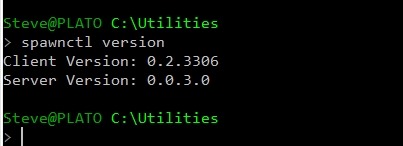
    2019-06-21 14_30_24-cmd

    So far, so good. Now we need to log in. I like integrated authentication schemes, and this one works well. I start with a “spawnctl auth” call from the command line.
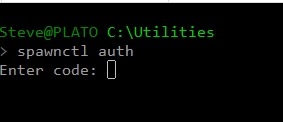
    2019-06-21 14_32_40-cmd - spawnctl  auth

    This pauses and opens a web browser window. It’s here I need to log in. We support Github and Microsoft, but have mostly been using Github for our demo work.
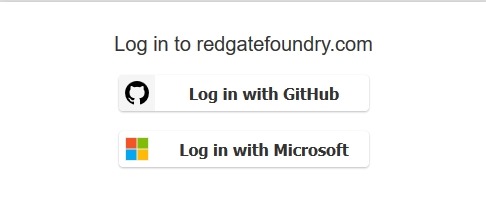
    2019-06-21 14_32_46-redgatefoundry.com

    Once I click that, since I have a Github session elsewhere, I’m logged in and I get a code back.
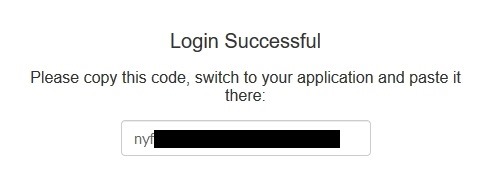
    2019-06-21 14_33_08-redgatefoundry.com

    I paste that back in the cmdline and I am authenticated. From here, I can then see what images I have. As you can see, there are both MSSQL and PostgreSQL images for me.
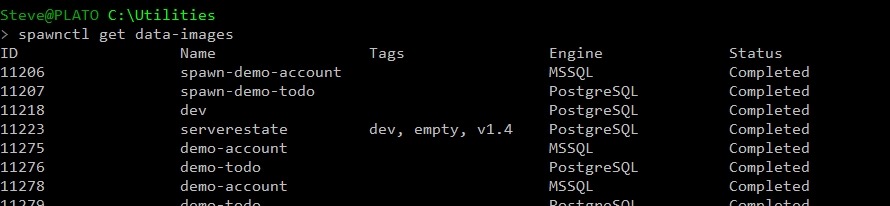
    2019-06-21 14_33_55-cmd

    I also have a few containers from my demo work.
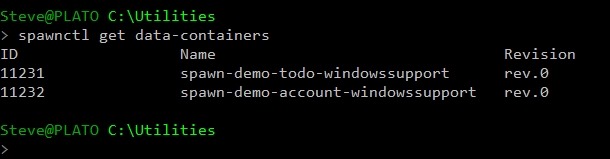
    2019-06-21 14_35_10-cmd

    Let’s make a new container and connect to it. I’ll use Azure Data Studio, since I can connect to both SQL Server and PostgreSQL.

    Logging In

    To get a database, I’ll use a CREATE verb and the DATA-CONTAINER noun, along with an image. When this runs, I get a note this container is being created, then I get a response with login information.

    2019-06-21 14_42_51-cmd

    Let’s put that in ADS. I can copy/paste my credentials into a connection dialog and then hit Connect.
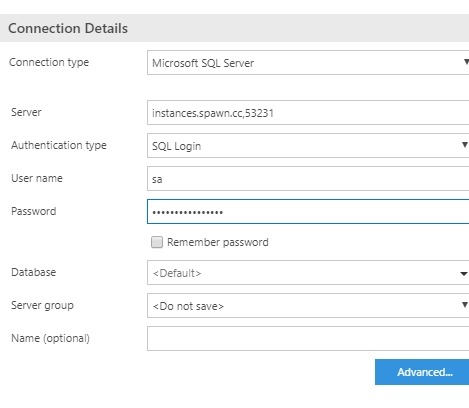
    2019-06-21 14_43_52-SQLQuery_1 - disconnected - CoolADSNotebooks - Azure Data Studio

    As you can see, I’m connected.

    2019-06-21 14_44_21-● SQLQuery_1 - instances.spawn.cc,53231.master (sa) - CoolADSNotebooks - Azure D

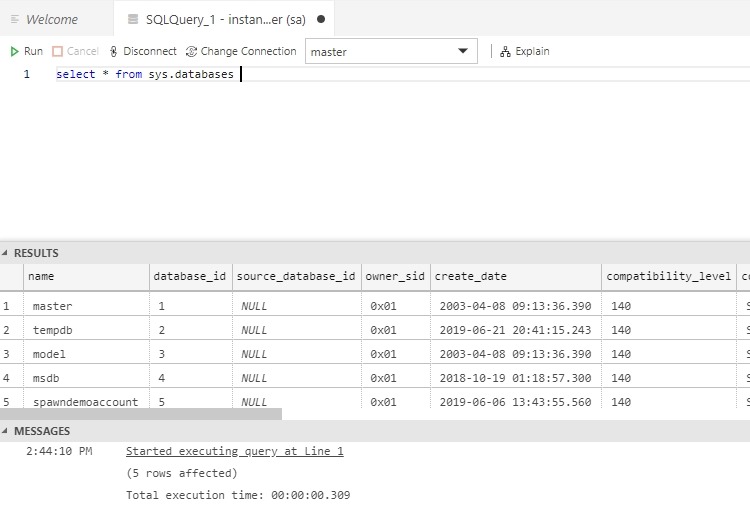
    I see the demo database we’ve been using and the tables in there. How this works is worthy of more posts, but for now, this is pretty cool.
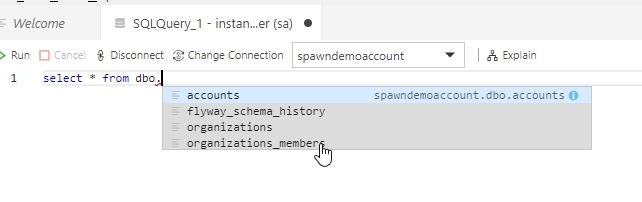
    2019-06-21 14_45_04-● SQLQuery_1 - instances.spawn.cc,53231.master (sa) - CoolADSNotebooks - Azure D

    I can do the same thing with PostgreSQL. Create a container.
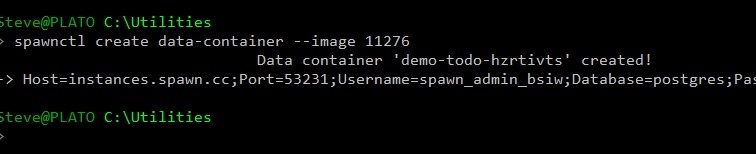
    2019-06-21 14_48_00-cmd

    Then connect (need to specify the port in Advanced)
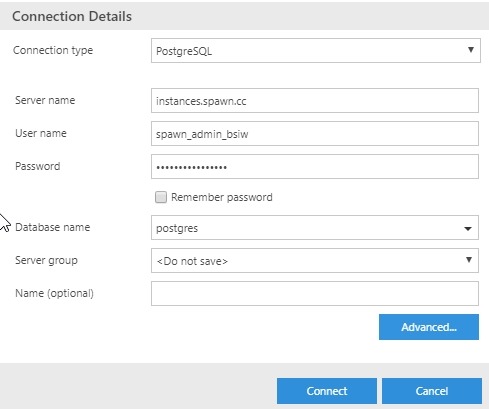
    2019-06-21 14_51_57-Window

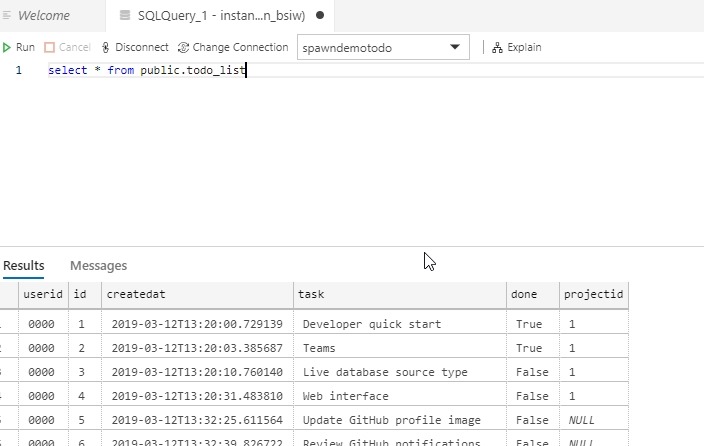
    And query:

    2019-06-21 14_52_59-● SQLQuery_1 - instances.spawn.cc.postgres (spawn_admin_bsiw) - CoolADSNotebooks

    Pretty cool. Simple, easy, and I think about as fast and easy as any other cloud database. Here, though, I am spinning up a container from an image template. That’s valuable for dev work, and I’ll talk about that in the future.

  • CCPA Preparation

    There’s an old Ron White joke about a small airport also being the tire repair center and hair salon. I thought about that when I saw a law firm became a software developer. I don’t know what other enterprise might make a fun trio of businesses, but perhaps a sunglasses shop? Divorces, software, and a new look?

    The CCPA (California Consumer Privacy Act). takes effect in less than a year. This is a law based on the GDPR, and the first strong attempt to regulate data in the United States. I think it’s a good move, though I’m sure large corporations like Google and Facebook will fight it and find exceptions that allow them to play fast and loose with information about many of us humans. I also think, like the GDPR, this will force many smaller companies to better secure, manage, and handle the data they process about companies. I wouldn’t surprise if this also brings about quite a bit of work for consultants and software vendors that help others better classify, protect, and manage their data.

    A new product released by a law firm is designed to help other organizations in a number of ways, based on the knowledge and experiences of the lawyers that have worked in privacy law and compliance for years. They spun off a software development company who built an application that assists with four areas that organizations struggle with: compliance with consumer requests, mapping information flow, generating policy documents, and training employees.

    I’ve worked in a few companies that needed to do most of those things to comply with some standard or regulation. It’s not a difficult task, but it is complex, it’s hard to stay organized, and it’s hard to ensure that everyone understands how the new processes work. While an Excel spreadsheet can track everything you need, once you get beyond a trivial number of employees and systems, the entire system becomes unworkable.

    Instead, some organized system needs to be in place that helps keep all your employees coordinated. I don’t necessarily recommend buying software over building it in many situations, but here I would. There are lots of moving parts when trying to organize your data practices, lots of legal rules that you have to understand, and software is likely much cheaper than legal advice. Your employees will need to learn how to use new software, buy into new processes, and alter workflows, but capturing and documentation is the first step. Once you start to have a handle on what information you store, you can then decide what to do with the data.

    Steve Jones

    Listen to the podcast at Libsyn

  • Honored to be a Microsoft MVP

    Today is the renewal date for Microsoft MVPs. I received an email a short while ago informing me that I was being awarded again for the July 2019 – June 2020 timeframe. This is my twelfth award, and I’m quite honored that I was chosen again.

    If you don’t know about the award, you can read more on Microsoft’s MVP site. This is a community award for your efforts to promote and help others work with Microsoft products. I’ve spent a lot of my career in this area, as have many others. Often these are the people that write and speak often, and are friends I get to see at various places all over the world.

    Microsoft wants to recognize people that do a great job, but there’s a limited budget for doing so, and they pick who they feel are the top contributors, even though there are many more that don’t get recognized.

    I want to congratulate all those awarded the MVP designation, whether today or in the past. I also want to thank those of you that answer questions, speak, write articles or blogs, and more to help the community. Many of you have taught me something over the years, and I appreciate all your efforts.

  • The Road to Better Data Handling

    Recently I was on an internal communication thread with multiple people at Redgate Software. We have various ways to keep our (semi-) distributed teams in touch with one another and handle issues. While email works, I think many people like Slack better for quick discussions. I appreciate that as a remote worker since I’m not around to hear a conversation around a desk. To be fair, with a busy staff, others often aren’t as well, so a thread in Slack often saves details others can see later.

    In any case, we had some issue. I don’t know if this was a product issue with a customer or a communication item for our marketing group. No matter what it was, we had someone mention they could help if the first poster would provide details. The next message that I saw was great. It said something along the lines of

    “Please do not post email details in Slack.”

    A gentle reminder, but one that was needed. It’s great that we want to help others and work through problems, but in many companies we’ve played far too fast and loose with data. Not necessarily technical people, but often our customers have. Many of them will put sensitive information in “notes” fields in our databases. It’s a hassle when we want to work with data that hasn’t been put in a normalized space and must extract it somehow.

    It’s also a source of data leakage. While we might appreciate saving a quick note, these aren’t secured communications, and more importantly, they provide yet another attack vector for problems if we lost control of the backups, archives, etc. Even worse, we could have gotten a request to remove emails and we now have another security risk with the email email searchable in old Slack messages.

    This is likely a bit of an extreme example, but still a place where data handling should be better. We have secure systems for tickets or issues where we can store data. Or we can reference their information in another way. I’ve started doing this in GitHub, where we often log issues for SQLServerCentral users. Rather than putting in an email, I’ll put a user ID or other identifier. If the user wants to delete their account, I don’t want their email floating around anywhere it isn’t required.

    While it might be a bit more hassle to be careful with personal information, I think it’s much better than treating it as unimportant and potentially having it disclosed in some security incident. Whether it’s my email, tax ID number, or credit card, I’d want my own data handled carefully and am trying to do the same for others.

    Steve Jones

    Listen to the podcast at Libsyn