Author: way0utwest

  • Updating SSMS to 17.9.1

    I went to download the SSMS v17.9.1 package the other day and saw this:

    2018-11-27 12_48_59-Download SQL Server Management Studio (SSMS) _ Microsoft Docs

    I remember some issues with a C++ redistributable with a SQL Server install (2016?) and decided to just check on this. I really wish that these articles and items were crosslinked, so I could check them easily.

    I decided to write this post to note how to do a few things, maybe to help you, but mostly so that I’ll remember things later.

    I don’t know if I need a reboot, but I’d rather not if I can avoid it, through I’m slightly concerned this stuff will force a reboot.

    Checking C++ Redistributable

    The first thing is to check the Visual C++ 2013 version. I found this KB article on the update with downloads. The file information is

    Name: VCRedist_x86.exe

    X64 location: %WinDir%\SysWow64

    A search was slow, but found files. Lots of them. Apparently this is put down quite a bit by various software.

    2018-11-27 12_53_25-VCRedist_x86.exe - Search Results in SanDisk900_a (C_)

    Let’s go to the location noted. In there, I find I don’t have the file.

    2018-11-27 12_53_40-SysWOW64

    Not good, and I’m glad I checked. I’ll download the US English version from: http://download.microsoft.com/download/0/5/6/056dcda9-d667-4e27-8001-8a0c6971d6b1/vcredist_x86.exe

    Once that’s done, I’ll install it.
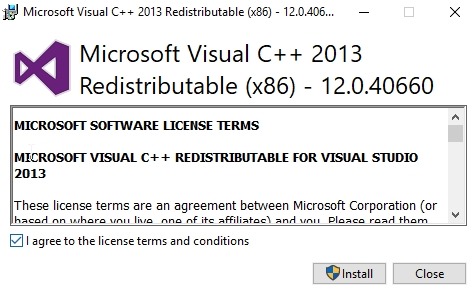
    2018-11-27 12_54_58-Microsoft Visual C   2013 Redistributable (x86) - 12.0.40660 Setup

    This is 12.0.40660 and the minimum for SSMS is 12.0.40649.5, so I should be good here. The installation is slow, especially for a 6MB download.

    It finishes, and I’m out of luck. I’ll reboot and continue this post.
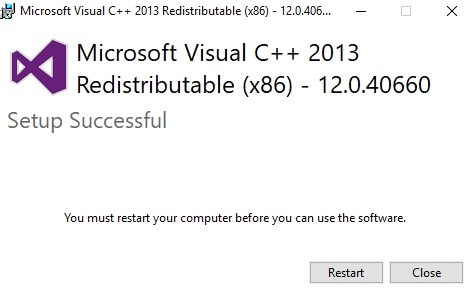
    2018-11-27 13_00_26-Microsoft Visual C   2013 Redistributable (x86) - 12.0.40660 Setup

    Checking .NET

    There’s a KB for this and it has various links, including viewing the registry or using code. I’ll use PoSh. The code they give is:

    # PowerShell 5
    Get-ChildItem 'HKLM:\SOFTWARE\Microsoft\NET Framework Setup\NDP\v4\Full\' | Get-ItemPropertyValue -Name Release | Foreach-Object { $_ -ge 394802 }

    That last value is the minimum for .NET 4.6.2. If I remove the Foreach, I get a result of 461808, which is 4.7.2. I’m good here.

    OS Updates

    I’ll check Windows Updates, and its shows a couple items, none of which matter. Not sure what the SQL2016 item is. I know I have a couple old installations that are broken, so maybe that’s for one of those. Fortunately I have a couple working instances, should I need them.

    2018-11-27 13_11_49-Settings

    Upgrade SSMS

    Let’s install.

    2018-11-27 13_15_26-Microsoft SQL Server Management Studio

    The process runs without issues, as I’d expect. For the most part SSMS 17.8 has been what I’ve run and it’s been fine. No real issues, and not sure this updates changes anything for me.

    The list of issues is small, and I haven’t had any of these. Even the 17.9 list of issues isn’t anything that concerned me, so this was more updating for the sake of updating here.

    This completed, and when I restart SSMS, I see what I expect. All my plugins and the tool connects to my instances.
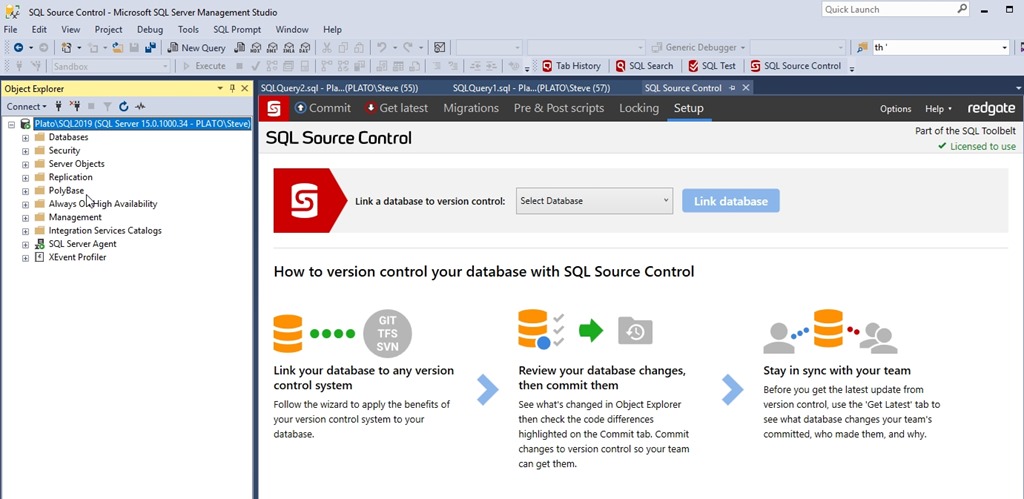
    2018-11-27 13_19_43-SQL Source Control - Microsoft SQL Server Management Studio

  • GitHub Downtime

    I didn’t notice any issues with GitHub, but others did. The majority of my interaction is just through the git protocol, so things tend to work fast, and I don’t have any database access. I rarely use the Issues, and other parts of GitHub, which were affected when GitHub had a MySQL cluster fail over. There’s a good write up of the post incident analysis that’s worth reading, from a database perspective.

    I’m not a big MySQL guy, only running an instance to power T-SQL Tuesday. The structure of a write primary and many read replicas that GitHub describes makes sense. It’s similar to what I’ve done in SQL Server, and certainly the idea of some quorum management, handled at GitHub with the Orchestrator software, is something that needs to be configured properly. Allan Hirt has talked about the complexities of quorum in large installations, and it’s not a simple thing to configure.

    In reading about this, there are a couple things that strike me. First, the analysis talks about a degredation of service because East coast applications had to send writes to West Coast database servers. There were some problems with the way the database servers were working, but it seems to me that there should be some sort of application failover that’s possible. If you can’t have an application and database fail separately without customer impact, then there should be some way to fail applications over. Perhaps not, but if you’re responsible for designing HA for the database, make sure you talk to the application people and test for issues.

    The second thing for me is that somehow there was a period of time when writes were occurring to the East Coast system that weren’t sent to the West Coast. My ignorance of how this HA stuff works in MySQL prevents me from making a big deal of this, but this isn’t something that should happen. If the quorum moves data to another node, it must stop writes to the first node. This could happen in SQL Server, but for me, this is the level of data loss I’d need to accept in my RPO.

    Steve Jones

    The Voice of the DBA Podcast

    Listen to the MP3 Audio ( 3.4MB) podcast or subscribe to the feed at iTunes and Libsyn.

  • Understanding a Database

    I ran across a post that asked a good question, one which I want to ask you today: how do you learn about a database?

    I’ve run into quite a few databases in my career. Some were third party systems, like Dynamics and JD Edwards World. Some were databases that custom designed and built by developers and database modelers of widely varying skills. Some were well built in order to normalize data and define referential integrity, and other databases were put together in a piecemeal fashion over time, lacking keys and consistent naming. I’ll leave it to you to guess if there were more of the former or the latter.

    When a developer or DBA comes across a database, what’s the way that they can decode what fields and columns mean? Certainly names help at times, especially when the purpose of the database is understood, but all too often the names don’t quite make sense. This is especially true in many vendor databases. The one common theme I’ve seen in many databases is that there is no data dictionary provided by anyone.

    Trying to understand a database has been a trial and error detective task for me in the past. Usually this starts when I need to do some work that is requested by users: write a report, change data, etc. In these cases, I often will ask users to access certain data related to the change from their application while I run Extended Events and note which entities are accessed. I can then start looking for data elements, and note which columns might be mapped to which fields in an application.

    Often I’ve built a data dictionary of sorts outside of the database using something like ErWin, ER/Studio, or another tool. That has been somewhat flawed, as it’s hard to share the information with others. These days I think I’d make extensive use of Extended Properties to document what I learned, so that all my knowledge is available for anyone else that needed to work on the system. They can just look at the properties for various entities.

    If you’ve got other methods, share them with us today. I’m sure there are plenty of DBAs and developers out there that would like some tips and tricks for decoding a database design.

    Steve Jones

    The Voice of the DBA Podcast

    Listen to the MP3 Audio ( 3.4MB) podcast or subscribe to the feed at iTunes and Libsyn.

  • SQL in the City December 2018

    The last 2018 edition of SQL in the City Streamed is coming in a few weeks. You can register today and join us for a set of talks on December 12 that talk DevOps, compliance, and more.

    Steve-email signature

    I have to deliver the keynote, which I’m working on now, taking information from other reports, conversations with customers and others, and trying to meld together a summary of where we are with Database DevOps in the world, as well as how compliance in influencing our careers.

    There are also sessions on deployments, security and more. We have a few covering Redgate tools and even a look at a few developers that are building the software we sell.

    Join me and register today for a nice break from work.