Author: way0utwest

  • Data Classification in SQL Server 2019

    One of the areas that Redgate is working on is making data classification easier. Microsoft added some capabilities to SSMS 17.5 and Redgate has an EAP out for the next version of our data catalog tool.

    Azure SQL Database has had some advanced options they were building into the database engine, and we get our first look in the on-premises version with SQL Server 2019 CTP 2.0.

    The ADD SENSITIVITY CLASSIFICATION and DROP SENSITIVITY CLASSIFICATION DDL is now available, and here are few examples of how this works.

    Let’s look at a database that has some potential data to classify. I’ve got a sample database with a few tables. In fact, if I look at the data classification suggestions in SSMS, I see 7 columns.

    2018-10-23 11_56_48-Data Classification - SimpleTalkDev_Steve - Microsoft SQL Server Management Stud

    I can accept any of these, but if I do, these are written to extended properties, which isn’t the best way of storing this data.

    However, the ADD SENSITIVITY CLASSIFICATION syntax works well. If I take that dbo.Contacts.Email column and decide this is Confidential according to the GDPR, I can do this:

    ADD SENSITIVITY CLASSIFICATION TO
      dbo.Contacts.Email
      WITH (LABEL = 'Confidential - GDPR')

    If I then query my meta data table, I’ll see this:
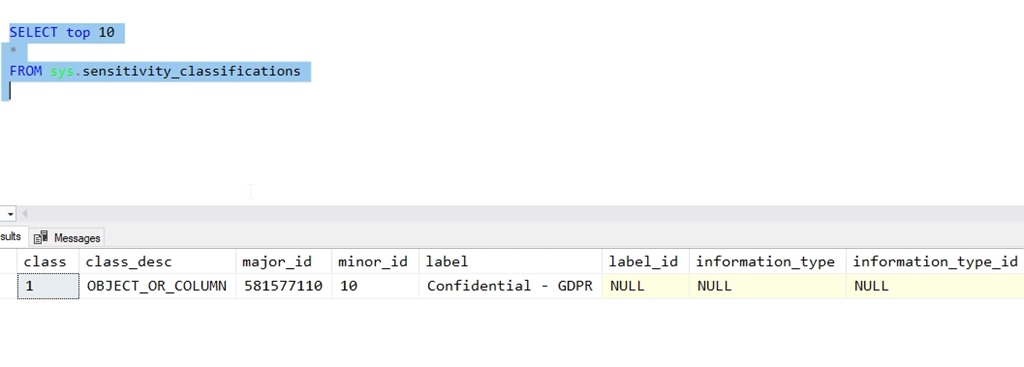
    2018-10-23 12_01_04-SQLQuery4.sql - Plato_SQL2019.SimpleTalkDev_Steve (PLATO_Steve (61))_ - Microsof

    There are other items I can add, such as the information type and then IDs for the label and type. I can, however, update that data like this:

    ADD SENSITIVITY CLASSIFICATION TO
       dbo.Contacts.Email
       WITH (INFORMATION_TYPE = 'Contact', INFORMATION_TYPE_ID = '5BFAE3B8-4549-4989-BEB6-F9BF6434DAD1')

    Note I still haven’t given the Label_ID a value, but that’s OK. This allows me to add human readable metadata to columns, as well as add IDs that I might get from some external auditing system.

    2018-10-23 12_04_01-SQLQuery4.sql - Plato_SQL2019.SimpleTalkDev_Steve (PLATO_Steve (61))_ - Microsof

    This feels primitive, but it’s slightly better than extended properties, and it’s somewhat built into the engine, so we can code this as a part of development and ensure classification is added to our sensitive data.

    If this is an area you’re interested in, we’d love to have you try the Redgate tool and give us feedback. We’re working on this problem and trying to find ways that are both useful and sustainable over time.
  • Webinar: The end of support for SQL Server 2008

    Coeo is a partner with Redgate Software. Tomorrow they are hosting a webinar on what your position will be if you are still running SQL Server 2008 or R2 now. Extended support ends next year and now is the time to start your preparations.

    Register now and tune in tomorrow, or whenever you have time.

  • Better Keyboard Extensions in Azure Data Studio

    I used to use ALT+X to execute queries in SSMS. I spent years with this shortcut, but as I started to present more, CTRL+E felt more natural. I’ve now grown used to that, so when I typed CTRL+E in Azure Data Studio (ADS), I was less than pleased.

    2018-10-19 17_06_57-● SQLQuery1 - Azure Data Studio

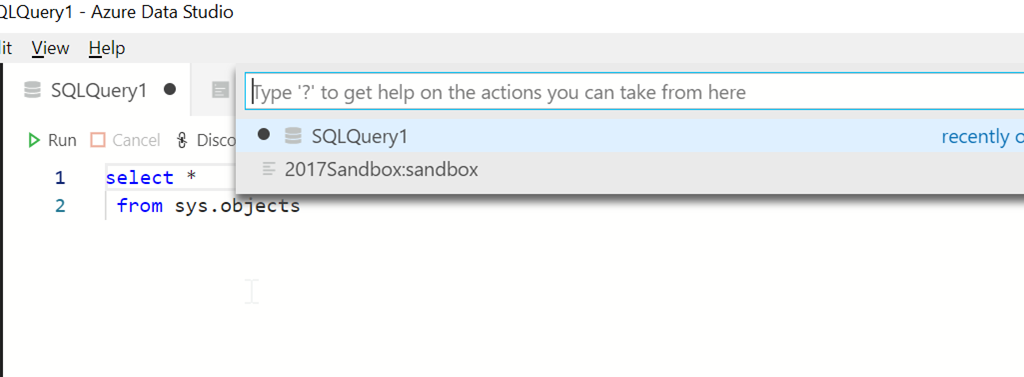
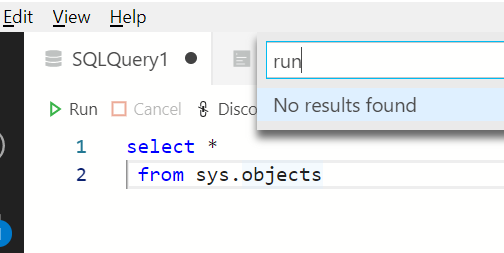
    Even trying to get help here didn’t help.

    2018-10-19 17_07_18-● SQLQuery1 - Azure Data Studio

    I actually had a conversation with Kevin Cunnane when this was SOS and he pointed me to the keymap extension.  You can get this by clicking the extensions icon on the left side of ADS:

    2018-10-19 17_12_50-● SQLQuery1 - Azure Data Studio

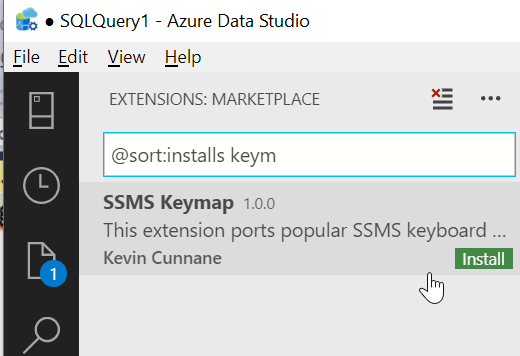
    Once you do this, search for keymap, and you’ll see Kevin’s extension.

    2018-10-19 17_13_03-● SQLQuery1 - Azure Data Studio

    You can see details for the extension on the right.

    2018-10-19 17_18_34-Extension_ SSMS Keymap - Azure Data Studio

    When you click “Install”, you’ll go to Kevin’s repo on Github. Click the link to download the VSIS extension. This gets saved in your Downloads folder (or wherever you have downloads going).

    Go back to ADS and use the File menu to find the VSIS installer.

    2018-10-19 17_18_28-Extension_ SSMS Keymap - Azure Data Studio

    Browse and double click the VSIX file you downloaded. You’ll see a message in the lower right of ADS.

    2018-10-19 17_19_48-Extension_ SSMS Keymap - Azure Data Studio

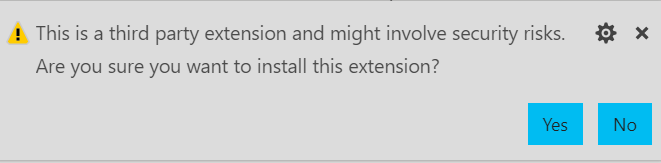
    Click Yes, or no, but if you click No, this won’t install. In a few seconds, if you clicked Yes, you’ll see this:

    2018-10-19 17_19_57-Extension_ SSMS Keymap - Azure Data Studio

    Click Reload, and ADS will close and reopen. Your query window should still be there, and CTRL+E will pop the connection dialog, since the connection closed. Once you connect, the query will run with CTRL+E

    2018-10-19 17_20_10-● SQLQuery1 - Azure Data Studio

    The full list of key mappings is available on the repo or in the package.json file.

  • Quitting Over Training

    I saw a tweet awhile back from Alex Yates that said this: “If your employer won’t provide training because they are afraid you’ll become more employable and get a job somewhere else… it’s time to quit. Immediately.”

    That’s a strong statement, but one that I tend to lean towards rather than away from. I’ll disagree slightly because I don’t think that I should recommend anyone leave their job right now. You are all adults, and you should be able to decide when it’s time to leave, or what your particular circumstances dictate. Many of us have bills to pay, and we may not have a partner that works. Sometimes we have to just deal with a poor situation for some period of time.

    I will agree with Alex that if your employer doesn’t believe in you, then that’s a problem. I’ll argue that if you don’t believe in yourself and make strides to improve your skills as well, that’s a problem as well. I’ve usually tried to invest in myself, through both time and money, and I expect my employer to do the same. Often showing some of my own initiative helps convince them that they should match, or exceed, my own investment. After all, they should get lots of the immediate benefits from any learning.

    I’ve worked for companies that didn’t like to fund any training. In those cases, I usually make plans to move on to another employer. I’ve had companies that limited training to something that I might get every 2-3 years. That’s not the worst situation, but you will have to decide how important this is for you. I try to work with companies, understanding that spending $5k in training for every employee + time out of the office may not be feasible. At the same time, spending $0 doesn’t seem reasonable. At least, it’s not reasonable if there isn’t a lot of internal training and opportunity to experiment and learn new skills.

    I say this often when I speak, but I’ll repeat it here. Your career is in your hands. An employer ought to assist you, and many do, but it’s up to you to request training, apply yourself to learn more, invest in yourself, and ultimately take advantage of opportunity. Build a plan, define measurables, and be ready to prove that you can apply some of the training in the months after you complete it.

    A week at a class or conference isn’t a vacation, and if you treat it as such, I can understand why a company might be reluctant to make an effort to train you again. Time is a valuable commodity for all of us, and we shouldn’t be wasting it when we’re trying to grow our career. Focus, learn something, and share with others. You might be surprised as the benefits that come from this, including additional investment in you by your current employer.

    Steve Jones

    The Voice of the DBA Podcast

    Listen to the MP3 Audio ( 3.4MB) podcast or subscribe to the feed at iTunes and Libsyn.