I’ve asked for #SQLCareer posts, and I haven’t done any. My job isn’t a data platform DBA or developer, but it is SQL related, so a glimpse of the nonsense I perform. I’m asking for more posts, so a note at the bottom.
This should have been a cool day, after all, I’m scheduled for my first (partial) presentation at Microsoft’s Inspire conference. It turned out to be not so great.
The day started with my waking up in the Tropicana in Las Vegas. I was a last minute addition to the Inspire staff, so I grabbed the nearest Hilton. I travel enough that it’s worth me to try and stick with one airline and hotel company. As I write this, I got two free nights for my wife and daughter in South Dakota this week for a volleyball camp.
However, I get up around 7 and pack up. As I’m doing so, my daughter calls. I took her car key while she was gone to get copies made. A minor crisis distracted me on Tuesday afternoon and her key is in my car. At the Denver airport.
I apologize for the hectic, chaotic nature of my life and for not putting it back. I make mistakes, and know my kids do as well. I expect them to apologize, and I should do the same.
I check emails and answer a few, then shower and pack up.
7:45am – Walk across the bridge to catch the tram from the Excaliber to the Manadalay Bay resort. It’s got to be 90F this morning already, and I find the first station is blocked off for construction. Great.
Walk to street level and start heading to the next station. I get there and don’t see an easy way up. It’s a coin flip to walking inside and looking for a way or crossing the street to the Luxor. Everything is far in Vegas, and I elect to walk. I get into the Luxor and it seems as easy to use the internal walkway to the Mandalay as it is to wait for the the tram.
7:52 – Starbucks. Priorities, yo.
8:05 – Inspire registration. I had problems on Wed, so I needed to complete this today. I start, click to pick my MS account login, and when I click the “Next” button, the internet disappears. Fortunately the event staff was helpful and brought me a laptop to complete registration.
8:30 – The Inspire schedule is a bit of a mess. I’m not sure where to go, but pick my co-speaker and he texts me directions to the room. I head over and sit down, watching a few other Microsoft partners talk about their companies and strategies.
I have 3000 steps today, but I see a couple interesting things that partners are doing. One of which might be something we try at Redgate. In any case, it’s an interesting half hour. Then I head over to an empty room to practice my talk with co-speakers, go over timing, and review my notes.
9:45 – We’re on. There are three of us talking about SQL Operations Studio, which seems to be Ops Studio to MS. I have 15 minutes at the end, so I stand around for a bit. Me on stage, just waiting around. The professional look today.
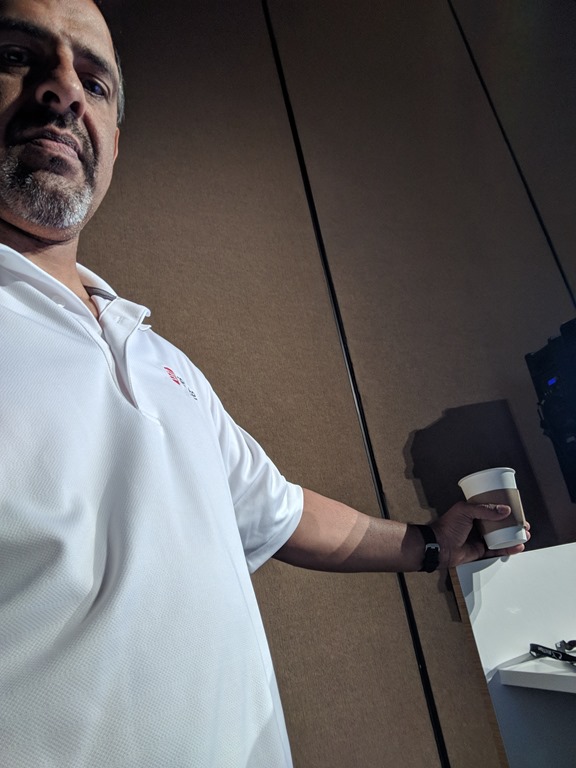
While waiting on stage, I check Slack and respond to a few messages. I do my talk, get one question, and then walk out. That’s after I’ve finished my coffee.
11:00 – The schedule seems to be just some general partner stuff to close the day. I ping a friend for lunch, but he’s down the strip at another hotel. With a 1:30 flight, I decide to give up and get a cab to the airport.
Not wanting to waste time, I forgo an Uber and get a cab. The guy talks a slightly long way around the West side of the airport, which is annoying. It’ s not my money, but at Redgate, we try to spend wisely. This feels like I should have stood around waiting for an Uber. I could have answered a few emails while waiting. I did that in the cab, but likely I didn’t save anything other than a few minutes standing and wasted $5.
In any case, I get to the airport, walk to security, get through and make my way to the terminal. I do this enough that if I don’t try to be efficient, I waste lots of time. Fortunately from taxi drop off to sitting down for lunch is about 15 minutes for me. I sit there and go through a few product items on Slack, and respond to a question on the Redgate Hub. Nothing that important, but it’s the type of busy work that will catch up to me if I don’t get things done.
Post lunch I still have about 45 minutes before boarding, so I pull out the laptop, charge my phone, and start this post. I also answer a few emails and load some Database Weekly items for the newsletter. It’s my week to get links and write an editorial, so I try to do a little of this everyday. I find it keeps me in touch with what’s happening in the database world.
One article is on Managed Instances in Azure and how they are different. It’s interesting and I learn about the Job Object, which I knew nothing about. I always seem to learn a few things every week that I didn’t know from someone. I also caught up on a couple SQL Career posts from Jen Stirrup and Brent Ozar.
The flight home is fine, but it’s cramped. I don’t do any work and just read a bit and watch part of a movie. I seem to see parts of movies here and there, but never bother to finish if they’re not that interesting.
6:30pm – I hit the gym on the way home for 30 minutes and then get my daughter’s keys made and then some chores at home.
7:45pm – One last check of things and finish this post. I realize I’ve scheduled tweets for the next three newsletters all tomorrow. Grrr, I delete them all and need to rebuild the schedules. Takes about 30 minutes.
Not a productive workday, but since I travel again Friday to SQL Saturday Louisville, I’ll let it go.