I’m at the UK Redgate office today, meeting with senior leaders in all areas of the business. I was honored to be awarded a spot in our President’s Club. This is where the top performing sales people get to meet with leaders in the company and then head off for a few days of relaxation and excitement.
I’m here today and tomorrow and then off to Rome. We’re heading to tour the city, see the Vatican, and visit some great restaurants. I’m excited for the trip and I’ll have a few photos and thoughts next week, but I’m off this week.
the kinder surprise – . the point in your early adolescence when you realize that your parents are muddling through their lives the same as you; that many respectable adults are not less lost than you and your friends, no less petty and obsessive and insecure, which makes you wonder if there are no real adults, because such a thing never actually existed, except in bedtime stories.
I am not an adolescent, but I realized this early in my career, while working with some other technologists that I expected to know a lot more than I did and be more aware of things they should do to either advance their careers or improve their skills.
Over the last ten years, more and more I find that most people aren’t really strong, self-confident adults in all aspects of their lives. They might be at home, or at work, or on a sports field, or while playing an instrument, but in some of those areas they are insecure.
Or lost, or obsessive, or anything else.
I’ve tried hard to be honest with my kids as they were growing up, letting them know I’m fallible and unsure sometimes. At the same time, I try to help them develop confidence and show when I have that.
And explain that confidence isn’t’ arrogance. Being confident doesn’t mean I’m sure I’m right about something, but rather I know the pros/cons and what this means in my life. What effects my decisions have and I choose to make them, knowing there is both an upside and downside.
Few people have figured out most of their life. Many might have figured out little and aren’t really that much different from a teenager.
I went to sleep while reading a Kindle book on my phone. I know because my hand dropped and the phone knocked me in the forehead. I set it on the nightstand and went to sleep again.
I woke up and was planning on reading for a few minutes before starting my Monday. When I opened the Kindle app, it asked me to log in. When I did, Amazon said my account was locked and I needed to check an email. I did, and found one from Amazon.co.uk questioning a purchase I made and asking for me to very an order number and the last 2 digits of a card to charge.
I wasn’t sure what to do, but since my wife was complaining about her Audible account, I knew I needed to do something.
I didn’t like the email for multiple security reasons, including not giving me a way to verify the email online. Checking Amazon’s help page said I should have a link in the email to a form. Even when I called the Amazon help line, they said I should have a link when I logged in to do so. I didn’t on either the .com or .co.uk sites, but Amazon Customer Service eventually unlocked my account.
I wrote about Dependencies in today’s editorial, inspired by this story and the Reddit story linked in there about losing access to Claude. That’s scrary, especially in this new automated world where AI agents might be examining activity and undertake this type of action to prevent other issues. It’s an overreaching type of judgment that starts to expose the dangers of a highly interconnected world.
I get Amazon might want to ensure my purchase was legitimate and perhaps prevent future orders, but also locking my content away (books, movies, audio, etc.) because of a shopping issue seems extreme.
It’s certainly my issue, and I’m not sure how I untangle things for the future, but it does make me think about limiting dependencies a bit more in the future. Or at least understanding the dangers of too much on one service.
Whether that’s the books I read or the services my company gets from any one vendor.
This happened to me recently after being busy with non-data modeling tasks for a few weeks. I went to add a relationship and was confused about the behavior. Read on to see what happened and what I did.
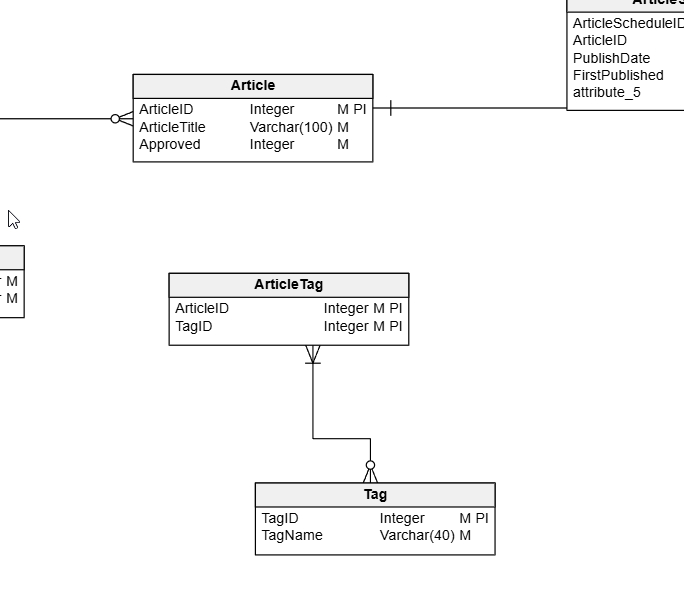
I opened one of my models and saw something like this. Note that the Article and ArticleTag entities aren’t related.
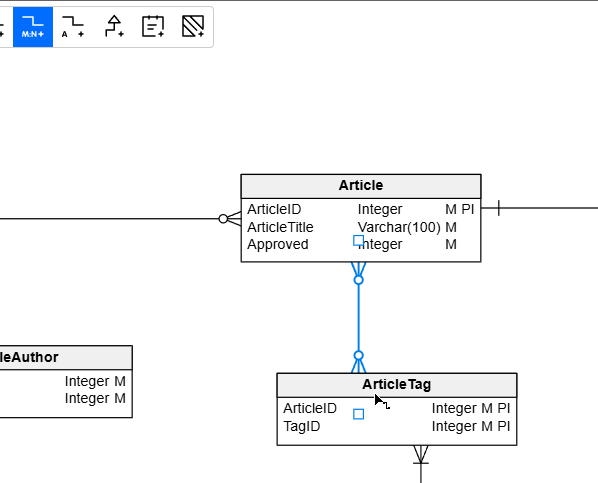
I decided to add a relationship. This is a Many to Many, so I clicked on that icon in the toolbar.
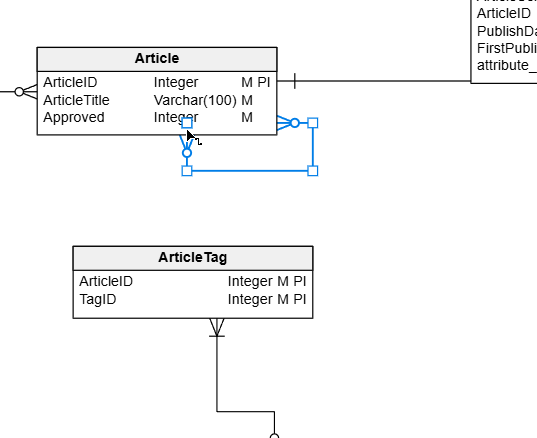
I then clicked on the Article entity and saw this. It’s a self-referencing relationship.
What??? I assumed I’d click one entity, then the other. I tried grabbing various elements of the relationship to move them, but nothing worked. I could move them around within the relationship, but not to another entity.
I deleted and added this a few times before I decided to check the docs. On this page for relationships, I found my mistake. There is this quote: “If you’ve already selected the tool, simply drag from one entity to another.”
Aha.
If I click the toolbar relationship icon, and then drag from one to the other, it works.
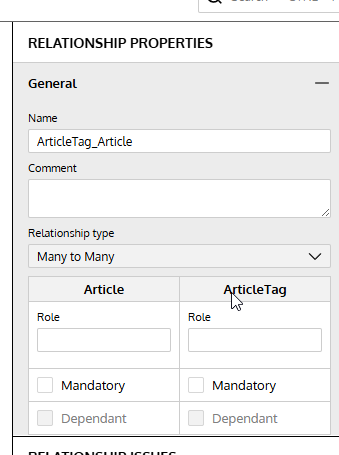
I suspect this is an artifact of the web controls, but it was weird for me to not be able to alter the relationship targets. Even in the right properties pane, I can’t change this.
Summary
A simple thing, but not quite as intuitive as I’d like. However, one needs to learn to use tools, which means reading docs or using Claude/ChatGPT and
This is a reminder to drag relationships in your Redgate Data Modeler models and don’t get away from modeling for weeks, like I did.
Give Redgate Data Modeler a try and see if it helps you and your team get a handle on your database.
Video Walkthrough
Here’s a short video of my working with Redgate Data Modeler and changing cardinality.