Category: Blog

  • Outlining Goals in 2023

    Last year I set a bunch of goals, and I thought I did pretty good working on them. Not amazing, but pretty good. This year, I want to attack goals a little differently, so I’m going to think about how to measure things first, then set up the goals.

    One system of looking at goals is SMART. This stands for:

    • specific
    • measurable
    • achievable
    • relevant
    • time-bound

    In terms of my goals, I want to tackle some in this format in 2023, and see how this goes. With that in mind, I’m looking at things in this way. I have a few sample goals, but I need to think through these a little more.

    Specific

    In looking at 2022 goals, they were fairly specific, but not always. I didn’t define the personal ones well. The work and community ones were good.

    In 2023, I’ll look to ensure I specify each of these in more detail and have something to measure against. I need to use the 6ws (who, what when, where, which, why) where possible.

    Measurable

    This is the big one. Do I have metrics by which I can measure things. Certainly percentage read for books, but what about my demos? Can I really get these to a percentage of done? Or just work/not working? What about the number of events? That’s easy, but does it include other metrics. I ought to ensure I try to put some sort of way to definitively note whether I’ve achieved something or not.

    Examples could be:

    • Send 12 SQL Saturday newsletters
    • Reliable working process that moves data from source to target with more success than failure
    • Volunteer 4 days

    Achievable

    This is interesting. I thought all my goals were achievable, but not easily. If nothing new came up or life didn’t get in the way, I could achieve those. I think I’m doing well here, despite not finishing everything.

    Relevant

    My career is in a weird place. I’m closer to the end, and my growth in Redgate is more focused on marketing and sales, so less on technology. The tech matters, as I consult with customers and train them, but I do a lot more things that are very different.

    At the same time, all of the items I chose last year do help my career. Whether this is for content, for knowledge I’ll take to customers, for the recharging from volunteer days or reading. I don’t usually have a problem here.

    Time-Bound

    This is harder. No matter how I’ve planned, usually things get away from my and a portion of my schedule isn’t my own. I get asked to do things or assigned them, and that messes up plans.

    Life outside of work can also get in the way at times, and leave me less time to work on my goals.

    I’m going to tackle goals a little differently this year. I’m making them quarterly, thinking that’s a more manageable time-frame where I can predict some level of commitment.

    We’ll see.

    Aims for 2022

    For this year’s goals, I’ll try to work within the SMART system for goals. The T here, will be aiming for quarterly re-alignment of goals with life.

    I’ll still rate myself monthly and then roll those up for a quarterly review. I’ll adjust the goals quarterly as my schedule reveals itself. In terms of ratings, I want to use a school-type rating of A-F, but with these views:

    • A – exceeding expectations for goal achievement, making almost all goals
    • B – above average for goal achievement, making much more than missing
    • C – average goal achievement, making some, missing some
    • D – below average, missing more than making
    • F – completely missing most

    While I was mostly an A student in high school, with a good set of goals, I ought to be a B-C student. Life will get in the way, things will change, and I shouldn’t expect that I can devote as much time across the next few months as I plan for during this slow time of year.
  • Daily Coping 6 Jan 2023

    Today’s coping tip is to do something outdoors today. Enjoy nature.

    I’m writing this a few days ahead, so I’m using an activity I did over the weekend. The weather was somewhat mild, though still snow around. However, my wife and I went out for a walk with the dogs, taking some time to get outside, slightly bundled up, but enjoying being in nature with each other and our dogs, a relaxing, calm exercise day.

    I started to add a daily coping tip to the SQL Server Central newsletter and to the Community Circle, which is helping me deal with the issues in the world. I’m adding my responses for each day here. All my coping tips are under this tag.

  • Daily Coping 5 Jan 2023

    Today’s coping tip is to set aside a regular time for the next month for an activity you love .

    This is a big month for me, with coaching continuing. That will eat up a lot of time. However, that does mean that I need to focus to ensure I continue to enjoy life.

    I’m going to make an effort to spend at least 10 minutes 5 nights a week on guitar. I enjoy learning and playing, and rather than defaulting to reading or media right away at night, I’m going to keep the guitar near the bed and ensure I spend a bit of time playing some songs.

    I started to add a daily coping tip to the SQL Server Central newsletter and to the Community Circle, which is helping me deal with the issues in the world. I’m adding my responses for each day here. All my coping tips are under this tag.

  • Installing Flyway Community on Windows

    One of the things I’ve been trying to do is dig in more deeply to the Flyway command line (CLI) as part of my work with Redgate. While Flyway Desktop is amazing, it’s a wrapper, and my inclination is to ensure I understand the underlying technology.

    When I first downloaded Flyway, it wasn’t obvious what needed to be done to connect in different ways, so I decided on a short tutorial that would help me remember how and teach others a few things. This post goes over downloading Flyway and getting started.

    Setup

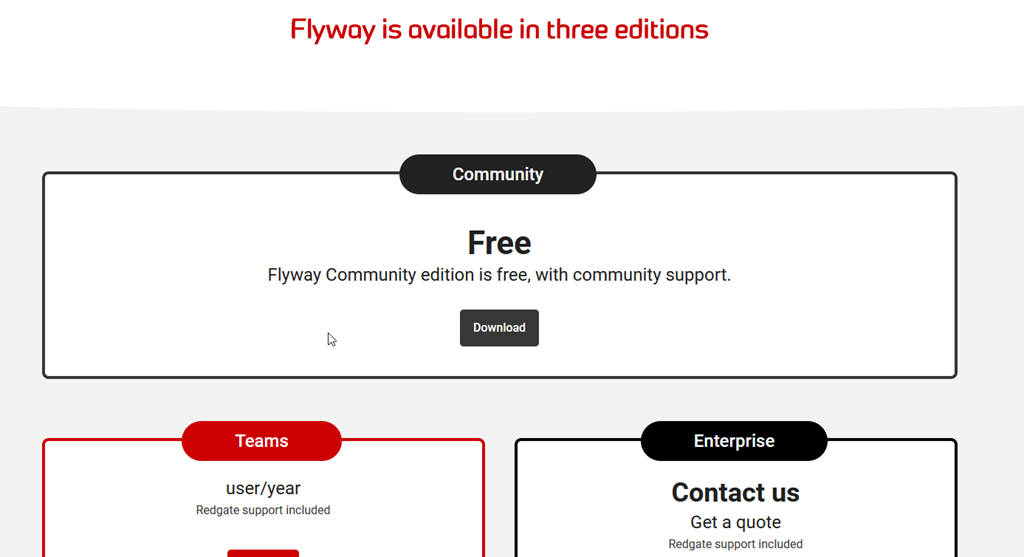
    The setup for Flyway is easy. The Community version is free, though there are also Teams and Enterprise editions.

    2022-12-27 10_42_52-Download   pricing - Flyway — Mozilla Firefox

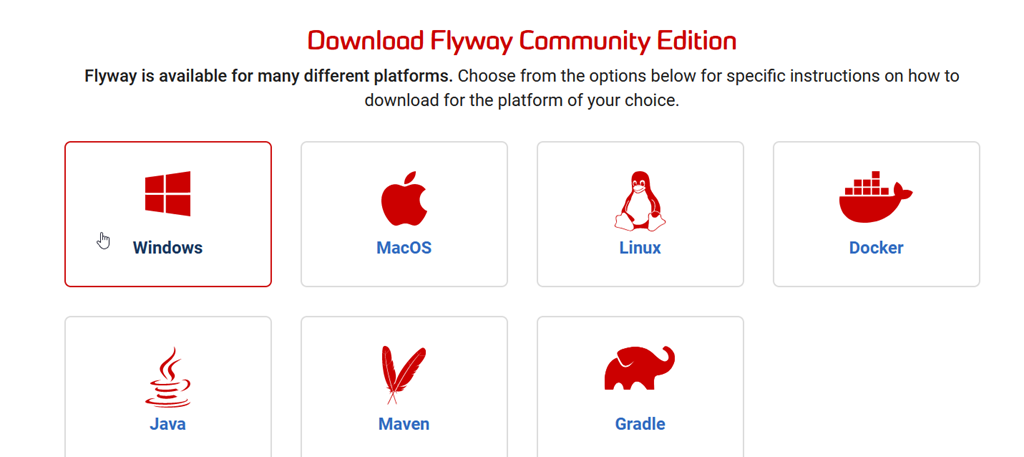
    Flyway Community works on many platforms. I’ll choose Windows below.

    2022-12-27 10_44_47-Community edition - Flyway — Mozilla Firefox

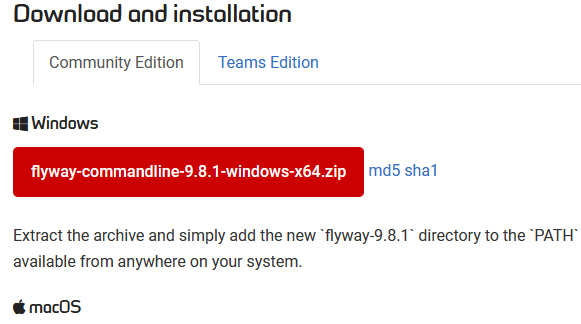
    The Windows version is a zip file. Click this, and it will download.

    2022-12-27 10_45_35-Command-line - Command-line tool - Flyway by Redgate • Database Migrations Made

    Then unzip this. I have a c:\Utilities folder where I keep stuff and I’ve added a flyway folder there. I unzip the latest into this folder.

    2022-12-27 10_46_47-flyway

    If you care about versioning, you might drop Flyway into a version named folder, but I typically don’t on this machine. For production deployments, I would be more careful.

    You then need to add this to your PATH. If you are on Windows 10 or 11, then in the Control Panel (Windows+I), search for environment. Edit the variables for your account.

    2022-12-27 10_47_57-Settings

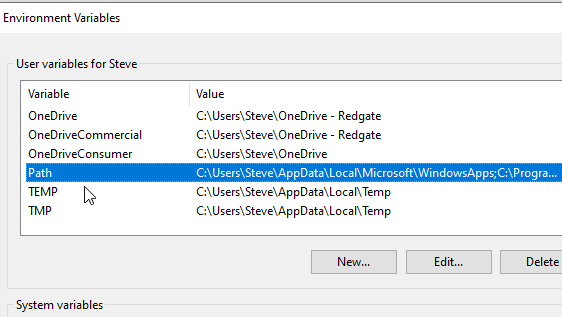
    Once the new dialog appears, find the PATH variable and click Edit.

    2022-12-27 10_48_04-Environment Variables

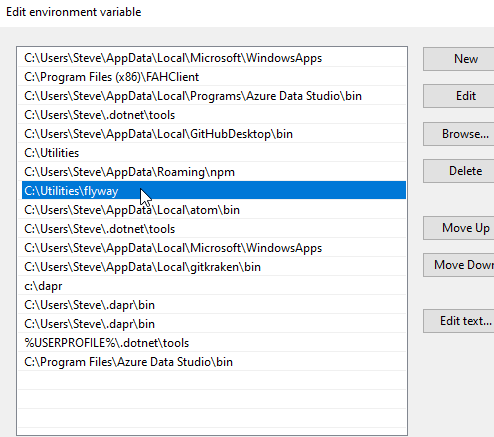
    Now add an entry for the folder where you extracted the Flyway files. For me, this is c:\utilities\flyway.

    2022-12-27 10_48_12-Edit environment variable

    That’s it, Flyway is installed.

    We can check at the command line with “flyway version”.

    2022-12-27 10_51_19-cmd

    If you have entered a license key, then you’ll see that message.

    2022-12-27 10_50_47-cmd