Category: Blog

  • T-SQL Tuesday #098–Technical Challenges

    tsqltuesdayIt’s the first T-SQL Tuesday of 2018, being brought to you by Arun Sirpal. His invitation this month asks for you to talk about some technical challenge that you conquered in your career. Some type of issue that you had to troubleshoot and discover what the issue was, as well as the item you corrected.

    I’ve written about lots of items in my career, so I decided to reach back to pick one that wasn’t too hard to diagnose, but was hard to solve.

    Inconsistent Errors

    A long, long time ago, in a company far, far, away, I was a DBA. Actually, not that far away. Just down the road in Englewood, CO, and it wasn’t that long ago, but it was prior to the year 2000, which was it’s own adventure (and non-adventure).

    In any case, I was a DBA for a company that had a fairly large and active application in use by hundreds of clients. There were a number of issues I had to solve here, but one of the most memorable came when a customer called and said they were getting an error in our application. We tended to hide most errors and return generic ones to the user, so I had a developer get some debug logs and we discovered a severe error from SQL Server that would drop the connection.

    This was annoying since the VB6 app wouldn’t reconnect by itself and the user had to close it and restart. What was interesting was that the user didn’t get this for all activity, just a few items.

    I tested a few queries on dev systems and they seemed to work from isql/w. We tried the application and that worked. That led me down the path of a data issue. I suspected some data might have had strange characters that the app couldn’t handle.

    As we dug into this on production, it seemed our test accounts and various others we tried would work, even for this customer data. Along the way we were running SQL Trace (this was v6.5) and app logging to debug. A few hours in, I stumbled on a few pieces of data for this customer that caused a broken connection.

    The error led me to believe there was corruption in the database and I immediately opened a call to Microsoft while alerting our management. Since we were a company in the financial area, this was a big deal. Fortunately it was near the end of the day and we could take some emergency downtime on the system. Since we traded mutual funds at the time, we weren’t involved in real time activity outside of NY business hours.

    At this point I’d been working on this a few hours, and in talking with Microsoft, we started some diagnostics, including CHECKDB work. We ran this periodically, but if I recall, this was weekly.

    Eventually we discovered that there was corruption in part of one table. With out indexes and a spread out client load, many queries read around the corrupt section, which explained the behavior we saw. Unfortunately, backups wouldn’t help here, nor could we select out the table to get data. As I was handed off around the world to different customer service centers, my apprehension grew.

    I was told that we’d need to move data out of the table and rebuild it, no easy (or quick) task. Since we didn’t know exactly where the corruption was, I was given quite a few queries to slowly work through sections of the clustered index and find what was readable and what wasn’t. Eventually we boxed in the bad sections and moved good data from other areas into a new table.

    When we thought we had it all, we dropped the table and renamed a new one. However, I wasn’t done. While this was going on, I was also restoring a few other backups to try and find out when the corruption started and hopefully recover other data.

    I worked all night, and into the next day. A couple cat naps while some things ran, but I’d been up close to 40 hours by the time I could leave. I’d recovered most data in the corrupt areas from backups, leaving notes for our service people to try and recreate the rest. We could enable our FKs again, though a few dummy records were needed in places where we weren’t sure what the data should read.

    Most customers never knew about the issue and only a few were upset. We replaced a lot of disks and rechecked server hardware, planning on moving to new metal as soon as we could, though the nature of v6.5 made this a challenge in getting disk systems setup correctly.

    That was one of my more memorable days at the office, though not the only overnight session. I kept a pillow and blanket in my desk, sleeping on the floor 4 or 5 times that year. Eventually I moved on, and was glad to do so.

  • Advent of Code 2017 Day 1–#SQLNewBlogger

    Another post for me that is simple and hopefully serves as an example for people trying to get blogging as #SQLNewBloggers.

    I like the Advent of Code. I stumbled on the site a few years ago and enjoyed working through some of the challenges in 2015. I tried solving them with three languages (Python, PoSh, and T-SQL) but only managed to get through about half the items before life got busy. Last year I was worn out and too busy to mess with the code.

    This year I was busy in December when the puzzles came out, but decided to work through the puzzles again as a break from work and life, and to keep my mind flexible. I’ll do a series here, hopefully all 25, but here’s my view of Day 1.

    Part 1

    Each puzzle has two parts, and you need to solve part 1 to get part 2. In this case I need to take a list of input and compare each digit to the next digit and see if they match. If they do, then you add that digit to your sum.

    This sounds like a perfect case to use the LEAD/LAG functions in SQL Server, so I did that. Since I get a long list of input, I also decided to use a string splitter. Here’s the first part where I split the string:

    DECLARE @i VARCHAR(5000);
     --SET @i  = '1122';
     --SET @i  = '951344679963668529';
    
    WITH myTally(n)
     AS
     (SELECT n = ROW_NUMBER() OVER (ORDER BY (SELECT null))
     FROM (VALUES (1), (2), (3), (4), (5), (6), (7), (8), (9), (10)) a(n)
     CROSS JOIN (VALUES (1), (2), (3), (4), (5), (6), (7), (8), (9), (10)) b(n)
     CROSS JOIN (VALUES (1), (2), (3), (4), (5), (6), (7), (8), (9), (10)) c(n)
     CROSS JOIN (VALUES (1), (2), (3), (4), (5), (6), (7), (8), (9), (10)) d(n)
     )
     , cteSplit (i)
     AS
     ( SELECT
     i = SUBSTRING(@i, n, 1)
     FROM myTally
     WHERE n <= LEN(@i)
     )
    
    select i
    
    from cteSplit

    If you run this, you’ll get your @i string out a character at a time. This get’s me the data in a set of rows, similar to an array.

    Now I need to compare each row with the next one, and I’ll use the LEAD function. My data is ordered, so I don’t need an order. That means I’m looking at this:

    LEAD(i, 1) OVER (ORDER BY (SELECT NULL))

    I’ll compare that with the current value and if they match, I’ll return the value. If not, I return a zero, adding nothing to the sum.

    There is one special case. The list is circular, so if the last digit (when we get there) matches the first digit, I need to include that. I’ll add that as special FIRST_VALUE, LAST_VALUE function match. Here’s my code:

    WITH myTally(n)
     AS
     (SELECT n = ROW_NUMBER() OVER (ORDER BY (SELECT null))
     FROM (VALUES (1), (2), (3), (4), (5), (6), (7), (8), (9), (10)) a(n)
     CROSS JOIN (VALUES (1), (2), (3), (4), (5), (6), (7), (8), (9), (10)) b(n)
     CROSS JOIN (VALUES (1), (2), (3), (4), (5), (6), (7), (8), (9), (10)) c(n)
     CROSS JOIN (VALUES (1), (2), (3), (4), (5), (6), (7), (8), (9), (10)) d(n)
     )
     , cteSplit (i)
     AS
     ( SELECT
     i = SUBSTRING(@i, n, 1)
     FROM myTally
     WHERE n <= LEN(@i)
     )
     , datacte(j)
     AS
     (
     SELECT j = CASE WHEN i = LEAD(i, 1) OVER (ORDER BY (SELECT NULL))
     THEN cteSplit.i
     ELSE 0
     END
     FROM cteSplit
     UNION all
     SELECT TOP 1 j = CASE WHEN FIRST_VALUE(i) OVER (ORDER BY (SELECT NULL)) = LAST_VALUE(i) OVER (ORDER BY (SELECT NULL))
     THEN i
     ELSE 0
     end
     FROM cteSplit
     )
     SELECT SUM(j) FROM datacte

    When I do this with the input string, I get a result. It happened to be right Winking smile

    Part II

    Part II is a variation of Part I. Instead of looking at the next digit, I need to look halfway around the list. The list is an even number, so if it’s 10 digits long, I need to start with char 1 and look at char 6. If they are equal, add to sum. Then look at 2 and 7, and repeat. Since it’s a circular list, when I get to char 5, I look around to char 1. There’s an optimization here, but when I solved this, I decided to take an easy way out.

    I first considered adding the first half of the list to the end and only running through the first len(input) characters. Then I thought, I could easily do a LAG. So, I modified my datacte query to do this:

    , datacte(j, k, i, l, n)
     AS
     (
     SELECT j = CASE WHEN i = LEAD(i, @len) OVER (ORDER BY (SELECT NULL)) AND n <= @len
     THEN cteSplit.i
     ELSE 0
     END
     ,
     k = CASE WHEN i = LAG(i, @len) OVER (ORDER BY (SELECT NULL)) AND n > @len
     THEN cteSplit.i
     ELSE 0
     END
    
    )

    This quickly counts the matches up to the middle and then counts the next bunch.

    There’s a better way, but I’ll leave you to figure that out in the comments.

    In any case, I solved both of day 1. Now on to day 2 during the next break.

  • Creating a Books Online Pull Request

    One of the neat things at Microsoft did last year was put Books Online in GitHub. This is in the MicrosoftDocs org under the sql-docs repo. The organization is a bit funny, but once you get used to it, you can find the docs.

    One of the neat things that is available now is that anyone can edit Books Online. You can’t edit the live versions in GitHub, nor the versions published on Microsoft’s site (or downloaded), but you can submit your changes as a pull request, which Microsoft will review the changes, and if they like them, the changes can get added to the official docs.

    This post shows how you can do this.

    Requirements

    First, you need a Github account. This is free, and you will end up with a fork (copy) of the official repo in your account when you edit.

    Second, you need to learn a little markdown. Not much, but enough to make formatted changes. I like this cheatsheet, but there are plenty out there (kidding).

    Editing BOL

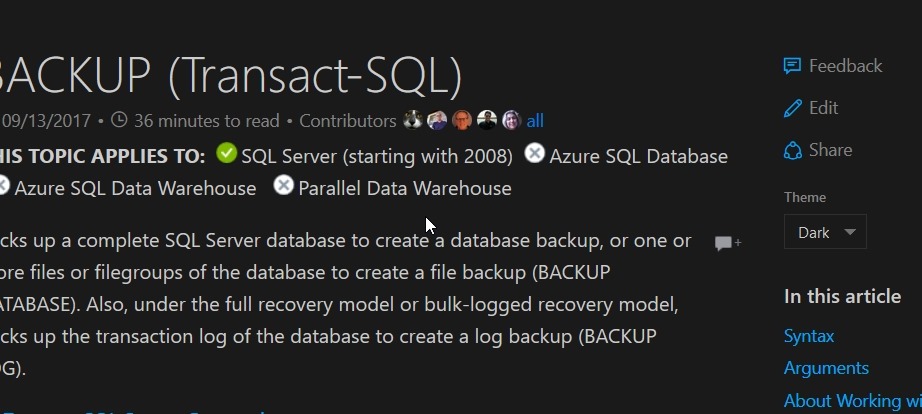
    When you go to a page in the online BOL, you should notice a short menu in the upper right. It has Feedback and Share links, but also an “Edit” link. You can see this in the image below.

    2018-01-02 12_30_06-BACKUP (Transact-SQL) _ Microsoft Docs

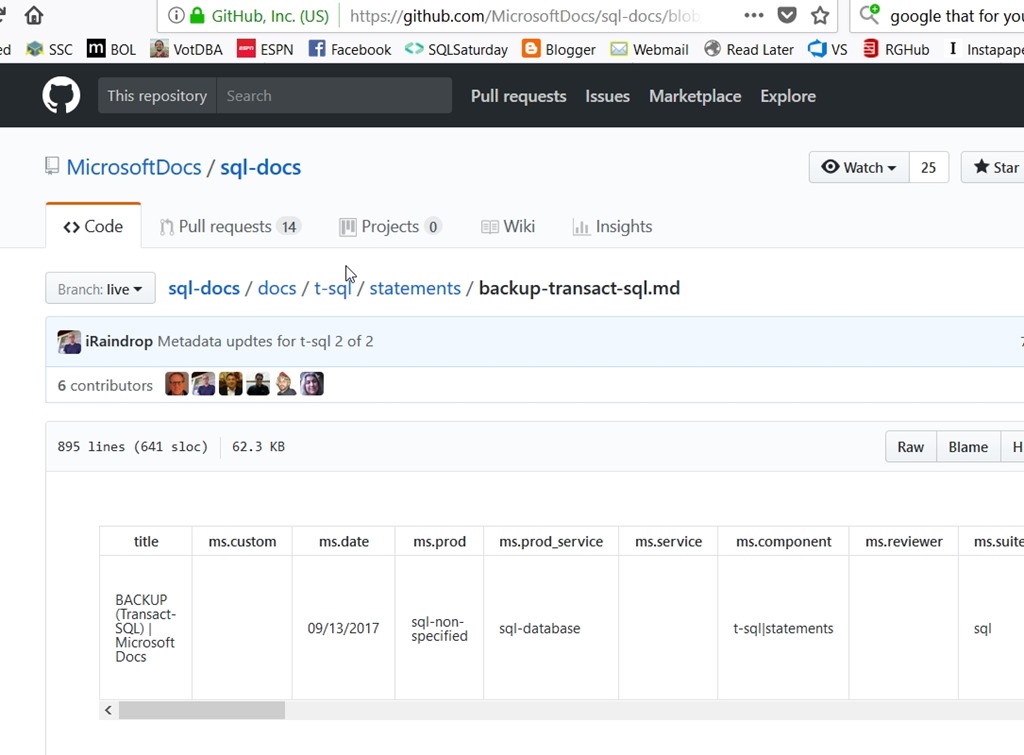
    If you click Edit, you’ll be taken to the page in Github. Below, I have the Backup page shown. Note the path near the top (by Branch:live) of sql-docs/docs/t-sql/statements/backup-transact-sql.md. This is the file in the repo. You’ll need this.

    2018-01-02 12_31_01-sql-docs_backup-transact-sql.md at live · MicrosoftDocs_sql-docs

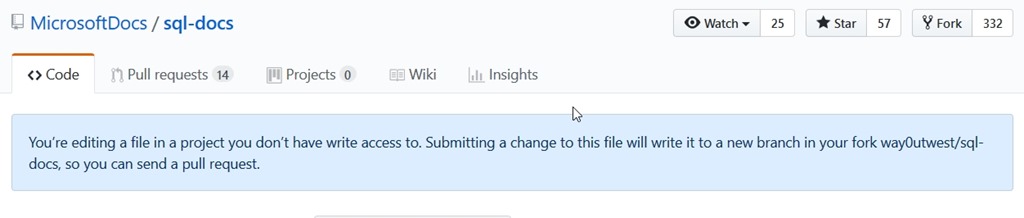
    This is the real repo from Microsoft, and you won’t be able to edit it. If you click edit (a pencil icon on the right side, just above the doc and to the right of the Raw|Blame|History buttons, you’ll get this:

    2018-01-02 12_33_28-Editing sql-docs_backup-transact-sql.md at live · MicrosoftDocs_sql-docs

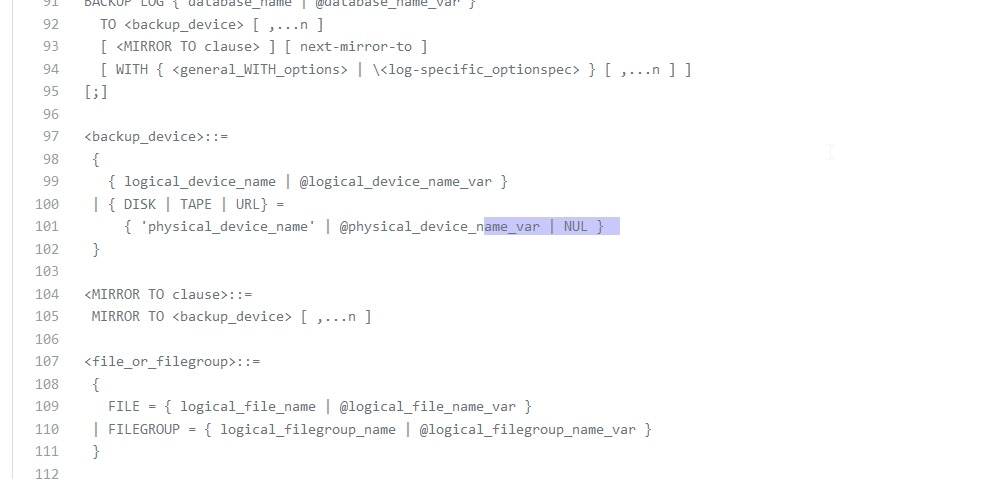
    That’s fine. You can edit the page and then save this in your copy of the repo. In this case, I actually wanted to edit this page to add the NUL device. I scrolled down and found the area I wanted to edit. For ease of viewing, I’ve highlighted the place I edited the file.

    2018-01-02 12_34_28-Editing sql-docs_backup-transact-sql.md at live · MicrosoftDocs_sql-docs

    Commit

    All of you reading this should be familiar with version control. If you’re not, learn that.

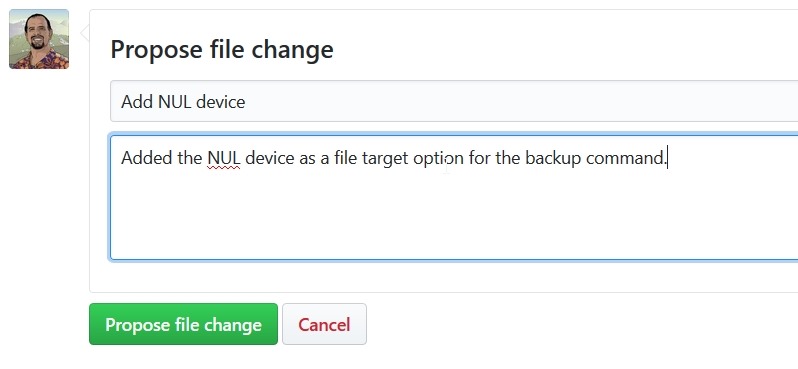
    To commit my change, I scroll to the bottom of the file and I’ll see the propose file change dialog. I can enter a title (meaningful for the change) and a comment that will let someone know what I’ve done.

    2018-01-02 12_36_17-Editing sql-docs_backup-transact-sql.md at live · MicrosoftDocs_sql-docs

    Once I do this, a new branch is created in my repo. If I look at the result page, I’ll see this:

    2018-01-02 12_37_02-Comparing MicrosoftDocs_live...way0utwest_patch-4 · MicrosoftDocs_sql-docs

    Reading this, I see that in my fork (way0utwest/sql-docs), I have a new branch (patch-4) that was created. Below this are the details of the commit, but essentially I have a copy of the official Microsoft repo in my area, with one new commit.

    The Pull Request

    A pull request (PR) is a notification to a repo that there are changes that someone wants to merge into that repo. In this case, a pull request will let MS know that my change is ready to merge, and they can review it.

    To start a PR, click the green button in the image above. By default, I’ll get the same commit comments I had listed above. In this case, I see this:

    2018-01-02 12_39_30-Comparing MicrosoftDocs_live...way0utwest_patch-4 · MicrosoftDocs_sql-docs
    Note, there are a couple important things here. First, this change is “able to merge”. We see that near the top. If you’ve made substantial changes that don’t necessarily merge cleanly, or you have an old copy of the repo, this won’t work. Go back and create a PR to update your repo from MS (you can approve this) and then make your changes.

    Second, make sure that your comments make sense to the person that will review this. In my case, I wanted to have more complete docs with NUL as an option (since it is) and I noted this is a target. I could expound why here or add more details. I try to ensure each change I’ve made has a sentence, so if I added a note to a different place in the docs, I’d have a second sentence here.

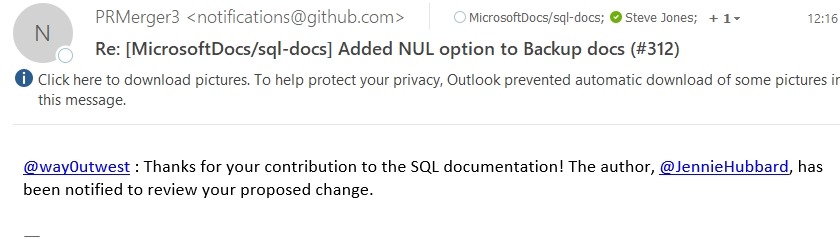
    Click “Create pull request” to complete this. Someone at MS will be notified, and you’ll get an email. In my case, I got this:

    2018-01-02 12_25_27-Deleted Items - steve.jones@red-gate.com - Outlook

    Waiting

    The next step is to wait. I’ve submitted four or five minor PRs that helped complete or clarify docs. In some cases I got a note from the repo maintainer the same day, some took 3 or 4 days.

    In any case, you may get a message that your change is accepted and it’s been merged. In this case, you’re done and I thank you for improving BOL.

    You also may get a message back in your PR that there are other changes that need to be made, or on rare occasions, an conflict has occurred. In that case, you may need to edit your change, make a new commit, and a new PR.

    This is a great model that Microsoft has given us to allow the community to issue corrections. Prior to this all feedback would get emailed to someone at MS, without any real organization. Or MVPs would send in feedback, but someone would need to interpret that and make a change. Now the community can easily make a change and help improve and correct our docs.

  • Starting from Scratch

    As the new year starts today, I find myself looking at my blog and seeing no posts in queue. My last editorial published today and no blogs scheduled for this week. In other words, the same state that many blogs are in.

    I’m a big fan of writing regularly, and if inspiration strikes and lets you get more than one post done, schedule it out. Usually I’ve got 5-10 posts scheduled at any one time, but not today. With two weeks of travel and then holidays to close out 2017, I didn’t do much writing.

    So today the focus is getting back to work, while also keeping an eye out for those things to write about. As I work with T-SQL, I’ll make notes of things that are interesting, or that I learn, and start adding blog posts.

    I don’t have a goal for 2018, but I did end up with 219 blogs (excluding editorials) with an average of 18 posts a month. We’ll see how I do this year.