Tag: AIExperiments

  • AI Experiments: Parsing Payment Memos

    As part of my running the SQL Saturday charitable foundation, I get sponsorship money from vendors. Primarily Microsoft and AMD, but I hope to change that in the future. In any case, I recently got a payment notification that my invoice had been paid.

    I knew I had a few invoices outstanding, so I wasn’t sure what was included. MS tries to bundle payments, but I don’t get an email for each one. For this one, I didn’t see an email, so I suspected I’d put the wrong one in or typo’d it.

    The Usual Process

    When I get payments, I have to reconcile those in my General Ledger, recording the amount and allocating to the events. I then send out payments to the event organizers and record those.

    This is a mostly manual process, but since I sometimes submit multiple invoices at once, I have to figure out what was paid. I could submit 3 invoices and get 1, 2, or 3 payments. Microsoft Finance usually bundles things, but since I can have a lot of events in flight, I need to know where money gets allocated.

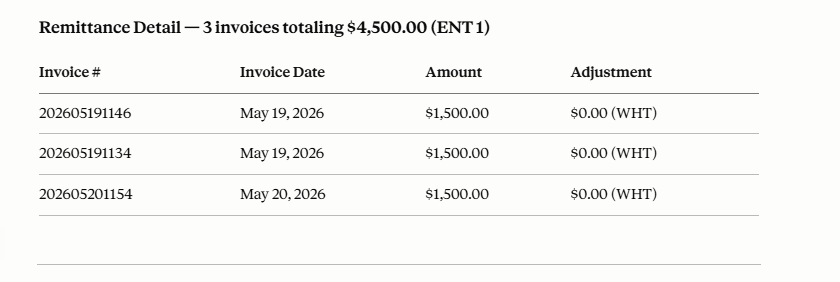
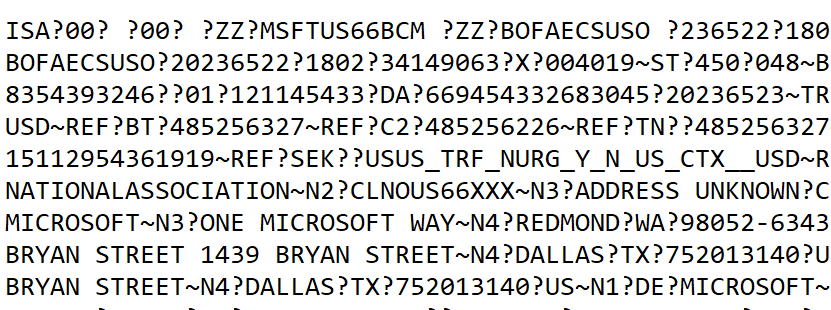
    In this case, I didn’t see an email and didn’t want to log into the invoice system and start finding the various invoices paid and clicking through details. Instead, I logged into the bank to verify the amount and I saw a memo. It was something like this (I’ve changed a bunch of data in here.

    2026-06_0123

    I thought it would be obvious which invoices were paid, but I couldn’t quickly figure this out. I decided to turn to AI.

    AI to the Rescue

    First, I knew I had a “no training” AI plan with Claude, so I wasn’t concerned about data release here.

    I had this prompt and then pasted in the data: “can you help me separate this by ? and make sense of what is included?”

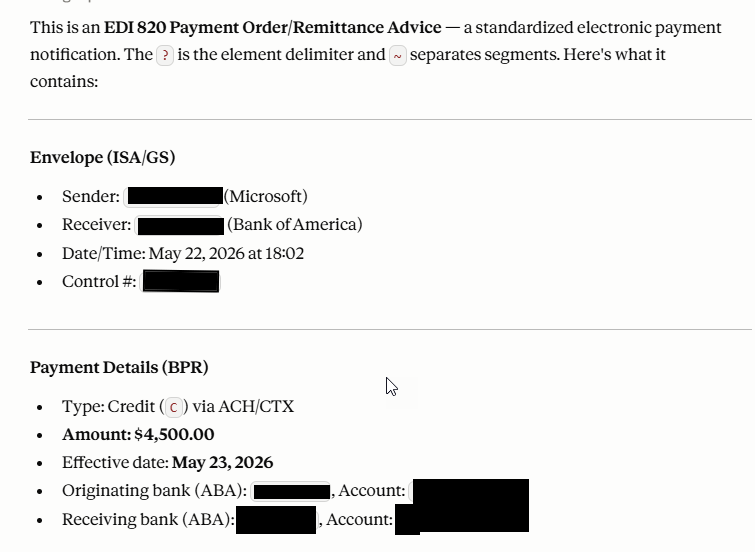
    The result was interesting, and useful. It labeled this task as EDI 820 parsing, so apparently this is EDI format. The last time I worked with EDI is was XML based, but perhaps this is the new way of doing things.

    The results were great. I got a summary, none of which I needed, but good to know this was easily recognized and parsed.

    2026-06_0124

    The really interesting part was below some of the acronym descriptions, where my invoices were found.

    2026-06_0125

    I knew this would be certain events, but wanted to double check the numbers. When I put in an invoice number, I use the date and event. Here I got 3 of my events (1146, 1154, 1134) paid from a day where I invoiced 5 events. This let me quickly enter my GL and also know to whom I was sending money.

    A cool time saving AI trick. Rather than 10-15 minutes to reconcile things, AI gave me answers in seconds and I had fixed the GL in a couple of minutes, allocating the funds to events.

    Of course, I needed to ensure data security with my plan and I verified these were events where I had planned to send money. Still me as the expert reviewing things and making decisions, but way easier than trying to sort out invoice numbers from a bunch of EDI text.

  • Claude AI Convinced Me Not to Build an iPad App

    I coach volleyball and I do a lot of stat stuff on paper. I decided recently to see if I could find a way to more easily automate things. I’ve tried a few apps on the iPad, but they all have too many restrictions and they are hard to use in the heat of the moment. Paper and pencil have been simple, reliable, and they let me fix something easily.

    However.

    Paper takes some focus, and it’s hard to quickly summarize things. I wanted to make my own app, and Claude convinced me not to do this.

    Read on.

    This is part of a series of experiments with AI systems.

    A Simple Prompt

    I’ve been kicking this around, but I never seem to have time. Listening to podcasts, reading articles, and seeing other experiments is slowly getting me to just try things. I started with this prompt, intending to give this 10 minutes out of my day.

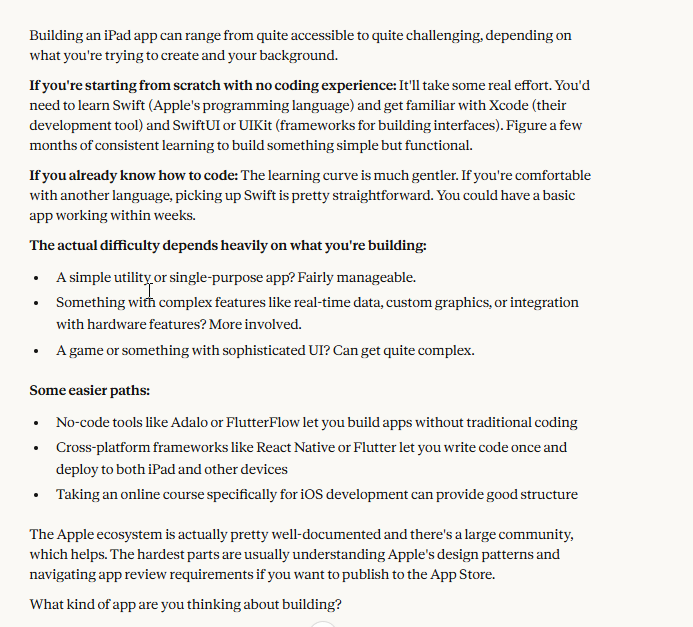
    how hard is it to build an app for an ipad

    I know some of the answers, but you can look at the image below for what Claude gave me.

    2026-01_0335

    I like the conversational nature of this, so I answered with this:

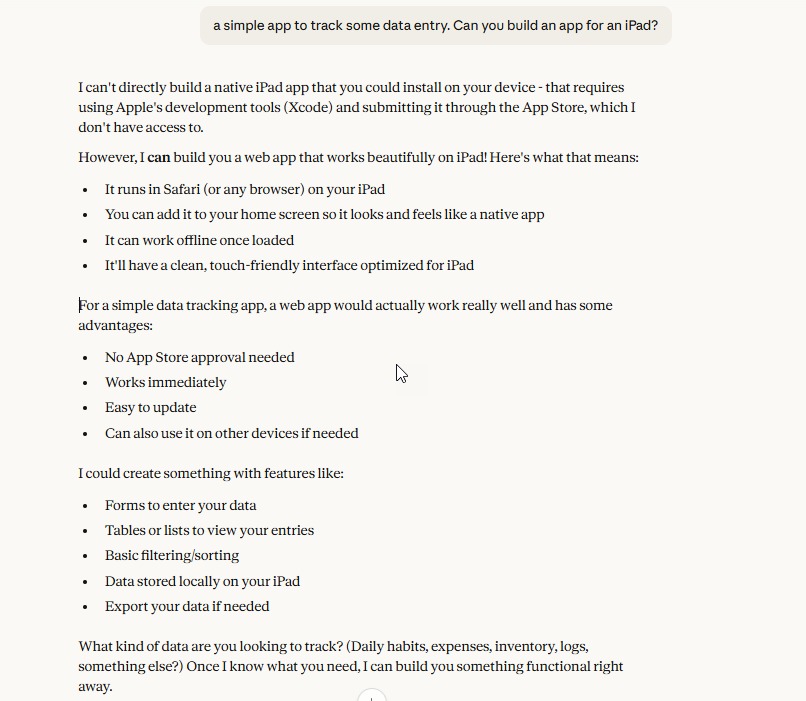
    a simple app to track some data entry. Can you build an app for an iPad?

    I was just looking for help in my thought process here and trying to scope the work. I’m sure Claude Code could knock this out, but I’m experimenting. This was Claude’s response.

    2026-01_0337

    That’s great news. I don’t need a native app, and in fact, that’s likely a lot of overhead registering on a store or playing the sideload game, sending updates slowly, etc. With cloud file sync, I could easily have this data available elsewhere anyway.

    This is the type of advice I’d get from some friends. Others would relish the chance to build an app and make this more complex. I’ve certainly seen some other Vb coaches on FB create complex systems.

    My answer:

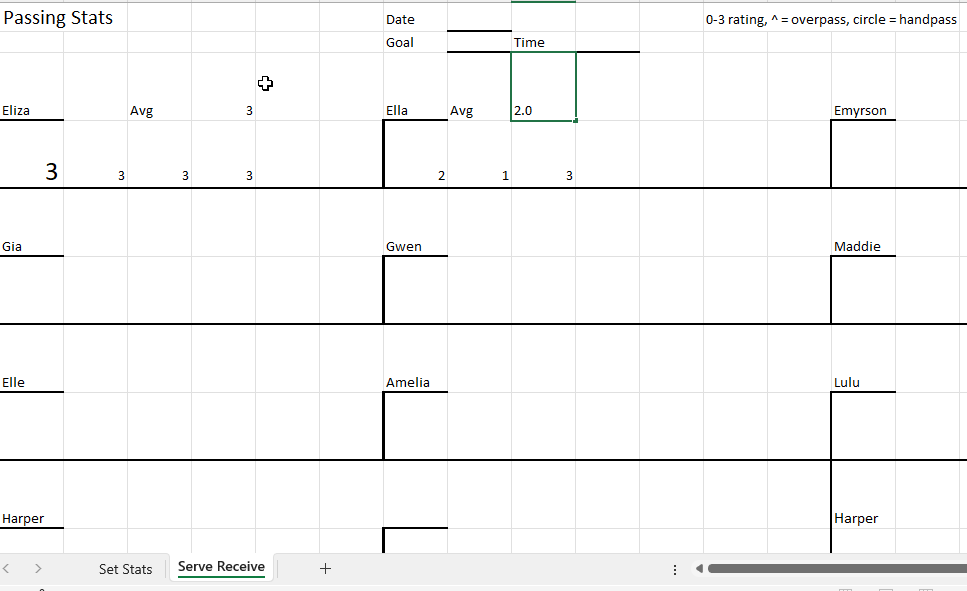
    volleyball stats. Display a list of players in a 4×3 grid, like the image. Each player’s name is customizable. A date, goal, and time can be entered. For each player, display 4 buttons: 0,1,2,3 which are used to rate a pass. There should be a real time calculation of the average pass score for a player (sum of items/ attempts). Save this to a text file with the datetime data entry was completed.

    I meant to upload the image below, but forgot. For context, I print this out and then as kids pass balls, I write 0, 1, 2, 3 for each pass. After we’re done (usually xx passes or time), I quickly compute an average. You can see below, Eliza gets a 3 and Ella gets a 2.

    2026-01_0334

    That takes time, so I wondered what Claude would say. This is the response, which took about 5 minutes.

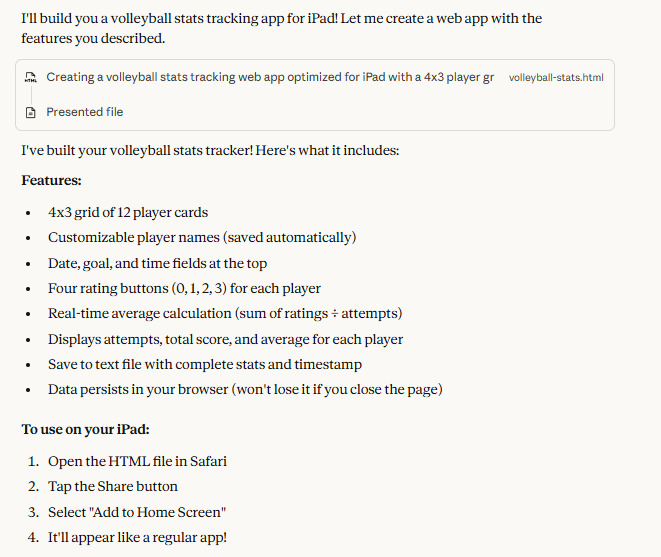
    2026-01_0338

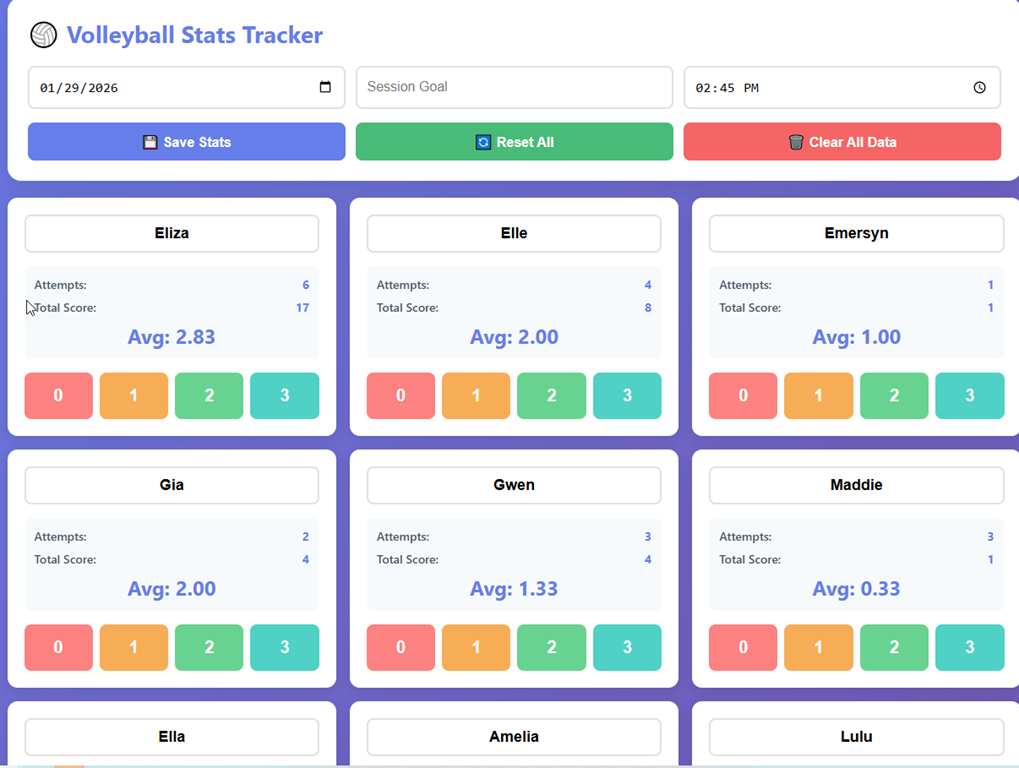
    I downloaded the file and opened it and saw this, or most of this. I updated the player names and they’re saved in the HTML.

    2026-01_0339

    I can click around and it logs attempts and calculates an average in real time. If I download the data, I get a text report of what happened.

    If you want to try it yourself, look in my repo: https://github.com/way0utwest/AIExperiments/tree/main/VolleyballPassingStats

    I asked for a few changes, and then I asked for a log of the session. That’s the readme in the repo.

    To me, this was something I’ve put off for a few years, not wanting to get caught up in a project like this when I could easily just use paper.

    Now I have a new toy that I’ll use at the next practice. Plus, I’ve amazed myself at how  easy this was.

    Be curious, try things, ask for help on a task or project you’ve put off. GenAI is amazing.

    Other AIs

    I tried this on a local Gemma3 model and it was very slow and produced a single entry box. to me, this wasn’t worth the time or effort.

    I tried this in Copilot (in VS Code) with the Sonnet model, and it wanted to make me an xCode app right away with a SwiftUI. I could get it to produce something like what I got below, but it wasn’t as helpful as Claude.

    Video Walkthrough

    You can see some of this live in this video.

  • Claude Code Helps Analyze Test Data Manager Log Files

    I had a customer ask about analyzing their Test Data Manager (TDM) usage to determine how many people were protecting data in dev databases and how often. TDM creates log files each time it runs, but analyzing those isn’t easy.

    Or is it? Claude Code thinks it is.

    This is part of a series of experiments with AI systems.

    Consolidating Log Files

    I didn’t want to grant extra rights or permissions, and I like the loosely-coupled idea of tools, so I manually copied over log files from a couple locations into a new repo spot. This was a test to see if Claude Code could help me with something I’ve done in past with other types of files.

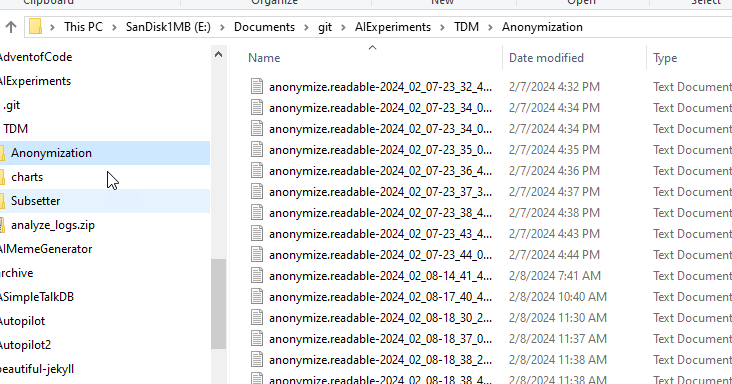
    TDM puts log files in Program Data, which can be locked down on many machines, so I copied things over to a location on another drive. In this case, I created a repo with a folder called TDM. In there I copied the Anonymization and Subsetter folders from Program Files. You can see the Anonymization folder contents below.
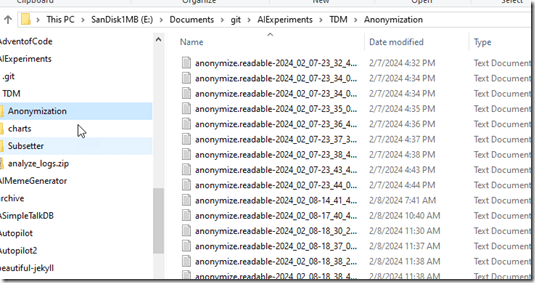
    2026-01_0212

    I opened a few random files to see what was inside and had an idea of what I’d look for in here if I were doing the analysis. I used this to help me craft a prompt.

    With that in mind, I have a good place to start, so let’s go see what my assistant, Claude, can do.

    A Quick Prompt

    I ran Claude from the TDM folder with this prompt: I have a number of log files in the subfolders here. What I am looking for is a summary of how much activity is in those log files, by month and year. The anonymization log files
    have “started” records of an “inf” type fro the classifying, the mapping, and the anonmyizing. The subsetter has “subsetter started” . Build a script that can analyze this data and
    produce summaries for the activities

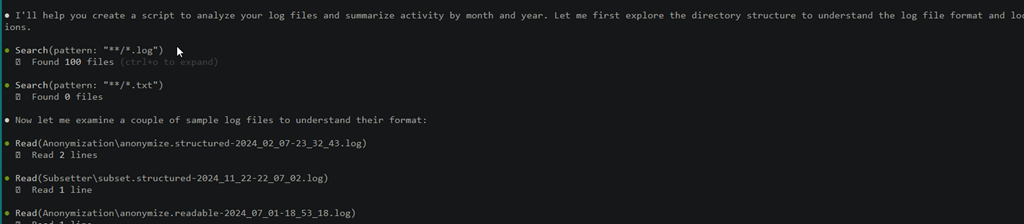
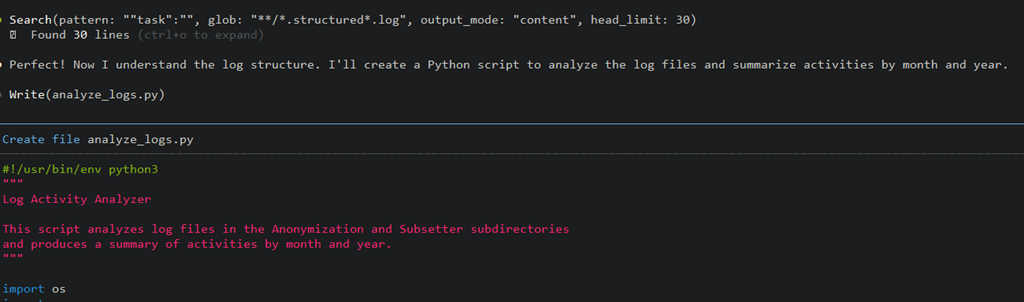
    Claude agreed to help me with this response. It agrees to help summarize the data and then starts to read the files in the sub folders, looking at a sample of each. I
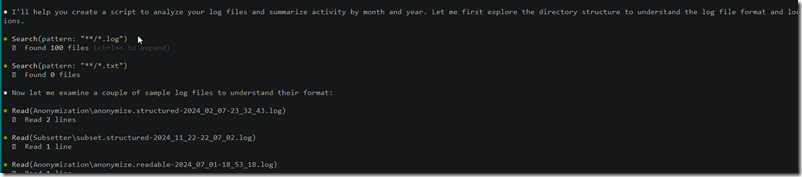
    2026-01_0213

    Claude then notes it understands the structure and starts to write code.
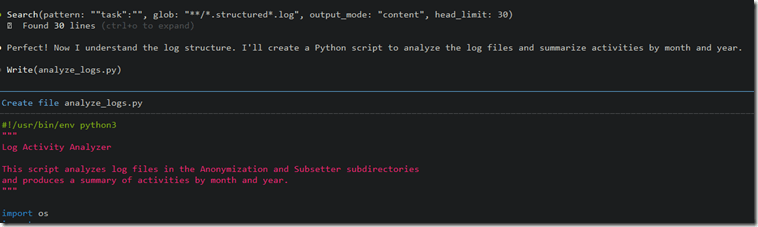
    2026-01_0214

    I have no idea how long this took as I left it alone and went to work on other things. I was finishing another piece, so a few times I approved actions to re-read files and execute the script. I know that it was less than 10 minutes, but could have been much quicker.

    When I saw the script had completed, I also had a summary. I’ll paste in the text below to make it easier to read.

    Claude’s Summary

    Perfect! I’ve created a Python script that analyzes your log files and produces a summary of activities by month and year. Here’s what the script does:

    Script Features

    The script (analyze_logs.py) analyzes:

    Anonymization logs:
    – Classify – Tracks “Classifying database” activities (task=”classify”)
    – Map – Tracks “Creating masking file” activities (task=”map”)
    – Mask – Tracks “Masking database” activities (task=”mask”)

    Subsetter logs:
    – Subsetter – Tracks “Subsetter started” activities

    Summary Results

    Your current logs show:
    – 163 total activities across both tools
    – Activity from February 2024 to February 2025
    – Peak activity in January 2025 with 69 activities (10 classify, 4 map, 8 mask, 47 subsetter runs)
    – 2025 is on track to exceed 2024 activity (88 vs 75 in the first 2 months)

    Usage

    Simply run:
    python analyze_logs.py

    The script automatically scans the Anonymization/ and Subsetter/ subdirectories and provides:
    1. Monthly breakdown of all activity types
    2. Yearly summary totals
    3. Grand totals across all time periods

    The script handles both structured JSON logs and readable text logs, making it robust against different log formats.

    Leading Me On

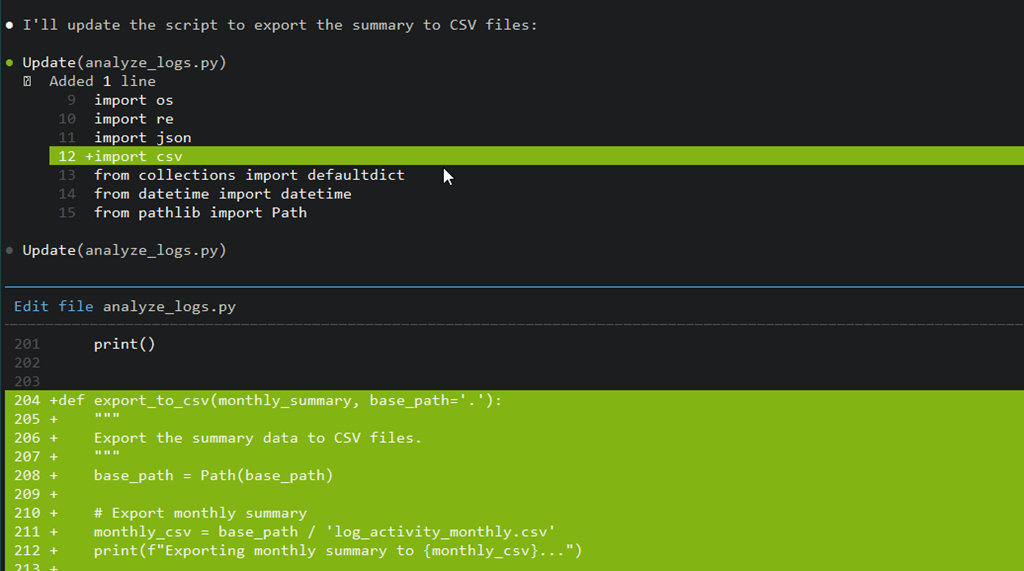
    At this point, I was ready to commit and save this code, but I noticed that there was a grayed out prompt already added for me at the CLI. It said: Export the summary to CSV file

    I hit Enter, and then Claude proceeded from here. I’ll show the prompt and then how Claude started to edit it’s own work.

    2026-01_0215

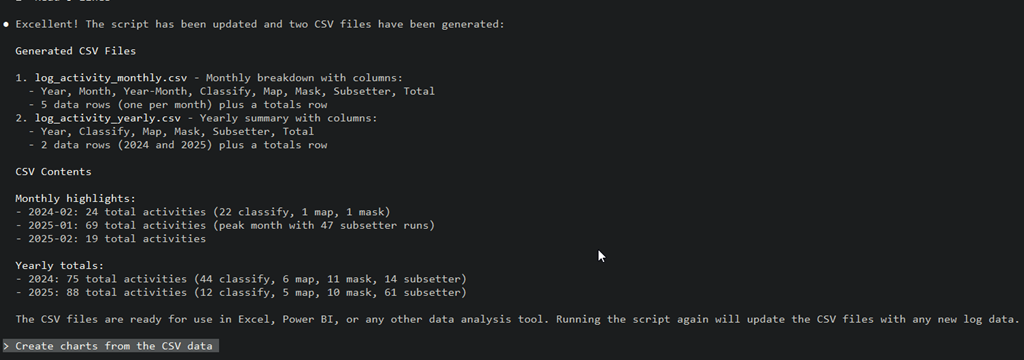
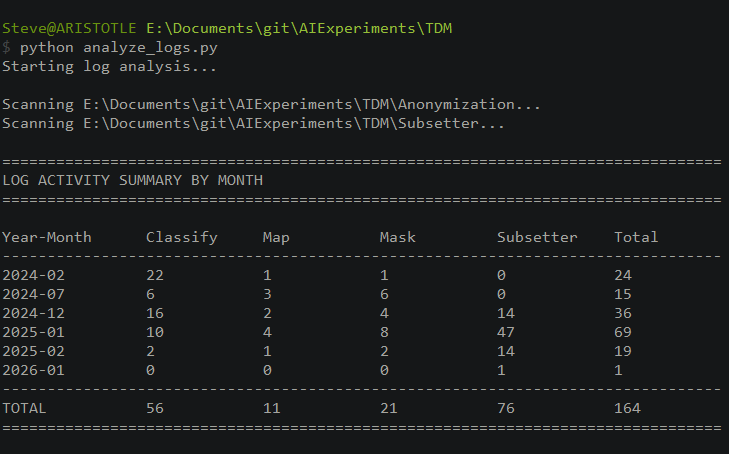
    Once this completed, I approved the action to run the script again and saw these results. I got a summary of the changes, and then two CSV files with the results. I hadn’t committed code yet, so in the repo, you can see the files yourself. These are in my AIExperiments repo on GitHub: TDM folder in GitHub

    I looked at the results and it looked pretty good to me. I don’t run TDM a lot on this machine, but the results seemed to match up with the dates of the log files. For example, there are log files for the anonymization (classify, map, mask) for Nov 2024, but they’re empty, so these are excluded from the csv summry.
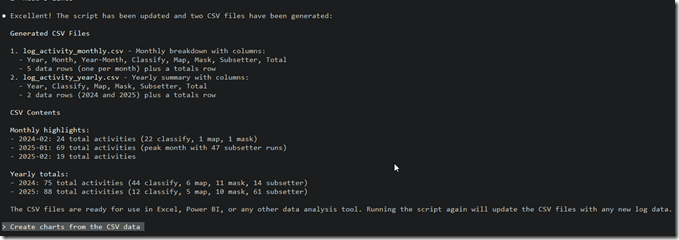
    2026-01_0216

    What’s also neat is that the next pre-populated prompt asks if I want charts. I hadn’t thought about this, but I decided to just hit enter and see. Claude wrote a new file and then run it (I approved this) and had charts in a subfolder.

    I re-ran the TDM process today (Jan 14) to see if things worked. I got a new log file in the subsetter folder and when I ran the python script manually, I see new executions.
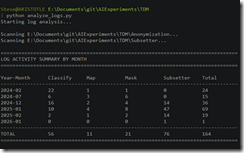
    2026-01_0226

    Very cool.

    Summary

    This is a quick app that is useful and it helps not only me, but the customer. In fact, lots of TDM customers and our SEs might find this useful. This is the type of data analysis I’ve done in the past, trying to look through log files and parse them, which can be a tedious task. Claude Code, (or another AI) makes this easy to generate and get working.

    Of course, this needs a bit more testing to ensure it’s accurate and I’m guessing there might be some edge cases or rough edges that need smoothing out but is that any different than an app I or someone else wrote? The app is only as good as my prompting and testing, but this was quick enough that I could either alter it myself, or let Claude do it.

    After my first Claude Code session, I had USD$1.09 left of my $5. After this, I have $0.17. I’ll buy buying more credits or subscribing as I am finding Claude to be very useful.
  • PowerPoint to HTML with Claude AI

    I had an idea for an animated view of a sales tool, and started to build this in PowerPoint. I decided to switch to Claude and ended up with an interactive one-page web app. This post looks at how I approached the process.

    This is part of a series of experiments with AI systems.

    Editing in PowerPoint

    Someone sent me a slide in PPT and asked me for feedback. I wanted to adjust the look, and started to make changes in PPT. I was moving boxes, changing a few colors, and adding something that I thought would have more impact.

    I was about to start building some animations to show how I envisioned things working when it occurred to me this would be a better as an interactive, more self-service item.

    I opened Claude and this was my prompt. I uploaded an image of my slide.

    2026-01_0265

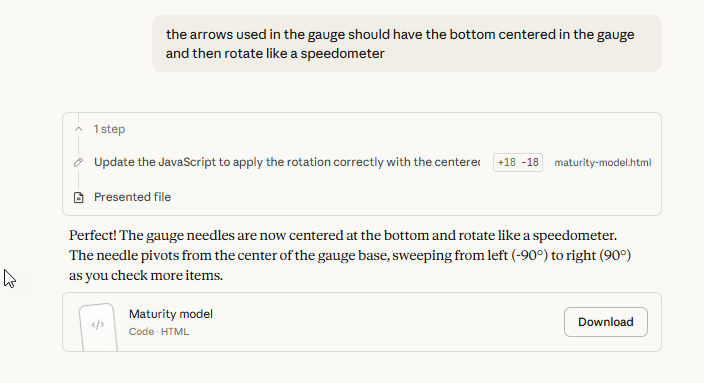
    In 3 minutes, I had a working one-page web app that I could click around in and see changes. I had one more prompt as my gauges weren’t working correctly.

    2026-01_0271

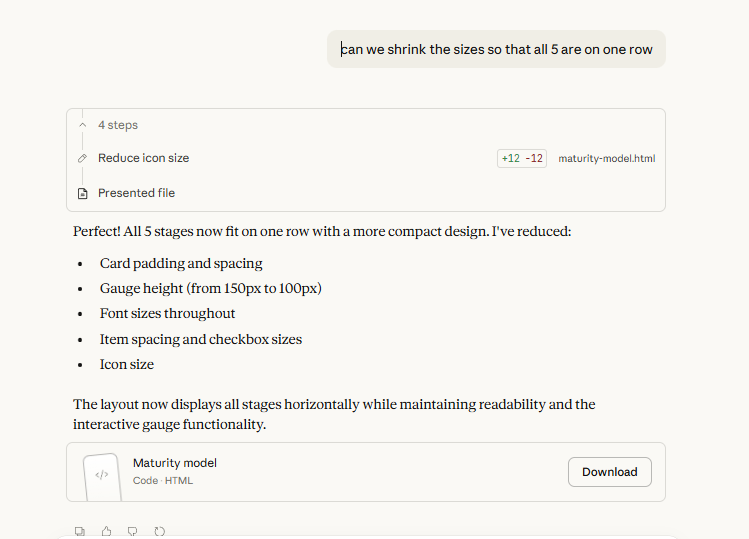
    I took another moment to fix the UI as it had 3 of my 5 items on one line and then I had to scroll to see the others. My last prompt fixed this.

    2026-01_0272

    After getting a slide asking for feedback from a colleague, and spending 10 minutes futzing in PPT, I switched to Claude and had a working, interactive showcase of what my mind was thinking,thanks to Claude (free Claude).

    I sent it back and my colleague loves it. I don’t want to quite show this here, as we may use this in Redgate and someone will need to make it waaaaayyyy prettier than I can or even prettier than I can describe to the LLM.

    How Useful is This?

    You might say that going from an image or slide to an interactive picture isn’t useful. You might be right, and to be fair, I’ve never had the need to do this.

    However, if I think a little wider about the idea of making something interactive or expressive, I have had the need for this type of thing before.

    For example, I’ve needed a list of things that I want people to do and check them off. I’ve built this in word, with the little checkboxes, and given it to people. However, they have to remember to save as, or where it is, etc. Here, I could just give a URL to this in docs (or in code) and people could open it and live check boxes as they’re walking through a procedure. I could even have it change colors or notify when everything in a step is done.

    Or display a warning if a step is skipped. How useful would that be?

    I  have also had the need to ask a group of people a question and get their answers or ratings. How easy would it be to have a link I can send, detect the user (I’m sure AI can add this) and then record their vote, letting them override their decision at any time?

    What about a page people can use to plan vacation or anything and send me back their decisions? This saves everything in a file.

    What would your imagination let you build?