Tag: Backup/Recovery

  • Data Worms

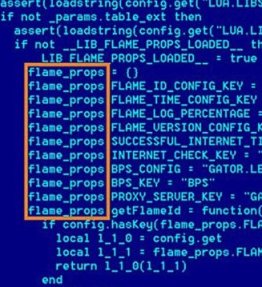
    The FLAME malware
    Are we going to see more and more targeted cyberwarfare attacks in corporations? I wouldn’t be surprised.

    Effective data administration include backups. I would argue this is the most important part of managing your data since no matter what happens, backups give you the ability to recover your system. Whether it’s an accidental data modification by a user, a hardware failure, a natural disaster or some other event, having a copy of your data (or log) on some other system or media can be the difference between getting back to work and having to go find other work.

    For the most part we’ve been concerned over disasters that are random, and while they may be destructive, their effect is usually limited in scope. SQL injection attacks often affect a single system, and with a good backup, you can usually recover your data quickly. However that may be changing as the world grows closer together.

    The Shamoon malware has been causing problems lately and making companies rethink their incident response. The worm has wiped workstations and destroyed data. Destructive software is nothing new, but as more and more cyber warfare takes places at the government level, it’s likely that retaliation might target civilian targets, especially successful companies. I’d hate to think that destructive malware might target databases, but I’m sure it will. The SQL Slammer worm was a complete disruption of our database services for days at JD Edwards almost a decade ago, but it could have been much worse if that malware had been written to be destructive.

    We don’t have default names and passwords in SQL Server, but we should make sure all accounts have strong passwords. There’s also some value in not configuring all systems identically. It makes management easier, but it also makes a successful attack that much more successful.

    Steve Jones


    The Voice of the DBA Podcasts

    We publish three versions of the podcast each day for you to enjoy.

  • Make a Backup First

    Mat Honan
    Are you protecting your digital life?

    I was reading in detail about the Apple / Amazon hack that targeted a Gizmodo writer.  A hacker used a few techniques to get from his Amazon account to his Apple account, his GMail, Twitter, and more. His iPhone, iPad, and Macbook were remotely wiped, and he ended up losing quite a bit of data that wasn’t backed up. That’s a horrible situation, and I know every time I’ve lost a picture or document at home, I regret not making another backup.

    The situation caused some discussion and comments on Twitter about the various things you should do to prevent this type of issue. Updating your security, choosing better passwords, and other ideas are great, but the number one thing you need to do is make a backup of your data. No matter what happens to your security or even hardware, if you have a second copy of your data somewhere else, you can recover from the situation.

    While listening to a Brent Ozar, PLF webinar recently, I heard this interview question: what is the first thing you do on a new server you’ve never worked with? The answer is ensure it’s being backed up. Not run a backup, since you can cause problems, but make sure there is a backup plan in place, or get one started as soon as possible. Why? Because if you have a backup, you can recover.

    I think this is the number one priority for any data professional, and perhaps for anyone using a computer. I know I have backups of my home machines run to a Windows Home Server. I take a backup of my Macbook regularly, and leave a copy at home when I’m traveling. I also carry backups of my VMs on separate disks, in a separate suitcase when I travel. I know that if I have one of those copies of my data, I can recover from almost anything.

    What’s the saddest part of this story? There wasn’t any intent (allegedly) to target the writer’s work or his data. The hacked just wanted to use his cool Twitter account, @mat.

    Steve Jones


    The Voice of the DBA Podcasts

    We publish three versions of the podcast each day for you to enjoy.

  • Always restore with NORECOVERY

    Always, always, ALWAYS restore a SQL Server database with the NORECOVERY option.

    It’s trivial to switch the database online.

    Not trivial to recover from an accidental restore with RECOVERY (the default)

    ‘nuff said.

  • You need to run DBCC CheckDB regularly

    You never know when you’ll encounter corruption. It can happen at any time, usually due to some sort of hardware problem or driver issue. Corruptions don’t disappear and you can’t necessarily

    Corruptions can be caused by numerous factors, and it isn’t something you can predict. However sooner or later, you’ll get corruption on one of your instances. I don’t know which one, whether it’s the finance production instance or the vacation tracker development database, but it will happen somewhere.

    Since corruption can flow through to backups, and can exist in your system for some time, you could end up losing lots of data. Your best defense is to run DBCC on a regular basis and ensure that you catch corruption or problems as early as possible.

    My recommendations in order. If you can’t do #1, do #2, or #3, but try to get something in place.

    1. Run DBCC on every database, every day – If you can, run this on all your servers. I know it’s a large request for some of you, but if you can do it, do it.
    2. Run DBCC on every database on another instance, restoring from last night’s backup – If you can’t run DBCC on your main server, offload it onto another one.
    3. Run DBCC every day on some database, rotating so that all databases are covered – Do this so that at least every week or two you have a DBCC run on your production databases. You can do a random sample of some sort, but hit all of them as often as possible.
    4. Work on a your resume or CV – If management won’t let you run DBCC checks, sooner or later you’ll have an issue, take some blame, and need a new job. Be prepared for that, if for nothing else.


    sqlbackuproOne of the recommendations to minimize impact from CHECKDB operations is to run them on another server, using an automated process. SQL Backup Pro 7 from Red Gate makes this very easy to do with automated backup file copy operations, restores, and CHECKDB execution.