Tag: career

  • Pro SQL Server on Linux–Install

    As part of my learning goals for 2018, I wanted to work through various books. This is part of my series on Pro SQL Server on Linux from Bob Ward.

    I had an Ubuntu VM setup at home, but it started to flake and eventually stopped responding as a desktop. Since I’m not a Linux expert, I wasn’t sure what to do and really didn’t think it was worth debugging a broken Linux OS. Instead, I moved on.

    In the book, Bob uses Red Hat Linux, so I downloaded RHEL and installed it, after going through the process of joining the Red Hat Developer network. If I don’t do this, I only get a 30 day trial, which I didn’t want. I get the process, and understand them making money.

    For a lab, it was a pain. This made me want to go back and just get Ubuntu.
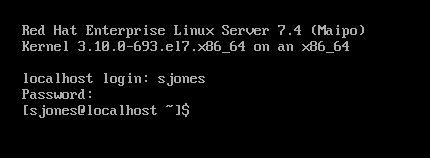
    2018-12-20 09_15_22-RHEL74 Bob - VMware Workstation

    In following the install instructions, I started with getting the Microsoft registry set up. I got an error when downloading the repo file.
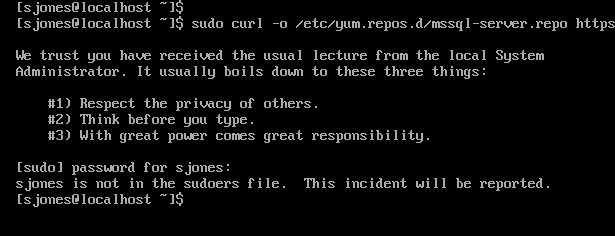
    2018-12-20 12_34_30-RHEL74 Bob - VMware Workstation

    From this link, I added my user with

    usermod –aG wheel sjones

    2018-12-20 12_37_49-RHEL74 Bob - VMware Workstation

    Had to change the network to bridged in VMWare. Not sure why, but this is how I have a few VMs set, so I just matched this.

    Subscription

    I needed to attach my subscription. I started by registering, which was fun. I had to go back to the Red Hat portal, log off and back on.

    2018-12-20 12_48_12-RHEL74 Bob - VMware Workstation

    Then dependency errors. Isn’t yum supposed to resolve this?

    2018-12-20 12_45_08-RHEL74 Bob - VMware Workstation

    The key is that I wasn’t getting updates. I had to run

    subscription-manager attach –auto

    which linked my system to the update system. I can see how Red Hat makes money. This feels as onerous as Windows for management and product key matching. In any case, this allowed the install to proceed:
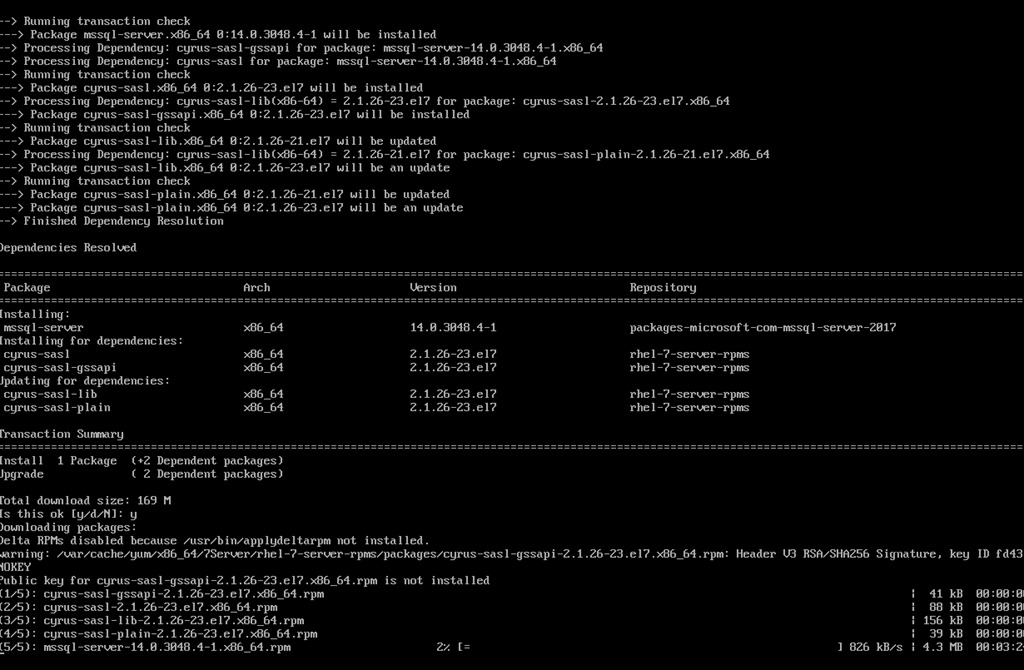
    2018-12-20 12_58_20-RHEL74 Bob - VMware Workstation

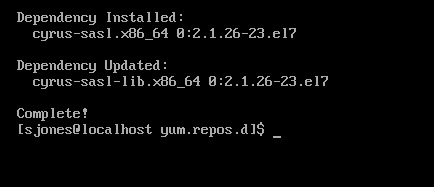
    Eventually this completes, which is a welcome sight.
    2018-12-20 13_02_00-RHEL74 Bob - VMware Workstation

    One note, when trying to get the dependencies, I removed the –y option for the install. Once things worked, I had to answer “y” to a lot of questions, so you’ll want that enabled.

    Configuration

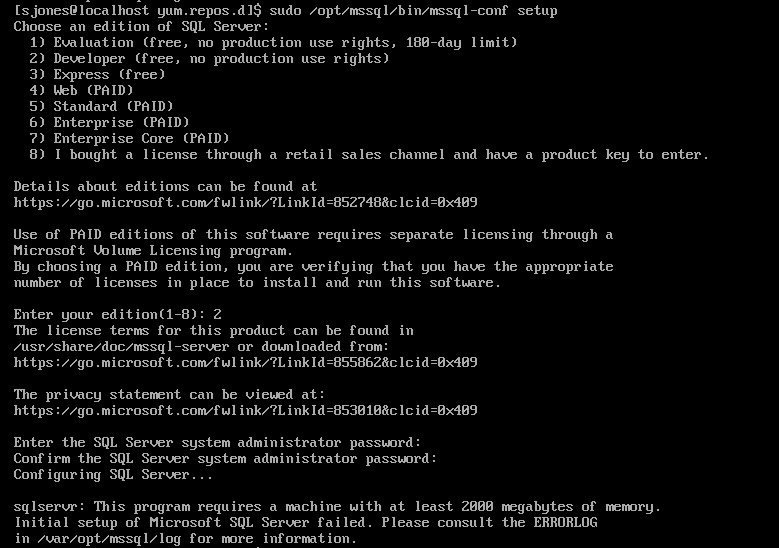
    The next step is to configure your instance. I started this, but it didn’t quite work.
    2018-12-20 13_04_13-RHEL74 Bob - VMware Workstation

    If you look, you’ll see the failure message is that we need 2000MB (2GB) of memory. The VM has 2048, but that’s not enough. I reset this to 3072MB and the config worked.

    2018-12-20 13_07_57-RHEL74 Bob - VMware Workstation

    Validating the Install

    From the book, the first step is to check the service.

    2018-12-20 13_12_04-RHEL74 Bob - VMware Workstation

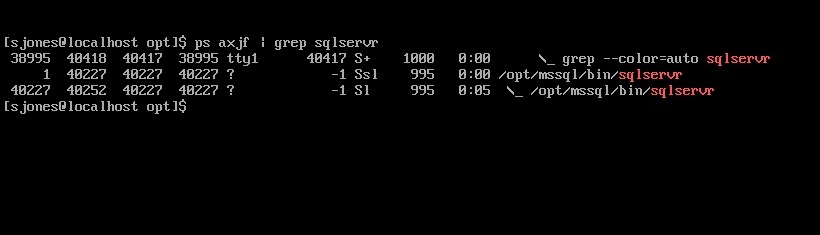
    The the process.

    2018-12-20 13_12_33-RHEL74 Bob - VMware Workstation

    That’s good, so I followed instructions to install tools. This ran off the screen, so I didn’t bother capturing a screenshot, but it worked according to instructions.

    Next, connect to SQL Server and check the version.

    2018-12-20 13_54_05-RHEL74 Bob - VMware Workstation

    Tada. Well, not that exciting. The process was more annoying than I expected or remembered, but most of that appears to be RHEL more than SQL Server.

    However, this was a nice test and project, with no GUI on the system. Looking forward to doing more with this across the month.
  • Pro SQL Server on Linux–Getting Started

    As part of my learning goals for 2018, I wanted to work through various books. This is part of my series on Pro SQL Server on Linux from Bob Ward.

    I purchased Pro SQL Server on Linux and started reading it in December. I’ve been playing with the Linux version of SQL Server 2017 for a few years, but very lightly. Mostly I’ve just tested stuff I do on Windows to see what works on Linux. After talking to Bob Ward at our SQL in the City Summit events, I decided to dive in deeper and work through some basics as my knowledge here is spotty.

    I didn’t have a Linux machine handy in December while traveling, but I started to read anyway. This is a first look at what I got through.

    Why SQL Server on Linux?

    The opening chapter describes some of the history of SQL Server and how the version was built on Linux. Between MVP sessions, some online reading, and some other presentations, I’ve seen a lot of this, but it’s still neat to review it.

    To me, this is one of the more impressive software ports I’ve seen, especially since the core engine really is the same, with the code being shared between Windows and Linux. Microsoft is easily maintaining two platforms here in a way that they couldn’t do with Windows.

    Interesting to read.

    Install and Config

    I’ve done this a few times, but it’s good to go through. Bob covers some common Linux commands you’ll use, and it’s good to see these. While I read this without a VM, I vaguely remember some of this. Need to go through this when I get in front of a setup.

    The install of SQL Server is done a few times, a very high level, and then a more detailed look. There are also some troubleshooting references to review with lots of links. We’ll check this later.

    Chapter 3, 4, 5

    I bundled these as they are SQL Server basics that aren’t really related to Linux. Chapter 3 is about building a database and some T-SQL fundamentals. I know most of these, so I skimmed this one.

    Chapter 4 lets you build a basic Node.js app and connect. This also covers some advanted T-SQL structures. Again, for someone that’s used SQL Server for any length of time and tried new features, you’ll want to skip this.

    Chapter 5 is tools. I know most of the tools, though I’ll review the linux variants later.

    The First Half

    This is what I got done before the end of the year, reading on planes and during downtime. This is almost the first half of the book, but it’s a lot of pages. I’m looking forward to digging into more parts of the book during the rest of January.

  • The Giving Back Workload

    One of the amazing things about the #sqlfamily is that we often help each other in a very giving way. Certainly other technical communities have lots of sharing and helping, though often with more of an RTFM attitude. I don’t know how well many other industries share information with each other, but the nature of being connected with technology through blogs, free events, #sqlhelp and more certainly seems to facilitate lots of sharing.

    When SQL Saturday first started, Andy Warren and I worried that we would struggle to get speakers to donate time for a number of free events. The first year we had discussions about how to find speakers if we were to get 10 events scheduled in a year. That proved to be a non issue. It’s amazing to think that these days we have 6 or 7 events on a single date, and I’m looking forward to the time when there are actually 10 events on one Saturday.

    Our speakers donate a lot of their own time and money to give back to others. In 2018, I’m particularly impressed by Kevin Feasel, who I was lucky enough to see at a number of events and even share a bus ride on a double decker in Cambridge. I’ve also met a number of volunteers and attendees who have had similar schedules during a year or two, where they have lots of excitement. What often happens is that after a few years, they scale back, some of them even giving up on all of their efforts.

    It’s wonderful that people give back, but I do worry about sustainability, both for events and individuals. Andy Warren wrote recently about volunteer time and the load in life. I haven’t tracked my time, but I know that it sometimes is quite a load. While Redgate often covers my expenses, the time away from home to speak at events comes out of family time as I still need to work a normal week when I’m speaking on Saturday.

    I do think it’s important to volunteer and give back to others. Help those getting started, those less fortunate, or those that are inspired to move forward in life. There’s a time and place for all of us, and I do hope all of you think about where and how you can help others, either in this field or in other ways. If not now, then at some point in the future.

    Time is a valuable resource, and while I think Andy underestimates the amount spent on his endeavors, I think it’s good that after many years of helping others, he is trying to quantify the time spend and perhaps inspire some of you to think about where you might do the same. 50 hours a year is both a lot and a little. What are your plans for the coming year and could you spare 50 hours to help others? Leave a comment here, and let Andy know what you think of his plans.

    Steve Jones

    The Voice of the DBA Podcast

    Listen to the MP3 Audio ( 3.9MB) podcast or subscribe to the feed at iTunes and Libsyn.

  • The 2019 Learning Goals

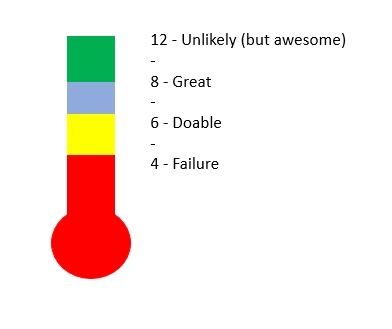
    As mentioned in my editorial, I plan on working through books this year for some extra learning. Certainly I’ll still use Pluralsight, websites, and more learn some things, but I want to get through at least 6 books this year and practice those skills. Six seems doable. Eight would be great. Twelve is unlikely and four is a failure. You can see this in my amazing, homegrown career skill thermometer.

    2018-12-20 13_31_33-Presentation1 - PowerPoint

    In any case, my goal tracking will be looking at how I get through books. Here are the ones on my list for now, in no particular order. They’re just listed in the order I bought them during the CyberWeek sale.

    I’m going to start with Pro SQL Server on Linux and go from there. I may add other books, or change mid year, depending on what I find as I go through these books.