Tag: Data Masker

  • Using Data Masker on Chinese Surnames

    A customer had a question recently on masking Chinese characters. I thought that was interesting, so decided to test this out. This is a short post on using SQL Data Masker to accomplish this task, but I’ll a longer one on the Redgate Product Learning site.

    Setting Up A Table

    The first thing here was to get some test data. I was looking for Chinese names, since that was the request. I found this page on the most popular Chinese surnames. With that in mind, I build a small table and a few insert statements with this code. I only used the names Chén, Yáng, Zhào, Huáng, Zhōu, Wú, and one Western name for the demo

     CREATE TABLE dbo.CustomerFromChina
    ( customerid INT NOT NULL CONSTRAINT CustomerFromChinaPK PRIMARY KEY ,
       customersurname nvarchar(100)
    )
    GO
    INSERT dbo.CustomerFromChina
       (customerid, customersurname)
    VALUES
       (1, N'陈'),
       (2, N'杨'),
       (3, N'赵'),
       (4, N'黄'),
       (5, N'周'),
       (6, N'吴'),
       (7, N'Joe')
    GO

    I ran this and saw the results I needed.
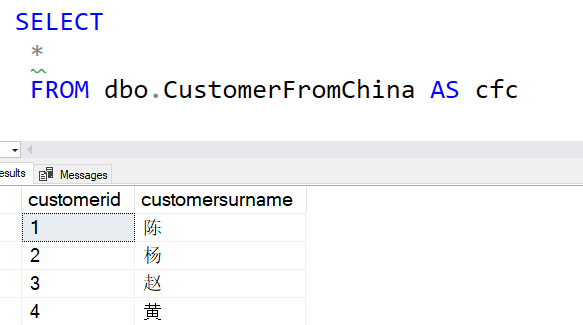
    query results with Chinese surnames

    Creating a New Data Set

    SQL Data Masker ships with a number of masking sets, but you can add your own. There is a process, but essentially you create a text file with the data in it and the udef extension.

    The masking sets are in Program Files below the Redgate folder. This is an administative folder, so you need to have admin rights to make a new file. I did that and opened my file in VSCode, which defaults to UTF-8 format. Since I want to use Chinese characters, I need to use a text file that supports unicode.

    I entered four names into my test file and saved it. You can see the entries here.
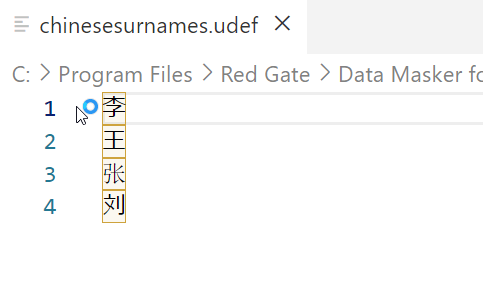
    2023-05-26 12_29_02-chinesesurnames.udef - Visual Studio Code

    I made the file name, chinesesurnames.udef. Make sure that this doesn’t have the .txt extension at the end.

    Setting The Masking Set

    I opened SQL Data Masker and created a new masking set. I connected this to my database and then went to the Misc. Setup tab. I didn’t see my set (I had this open), so I clicked “Refresh” at the lower left. This brought the data set into the list view. As you can see, I should have capitalized the file name.
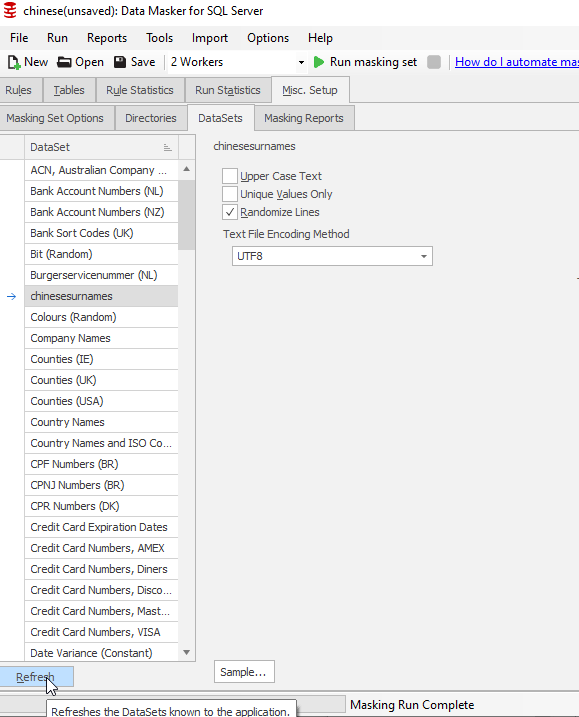
    2023-05-26 12_30_25-chinese(unsaved)_ Data Masker for SQL Server.

    If I clicked “Sample” at the bottom, I see my data:
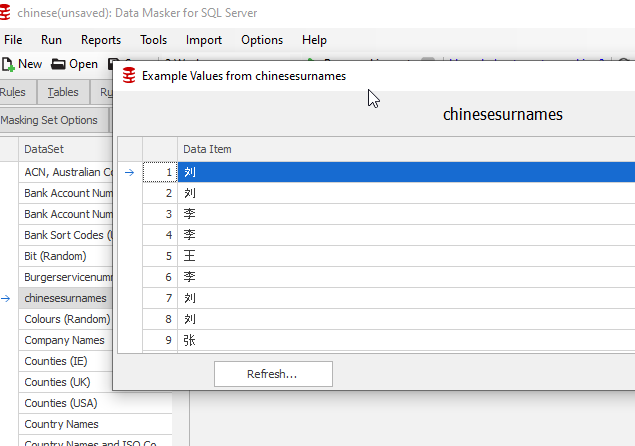
    2023-05-26 12_31_34-chinese(unsaved)_ Data Masker for SQL Server

    Note that the sample window shows a bunch of rows, but they are repeating the same four values.

    Next, I added a new Substitution rule. I picked the CustomerFromChina table and the ChineseSurname column. I also selected my custom data set. This is noted on the right of the image below.
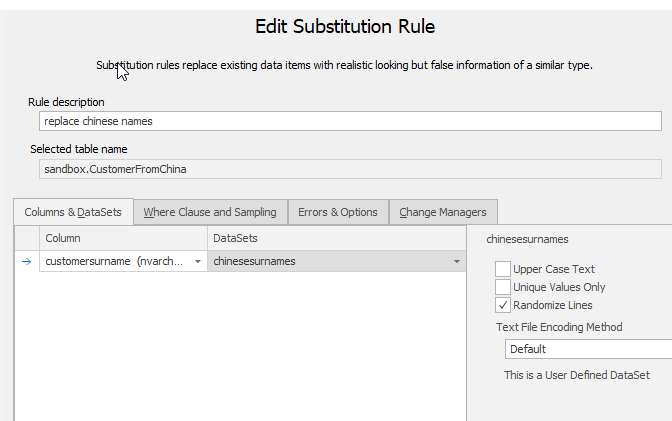
    2023-05-26 12_32_22-Edit Substitution Rule

    I saved this masking set and I was ready to test.

    Testing

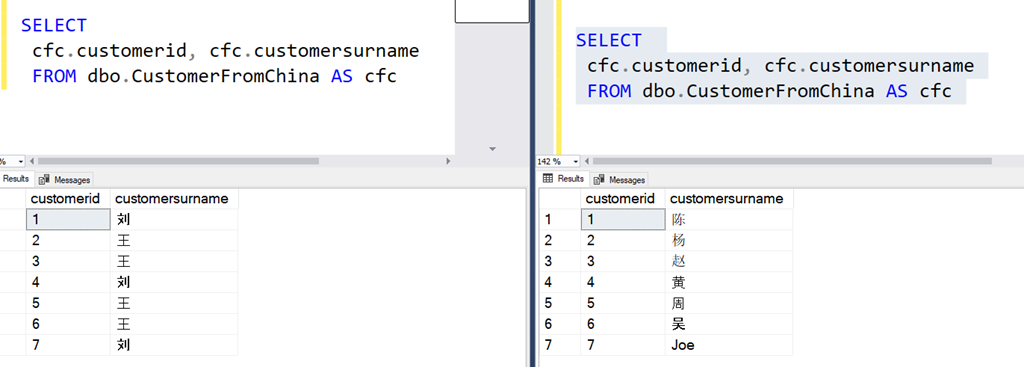
    I first connected to the database and ran the query above in one window. Then I opened a vertical tab set, which moved this window to the right.

    Next, I ran the masking set, which was quick on 7 rows of data. I then opened a new query window on the left side of SSMS and ran the same query  I’d run on the right. You can see the results below:
    2023-05-26 12_36_26-SQLQuery1.sql - ARISTOTLE.sandbox (ARISTOTLE_Steve (57))_ - Microsoft SQL Server

    In the image, the right has the original data. CustomerID 1 is Chén on the right, but on the left, this is now Liú. The others are also changed, with Joe also being masked to Liú.

    This worked.

    You can do the same thing with custom masking sets, in any Unicode format or language.

    SQL Data Masker is a great product for managing a set of update scripts that will remote PII data from a database. It is clunky, but it works well for building and updating a project across time and with a team. Way better than T-SQL scripts.

    Give it a try today.
  • Refreshing Tables in Data Masker

    Data Masker for SQL Server is a product that helps to change data for compliance purposes. It works well, but it isn’t intuitive in a few ways. We bought the product and it has been improved, but it still sometimes throws me for a loop with certain features.

    Recently I was editing a masking set and I added a table to the database. In this case, I opened my masking set and went to add a masking rule, but the table wasn’t there. It took me a few minutes to figure out how do to this.

    This is documented, but there are a lot more words there than this simple procedure that worked for me.

    Refresh the Controller

    Your masking set has a controller for each schema (essentially). If you pick the controller, you can select “Edit rule”.

    2022-06-07 07_23_31-simpletalk_ Data Masker for SQL Server

    In this rule, go to the Tools tab. The first button is a refresh button. Pick that.

    2022-06-07 07_23_44-Edit Rule Controller

    Now, you see more stuff, but in this case since I added a new table, I click the top button. This is Refresh All Tables, under the “ignore exclusion list” section.

    2022-06-07 07_23_51-Refresh Database Tables

    This runs, and I’ll see my new table(s) in the left list of Known Tables. Click the Save and Update button. You should get a confirmation that tables are updated. You can turn off some of these dialogs, so this might not appear for you. I usually don’t turn these off since I demo things.

    2022-06-07 07_24_00-Data Masker

    Then update the rule controller. It isn’t intuitive that you need to click “Save” or “Update” on every screen, especially in modern software where we expect changes to just be made on selection. However, this is an older design and needs the confirmation.

    Now, you should see the new table in any rules you create/edit.

    Data Masker is a great tool for protecting data in non-production environments. It is highly customizable and lets you meet your compliance or regulatory needs. Download an eval today and give it a try.

  • Removing a Deleted Column from a Data Masker Masking Set

    Data Masker for SQL Server is a great tool ensuring the data you use in non-production environments is compliant with any regulations by obfuscating and changing sensitive data. This is part of a series of posts on Data Masker from Redgate Software.

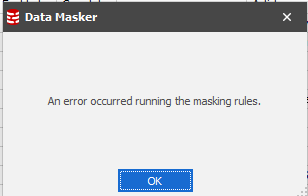
    Recently I was testing a scenario for a customer and had an error while running an existing masking set. I had opened the set up and run it, a pre-test before I altered it for this customer. I immediately got this while running the masking set:

    2021-09-10 10_20_22-

    This is a common problem. Schemas evolve, and while fixing the data set should be part of the development and deployment process, the timing is difficult. I can’t change a masking set before the change is deployed into production. When it is, I don’t want to wait too long before I make the update.

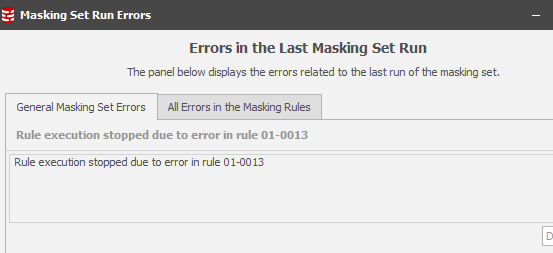
    In any case, when I click OK, I see the error location:

    2021-09-10 10_20_32-Masking Set Run Errors

    This isn’t that helpful, but if I click the “All Errors in the Masking Rules” tab, I get something that is useful.

    2021-09-10 10_20_37-Masking Set Run Errors

    This is the situation I described above. I had deployed part of a demo that moved data around and deleted a column. However, the masking set wasn’t changed. This makes sense as I often reset the demo, but in this case my copy of the database had the column.

    Fixing the Error

    I have two choices. I could add the column back, but that wouldn’t help with this post Winking smile

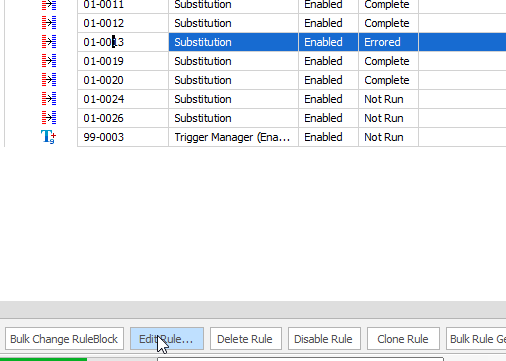
    In this case, I’ll open rule 01-0013 by highlighting it and clicking “Edit Rule”, as shown below.

    2021-09-10 10_26_44-simpletalk(unsaved)_ Data Masker for SQL Server

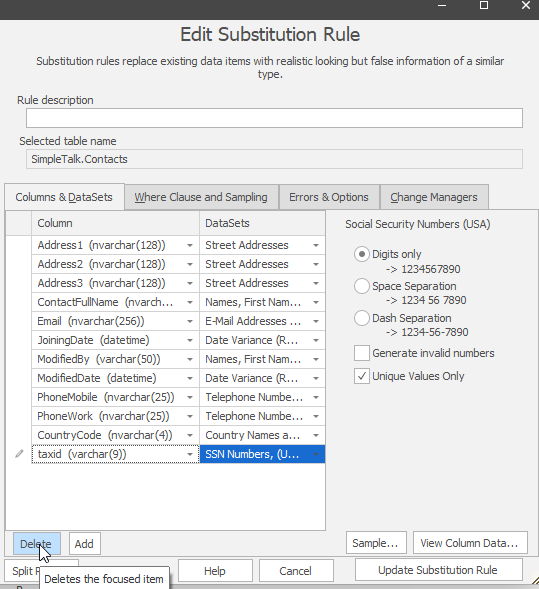
    In this dialog, I see all the columns I’m masking. At the bottom, I can see the taxid, which doesn’t exist any longer. In this case, I can highlight the column and click the “Delete” button at the bottom.

    2021-09-10 10_32_26-

    I click “Update Substitution Rule” to save the changes and then I can run the entire set again. I’m looking for more errors, which are possible. In this case, I had to correct another column error. Then I got this:

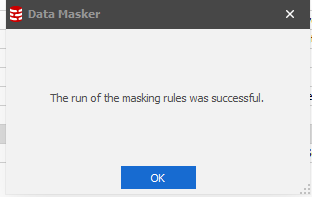
    2021-09-10 10_34_10-

    Now I’m ready to actually set up the customer situation and help them fix their issue.

    Data Masker is an incredibly powerful tool for protecting sensitive data. I see more and more customers using it all the time to comply with GDPR and other government regulations. If you’ve never tried it, download an eval today and check out our library of articles.

  • Changing the Connection for Data Masker

    Data Masker for SQL Server is a great tool ensuring the data you use in non-production environments is compliant with any regulations by obfuscating and changing sensitive data. This is part of a series of posts on Data Masker from Redgate Software.

    I needed to check something for a customer recently in Data Masker. However, I didn’t want to mask my existing database. Instead, I wanted to make a copy of the db and then use my masking set. However, the existing masking set includes a setting for the connection string.

    When I first started using Data Masker, this was something I hadn’t thought about. The new masking set dialog asks for an instance/database name, and then this gets hidden. The first time I needed to change the connection, I hunted through all the menus, looking for a project option.

    The Controller

    I was lucky enough to work with the developer of the Data Masker product, who contracted with Redgate for a bit after the acquisition. I emailed him in frustration and he spent a little time explaining the architecture decision. Since Data Masker can connect to multiple databases for different situations, the connection is actually in the controller. This allows one masking set to handle multiple databases.

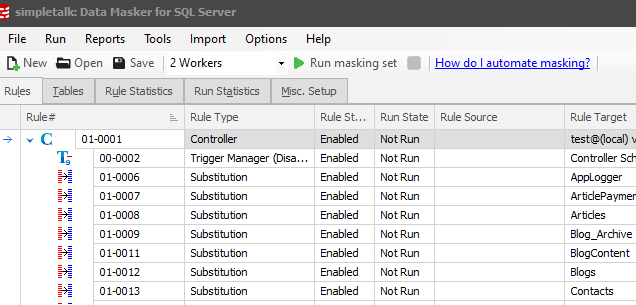
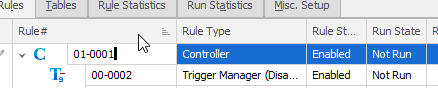
    As you can see below, all of my rules are indented below the controller. This means they all use the connection setting in the controller.

    2021-09-10 10_10_42-simpletalk_ Data Masker for SQL Server

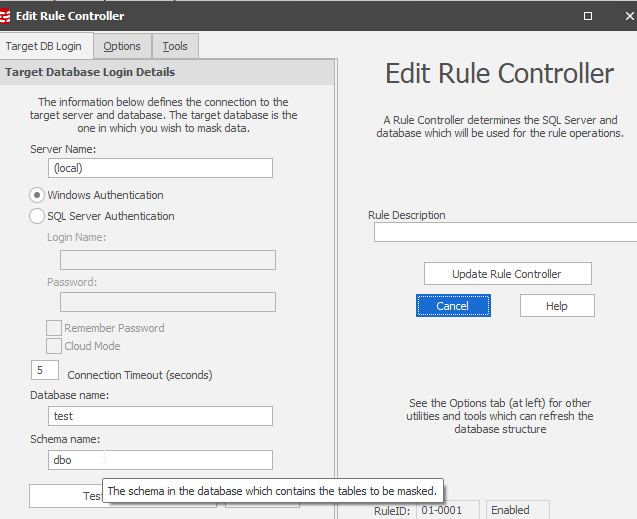
    To change to connection string, I click “Edit Rule” with the controller highlighted. This lets me see all the settings right away.

    2021-09-10 10_12_41-Edit Rule Controller

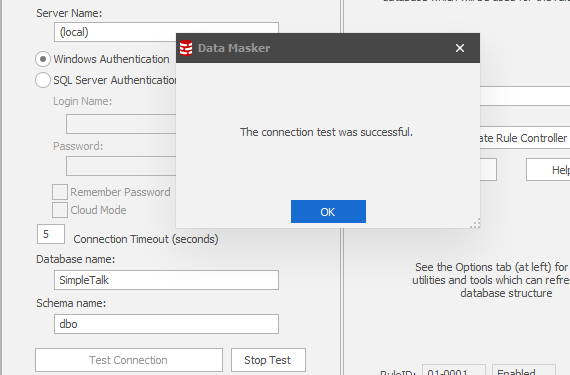
    I can change the database name (or other settings) and then I always click “Test Connection” as I have been known to mis-type things, and this isn’t a drop down.

    2021-09-10 10_13_45-Edit Rule Controller

    Don’t forget to click “Update Rule Controller”. There is no save here. That’s what does it.

    Data Masker is an incredibly powerful tool for protecting sensitive data. I see more and more customers using it all the time to comply with GDPR and other government regulations. If you’ve never tried it, download an eval today and check out our library of articles.