Tag: DevOps

  • We Need DevOps for Performance

    I read this nice piece on CosmosDB and setting performance levels. It covers how you set some level of performance for Request Units (RU) and CosmosDB handles the rest. Great, right? Set the level of performance you need and that gets handled. The question I have is how do you know what level of performance you need?

    This is one of the issues with the Cloud services that I see. It doesn’t matter if you use PaaS or IaaS, most of us really don’t know what level of performance works. We tend to guess, and far too many of us don’t use regular monitoring to decide if we are over or under powered. I find many DBAs and sysadmins would prefer to be over-provisioned and then let the server trundle along at a lower resource usage so that no one complains.

    When we move to a cloud type service, we tend to be more cost conscious, which makes sense when we’re paying by the minute. We want to minimum level of hardware we can get, but we don’t want to cause unnecessary complaints, either from customers because the system is slow, or from the CFO because costs are high. Using your old method of over-provisioning hardware (or DTUs) usually causes complaints from the CFO.

    The piece goes into some ways that you can start to evaluate your performance level for CosmosDB, and how to deal with throttling while you tune your RUs with a new application. This works great if you’re in a (more) greenfield area of development. Not so great if you’re lifting and shifting some application from another platform. Then we might need to ensure that we are responding quickly to issues, or better yet, have scripted responses that scale up or down.

    The same thing should be done for our relational systems. The Ops part of DevOps needs to be using monitoring and instrumentation to measure performance, adding capacity as appropriate, which should be before users realize there’s an issue. With today’s virtual systems, adding CPU and RAM usually is fairly easy, and it’s easy in the cloud as well.

    Of course, all this monitoring isn’t just to add capacity. Having a better sense of what’s going on can help you pinpoint poor code. Getting someone to fix that code becomes a lot easier if you can show that better code would cost less for our systems. It can be amazing how much more developers care about their code when the CFO gets involved.

    Steve Jones

    The Voice of the DBA Podcast

    Listen to the MP3 Audio ( 3.6MB) podcast or subscribe to the feed at iTunes and Libsyn.
  • Off to DevOps East

    The travel countdown is down to 2 trips this year. The second to the last is this week, as I’m off to DevOps East, a conference in Orlando, FL that tries to bring together lots of DevOps experts and advocates to share ideas and learn more. This is my first time at this event, and I’m looking forward to talking DevOps for a few days.

    I’ll be in Orlando all week, and then I have a month off before one last trip for SQL in the City.

    If you’re at the conference, say hi. And certainly talk databases with everyone that you see.

  • DevOps Basics – Ignoring Files in Git

    Another post for me that is simple and hopefully serves as an example for people trying to get blogging as #SQLNewBloggers. This is also a part of a basic series on git and how to use it.

    One of the things you’ll run into at times is the need to keep some scratch files, or extra files, in your Git repository, but not track them. One common type of file for me when working with SQL is a .zip file. I may zip up code to share or copy to a friend (without giving repo access).

    Ignoring files is easy in Git. We just add a .gitignore file. This is a list of files that the git repository will not track or show in status. Essentially, we see them in our file system, but git doesn’t.

    Creating .gitignore

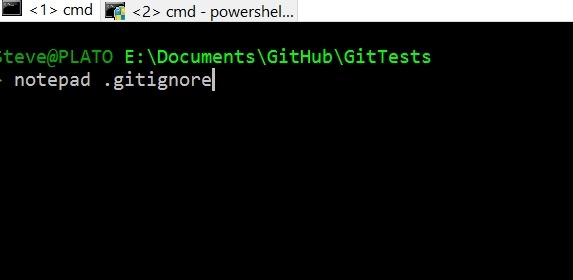
    To create a .gitignore file, the easiest method for me is to just create a text file. I can do it like this:

    2017-10-09 16_36_08-cmd

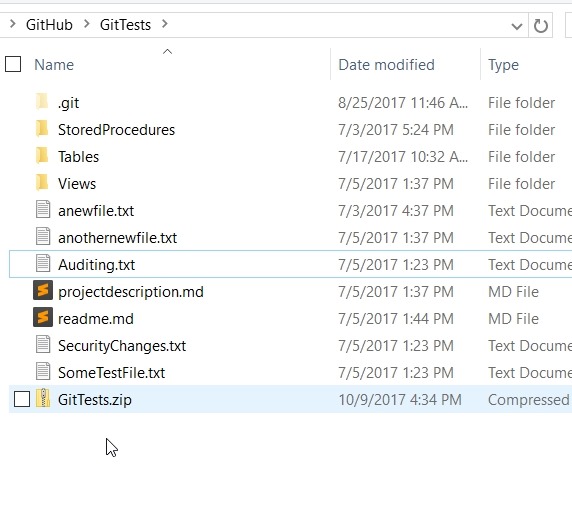
    This gives me a new file. Certainly VS Code, Sublime, etc. will make this easy as well.  The format is simple, with a list of files and/or patterns to ignore. For example, I’ve got a .zip file in my repo.

    2017-10-09 16_34_24-GitTests

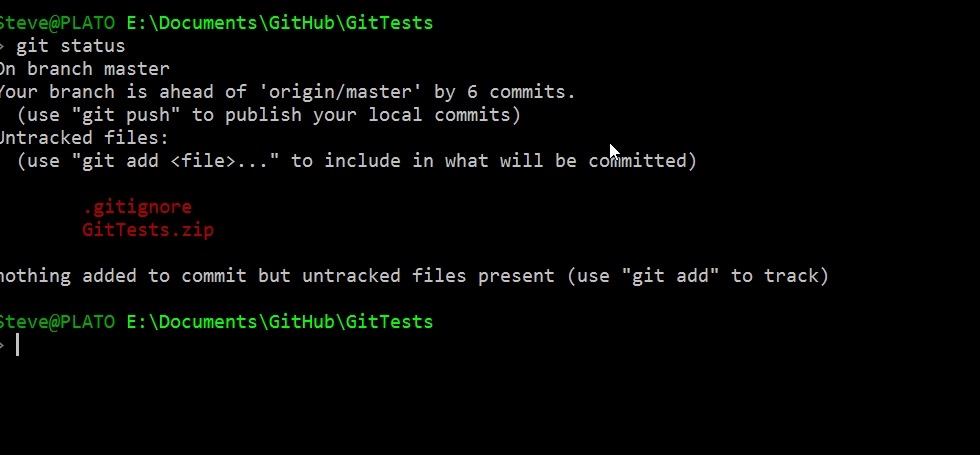
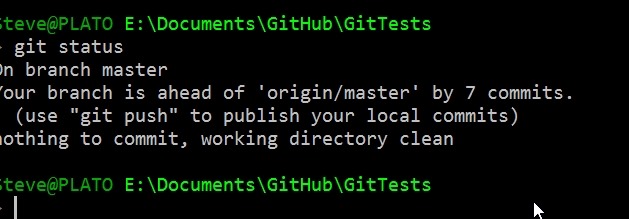
    I don’t want to see this, but I do right now:

    2017-10-09 16_37_31-cmd

    If I want to ignore this file, I’ll enter this in my .gitignore file:

    GitTests.zip

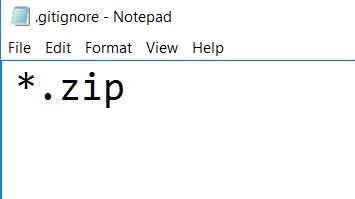
    If I want to ignore all zips, I’ll do this:

    2017-10-09 16_38_09-cmd

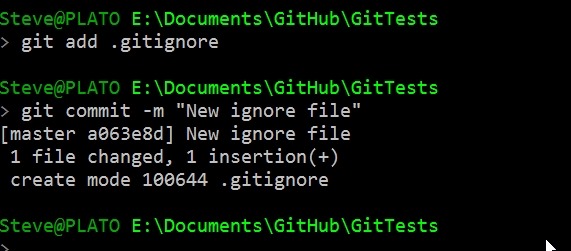
    This is a part of my repo, so I need to commit it.

    2017-10-09 16_38_32-cmd

    Now my status is clean.

    2017-10-09 16_39_14-cmd

    Generated .gitignore

    Some applications will generate a .gitignore. For example, my C# project gets this file from Visual Studio.

    2017-10-09 16_40_33-.gitignore — Visual Studio Code

    That’s a subset of files that are often in a VS project, but we don’t want to track in a VCS. Images, archives, executables, etc.

    You can customize this as you need, and it’s easy to just edit the text file and commit the changes.

    Hopefully this helps you understand how to best work with git and keep your repo clean. This also means your  git add –all is easy to use without adding unnecessary files.

  • All Day DevOps Slides

    The conference will upload the slides to Slide Share at some point, but if you want to get them now, here are the slides from my talk:

    Including Database in DevOps – AllDayDevOps.pptx

    If you  have questions, drop a note at AllDayDevOps.Slack.com in the #modern-infrastructure channel. I’m way0utwest.