Tag: disaster recovery

  • Understanding HA

    51JU2kM8vHL._SL160_PIsitb-sticker-arrow-dp,TopRight,12,-18_SH30_OU01_AA160_I’ve learned a lot about high availability (HA) and disaster recovery (DR) over the last two decades. Some of the things I’ve learned were from studying, some from experimentation and practice, and a few from hard lessons when some part of a system failed. The latter were how I learned the quickest and most effectively, but those were also the most stressful times in my career. Getting called by senior management because a system is down is not the way that I want to improve my skills.

    I know many people struggle with HA and DR, which are two different concepts. They are designed to solve different problems for different situations. SQL Server includes a number of options for how you might handle either HA or DR situations (or both), and the list of options continues to grow over time. We have the AlwaysOn suite of technologies, database mirroring, replication, log shipping, and more.

    All of the technologies that you might use to solve HA and/or DR problems may provide other benefits. The ability scale out, or spread load are a possibility with a few of these features. What I find, however, is that many accidental, junior, or otherwise inexperienced technology professionals that need to manage SQL Servers get confused. They seem to think HA and DR are the same thing, and one technology is somehow better than others.

    Whether you need HR or DR, or some other solution, it’s important the you research, understand, and practice working with the technologies that you will implement. Books Online gives you a good starting point, and there are plenty of online resources where you can ask additional questions or debate the particulars of your situation.

    Disasters rarely occur, but you should take the opportunities to hone your skills at working with the various technologies you may implement before things fail. Schedule failures of systems in your test environment. See if your HA technology keeps the system running if you remove a system, or test that you can recover using your DR techniques. When something actually goes wrong, you’ll be glad you prepared.

    Steve Jones


    The Voice of the DBA Podcasts

    We publish three versions of the podcast each day for you to enjoy.

  • The Gambler

    I'll be speaking here. Come shake my hand if you can come and register with the code "Jones"
    I’ll be speaking here. Come shake my hand if you can come and register with the code “Jones”

    In April of this year, the SQL Intersection conference is coming to Las Vegas. I’m speaking, along with Grant Fritchey and many others. It’s a fun event, in a city with a huge variety of things to do in the evenings after a full day of SQL Server sessions. At night I tend to look for networking chances to met new people and catch up with friends at night, though there have been a few times a comedy show has enticed me away from my hotel. I like Las Vegas, though I’m not a gambler. Despite the fact that most people think of visitors looking for their chance to sit at a table with dice or cards, there are many of us that go for other activities.

    I was at in a session recently and heard a speaker recommend that the audience run DBCC checks regularly. That’s good advice, and it’s what I recommend in my sessions as well. A person in the audience raised their hand and politely disagreed, saying that they almost never run DBCC CHECKDB. This person found it to be a waste of resources since they’d never encountered corruption in their career, and hadn’t known anyone in over a decade that had experienced on a SQL Server system. This person asked the speaker how many times the speaker had seen corruption (five was the answer) and then said across thousands of days of backups, it just wasn’t worth the resources to run DBCC CHECDB.

    If you feel that way, then you’re a gambler. You are accepting a higher level of risk than I do, and higher than I recommend. Consistency checks are designed to help us catch corruption. Since we never know when it will occur, we want to detect is ASAP so that we avoid, or at least minimize, data loss. If you run those checks and never experience corruption, those checks are insurance payments you’ve made and never needed to file a claim. However if you don’t run those checks, and experience corruption, you’ve placed a bet you’ve lost. Whether or not that cleans you out depends on the data loss your organization experiences and their tolerance for that loss. I’d seriously consider this a career limiting, or employment terminating, event, especially if the best practice recommendation from Microsoft and many experts is to run DBCC checks.

    I don’t recommend skipping your DBCC checks, but if that’s how you feel, think about coming to SQL Intersection (register with the code “Jones” to support me). You might enjoy that gaming tables at night, and I know the other speakers and myself would welcome the chance to change your mind about skipping DBCC checks during the day.

    Steve Jones


    The Voice of the DBA Podcasts

    We publish three versions of the podcast each day for you to enjoy.

  • Data Loss

    This piece was originally published in Database Weekly.

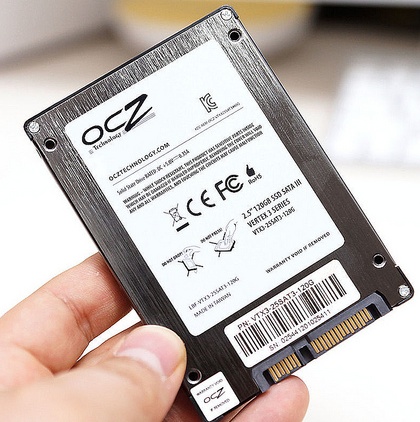
    Are SSDs less reliable?
    Are SSDs less reliable?

    Two words that no database administrator ever wants to put together are “data” and loss”. We go to great efforts to ensure that our SQL Server data is protected, backed up, available on alternate systems, even replicated to remote machines. Our goal is always to have zero data loss in all situations, even in those situations where we cannot prevent downtime from occurring.

    This past week an article at InfoWorld caught me eye with the phrase “solid-state drives suffer data loss” in the subtitle. The article is written about a study from HP Labs and Ohio State University that studied the effects of power loss on various SSDs. Using a number of “enterprise quality” SSDs from various manufacturers, the authors of the study cut power to the drives while they were in use, a scenario that I’d expect would happen periodically to systems. We reboot all kinds of systems at times without shutting them down at times, for a variety of reasons. I’d expect that file systems and low level software would properly handle these situations in a manner similar to SQL Server, with some sort of recovery running when power was reapplied.

    In the study, there were six potential failure types, and of the fifteen manufacturers whose drives were used, five of these failures occurred. The susceptibility of various kinds of corruption to power faults led the authors to conclude that systems with critical data should not use SSDs, test them thoroughly since they were not aware of ways to design a storage system to account for these potential issues. They did not say that SSDs were more unreliable than hard drives, but in this specific type of disaster, unexpected power loss, there could be problems.

    We can design around these issues somewhat with redundant UPSes, battery backing of SSD cards and more, but disasters in the form of an accident can occur. I’ve seen two occasions where large data centers lost power because of maintenance work on power distribution units resulted in improper fail overs. The more complex our system design becomes, and the more we use SSDs in databases, the more likely for some failure or corruption to occur.

    I wouldn’t panic and remove SSDs from systems, but I would ensure that any disaster recovery processes and procedures I had were up to date and working. You never know when you will need to recover from hardware issues on a primary system and have to restore on completely separate hardware. Advance preparations and practice are the only way to ensure you can successfully recover when the need arises.

    Steve Jones

  • A Patch Disaster

    This isn't the dialog box you want to see on a server.
    This isn’t the dialog box you want to see on a server.

    Can you imagine sending the wrong patch to the wrong machines? That’s what happened with an Australian bank. Am OS patch was sent to many more machines than it should have. The patch was designed for desktops, but managed to get deployed on servers and resulted in some sort of software corruption.

    SQL Server users are fortunate that we rarely have security patches for our platform. There are cumulative updates every other month, but the majority of them aren’t aimed at SQL Server, and many of them may not even be required for the host Windows OS. Your organization’s policy may require the OS patches, and if they do, you should be aware of when and how they are being deployed.

    Even if patches are not supposed to be deployed to your servers, you should plan on being aware of the deployment date. You never know when an administrator will make a mistake and deploy a patch to your database server and necessitate a restore. I would recommend that you double check your backups and ensure restore scripts are handy on any patch day.

    Our computer infrastructure becomes more complex all the time. At the same time, many of us become more specialized, working in a more focused area, and counting on others to manage the parts of our system we do not have time to worry about. People will make mistakes, and we should ensure we can recover our systems from those mistakes.

    Steve Jones


    The Voice of the DBA Podcasts

    We publish three versions of the podcast each day for you to enjoy.