I’m making the slides available from my SQL in the City 2012 talks. You can download them here
If you attended, you’ll get an email with links to videos to watch soon.
I’m making the slides available from my SQL in the City 2012 talks. You can download them here
If you attended, you’ll get an email with links to videos to watch soon.
Effective data administration include backups. I would argue this is the most important part of managing your data since no matter what happens, backups give you the ability to recover your system. Whether it’s an accidental data modification by a user, a hardware failure, a natural disaster or some other event, having a copy of your data (or log) on some other system or media can be the difference between getting back to work and having to go find other work.
For the most part we’ve been concerned over disasters that are random, and while they may be destructive, their effect is usually limited in scope. SQL injection attacks often affect a single system, and with a good backup, you can usually recover your data quickly. However that may be changing as the world grows closer together.
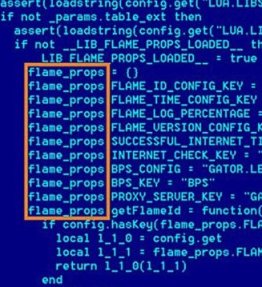
The Shamoon malware has been causing problems lately and making companies rethink their incident response. The worm has wiped workstations and destroyed data. Destructive software is nothing new, but as more and more cyber warfare takes places at the government level, it’s likely that retaliation might target civilian targets, especially successful companies. I’d hate to think that destructive malware might target databases, but I’m sure it will. The SQL Slammer worm was a complete disruption of our database services for days at JD Edwards almost a decade ago, but it could have been much worse if that malware had been written to be destructive.
We don’t have default names and passwords in SQL Server, but we should make sure all accounts have strong passwords. There’s also some value in not configuring all systems identically. It makes management easier, but it also makes a successful attack that much more successful.
Steve Jones
We publish three versions of the podcast each day for you to enjoy.

Abstract:
A talk on disasters and what you can do to prepare for them. I look for four types of disasters, and I briefly talk about the immediate response. However we then go back and look at the ways in which we can respond quicker or perhaps mitigate the disaster. We mostly talk about RTO and how we can reduce it as much as possible.
Length: 60 minutes
Slides: Prepare for When Disaster Strikes
Code: No code
You can view my complete speaking schedule here: http://wp.me/P14wgJ-1tV
When disaster strikes you have to respond and get things fixed ASAP. However if you could turn back the clock, and think about the potential problems and possible issues, can you decrease the time it takes to get things back to normal?
This presentation looks at reducing your RTO by examining four common disasters, of which most disasters are a variation. We examine the components of RTO and then how you can reduce each one of them with a little forethought and preparation. The disasters are
The talk includes a few demos of how you can respond quicker using Red Gate tools.
Level: 100
Length: 60 minutes
Slides: Available after the SQL in the City 2012 tour.

