Tag: Filetable

  • FileTables–Inserting Directories from T-SQL

    Creating a directory in a Filetable share is easy. It looks like this:

    filetable_i

    It’s hard to see, but this was a right click, New, Folder in the share from Windows Explorer.

    However what about creating a directory from T-SQL? That’s almost as easy.

    I created that folder above by running this code:

    -- create a folder
    INSERT  INTO dbo.Explorer
            ( name, is_directory )
    VALUES  ( 'Books', 1 );

    I provided a name for my folder and then a 1 for the is_directory property. Once I ran this, the folder above appeared in my share.

    Note that this works for folders in the root, but not nested folders. I’ll tackle that in another post.

  • FileTable–Adding a file to a folder

    At my Filestream/Filetable talk yesterday at SQL Intersection, someone asked me about programmatically adding a file to a Filetable. Easy enough, I thought, since I’d seen someone do this in .NET and was thinking this has to be simple. Turns out it’s not quite so simple.

    I was assuming that I could use the GetDescendent method of the hierarchy ID for the path_locator field to get the path you needed and insert that. It turns out that’s not correct.

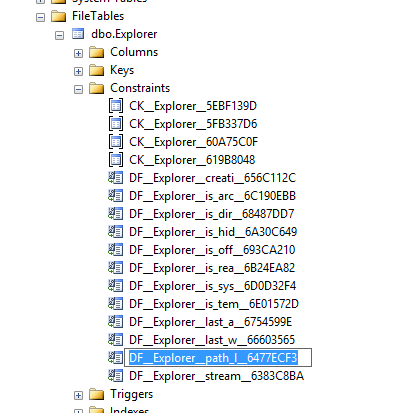
    I searched around when that didn’t work and found this post from Bob Beauchemin and a question on StackOverflow. If the two, Bob’s post explains things better. He actually dug into the Filetable, looking at the constraints and defaults in the schema. If you do that, you can find this constraint on the path_locator field:
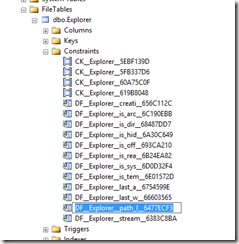
    filetable_h

    The code in this constraint looks like this, which matches with what Bob and SO show as the way to calculate the path.

    ALTER TABLE [dbo].[Explorer] ADD  CONSTRAINT [DF__Explorer__path_l__6477ECF3]  
    DEFAULT (CONVERT(HIERARCHYID, '/' +     CONVERT(VARCHAR(20), CONVERT(BIGINT, SUBSTRING(CONVERT(BINARY(16), NEWID()), 1, 6))) + '.' +
         CONVERT(VARCHAR(20), CONVERT(BIGINT, SUBSTRING(CONVERT(BINARY(16), NEWID()), 7, 6))) + '.' +
         CONVERT(VARCHAR(20), CONVERT(BIGINT, SUBSTRING(CONVERT(BINARY(16), NEWID()), 13, 4))) + '/')) FOR [path_locator]
    GO

    This means that your insert statement needs to perform this calculation. For me, I decided to insert a jpg of a circle into the table, under the folder “books”. The folder looks like this:
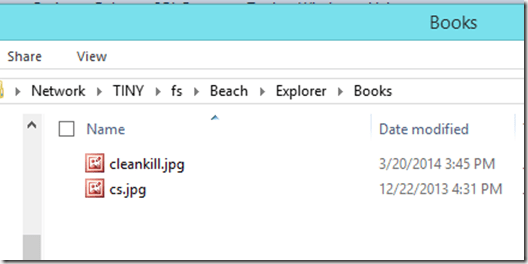
    filetable_g

    Since I have the binary values for a circle image, I’ll use those, and then the code below. The first part of this code calculates the new path that’s needed, basing this on the path_locator value for the “Books” folder, and then building a NewID(). From there, it’s a simple insert.

    DECLARE @path HIERARCHYID
    DECLARE @new_path VARCHAR(675)
     
    SELECT  @path = path_locator
    FROM    dbo.Explorer
    WHERE   name = 'Books'
    
    SELECT  @new_path = @path.ToString()
            + CONVERT(VARCHAR(20), CONVERT(BIGINT, SUBSTRING(CONVERT(BINARY(16), NEWID()),
                                                             1, 6))) + '.'
            + CONVERT(VARCHAR(20), CONVERT(BIGINT, SUBSTRING(CONVERT(BINARY(16), NEWID()),
                                                             7, 6))) + '.'
            + CONVERT(VARCHAR(20), CONVERT(BIGINT, SUBSTRING(CONVERT(BINARY(16), NEWID()),
                                                             13, 4))) + '/'
    INSERT INTO dbo.Explorer
            ( stream_id
            , file_stream
            , name
            , path_locator
            )
    VALUES  ( NEWID()
            , 0xFFD8FFE000104A46494600010101006000600000FFE100684578696600004D4D002A000000080004011A0005000000010000003E011B0005000000010000004601280003000000010002000001310002000000120000004E00000000000000600000000100000060000000015061696E742E4E45542076332E352E313000FFDB0043000201010201010202020202020202030503030303030604040305070607070706070708090B0908080A0807070A0D0A0A0B0C0C0C0C07090E0F0D0C0E0B0C0C0CFFDB004301020202030303060303060C0807080C0C0C0C0C0C0C0C0C0C0C0C0C0C0C0C0C0C0C0C0C0C0C0C0C0C0C0C0C0C0C0C0C0C0C0C0C0C0C0C0C0C0C0C0C0C0C0C0C0CFFC0001108000A000D03012200021101031101FFC4001F0000010501010101010100000000000000000102030405060708090A0BFFC400B5100002010303020403050504040000017D01020300041105122131410613516107227114328191A1082342B1C11552D1F02433627282090A161718191A25262728292A3435363738393A434445464748494A535455565758595A636465666768696A737475767778797A838485868788898A92939495969798999AA2A3A4A5A6A7A8A9AAB2B3B4B5B6B7B8B9BAC2C3C4C5C6C7C8C9CAD2D3D4D5D6D7D8D9DAE1E2E3E4E5E6E7E8E9EAF1F2F3F4F5F6F7F8F9FAFFC4001F0100030101010101010101010000000000000102030405060708090A0BFFC400B51100020102040403040705040400010277000102031104052131061241510761711322328108144291A1B1C109233352F0156272D10A162434E125F11718191A262728292A35363738393A434445464748494A535455565758595A636465666768696A737475767778797A82838485868788898A92939495969798999AA2A3A4A5A6A7A8A9AAB2B3B4B5B6B7B8B9BAC2C3C4C5C6C7C8C9CAD2D3D4D5D6D7D8D9DAE2E3E4E5E6E7E8E9EAF2F3F4F5F6F7F8F9FAFFDA000C03010002110311003F00E97FE0E87FF82CA7ED35FB04FED85E09F03FC2BD6A5F87BE1097408B5C4D523D2ADAF1BC41746795248CBDC4722F970848C18940399373E43478FD75FF00827CFC68F177ED17FB0FFC2AF1D78F3461A078C7C59E19B2D4F57B110B42B14F244199846DF346AFC384392A1C024E335E95E2EF87BE1FF880968BAF687A3EB6B612F9F6C2FECA3B916F27F7D3783B5BDC60D6C5007FFFD9
            , 'Circle.jpg'
            , @new_path      
          );
    go


    If I now look at the folder, I see this:
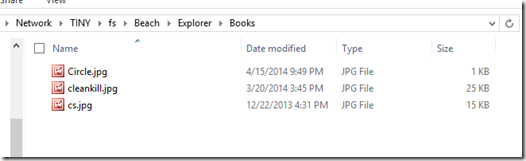
    filetable_j

    An insert into the folder of a file.

    I could easily adapt this to stream in the binary values from a .NET application, or OPENROWSET, but this works well enough.

  • Managing Data in a FileTable with T-SQL

    I wrote a post about creating a Filetable, which just covered the basics of how to build one. How do you work with the data in this table? In this post I’ll look at a few things you can do from the T-SQL side.

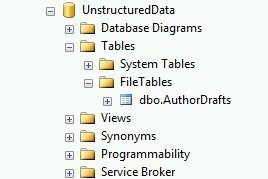
    From the last post, I had my author drafts Filetable. I can see this in the Object Explorer.

    filetable_c

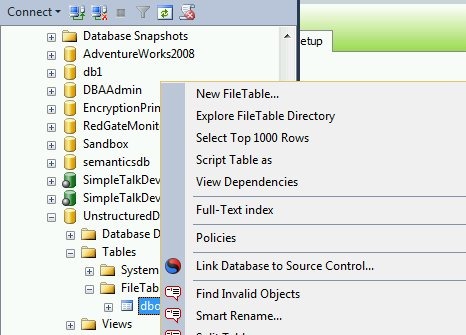
    I can use the same “select data” feature from Object Explorer on a Filetable, just like any other table.

    filetable_e

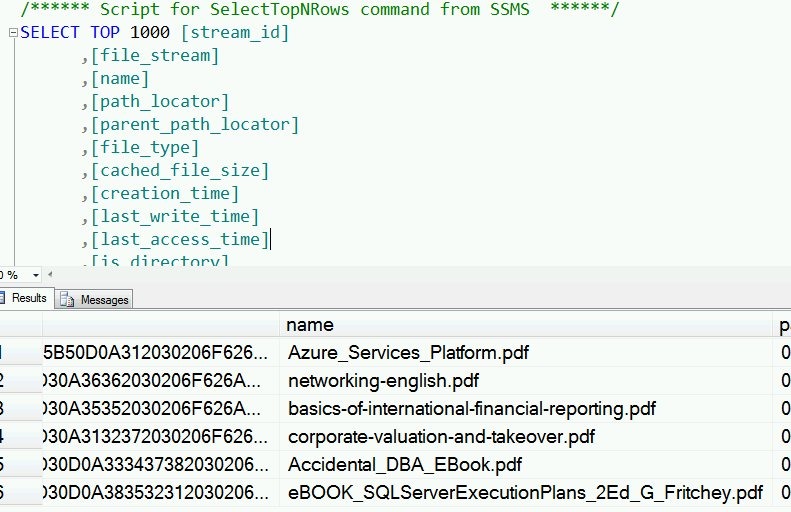
    I get the results, and as you see, I have a few rows in the table.

    filetable_f

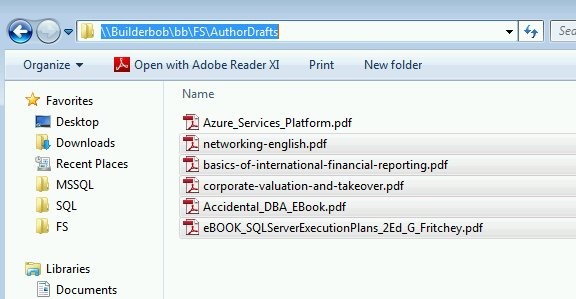
    These are actually the files I see in the share.

    filetable_d

    Inserting Data

    One of the advantages of Filetable is that you can use Explorer (and any tools that use the same Explorer APIs) to move data in and out of a table. However that doesn’t preclude you from using T-SQL.

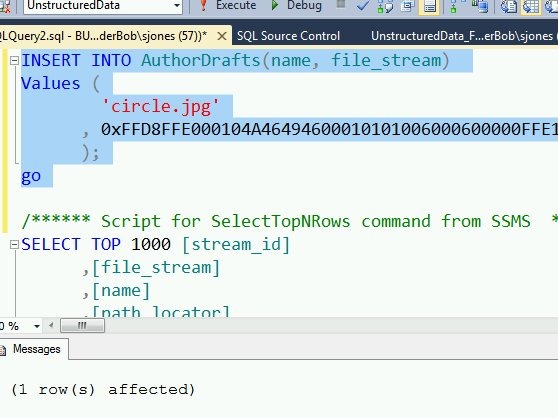
    I can use a script to insert data into the table, just as I might with Filestream.

    INSERT INTO AuthorDrafts(name, file_stream) Values ( 'circle.jpg' , 0xFFD8FFE000104A46494600010101006000600000FFE100684578696600004D4D002A000000080004011A0005000000010000003E011B0005000000010000004601280003000000010002000001310002000000120000004E00000000000000600000000100000060000000015061696E742E4E45542076332E352E313000FFDB0043000201010201010202020202020202030503030303030604040305070607070706070708090B0908080A0807070A0D0A0A0B0C0C0C0C07090E0F0D0C0E0B0C0C0CFFDB004301020202030303060303060C0807080C0C0C0C0C0C0C0C0C0C0C0C0C0C0C0C0C0C0C0C0C0C0C0C0C0C0C0C0C0C0C0C0C0C0C0C0C0C0C0C0C0C0C0C0C0C0C0C0C0CFFC0001108000A000D03012200021101031101FFC4001F0000010501010101010100000000000000000102030405060708090A0BFFC400B5100002010303020403050504040000017D01020300041105122131410613516107227114328191A1082342B1C11552D1F02433627282090A161718191A25262728292A3435363738393A434445464748494A535455565758595A636465666768696A737475767778797A838485868788898A92939495969798999AA2A3A4A5A6A7A8A9AAB2B3B4B5B6B7B8B9BAC2C3C4C5C6C7C8C9CAD2D3D4D5D6D7D8D9DAE1E2E3E4E5E6E7E8E9EAF1F2F3F4F5F6F7F8F9FAFFC4001F0100030101010101010101010000000000000102030405060708090A0BFFC400B51100020102040403040705040400010277000102031104052131061241510761711322328108144291A1B1C109233352F0156272D10A162434E125F11718191A262728292A35363738393A434445464748494A535455565758595A636465666768696A737475767778797A82838485868788898A92939495969798999AA2A3A4A5A6A7A8A9AAB2B3B4B5B6B7B8B9BAC2C3C4C5C6C7C8C9CAD2D3D4D5D6D7D8D9DAE2E3E4E5E6E7E8E9EAF2F3F4F5F6F7F8F9FAFFDA000C03010002110311003F00E97FE0E87FF82CA7ED35FB04FED85E09F03FC2BD6A5F87BE1097408B5C4D523D2ADAF1BC41746795248CBDC4722F970848C18940399373E43478FD75FF00827CFC68F177ED17FB0FFC2AF1D78F3461A078C7C59E19B2D4F57B110B42B14F244199846DF346AFC384392A1C024E335E95E2EF87BE1FF880968BAF687A3EB6B612F9F6C2FECA3B916F27F7D3783B5BDC60D6C5007FFFD9 ); go


    As you can see, this command works fine:

    filetable_g

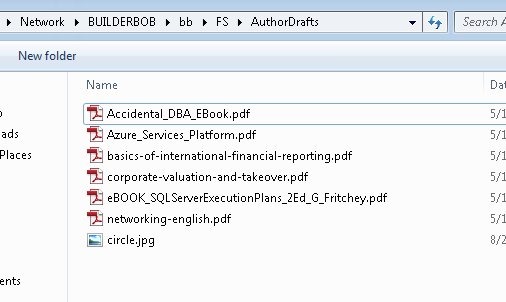
    If I then look at the share, I see my file:

    filetable_h

    Retrieving Data

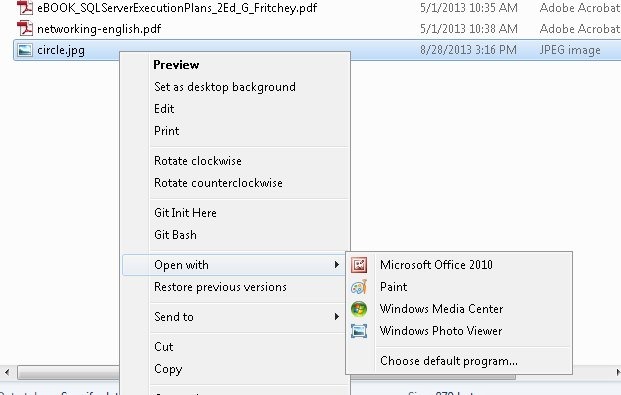
    As shown above, I can use SELECT queries to return data from a Filetable in T-SQL. However, I have a share as well, and I can cut, copy, paste, and open files from the share just as I would any other file in the file system.

    filetable_j


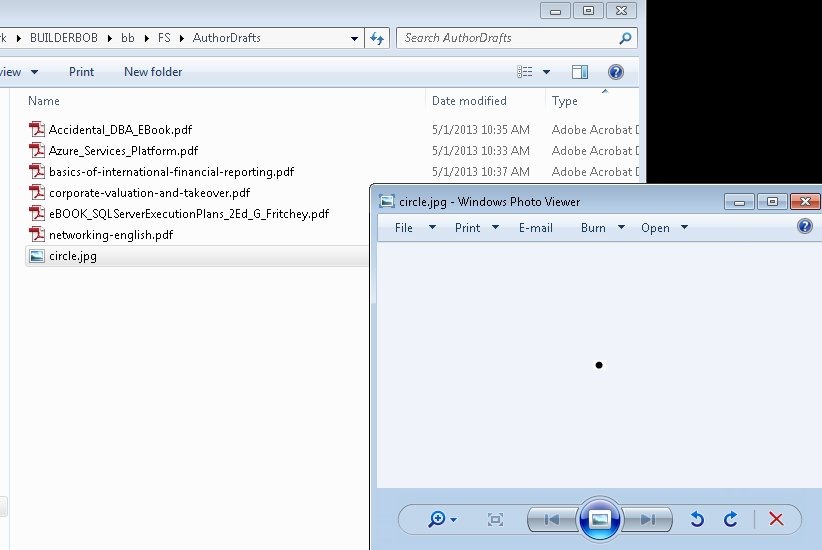
    If I open the file in Paint, I see my image:

    filetable_i

    Summary

    Working with files in a file table is easy, and while many people will use Explorer functions, you can use T-SQL as well to insert, or retrieve the data as you choose.

  • Filestream and Filetable in SQL Server

    This talk is an update of my Unstructured Data in SQL Server talk that looks at the Filestream and Filetable features of SQL Server.

    This session begins by presenting a case why we will manage more binary (unstructured data) in the future. The growth of this data is amazing. From there we delve into the basics of the three main types of data:

    • structured
    • semi-structured
    • unstructured

    The session examines the basics of Filestream and how you get enable this feature, administer it from a DBA perspective, and move data in and out of Filestream columns.

    Filetable is introduced along with demos on how to enable this data, as well as a brief search demo to extract information from documents.

    Level: 200

    Length: 60-75 minutes

    Demo Code:

    Slides:

    Related Blogs:

    Presentation Schedule

    This session has been given at these places.

    Apr 9, 2013 – SQL Intersection Spring 2013