Tag: kubernetes

  • The K8s Overview

    I’ve written some posts on Kubernetes (K8s) as I think this will be an important technology in the next decade for database systems. Actually, it’s not that I think Kubernetes is that important, but rather that the orchestration of containers that run database systems, along with the storage and networking, will be necessary. Kubernetes appears to be the most common and popular orchestrator, but that could change. There are other orchestrators out there.

    Part of the reason that some technology gets adopted is that managers read about it and push it. Certainly technical staff have input, but managers have influence, and ultimately spend money on projects. While every manager wants to succeed and make their mark, no one wants to be left behind and have made a poor technology choice. As popular as containers and Kubernetes are, a little advocacy from management might get you moving in that direction. That’s if you want to implement containers.

    If your manager knows nothing about Kubernetes, can they still recommend the platform? Sure, but you can also help them to understand how it works and what the impact of this choice might be. I ran across A Manager’s Guide to Kubernetes Adoption, which is a good read for a manager, perhaps tempering some of their enthusiasm to just install Kubernetes now. In fact, if you know nothing about containers and Kubernetes, you might give it a read as well.

    I’ve changed my mind on database containers, and I do think Kubernetes has a future in the life of the data platform pro. It’s not simple, and may not be easy to run for some time, but I think that will change. I do think we’ll eventually just get a K8s service, or simple install, or use it in the cloud. I also think we may not need a lot more Kubernetes knowledge than is in the post, but we certainly will want to know what configuration items might affect our workloads, and certainly we’ll still need to think about, and set limits (high and low) for our database systems.

    I don’t think that our world will change quickly, and certainly the more legacy applications you run, the longer your transition will be, but I do like the concept of Kubernetes as a platform where I deploy applications and services. I haven’t quite felt that way about AzureStack to date, nor OpenStack and other variants, but Kubernetes seems to be a better idea for what I’d want. It will take time to get there, and it’s not trivial effort to move to it, but once there, you should have reduced some of your infrastructure headaches.

    As to whether your application will run better, look to your developers. All the hardware and well built platforms in the world won’t work well if you don’t write good code. Spend some effort there, and then think about moving to containers and orchestrators.

    Steve Jones

    Listen to the podcast at Libsyn, Stitcher or iTunes.
  • Actual Kubernetes

    This post continues looking at my process of learning more about Kubernetes. I’ve been working through the 50 days of Kubernetes (K8s). I completed the first 3 sections (Days 1-15). This starts the look at Days 16-20

    Disclosure: I actually ran a kubenetes cluster in Azure Kubernetes Services (AKS), but just using scripts from Andrew Pruski.

    Starting to work with Kubernetes

    Setting up Kubernetes is cumbersome. The setup and configuration is a little daunting but this look gives you a quick start. Microsoft is working with Katacoda here to run some things in the browser. I’m guessing they have some virtual environment you can use to get things running here.

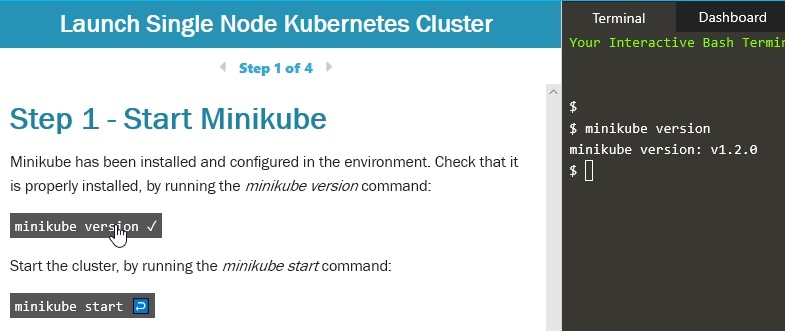
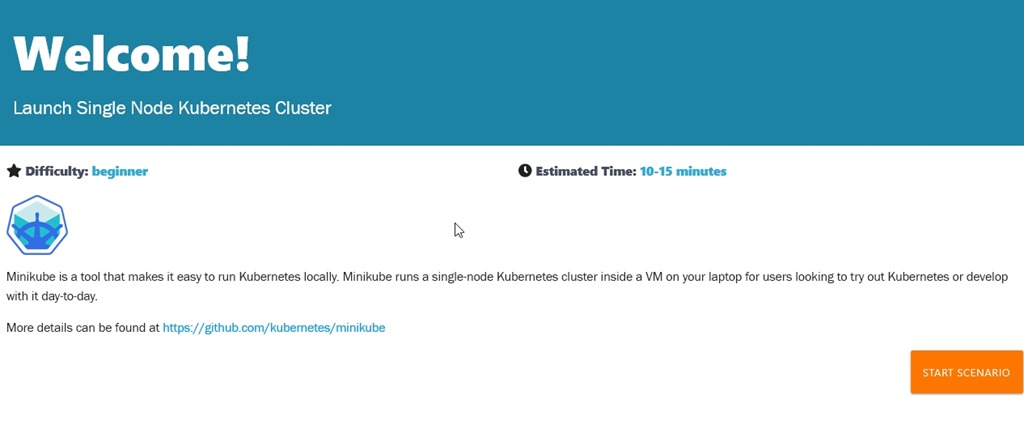
    When clicking the Day 16, we start with the welcome course that launches a single node Kubernetes Cluster.

    2019-07-09 15_21_53-Microsoft Edge

    When you start the scenario, you get the course on the left and a terminal on the right. If you click a section of code (like minicube version), it will run this in the terminal.

    2019-07-09 15_22_42-Microsoft Edge

    I typed most of the commands to get a feeling for the work. It’s definitely some work here, and lots of commands. I think I’d prefer to let Azure or AWS run this for me, but I guess I’ll still admin some of it.

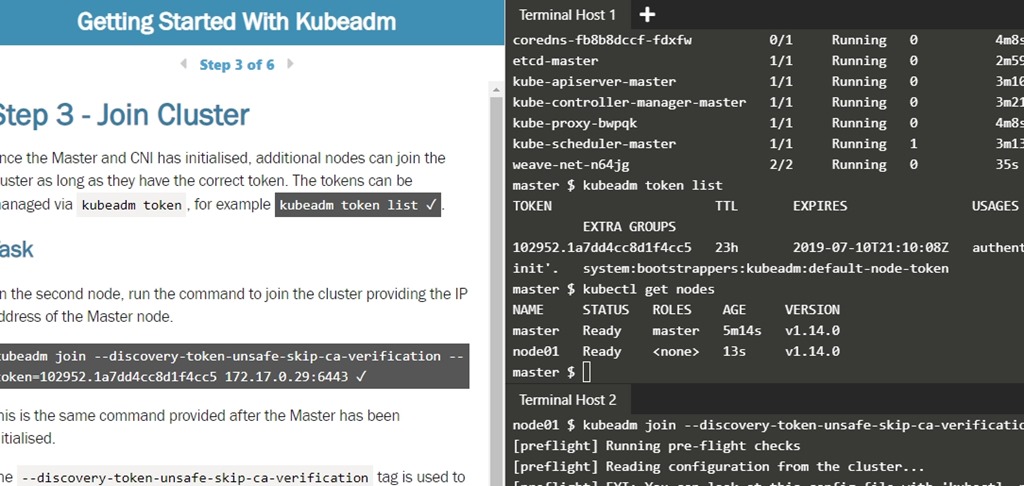
    The first course gets you a cluster with minikube. The second course lets you set up a two node cluster, which is a little more interesting. After all, the idea here is that you want a whole series of machines to act as a cluster of nodes. The process to join nodes is with a token, at least here it is. There can be other authentication if you really do this.

    2019-07-09 15_16_26-Getting Started With Kubeadm _ Kubernetes _ Katacoda

    Continuing through the course across a few days, I got a feeling for how to join new nodes and change the configuration of the Kubernetes cluster. For the most part, I have a general idea of how to set up new nodes, access tokens, etc. While I don’t really know how or why to make changes, I do at least understand what changes are possible.

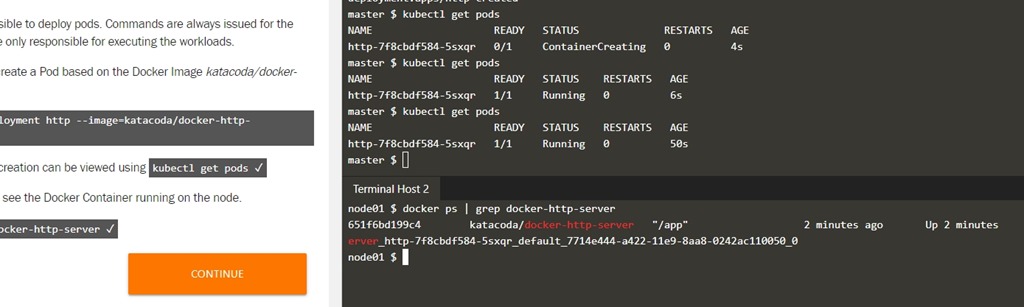
    I did run the “get nodes” or “get pods” a few times, seeing the different messages as new containers/pods were being created, noting the delays as things are deployed. I also learned that the containers distributed on the nodes are shown under the Docker command CLI. That is interesting and unexpected to me, though it shouldn’t have been.

    2019-07-11 15_28_05-Getting Started With Kubeadm _ Kubernetes _ Katacoda

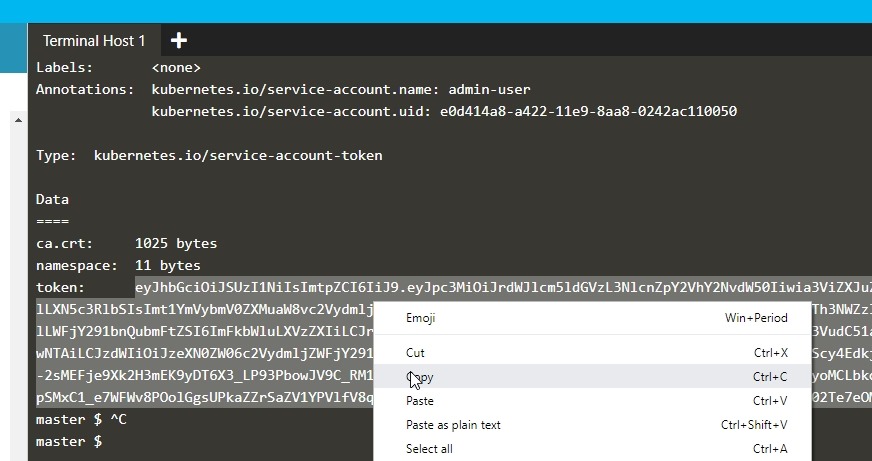
    One thing to be aware of when trying to access the dashboard is that the token copy needs to be with a right click. At least for me, CTRL+C didn’t work.

    2019-07-11 15_30_25-Getting Started With Kubeadm _ Kubernetes _ Katacoda

    I even re-ran a few deployments, adding new pods and web servers to the deployment, which was interesting to me.

    Working through scenarios

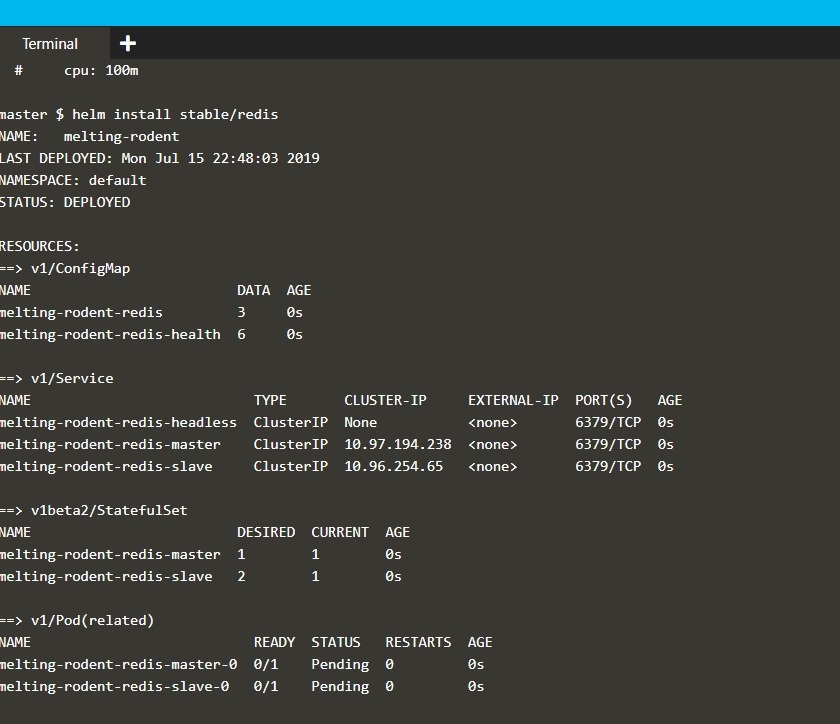
    In this course, there were 17 different scenarios. Adding volumes, networking, stateful services, building deployments, etc. Even using Helm.

    2019-07-15 16_48_21-Helm Package Manager _ Kubernetes _ Katacoda

    For most of these, I’d click the code to run it, and read through the results, seeing how this works. The actual details of creating a secret and retrieving is aren’t likely things I’ll remember, More, I’m just trying to understand how things work.

    The different scenarios do give you an idea of the breadth of Kubernetes capabilities. Certainly if you need to do these things, it would to go through the course, maybe even changing around some parameters. I’d suggest you go through this if you’ll be deploying systems and applications.

  • Production Kubernetes

    Still learning more about Kubernetes. I’ve been working through the 50 days of Kubernetes (K8s). Let’s keep exploring

    The API is the security boundary

    Everything happens with the Kubernetes API. Therefore, we want some RBAC here for the roles of individuals, as well as processes, like CI/CD pipelines. We want to ensure we have validation, security scans, etc..

    Things will go wrong

    In addition, we need some monitoring on the cluster. We need this on any system, but with scale and complexity of containers in Kubernetes, we need something in place.

    In addition, you want to test failover, which is likely between clusters. Containers do make this easier, but it’s something we want to ensure is a part of our process. This means practice. We know practice matters in most places, but we often don’t practice well in IT.

    Scaling

    There is planning to think about a large application, or maybe large for your environment means thinking about global access and ensuring that you have a way for your app to easily redirect across clusters or regions. There are also data challenges, as Brendon notes, with things like databases. It’s an opportunity to push CosmosDB, but in the relational world, we know how to handle this.

    Kubernetes will make AGs and HA easier.

  • Learning Kubernetes Security Concepts

    This post continues looking at my process of learning more about Kubernetes. I’ve been working through the 50 days of Kubernetes (K8s). Here I continue on with a few videos on secrets, configuration management and RBAC.

    Secrets

    I am glad that the idea of storing data securely has come to so many applications. Authentication, authorization, privileges, and more are complex and hard to get right. We continually see problems with passwords, certificates, and the link not being managed well.

    Kubernetes has the concept of secrets, which can be values or file contents (like a certificates). These can then be sent or mounted to containers for use.

    One problem, these are stored in the Kubernetes etcd (keyvalue store) in an unencrypted format. Kubernetes has new concepts to integrate into key management areas, like Azure Key Vault, to protect secrets, though Kubernetes privilege controls are still needed.

    A gross simplification, but I learned a little more about what secrets are.

    Configuration Management

    This is interesting to me, because I like abstracting things away. In Kubernetes, we abstract a configuration object as a separate entity, which can then be applied to a container/pod later. This also works through deployments, allowing configurations to be part of the rolling deployment, which can prevent issues.

    If you have good testing/evaluation of what is healthy. This is likely easier than comprehensive unit testing, but still.

    A good idea, just not sure if this is too much.

    RBAC

    I always think of this as row-based, but it’s really role-based, so maybe that should be the way I translate RBAC in my head.

    Like most systems that use RBAC, there is, of course, a role. The video wanders a bit in the explanation, but I’ll try to summarize what I learned. There are two facets to roles. First, these are verb/noun pairs that determine what permission is available for what resource. Like get/list for the verb, and pod, volume, service, etc. for the noun. These are setting up the permission side.

    However, there is another facet. These roles can be set as cluster roles, similar to server roles for SQL Server, or at the namespace level, more like a database role. In either case, you are scoping permissions. Obviously, be careful with cluster roles.

    The other side of this is the user. We can have users or groups used for these roles, similar to what is in SQL Server.

    A simple explanation, but at least I have some idea of the concept.