Tag: Microsoft

  • A True Lift and Shift

    Microsoft bought a data center. That’s not news, after all, they’ve been building and buying data centers for some time as they look to expand their Azure footprint, as well as continue to power their own internal systems. As they’ve grown, they’ve also learned quite a bit and regularly redesigned their data centers, moving from racks to shipping containers, from large warehouses to outdoor facilities. They are always trying to become more efficient in how they not only power and cool the systems, but also manage the deployment of servers. They don’t want to rack individual servers, nor do they even want to have systems with unnecessary wiring, choosing to order custom motherboards and other hardware. In fact, they are looking to move beyond containers to ITPACs, whatever they are.

    I’m getting off track here, since I think data centers are really cool and well designed. I used to evaluate and rent space in them, so I get intrigued. Back to my point. Microsoft bought a data center.

    Is this news? I find it interesting because in this case, Microsoft bought a data center from Chevron for a facility valued at US$80mm. That’s not a lot for a data center, but it comes on the heels of a deal between the companies to use cloud services for Chevron and make Microsoft the primary provider. It seems like Chevron wants to get out of the data center business and just rent the services it needs from Azure. Since they work in the oil and gas industry, with lots of data analysis and predictive requirements, perhaps this makes sense.

    That’s a good sales tactic from Microsoft. Use our stuff, which can save you money, and by the way, we’ll buy your old DC so you don’t have to lose that investment. An argument like that might sway quite a few large customers, allow Azure to continue to grow, and also ensure a strong base for Azure revenues for some time to come. That kind of moves makes me think I ought to buy more Microsoft stock.

    This won’t make a difference for the smaller companies, but face it, many of them likely have a limited number of servers, dozens perhaps. There are still potential cost savings for them if they can move to a managed solution in the cloud, and I know quite a few Redgate customers that are considering a variety of moves, often a combination of IaaS and PaaS. Not everyone wants to move, but there are plenty of advantages for some companies to consider cloud type solutions.

    Microsoft Azure is growing quite a bit and I continue to be impressed with the capabilities and options available. From Managed Instances to Machine Learning on demand to Cognitive Services, I think there is tremendous opportunity for companies to use technologies that might have been cost-prohibitive just a few years ago. Of course, if you’re a basic, just need a RDBMS for an app, you probably are just as happy to run (or rent) space in a smaller data center, where you have more control over resources, options, and costs.

    Steve Jones

    The Voice of the DBA Podcast

    Listen to the MP3 Audio ( 4.5MB) podcast or subscribe to the feed at iTunes and Libsyn.
  • Decouple the Tools

    For years, SQL Server included a complete set of add-ons with the main product. We got SSIS, SSRS, and more as part of an integrated installation. This also included things like Books Online and various tools, such as Profiler, bcp, and Management Studio (Enterprise Manager in earlier versions). Over the years, the number of tools has grown, but there has also been work to decouple some of these items from the installation media and allow them to be upgraded more rapidly. Books Online was the first to separate, though not without some pain for users that struggled to install the local help files.

    Last year SSMS was decoupled from SQL Server, which I think is a great idea. The tools team at Microsoft moved to their own release schedule, getting SSMS onto the Visual Studio 2015 platform. This wasn’t without some pain, and there were definitely some releases with issues, but overall the process has smoothed out and I’ve appreciated the updates. This separation has allowed new features to be added to the product without waiting for a new release. If you watch the changelog, you will see quite a few improvements and fixes being released, along with enhancements. SSMS is also free to download and install on workstations without SQL Server.

    However, if you examine the installation for SQL Server, there are plenty of other products that could benefit from being decoupled. While bcp and sqlcmd don’t change much, why are they a part of the server platform? These tools, along with others, are really client side tools, and would benefit from their own release cycles. Whether or not teams do significant work, or even if they only release updates when a new version of SQL Server comes out, having them as a separate set of tools, with a separate installer, means that fixes and enhancements could be sent out if there are issues. This seems especially important for security updates, which might be needed. In addition, maybe this would actually get teams to view any separate tools as worthy of new functionality if they see an opportunity.

    I’d actually love to see some integrated installer for the SQL tools that would allow me to download and update them each as needed. Let me know when SSMS is out of date, along with any updates for sqlcmd, sqlmaint, tablediff, and other tools. They might not change often, but I’d rather not have to run the SQL Server installer for a CU on all my client workstations. Let me update those tools as needed, if there are changes or improvements.

    Steve Jones

    The Voice of the DBA Podcast

    Listen to the MP3 Audio ( 4.0MB) podcast or subscribe to the feed at iTunes and Libsyn.
  • Creating a Books Online Pull Request

    One of the neat things at Microsoft did last year was put Books Online in GitHub. This is in the MicrosoftDocs org under the sql-docs repo. The organization is a bit funny, but once you get used to it, you can find the docs.

    One of the neat things that is available now is that anyone can edit Books Online. You can’t edit the live versions in GitHub, nor the versions published on Microsoft’s site (or downloaded), but you can submit your changes as a pull request, which Microsoft will review the changes, and if they like them, the changes can get added to the official docs.

    This post shows how you can do this.

    Requirements

    First, you need a Github account. This is free, and you will end up with a fork (copy) of the official repo in your account when you edit.

    Second, you need to learn a little markdown. Not much, but enough to make formatted changes. I like this cheatsheet, but there are plenty out there (kidding).

    Editing BOL

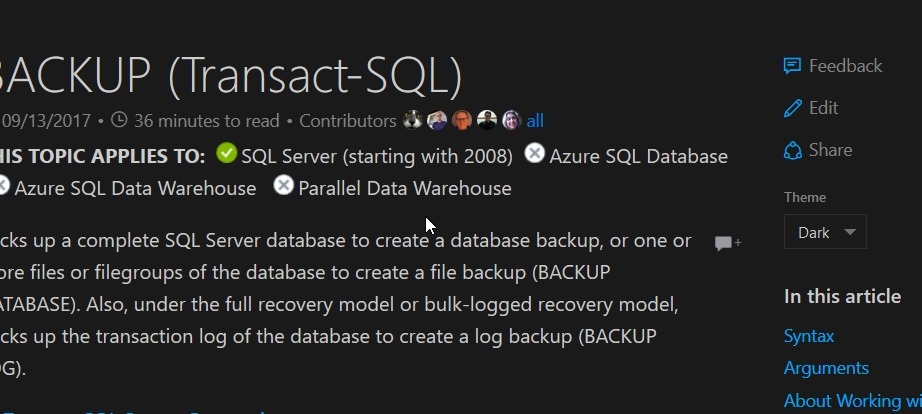
    When you go to a page in the online BOL, you should notice a short menu in the upper right. It has Feedback and Share links, but also an “Edit” link. You can see this in the image below.

    2018-01-02 12_30_06-BACKUP (Transact-SQL) _ Microsoft Docs

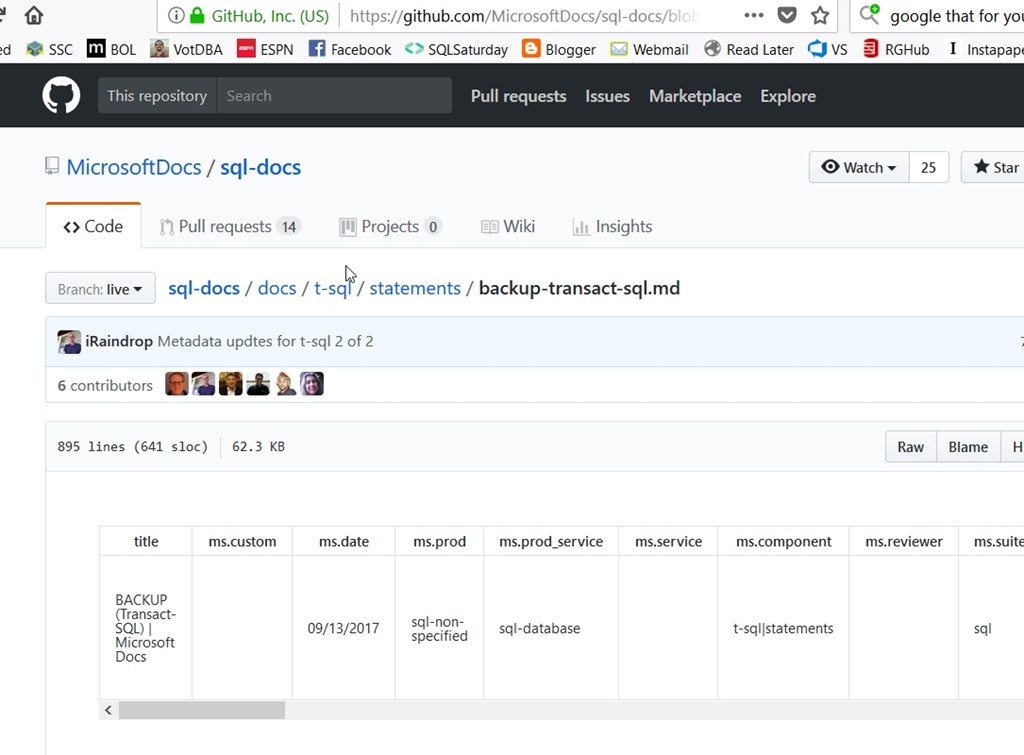
    If you click Edit, you’ll be taken to the page in Github. Below, I have the Backup page shown. Note the path near the top (by Branch:live) of sql-docs/docs/t-sql/statements/backup-transact-sql.md. This is the file in the repo. You’ll need this.

    2018-01-02 12_31_01-sql-docs_backup-transact-sql.md at live · MicrosoftDocs_sql-docs

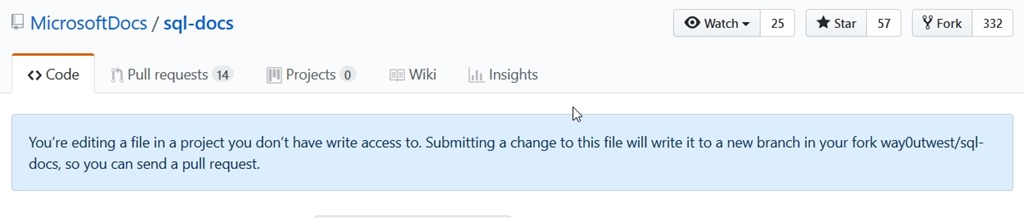
    This is the real repo from Microsoft, and you won’t be able to edit it. If you click edit (a pencil icon on the right side, just above the doc and to the right of the Raw|Blame|History buttons, you’ll get this:

    2018-01-02 12_33_28-Editing sql-docs_backup-transact-sql.md at live · MicrosoftDocs_sql-docs

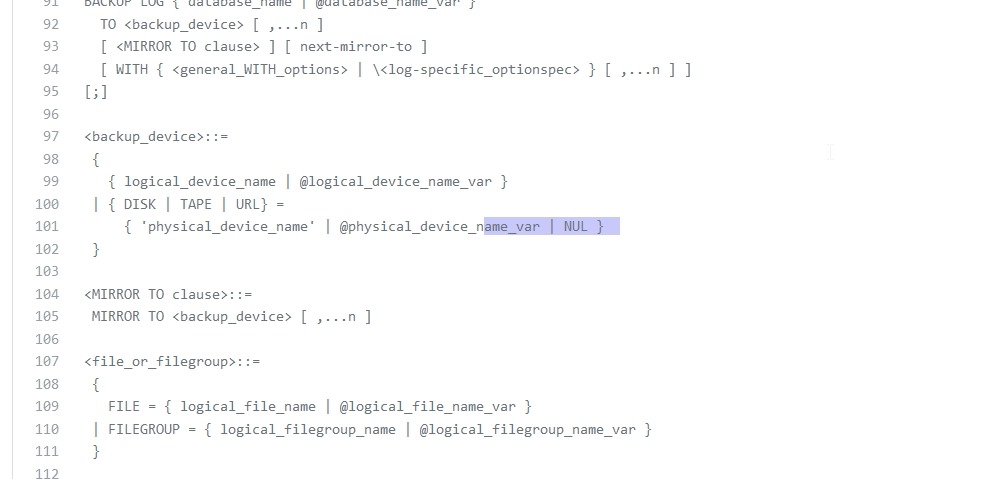
    That’s fine. You can edit the page and then save this in your copy of the repo. In this case, I actually wanted to edit this page to add the NUL device. I scrolled down and found the area I wanted to edit. For ease of viewing, I’ve highlighted the place I edited the file.

    2018-01-02 12_34_28-Editing sql-docs_backup-transact-sql.md at live · MicrosoftDocs_sql-docs

    Commit

    All of you reading this should be familiar with version control. If you’re not, learn that.

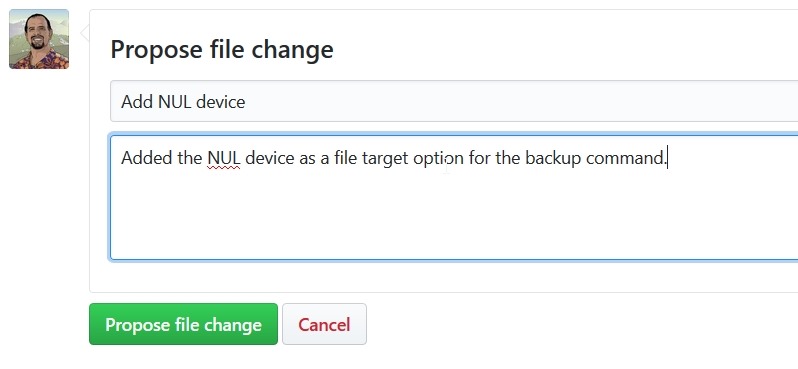
    To commit my change, I scroll to the bottom of the file and I’ll see the propose file change dialog. I can enter a title (meaningful for the change) and a comment that will let someone know what I’ve done.

    2018-01-02 12_36_17-Editing sql-docs_backup-transact-sql.md at live · MicrosoftDocs_sql-docs

    Once I do this, a new branch is created in my repo. If I look at the result page, I’ll see this:

    2018-01-02 12_37_02-Comparing MicrosoftDocs_live...way0utwest_patch-4 · MicrosoftDocs_sql-docs

    Reading this, I see that in my fork (way0utwest/sql-docs), I have a new branch (patch-4) that was created. Below this are the details of the commit, but essentially I have a copy of the official Microsoft repo in my area, with one new commit.

    The Pull Request

    A pull request (PR) is a notification to a repo that there are changes that someone wants to merge into that repo. In this case, a pull request will let MS know that my change is ready to merge, and they can review it.

    To start a PR, click the green button in the image above. By default, I’ll get the same commit comments I had listed above. In this case, I see this:

    2018-01-02 12_39_30-Comparing MicrosoftDocs_live...way0utwest_patch-4 · MicrosoftDocs_sql-docs
    Note, there are a couple important things here. First, this change is “able to merge”. We see that near the top. If you’ve made substantial changes that don’t necessarily merge cleanly, or you have an old copy of the repo, this won’t work. Go back and create a PR to update your repo from MS (you can approve this) and then make your changes.

    Second, make sure that your comments make sense to the person that will review this. In my case, I wanted to have more complete docs with NUL as an option (since it is) and I noted this is a target. I could expound why here or add more details. I try to ensure each change I’ve made has a sentence, so if I added a note to a different place in the docs, I’d have a second sentence here.

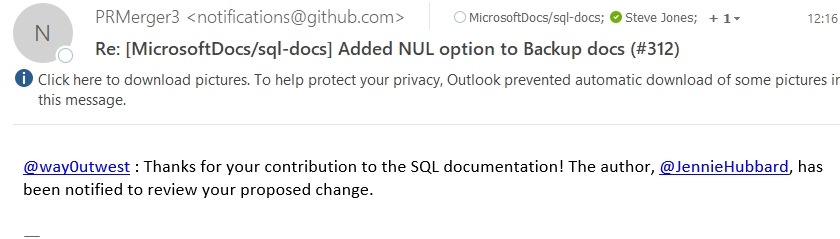
    Click “Create pull request” to complete this. Someone at MS will be notified, and you’ll get an email. In my case, I got this:

    2018-01-02 12_25_27-Deleted Items - steve.jones@red-gate.com - Outlook

    Waiting

    The next step is to wait. I’ve submitted four or five minor PRs that helped complete or clarify docs. In some cases I got a note from the repo maintainer the same day, some took 3 or 4 days.

    In any case, you may get a message that your change is accepted and it’s been merged. In this case, you’re done and I thank you for improving BOL.

    You also may get a message back in your PR that there are other changes that need to be made, or on rare occasions, an conflict has occurred. In that case, you may need to edit your change, make a new commit, and a new PR.

    This is a great model that Microsoft has given us to allow the community to issue corrections. Prior to this all feedback would get emailed to someone at MS, without any real organization. Or MVPs would send in feedback, but someone would need to interpret that and make a change. Now the community can easily make a change and help improve and correct our docs.

  • Voting for Change

    Microsoft does listen to us. They’ve made a number of changes in SQL Server 2016/2107 in response to community votes and requests. The main way to make these is through Connect, though keep in mind that lots of items get filed, and I don’t know how much consideration is given to suggestions for improvements and enhancements. I’m sure a significant amount of time is spent tracking down bugs and attempting to reproduce them.

    The best way to work for change is to advocate your request and get others to vote on items. I’m sure there are hundreds, maybe thousands of good requests out there, and most of us don’t have time to review them. We’ll often vote only when we hear about an issue from friends or on Twitter. Even then, many of us place different priorities on issues, and might not vote for suggestions that we don’t find useful. However, attention does get votes, so let people know what you would like to see.

    That being said, there are a few that I ran across and thought would be worth mentioning. One that I think is an easy choice, and should have been included a long time ago is the ability to increase the number of SQL Agent log files. Just as we can increase the engine log file count, we ought to be able to do the same thing for Agent logs. Auditing and proper security should ensure we have plenty of log files for busy systems. Plus, this should be easy to change. In line with that, why not more system health session files?

    I like this one for hidden columns, which might be really handy for legacy code. What I’d really like is the string or binary data truncated error to be enhanced. I can’t, for the life of me, understand why this hasn’t gotten some sort of fix. It’s been lingering for far too long, wasting countless development hours. Maybe they could fix it with new virtual tables.

    There are plenty of other issues in Connect, some of which might be very useful, quite a few of which are silly. I still think shining light on some of these and getting more votes might change the future of the product. At least, that’s what I’m optimistic about.

    Steve Jones

    The Voice of the DBA Podcast

    Listen to the MP3 Audio ( 3.2MB) podcast or subscribe to the feed at iTunes and Libsyn.