Tag: Redgate

  • Starting with Git for Database Development

    One of the tools that Red Gate Software makes is SQL Source Control. It’s a plug in to SSMS that allows you to hook your database up to version control. I’ve used it a few times in the past in conjunction with Subversion to demo the product. However I hadn’t really used it for my own scripts since it’s primarily a single server system and not distributed. My own demos were on VMs with limited connectivity to the world.

    A few weeks back, I was flipping through the https://www.simple-talk.com/Simple Talk newsletter, and saw an article on Continuous Integration for SQL Server using Red Gate Tools, Atlassian Bamboo, and Github. I’ve had many people over the last few years ask me about Git support for SQL Source Control and I was curious to see how well we supported things. I read the article and started downloading things.

    The first thing I downloaded was GitHub for Windows. I installed it and wasn’t thrilled to see it not working. However what was unclear in the article and the installation was that this is just a GUI for your Git installation. Since I hadn’t installed Git, I needed to do that. Once I had done that, and set up a Github account, things worked fine.

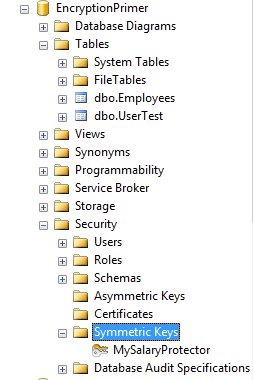
    I have numerous databases that I use for talks, but I usually create and destroy them with scripts during the talks. Not quite the way that SQL Source Control is designed to work. It works with objects, not scripts. However I wanted to test things, so I decided to build a database with the objects in it already. I wasn’t sure this would work for demos, but it would be a good test.
    git_a

    As you can see above, there are a few objects in my database.

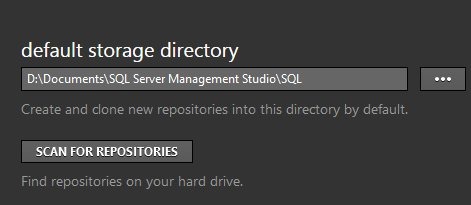
    My next step was to pick a place on my local drive where I could store my Git data. Since I do a lot from Management Studio, and use quite a few VMs, I wanted a standard location I could use easily and chose a folder under my SSMS installation.
    git_b

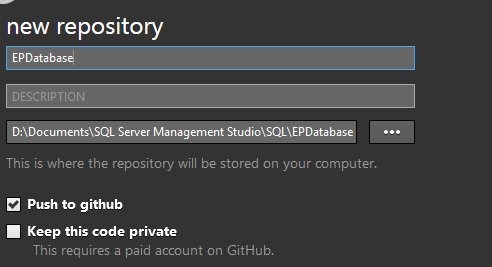
    Once this was setup, I created a new repository on my drive.
    git_c

    This was the place I’d keep all my code. With a free GitHub account, you can’t keep your code private, but that’s OK for this project since I give all my code away after talks.

    Once I’d created this, Git put the folder on my drive.

    git_d

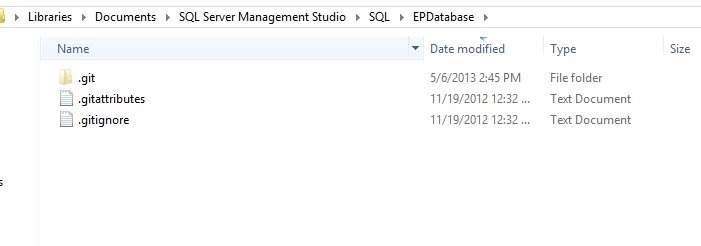
    Inside the folder was nothing, just a few Git files.
    git_f

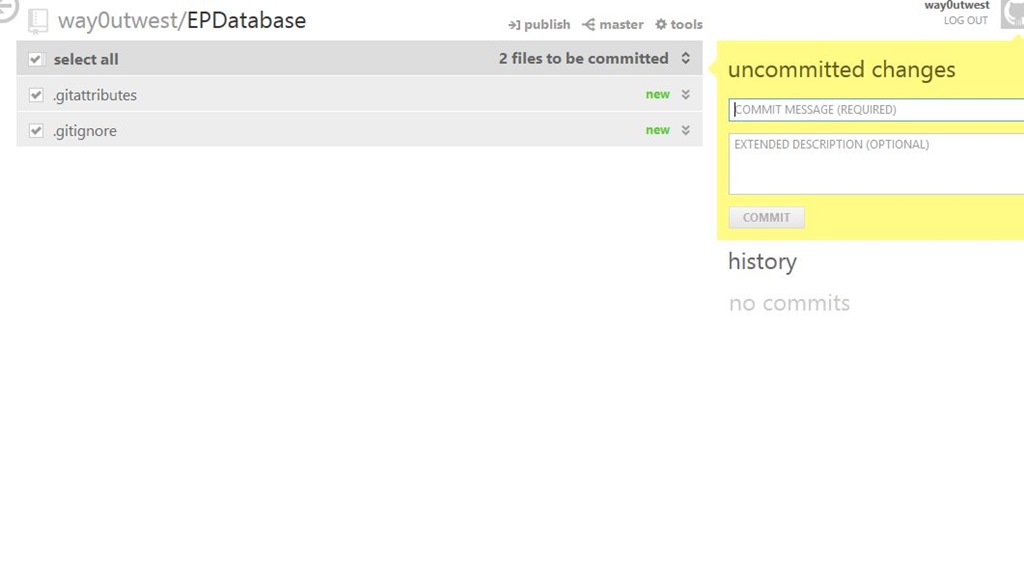
    And in my Github interface, there was nothing to commit.
    git_e

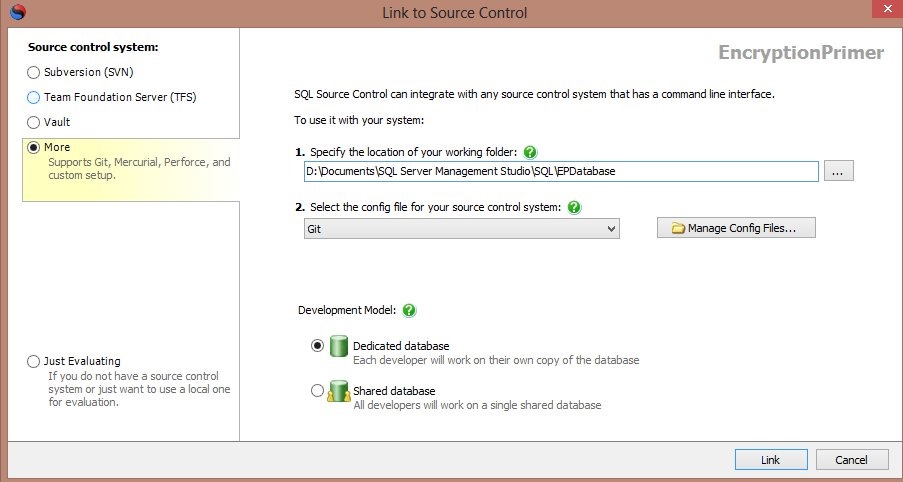
    The next step was to link this with Git. After selecting my database in the Object Explorer, I switched over to the SQL Source Control tab to link my database to source control. I entered the path of my Git folder (from above) and selected Git as my VCS.
    git_

    I chose a dedicated database, meaning this is just my database. The Shared database model can work, but I don’t like it for teams, or even solo.

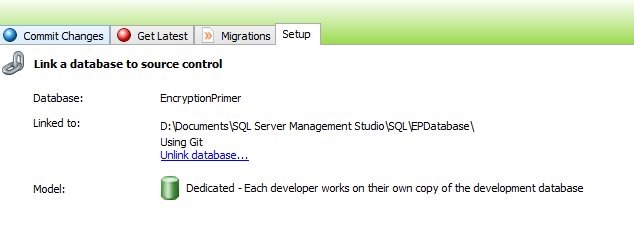
    Once this was done, I could see my database linked in SSMS.
    git_h

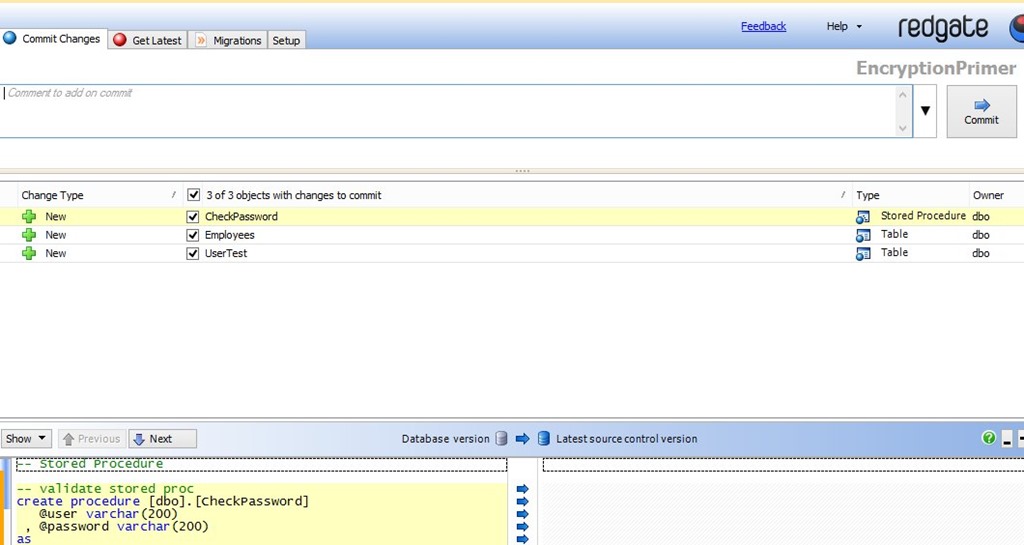
    I clicked the “Commit Changes” tab, and could see my three objects listed there as new items to commit.
    git_i

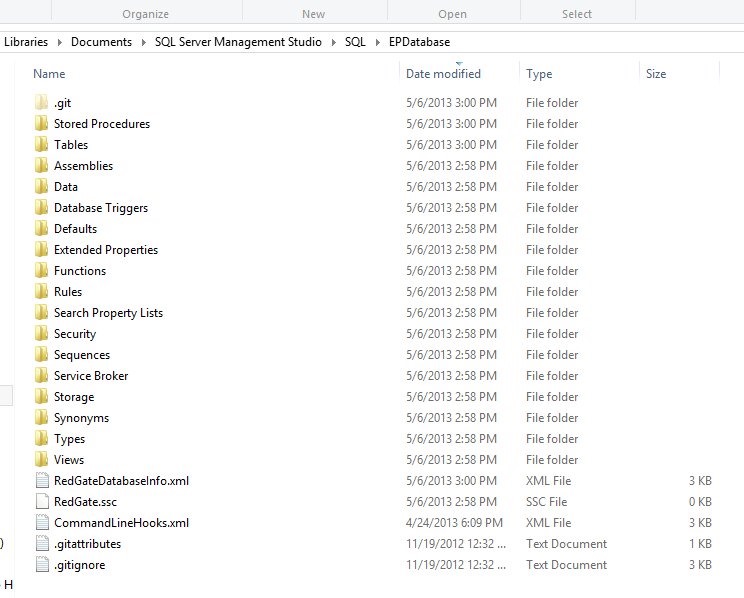
    If you have an existing database, this is the situation you’ll find yourself in most of the time. You link it, and commit all the changes. Once you enter a comment (please enter real comments you’ll understand), and press Commit, the objects are added to your folder. If I look at the folder, I see more stuff:
    git_j

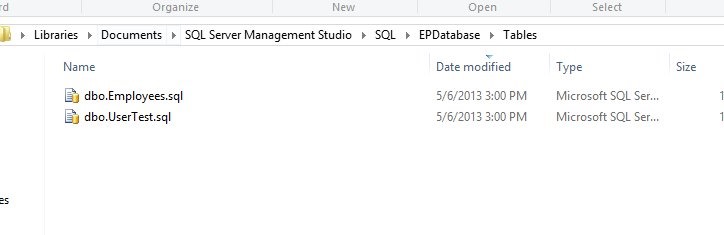
    Only a few folders have objects, and those contain the .sql files for those objects.
    git_k

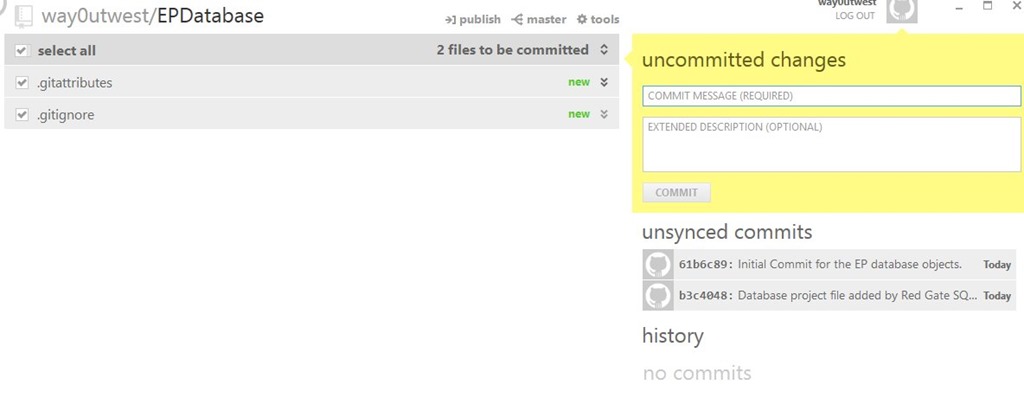
    If I look at Github, I see my comment and the changes are committed, but unsynced. If I press the “publish” button at the top, these are sent to Github.
    git_l

    That’s it. Any changes I make to objects, which I’ll show in another post, will commit to Git, and I can sync them to GitHub.


    Come learn more about these topics on the SQL in the City 2013 tour.

    sitc

  • The DBA Team #1–Code and Slides

    Our first DBA Team event, in Richmond, VA just before SQL Saturday #187 went well. Overall I think our experiment was a success and we’re already talking about where and when we might do this again.

    In the meantime, we didn’t make a separate site for this series of events, being an experiment and all. I’m adding this post as a placeholder for the various slide decks and code.

    Core Monitoring for SQL Server (Steve Jones)

    Good DBAs ensure that they are always aware of the state of their instances. All systems should have monitoring in place, not just so you know when things go wrong, but so you understand what a normal workload looks like and can plan for the future. This session will cover the basics of monitoring a SQL Server system and the various metrics you should be tracking.

    Getting Started with SQL Server Backup (Grant Fritchey)

    Backups are fundamental to protecting the investment your business has in its data and they’re the foundation of disaster recovery planning. We’ll go over best practices for database backups, to ensure you’re establishing that foundation correctly within your systems. This introductory level session covers full, log, and differential backups, as well as restores and restores to a point in time. Come along to be sure you’ve got the right protection in place for your systems.

    Understanding Database Corruption (Grant Fritchey)

    A DBA’s primary purpose is to ensure that the information in their charge is accessible by the correct people within their organization. Despite everything you do to make sure you’ve got your servers configured, monitored, and tuned, with well-tested backups in place, you can still lose data through corruption. But what is corruption in a database? This session lays out exactly where database corruption can come from, how to find out exactly where the corruption is within a database, and  the methods you have available to recover from database corruption.

    Indexing for SQL Server (Steve Jones)

    Indexes are important for improving the performance of your queries, but they add overhead to your server and require maintenance. This session examines how indexes work and the basic maintenance that you should perform to ensure your system is running at its peak level.

  • A Learning Experiment at SQL Saturday #187– Richmond

    dbateamlogoIn a little over a week, SQL Saturday #187 takes place in Richmond, VA. I’m looking forward to going back as I attended school not too far from there (Charlottesville), and even worked on the West side of Richmond for a time. My brother lives in MD and my mother in Virginia Beach, so it’s a good time for an extended weekend visiting family.

    However I’m also extending my trip before the weekend. Red Gate Software is experimenting with a short learning seminar on Friday. After last year’s SQL in the City, large events with hundreds of people, we’re trying something new again this year. We have a free half day set of talks scheduled on Friday, from 1-5, given by Grant Fritchey and myself. We’ll each give two talks, with networking time in between. We are planning on covering four topics:

    • Core Monitoring
    • SQL Server Backup
    • Database Corruption
    • Indexing

    It will be an interesting day as Grant and I have been working on our talks, trying to make them interesting to the attendees. We are linking the content to Red Gate tools, but don’t worry, these aren’t infomercials. We are delivering valuable information to help you in your job, whether you use Red Gate tools or not.

    Afterwards we’ll have a short happy hour as well before we start prepping for the Saturday event.

    You can register today, and there are still a few slots left, but this will be a small event, so my apologies if you can’t get in.

    Saturday is the SQL Saturday event at the University of Richmond campus. There’s a great lineup of speakers from the Virginia area and beyond for you. If you can come, it’s a free day of SQL Server information and training with tons of networking opportunities.

    Come join me if you can.

  • Planning

    I made it to the UK on a very smooth, uneventful, on-time trip. That’s just what I like when traveling. After arriving at Heathrow and traveling to Cambridge, I arrived at the Red Gate office just in time for lunch. A fortuitous event as I was hungry after flying all night.

    Most of my afternoon was meeting with various product groups talking about planned enhancements and changes and how these items might benefit DBAs in the field. Grant and I are usually called on for sanity checks on thoughts, ideas, and plans.

    It’s interesting to discuss with product groups how and why they want to make changes. I can’t talk about specifics, but hearing from developers and project managers is always interesting to me. We see the world differently and it’s good to give feedback on products that can make a DBA’s job easier. I haven’t always had the chance to do that, but when I do, it’s a growing experience to hear how a vendor sees the world.

    I wrote about this recently, and a few disagreed, thinking that Microsoft doesn’t listen to them. I disagreed then, and I still do. I get an opinion at Red Gate, and with Microsoft. I don’t get to make a decision, or even much of a vote, but I do get to voice my opinion. Just because it isn’t followed doesn’t mean that someone didn’t listen.

    I don’t know to what extent my thoughts will influence the products, but I did see and discuss things with a variety of people in different departments, and the discussions evolved, so I know my opinion is heard. Whether it changes things remains to be seen.