Tag: sql server

  • The Copy Cat Poll

    copy cat shirt
    How many copies of data do you need in our organization?

    One of the interesting facts I saw a few years ago talked about storage in enterprise environments. There was research that showed many enterprise applications had 6 or 7 copies of their large databases inside the organization. In addition to the production copy, there were many other copies in use, resulting in an explosion of growth. That wasn’t surprising, and it was one of the drivers for implementing compression in many databases.

    While the cost of storage is constantly coming down, it’s still expensive for enterprise class hardware, especially in a large SAN device. Today I wanted to ask those of you that work on real world systems to make a quick count of your own system, and let us know. I can’t decide if 6 copies of a production database is high, or low.

    How many copies, on average, of your production databases are in your company?

    I suppose you could count backups as a copy, since it’s disk space usage and you have to pay for it. If you count backups, let us know, but I’m thinking just about the test systems, development systems, HA or DR systems that might receive copies of the data. Some of those secondary systems might be in use for other purposes, such as reporting from readable secondaries in an AlwaysOn scenario. Whether they are or not, they are still copies of your database.

    I used to think that four or five copies would be a lot, but with the advances in technology that allow different DR options, and the cheap local storage available on today’s desktops and laptops, I wonder if seven or eight copies might be more accurate.

    Take a count today; you might surprise yourself with the results.

    Steve Jones

    If you are looking to reduce the cost of storing all those copies of your data, take a look at SQL Storage Compress, Virtual Restore, or SQL Backup Pro from Red Gate Software.


    The Voice of the DBA Podcasts

    We publish three versions of the podcast each day for you to enjoy.

  • Startup Jobs

    Are there things you need to make sure are running when your SQL Agent starts? Did you know that you can run a job when the Agent starts?

    I haven’t often used this, but there are cases where it was handy. In one system I administered, we wanted very fast inventory lookups for one of our groups. I know that we could have easily let the first few people just wait for their queries, but it constantly generated complaints from workers, and the VP in that area didn’t technically understand why. Explaining buffer pools, and caches weren’t an option.

    Our solution was a quick fix, which “hid” the problem. When the instance started, we had a startup procedure that ran, running a few queries that would load lots of data into memory. By the time people could connect to the server, it was usually warm, and complaints went away.

    A similar feature exists for SQL Agent. When you build a job, you can select a schedule that runs when the Agent starts. Imagine that I have a procedure that logs when my agent starts. I want this to log the datetime when the agent starts. I know it’s in the errorlogs, but if I have a lot of restarts in a short time, I could lose that information.

    I can create a table and procedure to log this:

    CREATE TABLE Startups
    (
      StartDate DATETIME
    )
    GO
    CREATE PROCEDURE spStartAgent
    AS
    INSERT Startups SELECT GETDATE()
    RETURN
    GO

    If I create a new job, I can enter a step that runs my job.

    I do that, and then click the scheduling tab (in SQL Server 2008 R2). Once I do that, I can drop down the Schedule type box, which defaults to “Recurring”.

    startup

    In the drop down, the first selection is “Start automatically when SQL Server Agent starts”. If I select this, all the other fields on the form get disabled.

    startup2

    I named this Agent Startup, so I can re-use this schedule if I need to. Now this schedule will run my job every time the Agent starts.

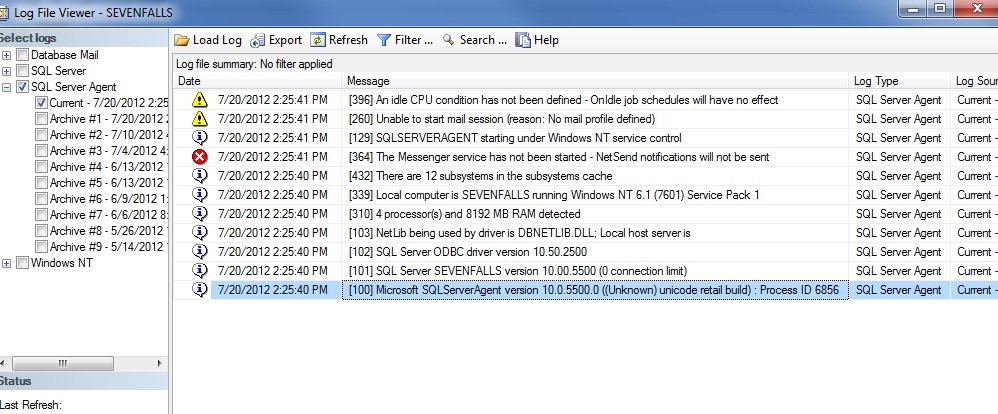
    If I restart my Agent (not my instance), and check my log, sure enough I see a note in my table that logs startups. However the execution of the job isn’t logged in the Agent error log.

    startup3

    Perhaps another good job would be to copy over the most recent error log into an archive folder, one where a hacker might not think to look. I could even set the rights for the agent to only allow files to be created, not altered or deleted. That way I could retain the file for auditing purposes.

  • The DBA Database

    database
    Having a database to store DBA type data can be very helpful for a busy administrator.

    Do you have a DBA database on all your instances? I’ve always kept a small database on all instances, usually standardized with a set of tables and procedures that I used to monitor and track activity on the instance. By keeping this fairly standard, I could script and deploy it during all new installs as well as easily aggregate information from all instances on a central server, usually in a slightly larger version of my DBA database.

    It’s nice to see more and more DBAs using this same technique in their environments. Over the last few years I’ve seen lots of articles and blog posts that recommend building a DBA database and populating it with DBA-stuff. That DBA-stuff can be anything from tracking backup sizes, to storing performance metrics, to keeping trace data. I’ve seen some neat implementations with Service Broker that use the DBA database as a repository for a queue to which they can send messages. Based on those message, they can have the instance  perform some action.

    There are any number of standards or corporate reasons not to include extra databases, but none of them really make sense. The DBA database, and any administrative tasks that use this database essentially act as a proxy for the DBA. Almost every piece of data stored in this database is data that the DBA would query or use on a regular basis. Keeping it inside a database set aside for this purpose allows the DBA to act more efficiently.

    If you haven’t built a DBA database, I’d encourage you to do so on all your instances. Secure it so only sysadmins can access it, but use it to capture and store information about the ongoing health of your SQL Server.

    Steve Jones


    The Voice of the DBA Podcasts

    We publish three versions of the podcast each day for you to enjoy.

  • Leaving Some Headroom

    Max Headroom
    You want to leave some headroom on your server, though perhaps not this kind of headroom.

    I was reading this piece on scaling Dropbox and something caught my eye. It’s a very interesting read, especially if you deal with scaling, and I’d encourage everyone that works with technology to read it. The one thing that really caught my eye, however, was the idea of running with extra load. In the piece, the author notes that they had a process running on their systems that consumed memory and CPU. If they ever reached their limit on the systems, they could stop the process, giving them a little more horsepower for the application.

    That’s interesting. It’s a take on similar techniques that we used on our SQL Servers in the past. We could keep a few 1GB files (in the days of 50GB disks) on each logical drive. If the drive somehow filled up, we could delete the file, giving us a little more space.

    Steve, that’s silly. You’d still need the same amount of space, so why does this help? It helps because it buys you time. If a process fills your log file, which fills the disk, the database stops. If you kill the process, and then delete the file, you’ve got space to clear your log, and keep your system running while you find out what went wrong. That’s the idea of artificial headroom. It allows you more time to respond in a crisis.

    I’m not sure how I’d want this to work on my SQL Servers. After all, any load I placed on them wouldn’t necessarily just occupy CPU. It would also impact the buffer pool, as the type of process I chose would influence what would stay (or go) in that bit of memory. However the idea of limiting my system slightly, maybe 5%, in a growth situation is interesting.

    At the very least it might appease my users while I get a purchase order for more resources approved.

    Steve Jones


    The Voice of the DBA Podcasts

    We publish three versions of the podcast each day for you to enjoy.