Have you ever used @@options? I haven’t typically needed this, but there are times that you might wonder what options are set for a session. You can check in SSMS, look for defaults, etc., but there’s an easy way.
SELECT @@OPTIONS
This uses the @@options function, which contains a bitmap of your session settings. There are defaults with the sp_configure user options, but these can be overridden.
If you want to get the options, which are also stored as bitmaps in various places, you can code them with this BOL article.
Or use a script like this:
DECLARE @i INT;
SELECT @i = @@OPTIONS;
SELECT ConstraintChecking = CASE WHEN (@i & 1 = 1 ) THEN 'ON' ELSE 'OFF' end,
        ImplicitTransactions = CASE WHEN (@i & 2 = 2 ) THEN 'ON' ELSE 'OFF' end,
        CursorCloseonCommit = CASE WHEN (@i & 4 = 2 ) THEN 'ON' ELSE 'OFF' end,
        AnsiWarnings = CASE WHEN (@i & 8 = 8 ) THEN 'ON' ELSE 'OFF' end,
        AnsiPadding = CASE WHEN (@i & 16 = 16 ) THEN 'ON' ELSE 'OFF' end,
        AnsiNulls = CASE WHEN (@i & 32 = 32 ) THEN 'ON' ELSE 'OFF' end,
        ArithAbortSetting = CASE WHEN (@i & 64 = 64 ) THEN 'ON' ELSE 'OFF' end,
        ArithIgnoreSetting = CASE WHEN (@i & 128 = 128 ) THEN 'ON' ELSE 'OFF' end,
        QuotedIdentifer = CASE WHEN (@i & 256 = 256 ) THEN 'ON' ELSE 'OFF' end,
        NoCount = CASE WHEN (@i & 512 = 512 ) THEN 'ON' ELSE 'OFF' end,
        AnsiNullDefaultOn = CASE WHEN (@i & 1024 = 1024 ) THEN 'ON' ELSE 'OFF' end,
        AnsiNullDefaultOff = CASE WHEN (@i & 2048 = 2048 ) THEN 'ON' ELSE 'OFF' end,
        ConcatNullYieldsNull = CASE WHEN (@i & 4096 = 4096 ) THEN 'ON' ELSE 'OFF' end,
        NumericRoundAbort = CASE WHEN (@i & 8192 = 8192 ) THEN 'ON' ELSE 'OFF' end,
        XactAbort = CASE WHEN (@i & 16384 = 16384 ) THEN 'ON' ELSE 'OFF' END
For the row-based people, how about this:
DECLARE @i INT;
SELECT @i = @@OPTIONS;
SELECT 'ConstraintChecking', CASE WHEN (@i & 1 = 1 ) THEN 'ON' ELSE 'OFF' END
UNION
SELECT  'ImplicitTransactions', CASE WHEN (@i & 2 = 2 ) THEN 'ON' ELSE 'OFF' end
UNION
SELECT  'CursorCloseonCommit', CASE WHEN (@i & 4 = 4 ) THEN 'ON' ELSE 'OFF' end
UNION
SELECT  'AnsiWarnings', CASE WHEN (@i & 8 = 8 ) THEN 'ON' ELSE 'OFF' end
UNION
SELECT  'AnsiPadding', CASE WHEN (@i & 16 = 16 ) THEN 'ON' ELSE 'OFF' end
UNION
SELECT  'AnsiNulls', CASE WHEN (@i & 32 = 32 ) THEN 'ON' ELSE 'OFF' end
UNION
SELECT  'ArithAbortSetting', CASE WHEN (@i & 64 = 64 ) THEN 'ON' ELSE 'OFF' end
UNION
SELECT  'ArithIgnoreSetting', CASE WHEN (@i & 128 = 128 ) THEN 'ON' ELSE 'OFF' end
UNION
SELECT  'QuotedIdentifer', CASE WHEN (@i & 256 = 256 ) THEN 'ON' ELSE 'OFF' end
UNION
SELECT  'NoCount', CASE WHEN (@i & 512 = 512 ) THEN 'ON' ELSE 'OFF' end
UNION
SELECT  'AnsiNullDefaultOn', CASE WHEN (@i & 1024 = 1024 ) THEN 'ON' ELSE 'OFF' end
UNION
SELECT  'AnsiNullDefaultOff', CASE WHEN (@i & 2048 = 2048 ) THEN 'ON' ELSE 'OFF' end
UNION
SELECT  'ConcatNullYieldsNull', CASE WHEN (@i & 4096 = 4096 ) THEN 'ON' ELSE 'OFF' end
UNION
SELECT  'NumericRoundAbort', CASE WHEN (@i & 8192 = 8192 ) THEN 'ON' ELSE 'OFF' end
UNION
SELECT  'XactAbort', CASE WHEN (@i & 16384 = 16384 ) THEN 'ON' ELSE 'OFF' END
UPDATE: From the comments, an UNPIVOT might be easier to read for some of you.
DECLARE @i INT;
SELECT @i = @@OPTIONS;
SELECT [Option], [Value]
FROM(
SELECT ConstraintChecking = CASE WHEN (@i & 1 = 1 ) THEN ‘ON’ ELSE ‘OFF’ end,
ImplicitTransactions = CASE WHEN (@i & 2 = 2 ) THEN ‘ON’ ELSE ‘OFF’ end,
CursorCloseonCommit = CASE WHEN (@i & 4 = 2 ) THEN ‘ON’ ELSE ‘OFF’ end,
AnsiWarnings = CASE WHEN (@i & 8 = 8 ) THEN ‘ON’ ELSE ‘OFF’ end,
AnsiPadding = CASE WHEN (@i & 16 = 16 ) THEN ‘ON’ ELSE ‘OFF’ end,
AnsiNulls = CASE WHEN (@i & 32 = 32 ) THEN ‘ON’ ELSE ‘OFF’ end,
ArithAbortSetting = CASE WHEN (@i & 64 = 64 ) THEN ‘ON’ ELSE ‘OFF’ end,
ArithIgnoreSetting = CASE WHEN (@i & 128 = 128 ) THEN ‘ON’ ELSE ‘OFF’ end,
QuotedIdentifer = CASE WHEN (@i & 256 = 256 ) THEN ‘ON’ ELSE ‘OFF’ end,
NoCount = CASE WHEN (@i & 512 = 512 ) THEN ‘ON’ ELSE ‘OFF’ end,
AnsiNullDefaultOn = CASE WHEN (@i & 1024 = 1024 ) THEN ‘ON’ ELSE ‘OFF’ end,
AnsiNullDefaultOff = CASE WHEN (@i & 2048 = 2048 ) THEN ‘ON’ ELSE ‘OFF’ end,
ConcatNullYieldsNull = CASE WHEN (@i & 4096 = 4096 ) THEN ‘ON’ ELSE ‘OFF’ end,
NumericRoundAbort = CASE WHEN (@i & 8192 = 8192 ) THEN ‘ON’ ELSE ‘OFF’ end,
XactAbort = CASE WHEN (@i & 16384 = 16384 ) THEN ‘ON’ ELSE ‘OFF’ END) AS options
UNPIVOT (
[Value] FOR [OPTION] IN ([ConstraintChecking],[ImplicitTransactions],[CursorCloseonCommit],[AnsiWarnings],[AnsiPadding],[AnsiNulls],[ArithAbortSetting],[ArithIgnoreSetting],[QuotedIdentifer],[NoCount],[AnsiNullDefaultOn],[AnsiNullDefaultOff],[ConcatNullYieldsNull],[NumericRoundAbort],[XactAbort])
) AS T1
ORDER BY [Option]
GO
_SQL2016.RLS (PLATO_Steve (64))_ - Microsoft](https://voiceofthedba.com/wp-content/uploads/2018/01/2018-01-16-13_30_26-semicolons-sql-readonlylocal_sql2016-rls-plato_steve-64_-microsoft.jpg "2018-01-16 13_30_26-Semicolons.sql - [ReadOnly](local)_SQL2016.RLS (PLATO_Steve (64))_ - Microsoft")
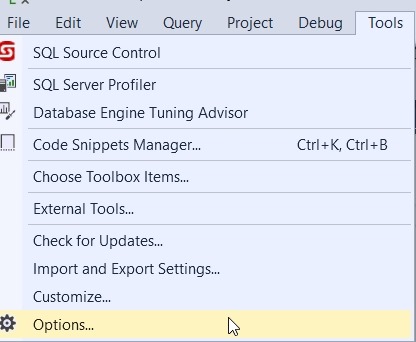

_SQL2016.RLS (PLATO_Steve (64))_ - Microsoft](https://voiceofthedba.com/wp-content/uploads/2018/01/2018-01-16-12_28_45-semicolons-sql-readonlylocal_sql2016-rls-plato_steve-64_-microsoft.jpg "2018-01-16 12_28_45-Semicolons.sql - [ReadOnly](local)_SQL2016.RLS (PLATO_Steve (64))_ - Microsoft")

