Tag: sql server

  • Keeping the Single User Connection

    A reader was having issues with a script. They ran their code from PoSh (Invoke-Sqlcmd), setting single user and then trying to rename a database and its files. However, occasionally, they’d lose the single user connection to another user. Frustrating, but it wasn’t a PoSh issue.

    The ALTER DATABASE commands don’t really specify how SINGLE_USER works. What happens is that if you set single user, the first user gets the connection, whether that’s sysadmin, dbo, or a regular user. This means that when you set a database to single user mode, you need to be one of the users in the database.

    The change to single used is blocked, until all other connections disconnect. One way to ensure this happens quickly is to add the WITH ROLLBACK IMMEDIATE clause, which disconnects users.

    The original poster’s issue was that while they used the clause, their connection was in the master database. This meant that another user could potentially connect to the database, grab a shared lock, and prevent renaming files.

    If your connection is in the user database, then when you issue the ALTER DATABASE WITH ROLLBACK IMMEDIATE and disconnect users, then you have the only connection. This should prevent any issues.

    Quick Demo

    Let’s see this in a simple way. I’ve got a demo database that I use, and I’ll open three connections. The first will be as a sysadmin here:
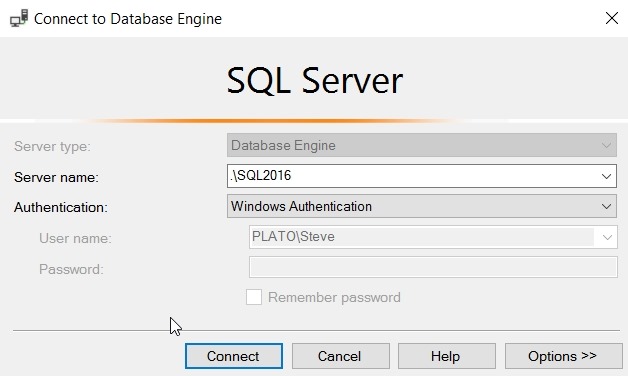
    2017-10-24 09_54_17-Connect to Database Engine

    and then the other windows I’ll switch the connection to a non-privileged user.
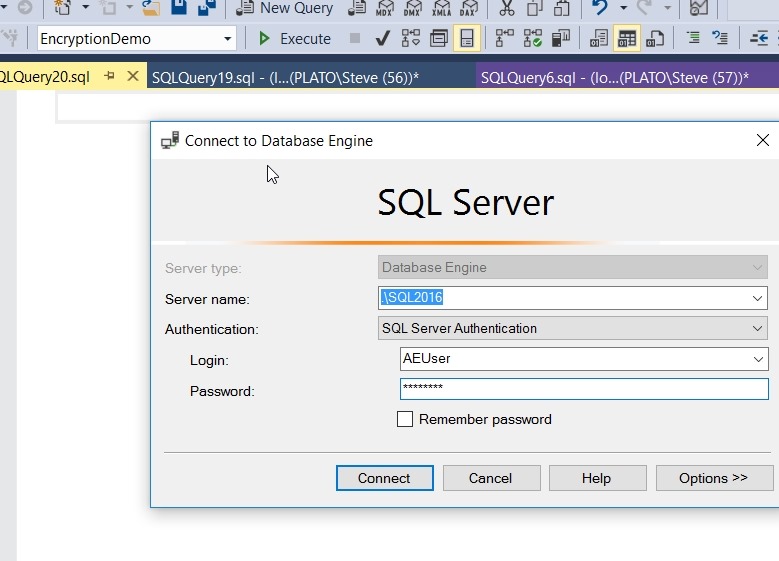
    2017-10-24 09_55_17-SQLQuery20.sql - Microsoft SQL Server Management Studio

    At this point, I have a few connections to my database.
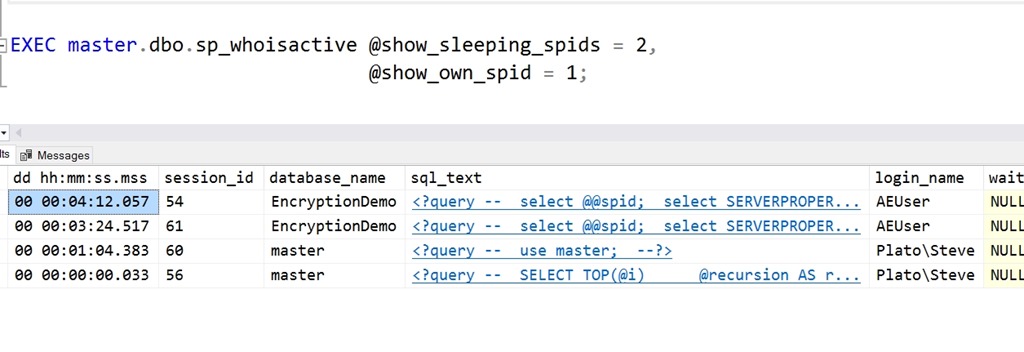
    2017-10-24 10_00_48-SQLQuery19.sql - (local)_SQL2016.EncryptionDemo (PLATO_Steve (56))_ - Microsoft

    Let me now reset the database option.
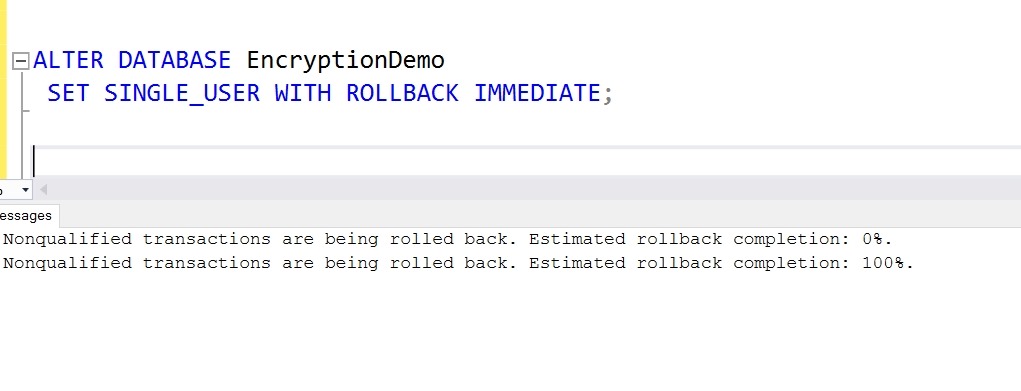
    2017-10-24 10_01_30-SQLQuery19.sql - (local)_SQL2016.EncryptionDemo (PLATO_Steve (56))_ - Microsoft

    Everything works here, let’s check the next session. If I switch to another tab, I’ll run a query. After a second or two, I get this:

    2017-10-24 10_02_29-SQLQuery21.sql - (local)_SQL2016.EncryptionDemo (AEUser (61)) Executing..._ - Mi

    SQL Server has disconnected my session. If I try to reconnect (this login has EncryptionDemo as the default), I get this:

    2017-10-24 10_17_04-SQLQuery22.sql - Microsoft SQL Server Management Studio

    If you need to perform maintenance, and want to ensure you have the connection, change context to the database before setting single user mode.
  • Changing the Default DB for a Login–#SQLNewBlogger

    Another post for me that is simple and hopefully serves as an example for people trying to get blogging as #SQLNewBloggers.

    Recently I got into a bit of a pickle. I was detaching some databases for a demo, which is something I do periodically to make it easier for someone to see what’s doing on. The database detached fine, and I ran my demo.

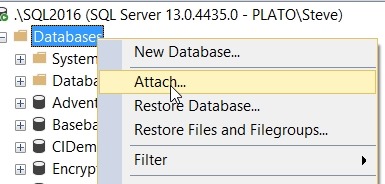
    Then, as a sysadmin, I right clicked to attach a database back.

    2017-10-23 15_59_17-SQLQuery6.sql - (local)_SQL2014.SimpleTalk_1_Development (PLATO_Steve (57))_ - M

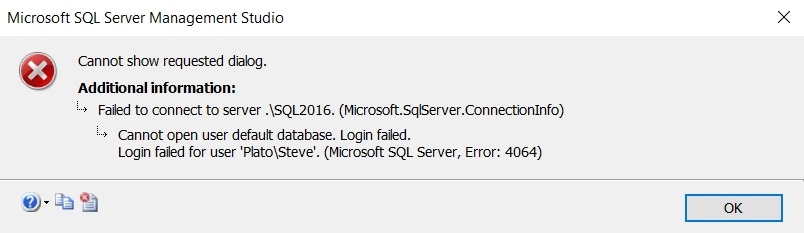
    and all of a sudden I get this error:

    2017-10-23 15_59_08-Microsoft SQL Server Management Studio

    Interesting. I could have attached the database back from the command line, or with dbatools, but I thought this was interesting. As I go to the attach dialog, a new connection is made. However, in this case, the default database for my sysadmin account was the one I’d detached.

    Fortunately, this is easy to fix. First, I opened a query window with master as the specific database:

    2017-10-23 16_01_20-Connect to Database Engine

    Then, I have a couple options to reset my default database. For old SQL Servers, many of you might have used sp_defaultdb. That’s marked as a deprecated procedure, so ALTER LOGIN is the new way. The syntax uses the WITH to include various options. In my case, I needed the DEFAULT_DATABASE item. This was my code:

    ALTER LOGIN [PLATO\Steve] WITH DEFAULT_DATABASE = MASTER

    If you are on an older version, something like this will work:

    exec sp_defaultdb @login = ‘Steve’, @defaultdb = ‘master’

    Once that was done, the GUI dialog worked. A quick and easy fix in this case.

    SQLNewBlogger

    As soon as I found the error, I knew what was happening. Resetting the default database took less than a minute, but I decided to spend 10  grabbing a few screenshots and putting this post together.

    You could do the same thing. Show that you can recover from errors.

  • A Tour of SQL Server Security Features

    Abstract

    Protecting data from unauthorized access becomes more important all the time. SQL Server includes a number of features that make data protection and security easier for developers and DBAs with a framework for protecting data. Come learn how Always Encrypted, TDE, Row Level Security, Dynamic Data Masking, and column level encryption can protect your systems.

    You will learn:

    • About the different encryption and security features in SQL Server
    • Understand the code changes required for encryption mechanisms
    • Gain a basic understanding of RLS and DDM, which do not require code changes to help protect data

    Level: 100

    Demos

    This talk includes the following demos

    • Always Encrypted setup and data access
    • Row Level Security setup and use
    • Dynamic Data Masking for users
    • Column Level Encryption implementation
    • TDE setup and verification
  • No More Service Packs

    The new servicing model for SQL Server is out, with a great explanation from Glenn Berry (there’s also a webcast). The summary is that going forward with SQL Server 2017, we won’t get Service Packs anymore. I’m somewhat sad, as I was always looking for SPs as a once a year patch if I didn’t have any major issues with the platform. This allowed me to keep up to date, but not constantly test smaller patches. I liked that, partly because I’ve been worried about the quality of CUs in the past.

    We’ve had Cumulative Updates (CU) for quite some time. While I’ve seen a few service packs pulled and re-released, that’s been very rare with CUs. I do find that SPs might have more issues because building one is an out of process, disruptive project, whereas CUs have become a regular, repeatable part of the development process. That’s not to say that the CUs are bug free. A few of them have caused issues, and that’s a problem that I hope improves over time. However, I also can’t imagine what it’s like working on such a large codebase, for installation in a large number of environments. It has to be a tremendous challenge to test all cases and remove bugs. Not that there shouldn’t be fewer issues, especially in some areas, but I’m not sure there will ever be a complete absence of bugs.

    I’ve changed my mind on CUs, and I like the new servicing model for it’s simplicity as well as the automation and deep testing that CUs get. There is no confusion, no resources at Microsoft maintaining an RTM and SP1 branch with patches. I dislike code merges, and I suspect they’re often a source of unintended bugs, so the fewer that are done the better. Now we’ll have SQL Server 2017 essentially with one branch of code and patches. We’ll have CU1-11 in the first year and then CU 12-15 the next year. Across fix years, I’d expect that we’d go from roughly 16 CUs per SP + SP to potentially 28 CUs in a single stream across the five year mainstream support of the product.

    I know there are potentially more issues discovered early in a version’s life, and hopefully fewer over time as developers write more tests and learn to cover edge cases better. I suspect that we’ll see fewer and fewer items in each patch over time. Maybe not right away in SQL 2017, but it seems as though the number of issues corrected in each CU declines over time, and I’d expect that testing and better coverage of feature corner cases will come in the future. Perhaps SQL 2019 or 2020 will have fewer issues in the first year with even more testing.

    I know some people see this as a message that the product isn’t well tested. That’s a fair view, after all, doubling the number of patches in the first year could be taken either way. I prefer to view this as the new way software is being developed. Build a pipeline, including lots of testing and feedback, and be ready to respond quickly if things are broken. I hope that’s what Microsoft is thinking, and based on their push for better security and quality, it’s the view I’ll adopt.

    Steve Jones

    The Voice of the DBA Podcast

    Listen to the MP3 Audio ( 5.5MB) podcast or subscribe to the feed at iTunes and Libsyn.