Tag: syndicated

  • A New Word: Ghough

    ghough – n. a hollow place in your psyche that can never be filled; a bottomless hunger for more food, more praise, more attention, more affection, more job, more sex, more money, more hours of sunshine, more years of your life; a state of panic that everything good will be taken from you too early, which makes you want to swallow the world before it ends up swallowing you.

    I think most people have some sort of ghough, longing for more. It’s a human, and a very America, thing. There’s never enough. You wish you had something more.

    As I age, I have less of this, though I do feel the passage of time. No panic about passing away yet, but I can imagine I will at some point. It’s why I find myself more willing to have adventures in life, even at a slightly uncomfortable financial cost. I never know how long I’ll be here.

    Of the list above, I think money sometimes intrudes. I think about travel with my wife, or things that have to be fixed on the ranch, and I think “more money” would solve things. However, I know that’s not really the case, and I try to calm my psyche down, reminding it that I need to manage and live within constraints, enjoying and appreciating what I have.

    From the Dictionary of Obscure Sorrows
  • Quick Filtering in SSMS–#SQLNewBlogger

    I saw someone limit the databases they see in SSMS, which isn’t something I often do, but I thought this was great.

    A Long List

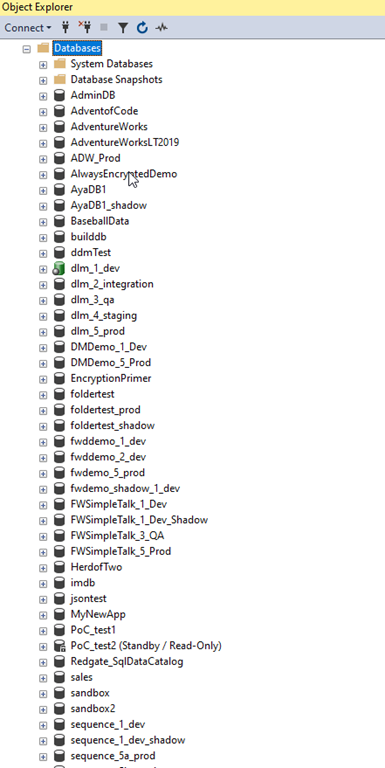
    This is the list of databases on a demo instance I have. While it’s a lot since I do a lot of testing with customers and colleagues, I see plenty of people will lists of databases longer than this.

    2023-09-18 09_39_38-Window

    I also watch them scroll like I do when trying to find an object in a database.

    However, for demos, this is a lot, so I like to slim things down. I used to have a script to detach all the databases and then attach the ones I need, but that’s time consuming and once in awhile, I need a different database, so that’s an issue.

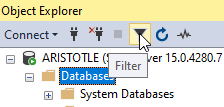
    I saw the someone filter their list by clicking the filter button in the Object Explorer. This is the funnel button shown here:

    2023-09-18 13_57_35-Window

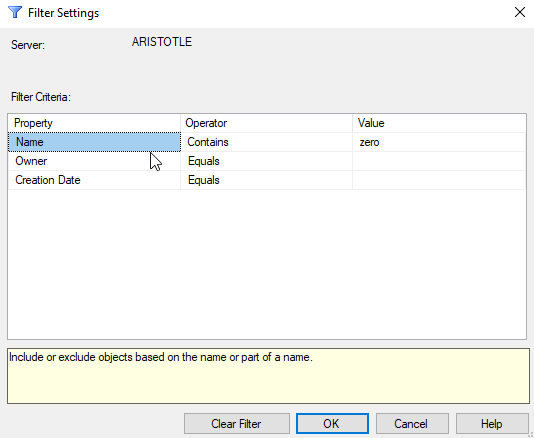
    Once you click this, a dialog appears that let’s you enter your filter criteria. I’ll use a simple filter of “zero” to limit to those databases in my zerodowntime demo.

    2023-09-18 09_39_25-Window

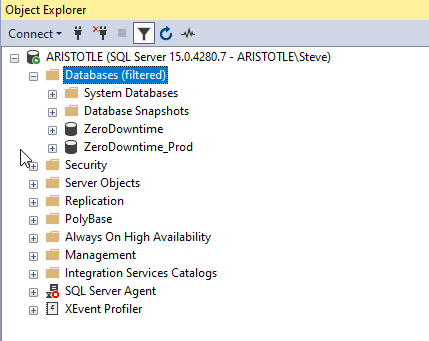
    Once I click “OK”, I see only those databases listed.

    2023-09-18 09_39_18-Window

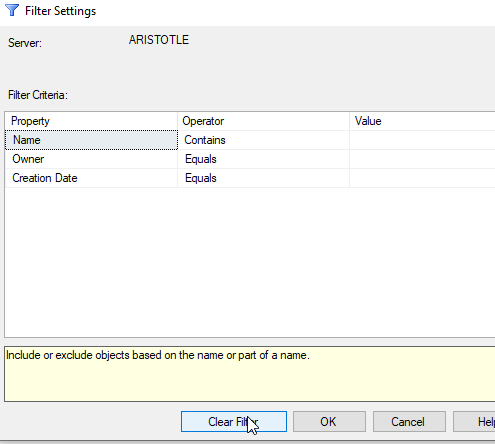
    If I want to get everything back, I can click filter again and then delete my criteria, or click “Clear” filter. That gets me the entire list back.

    2023-09-18 09_39_32-Window

    Easy.

    SQLNewBlogger

    This post was something I jotted a note about when I saw someone do this. The note was literally “write about filtering in SSMS object explorer”. I took that and wrote this post in 10 minutes, including time to grab screen shots.

    You could do this as well, showcasing the knowledge that you’re learning to use tools better, which make you more productive. Employers love that.

    Write your own post with more advanced filtering.

  • SQL Saturday Denver 2023–VCS Primer for the Database slides

    My slides are here: VCS Primer Denver 2023

    This was an overview of what version control is, and the basics of Git.

    Not too many questions, but if you have some, ask.

  • Future Data Driven 2023 is This Week

    The Future Data Driven 2023 virtual conference is coming on Wednesday, September 27. Register today and save a note in your calendar.

    The event has  a great schedule (scroll down) with quite a few sessions that I will try to watch. Take a minute and flip through the list. If anything catches your eye, block your calendar and register today.