Tag: syndicated

  • The DevOps Roadshow(s) from Redgate

    I’m back from an office trip this week to Pasadena. I had the chance to go to the office, do some internal training for people, and spend time with our US reps and SEs. It’s valuable for me to get to know people better when I’m remote and I’m glad I get to the offices a time or two a year each.

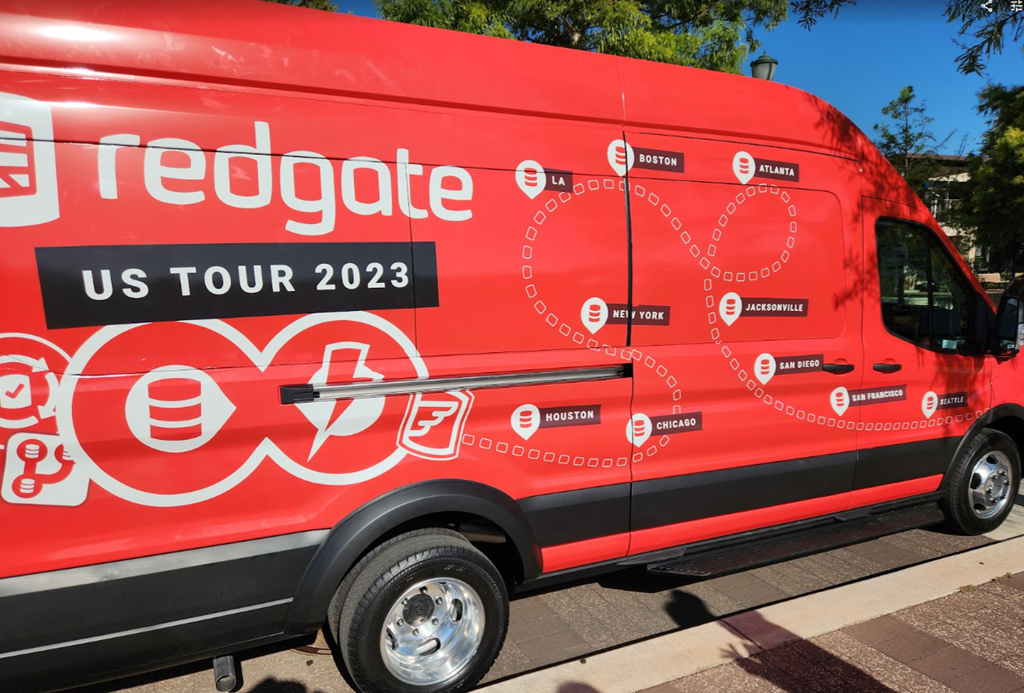
    However, now I’m prepping for more travel. In case you haven’t seen, I’m taking a roadshow this fall. Not just me, but Grant and Ryan as well.

    2023-08-09 11_58_44-Photo - Google Photos

    We’re going around the country, and here are the dates I know about:

    • Houston – Aug 24 (Steve)
    • Chicago – Aug 30 – (Steve and Ryan)
    • Manchester, UK – Sep 4 (Steve)
    • Bristol, UK – Sep 6 (Steve)
    • New York – Sep 7 (Ryan or Grant)
    • London – Sep 8 (Steve)
    • Boston – Sep 20 (Steve)
    • Atlanta – Oct 11 (TBD, not Steve)
    • Jacksonville – Oct 19 (Grant)
    • San Diego – Oct 25 (Grant)
    • San Francisco – Nov 1 (Steve)
    • Seattle – Nov 13 (Steve)

    It’s a busy travel schedule for me, but not a lot of work prepping, which is usually the hard part. Last week and this one are prepping (and likely next week), so it’s a little busy now.

    I’m excited to visit these cities. I’m a little bummed I won’t make Jacksonville or San Diego as I have friends there, but those are vacation days for me to see my daughter at university. Maybe I’ll get back to those cities next year.

    We don’t have all the links up yet (some are above), but they should be coming soon. Keep an eye on the Events page.

    If you’re coming to the PASS Data Community Summit and don’t have a pre-con on Tuesday, consider coming to see me. Hopefully the reg will go up soon.

  • Friday Flyway Tips: Copying the Migration Number

    It’s a small thing, but copying the migration number can be a pain. However, we’ve made this easier in Flyway 6.5.4.

    I’ve been working with Flyway Desktop for work more and more as we transition from older SSMS plugins to the standalone tool. This series looks at some tips I’ve gotten along the way.

    Lots of Migration Numbers.

    I’ve got a lot of migrations in this project. You can see below in the image, noting the scroll bar goes up and down here.

    2023-08-10 12_30_54-Flyway Desktop_thumb[1]

    These are easy to read numbers, but some companies use dates and times. Like this:

    2023-08-10 15_06_25-Flyway Desktop

    Those are harder to read, but more importantly, easy to mis-type. If you were using flyway migrate or undo with a specific version, you don’t want to make a mistake.

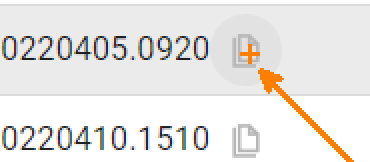
    We’ve made it easy in Flyway. We added a copy button, which you can see below. This is to the right of each migration. I missed this until a dev pointed it out.

    2023-08-10 15_06_38-Zoomit Zoom Window

    If I click this, the version is copied. I can paste it into the search, as shown here.

    2023-08-10 15_06_57-Flyway Desktop

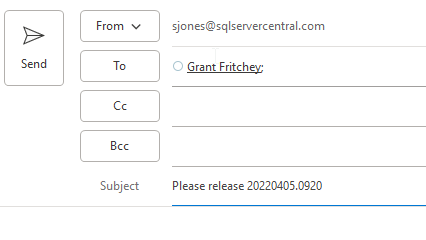
    Or an email.

    2023-08-10 15_07_18-Untitled - Message (HTML)

    A small change, but a handy one. One way to make working with Flyway smoother and reduce mistakes. That’s a big part of DevOps, trying to reduce mistakes.

    Of course, you have to click the right line. Winking smile

    Try it out today. If you haven’t worked with Flyway Desktop, download it today. There is a free version that organizes migrations and paid versions with many more features.

    Video Walkthrough

    I made a quick video showing this as well. You can watch it below, or check out all the Flyway videos I’ve added:

  • A New Word: Rückkehrunruhe

    rückkehrunruhe – n. the feeling of returning from an immersive trip only to notice if fading rapidly from your awareness, as if your brain had automatically assumed it was all just a dream and already went to work scrubbing it from your memory.

    I feel like rückkehrunruhe happens at the end of quite a few trips. Certainly all the volleyball ones where I’m coaching. Such an intense emotional experience competing with a team, but not doing much more than providing light guidance. I don’t get on the court and can do little to affect the outcome in the moment.

    However, I also felt this recently after coming back from That! Conference in Wisconsin. 3+ days in a fun, scout-camp-meets-tech-conference atmosphere and back to work. I think having a 30 hours turnaround at home before reading to the wedding also made the transition back from the work event to life full of rückkehrunruhe.

    From the Dictionary of Obscure Sorrows

  • Adding Copilot to Azure Data Studio and a Few Experiments

    As a part of a recent Data Exposed that I was on, there was an ADS update which mentioned Copilot being added. Since I’ve been experimented, I decided to give this a try.

    This is part of a series of experiments with the ChatGPT and other AI systems. Lots of Copilot lately.

    Installation

    One of the easy things about VSCode and ADS is that you can install things from the marketplace very easily. You search and it appears, as shown here. Click Install to add it.
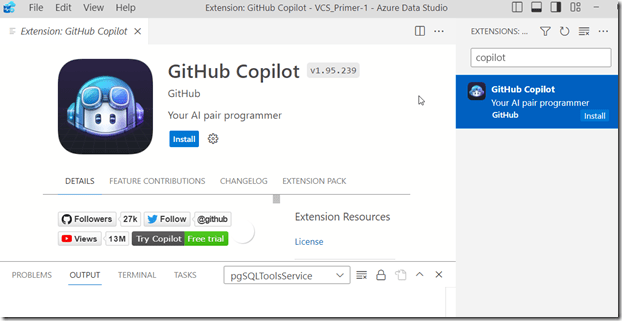
    2023-08-02 12_33_05-Extension_ GitHub Copilot - VCS_Primer-1 - Azure Data Studio

    Once you do this, it’s enabled. I have access to the Copilot with my GitHub account, so I assume this picked this up.

    Using Copilot in ADS

    There’s a blog about what this tech is and a few workflows. However, I decided to try something first. I picked a table in this connection and started typing. Copilot added a suggestion.

    2023-08-02 12_40_32-● SQLQuery_1 - Aristotle_SQL2022.sandbox (Integrated) - VCS_Primer-1 - Azure Dat

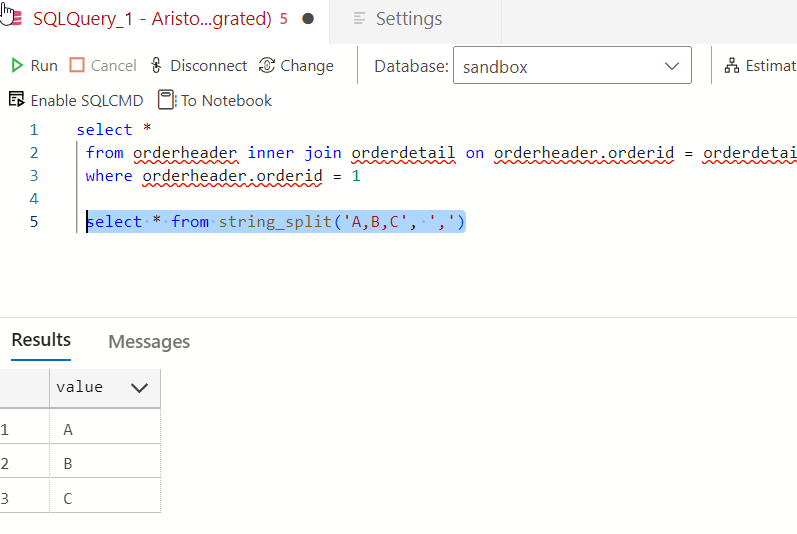
    It’s not a good one. That’s a table, not a function.

    2023-08-02 12_40_51-● SQLQuery_1 - Aristotle_SQL2022.sandbox (Integrated) - VCS_Primer-1 - Azure Dat

    Yeah, some AI isn’t reading my schema and sending it back to GitHub. Boo, this isnt’ helpful. I can only guess that seeing “StringSplit” had the AI guessing this was related to string_split(). Something a new dev might think.
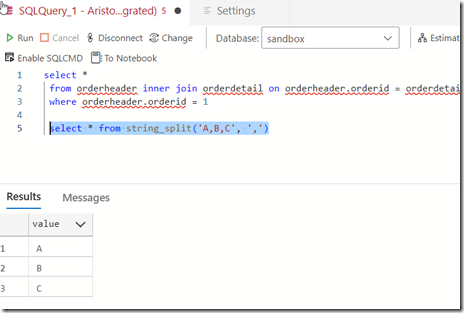
    2023-08-02 12_47_56-● SQLQuery_1 - Aristotle_SQL2022.sandbox (Integrated) - VCS_Primer-1 - Azure Dat

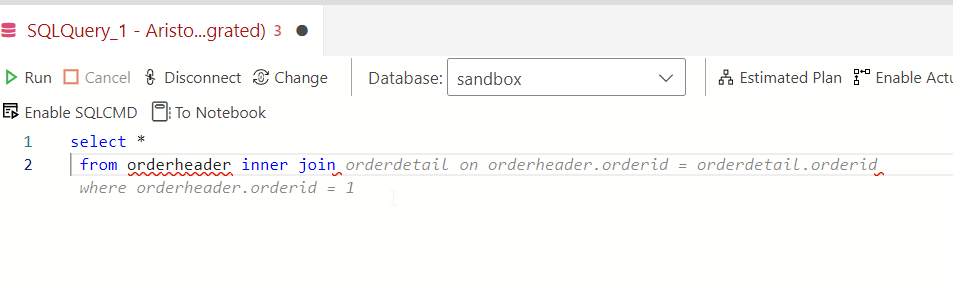
    OK, let’s pick a table and see if intellisense works better. I’m guessing it doesn’t. Here’s a suggestion based on what I typed.

    2023-08-02 12_43_04-● SQLQuery_1 - Aristotle_SQL2022.sandbox (Integrated) - VCS_Primer-1 - Azure Dat

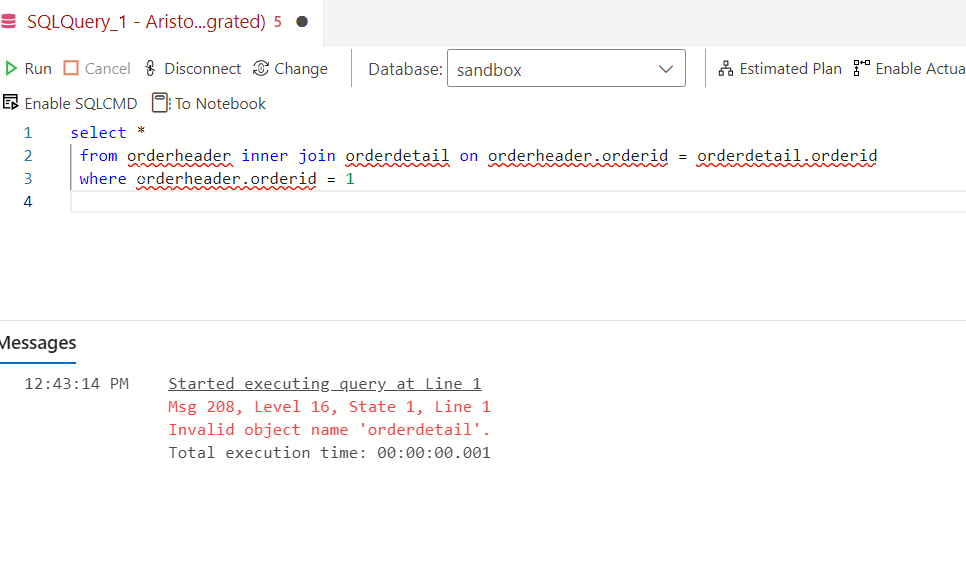
    Not a bad guess. I have some schema in here, and there is an OrderHeader related to a Customer table. However…

    2023-08-02 12_43_24-● SQLQuery_1 - Aristotle_SQL2022.sandbox (Integrated) - VCS_Primer-1 - Azure Dat

    There is no orderdetail. This clearly isn’t intellisense. It’s an AI taking guesses.

    Trying Comments as Prompts

    Let me try a few things from the blog. I’ll enter a comment.

    2023-08-02 12_50_25-● SQLQuery_1 - Aristotle_SQL2022.sandbox (Integrated) - VCS_Primer-1 - Azure Dat

    I don’t like that. While I think this is valid for MySQL or PostgreSQL, it isn’t for SQL Server. Setting aside why LIMIT isn’t in T-SQL, why doesn’t copilot recognize this is T-SQL? Let me help it.
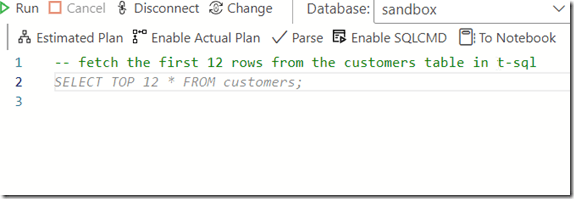
    2023-08-02 12_54_06-● SQLQuery_1 - Aristotle_SQL2022.sandbox (Integrated) - VCS_Primer-1 - Azure Dat

    Better, but I don’t want to add “in T-SQL” to everything.

    Another experiment. I tried a couple of prompts, but realized that asking for “orders” doesn’t mean that the AI knows I mean orderheader. Context around what or where an order is stored is something humans might include in natural language. However, I got this:
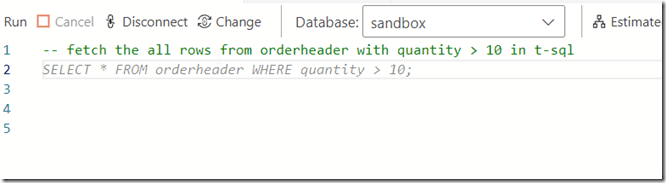
    2023-08-02 12_55_26-● SQLQuery_1 - Aristotle_SQL2022.sandbox (Integrated) - VCS_Primer-1 - Azure Dat

    Which doesn’t work. I’d left the “in t-sql” from the previous prompt, so I’m not annoyed there, but this isn’t looking at schema. I also find the Oracle help not helpful.

    2023-08-02 12_55_36-● SQLQuery_1 - Aristotle_SQL2022.sandbox (Integrated) - VCS_Primer-1 - Azure Dat

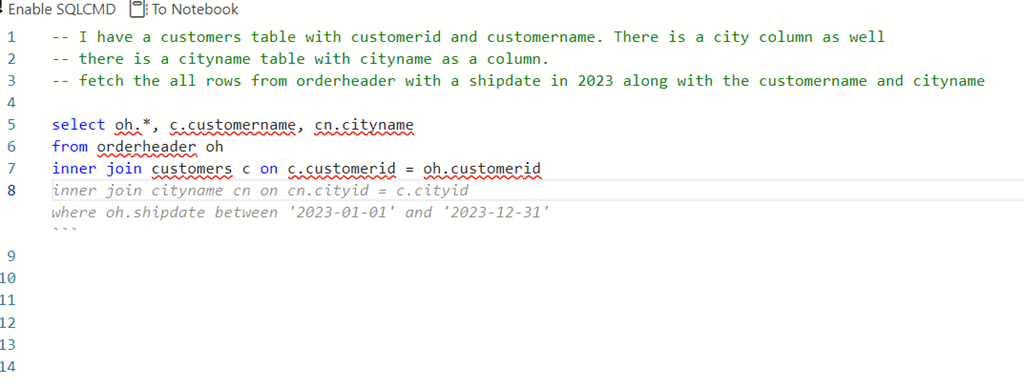
    However, this was interesting. I wanted a shipdate (this is a column) in 2023. The first suggestion was = Jan 1, but when I deleted that and hit enter again, I got this.

    2023-08-02 12_58_12-● SQLQuery_1 - Aristotle_SQL2022.sandbox (Integrated) - VCS_Primer-1 - Azure Dat

    Not bad. I tried a longer prompt, with a few comments. All of the code was suggested a line at a time, and when I hit Enter, I got the next line.
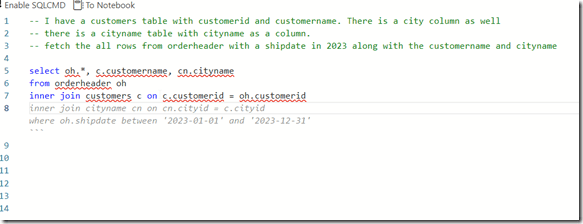
    2023-08-02 13_00_38-● SQLQuery_1 - Aristotle_SQL2022.sandbox (Integrated) - VCS_Primer-1 - Azure Dat

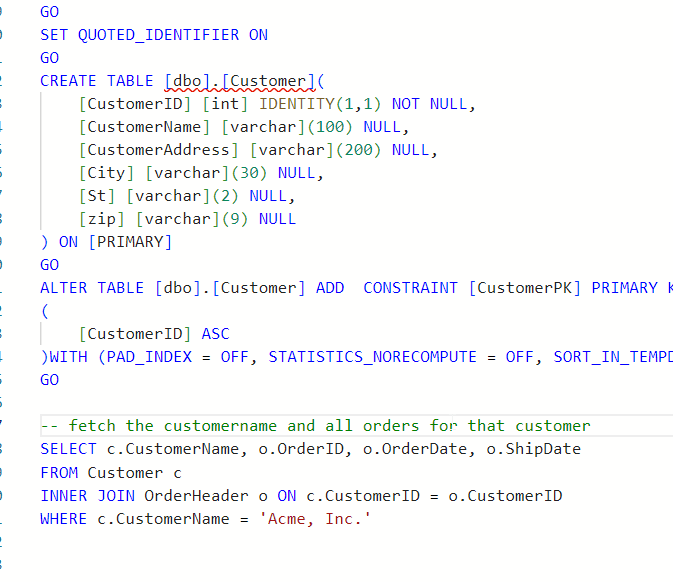
    The blog does note that adding the table create at the top of the query helps. Let’s try that.

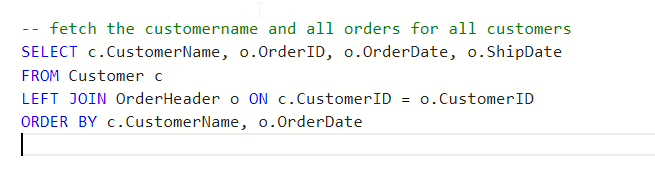
    I’ll add creates for customer and orderheader. I then try a simple prompt and get this.
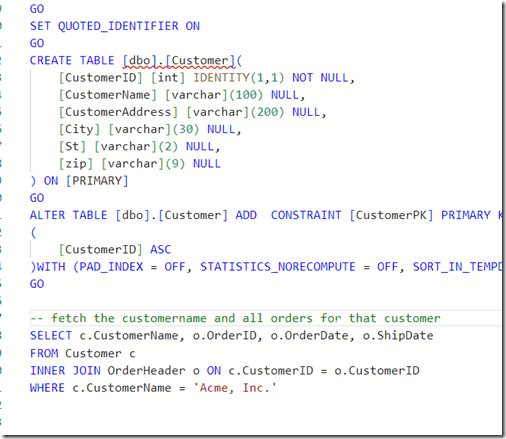
    2023-08-03 15_19_54-● SQLQuery_2 - dbo.OrderHeader Aristotle_SQL2022.sandbox (Integrated) - VCS_Prim

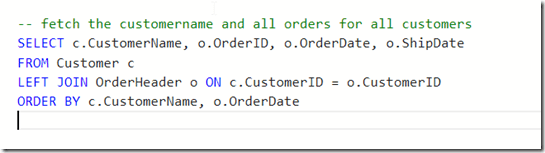
    Note, I tried “write a query”, but that didn’t work. I used “fetch” from the blog and that got me something. Though, not sure why this term is needed.

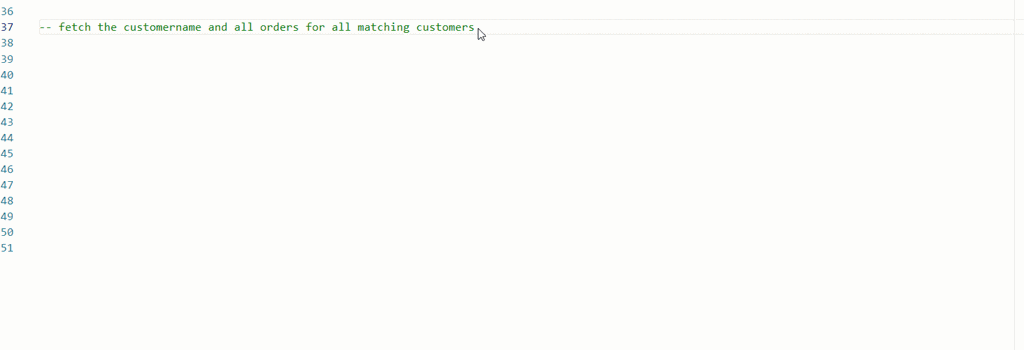
    I also changed my prompt trying to get all matching orders and got this instead.
    2023-08-03 15_20_20-● SQLQuery_2 - dbo.OrderHeader Aristotle_SQL2022.sandbox (Integrated) - VCS_Prim

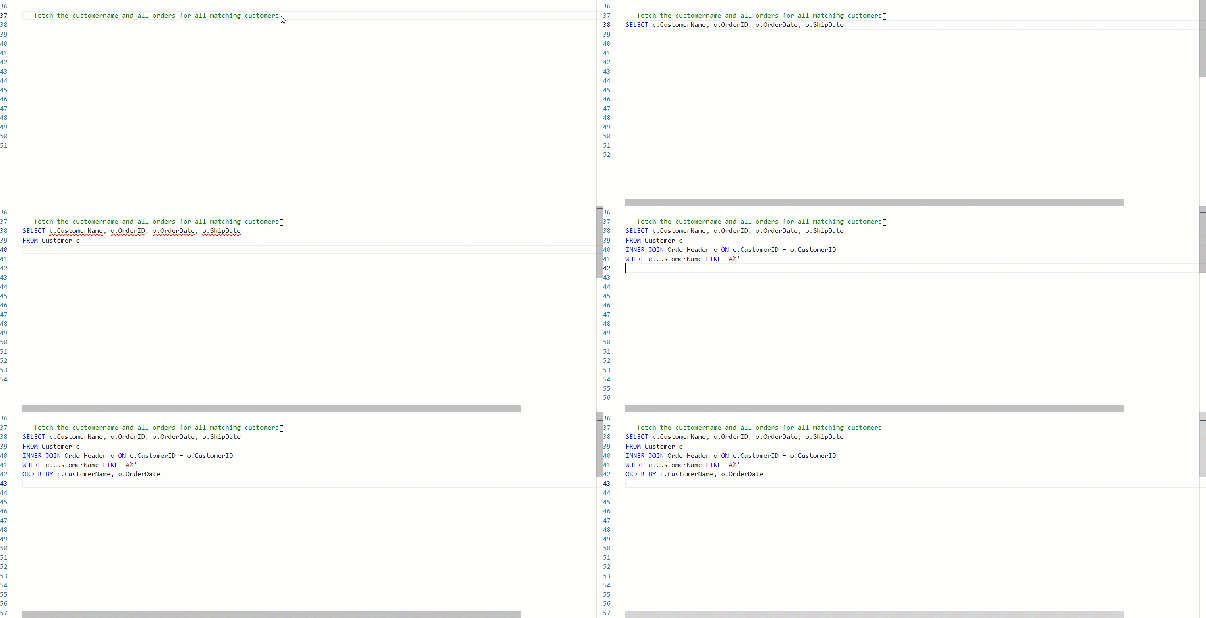
    I also tried changing this to get matching orders. No idea why the customer name is limited in here.
    ads_query_1

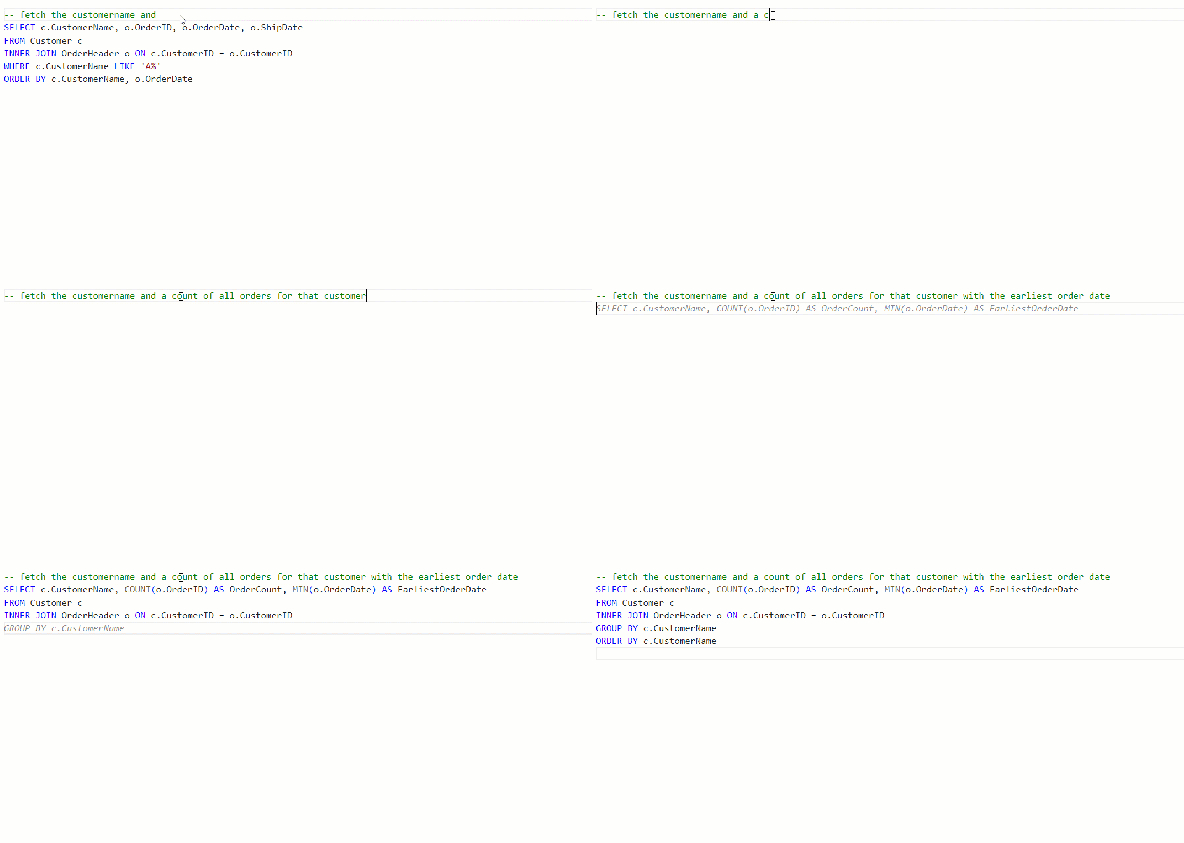
    What about aggregates? I know some people have trouble with these.
    ads_query_2

    Not bad.

    Conclusion

    Adding Copilot to ADS is easy, but using it isn’t. The code it produces can have lots of mistakes, and not even work. It can make some strange assumptions, like junior devs might do.

    Adding context makes things better, but for many of these simple queries, I have to describe things enough that I might as well write the query. Especially with SQL Prompt, I’d use SSMS instead.

    However, learning to use prompts is a skill and it’s one to work on. Hopefully the AI will improve over time and I’ll start to see more useful suggestions, especially with different types of code.

    So far, I’m impressed very little with this tool.