Tag: syndicated

  • Using Data Compare with Recent Data Only

    This is a post that looks at how to compare data changes in recent data. A customer recently asked me about looking at a table, and choosing specific data to compare. In this case, the data they were looking to compare was the most recent data.

    Scenario

    I decided to set up a quick scenario to showcase this for the customer. I created a table that has some data:

    CREATE TABLE [dbo].[DataWithTime](
         [myid] [int] IDENTITY(1,1) NOT NULL,
         [Mydata] [varchar](20) NULL,
         [mytime] [datetime] NULL,
      CONSTRAINT [DataWithTimePK] PRIMARY KEY CLUSTERED
    (
         [myid] ASC
    )
    GO
    INSERT INTO dbo.DataWithTime (Mydata, mytime)
    VALUES
    ( 'A', N'2021-01-22T12:42:33.213' ),
    ( 'B', N'2021-01-22T12:52:33.213' ),
    ( 'C', N'2021-01-22T13:02:33.213' ),
    ( 'D', N'2021-01-22T13:07:33.213' ),
    ( 'E', N'2021-01-22T13:12:33.213' )

    I put this in my sandbox database. I wanted a second copy of this same table, but with less data, in another database. I edited the insert statement to look like this:

    INSERT INTO dbo.DataWithTime (Mydata, mytime) 
    VALUES
    ( 'A', N'2021-01-20T12:42:33.213' ),
    ( 'B', N'2021-01-21T12:52:33.213' ),
    ( 'CC', N'2021-01-23T13:02:33.213' ),
    ( 'D', N'2021-01-24T13:07:33.213' ),
    ( 'EE', N'2021-01-25T13:12:33.213' ),
    ( 'F', N'2021-01-26T13:07:33.213' )

    Now I have two copies of my table, with disparate data. What’s different?

    Data Comparison Filters

    If I open SQL Data Compare, you get the default comparison. I’ll set this up with my two test tables:
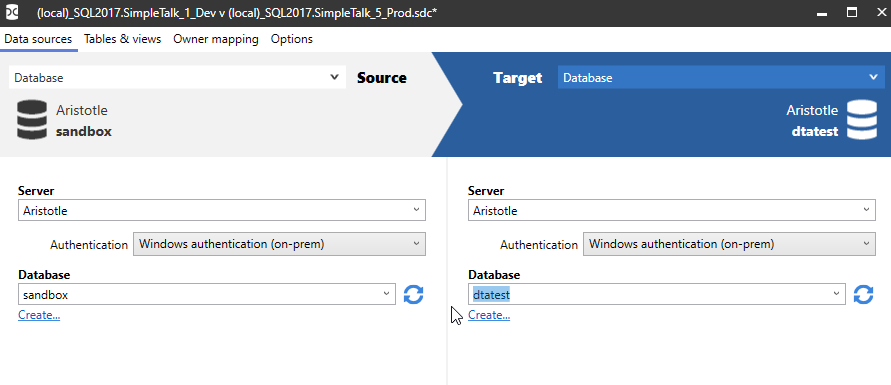
    2021-01-25 11_12_32-(local)_SQL2017.SimpleTalk_1_Dev v (local)_SQL2017.SimpleTalk_5_Prod.sdc_

    When I do the comparison, I see the differences between the tables. As you can see, I edited two rows and added one.

    2021-01-25 11_13_25-SQL Data Compare - E__Documents_SQL Data Compare_SharedProjects_(local)_SQL2017.

    That’s great, and in a table of a few rows, this isn’t an issue. What if this table has a million rows? Or a billion? I don’t want to scan everything.I want to limit things.

    I can, if I click “Edit Project”.
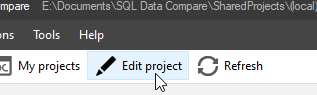
    2021-01-25 11_17_43-SQL Data Compare - E__Documents_SQL Data Compare_SharedProjects_(local)_SQL2017.

    and then choose Tables and Views. I’ll see my table listed.
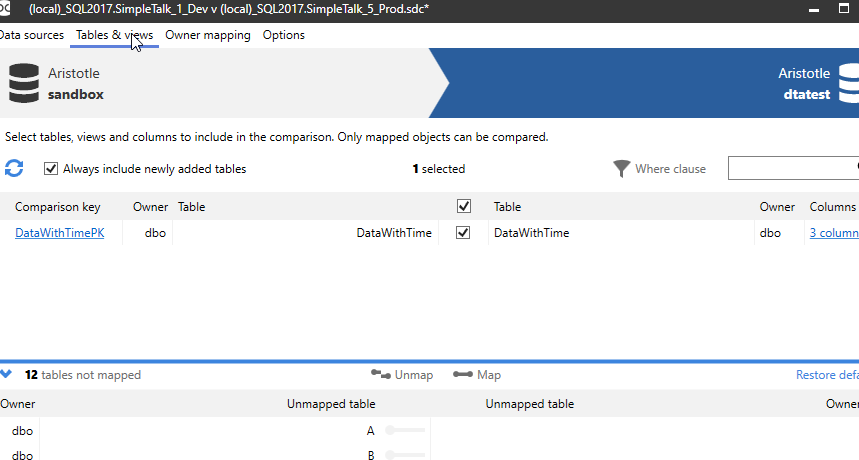
    2021-01-25 11_17_59-(local)_SQL2017.SimpleTalk_1_Dev v (local)_SQL2017.SimpleTalk_5_Prod.sdc_

    I can select the row with my table, DataWithTime, and then I can click the “Where clause” link in the upper right.
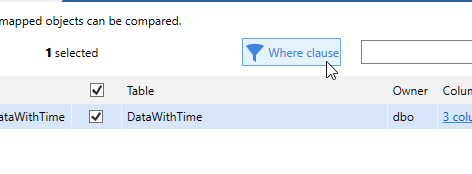
    2021-01-25 11_18_06-(local)_SQL2017.SimpleTalk_1_Dev v (local)_SQL2017.SimpleTalk_5_Prod.sdc_

    This pops up a dialog where I can enter a WHERE clause to be used for the table. I can set the same clause for both the source and target, or use separate ones. I’ll use the same one here.

    2021-01-25 11_18_51-(local)_SQL2017.SimpleTalk_1_Dev v (local)_SQL2017.SimpleTalk_5_Prod.sdc_

    I can click OK for this and then Compare now to re-run the project. This gives me the data compared, but without looking at any data before the 25th of Jan. Notice only two rows below instead of 3.

    2021-01-25 11_19_07-SQL Data Compare - E__Documents_SQL Data Compare_SharedProjects_(local)_SQL2017.

    Am I sure this still didn’t impact my SQL Server with a large query? This works great with 5 rows, but what about 1billion? Well, I ran the XEvent Profiler while I was editing the project, and then filtered this down to the SQL tools. When I do that, I see this:

    2021-01-25 11_21_16-ARISTOTLE - QuickSessionStandard_ Live Data - Microsoft SQL Server Management St

    The query being issued has my WHERE clause, which filters out data at the query processing level. This doesn’t guarantee a seek or limited reads, but if I have the column indexed, then I would get an efficient a plan as I could get.

    SQL Data Compare is fantastic tool for finding data differences. Comparing large volumes of data can be slow, but if you use filters, you can dramatically speed things up. If you haven’t tried SQL Data Compare, download an evaluation today and see what you think.

  • Daily Coping 8 Feb 2021

    I started to add a daily coping tip to the SQLServerCentral newsletter and to the Community Circle, which is helping me deal with the issues in the world. I’m adding my responses for each day here. All my coping tips are under this tag. 

    Today’s tip is to ask a friend how they have been feeling lately.

    The last couple weeks have been crazy, both at work and in my personal life. I’ve heard from quite a few people about the events at Redgate. It’s been hectic and overwhelming at times.

    However, I also know there are some people that I haven’t contacted in some time. I know a friend had a rough Q4 last year, and I hadn’t heard from them, so I decided to reach out and just wish them well. This turned into a short, but nice conversation about how we each were coping with current things.

    Worth the effort on my part.

  • Hardware: Check the Drivers First

    This isn’t a database post, instead, I’m going to talk about my laptop.

    I got an HP Spectre x360 a couple years ago and was using it for work and presentations while traveling. Everything was fine, and then the COVID-19 pandemic shut down travel. I rarely used it across the last year, mostly working on my desktop, or using another laptop I have around. I didn’t sit idle for a year, but I might have used it every 2-3 months for a few hours.

    I know I have updated some software, including Windows in the last year, but a  few weeks ago I picked up the laptop and took it with me on a trip to work. I opened it to get something done and the screen kept flickering, sometimes going dark. I rebooted, and it seemed to do better.

    I used it a few more times across the last few weeks and each time the flicking got worse. It was essentially unusable, and I assumed that the hardware hinge between the keyboard and screen was damaged somehow and causing flickering. I started to go down the support process for repair, but then stopped.

    I’m not sure why, but I searched for “hp spectre screen flickering”. Google auto completed the last word, so I suspected that this was a known issue. I still assumed hardware, but I clicked and read a few posts, like this one.

    The medium answer (we’re past short here) is that the driver for this laptop from HP causes flickering. It acted like a poor connection, but when I downloaded the drivers from Intel and installed them, the flickering stopped.

    Crazy.

    It always pays to do a little research and ask some questions before assuming you know what’s wrong. In this case, I found a solution I never would have thought of: using the generic chip drivers instead of the manufacturer.

  • Daily Coping 5 Feb 2021

    I started to add a daily coping tip to the SQLServerCentral newsletter and to the Community Circle, which is helping me deal with the issues in the world. I’m adding my responses for each day here. All my coping tips are under this tag. 

    Today’s tip is to write down hopes or plans for the future.

    I sure hope the world gets to a more normal place. In the meantime, I can just dream.

    Recently I was reading Brent Ozar’s Epic Life Quest.  I hadn’t followed this for awhile, so it was nice to catch up and see how things are progressing. Especially with his move to Iceland. It got me thinking about things I want to do. I used to keep a “life list”, but I stopped at some point. My wife and I have both been talking about redoing our lists.

    Here are a few items for my future dreams:

    • Return to New Zealand and hike Milford Sound
    • Hike Machu Piccu – if it opens again
    • Visit Japan and tour around
    • Build a cabinet for the house that my wife allows me to hang
    • Build a cabin of some sort by hand
    • Work for a charity full time

    Hopefully I’ll accomplish a few of these in the coming years.