Tag: syndicated

  • DevOps Basics – Connecting to a Git Remote

    Another post for me that is simple and hopefully serves as an example for people trying to get blogging as #SQLNewBloggers. This is also a part of a basic series on git and how to use it.

    As I work more and more with Git, I find myself learning little tips and tricks that are helpful. One of those tricks is adding a remote to my local repo so that I can sync with it, and start collaborating with others. In many cases, I find myself pulling from a remote repo and pushing back, and much of the work is done for me. However, if I create a local repo, how do I get this to a remote service?

    Certainly some tools like VS or GitHub for Windows/OSX/etc help, but I like to understand the process myself, so I spent a few minutes practicing.

    First, I create a new repo with some documents. This is basic git stuff that you should understand, but if not, I’ve written a few posts on git basics. Here’s the first steps I took in another post.

    2017-04-26 14_01_08-cmd

    Create a Remote

    The next step is to have a remote git repo, which is really a remote git init spot. For this post, I’ll make on at Github, but the process is similar anywhere. In my repositories list, there is a new button.

    2017-04-26 14_32_08-Your Repositories

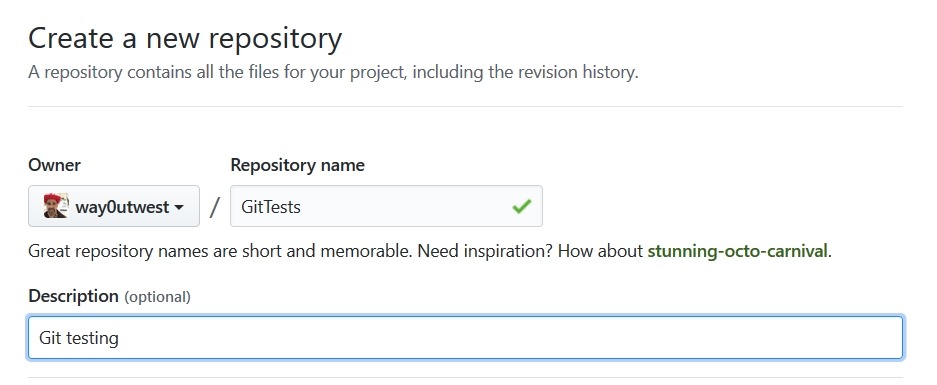
    I click that and get a form. In my case, I’ll name this to match the repo on my local machine. Life is easier if you match names, but you don’t have to.

    2017-04-26 14_33_51-Create a New Repository

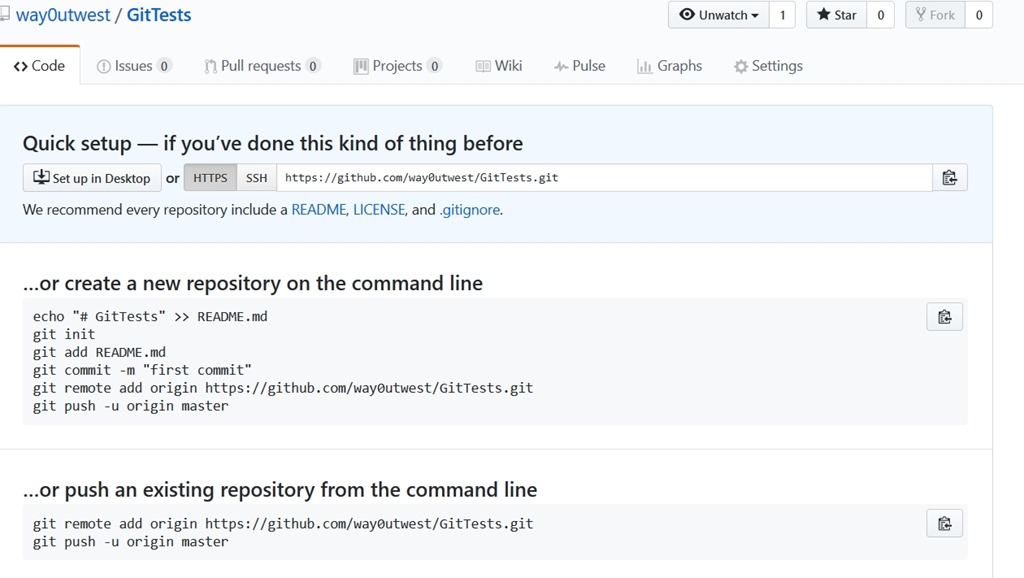
    Once I do that, Github guides me along. I get a page with quick setup.

    2017-04-26 14_34_24-way0utwest_GitTests

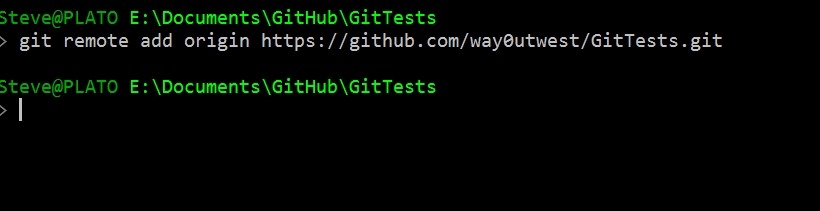
    In my case, I want to push things from an existing repo on my machine. Again, tooling may do this for me, but from the command line, I need to add a “git remote”. I’ll use the “add” option, and I specify a name and URL. These are shown near the bottom of the image. I’ll run these locally.

    2017-04-26 14_35_38-cmd

    Once I do this, my local git repo has a remote repo (called origin) that it can send code to (push) and get code from (pull). Git manages conflicts and versions and all that.

    If I try to just push, what I’ll find is I don’t have enough config.

    2017-04-26 14_38_55-cmd

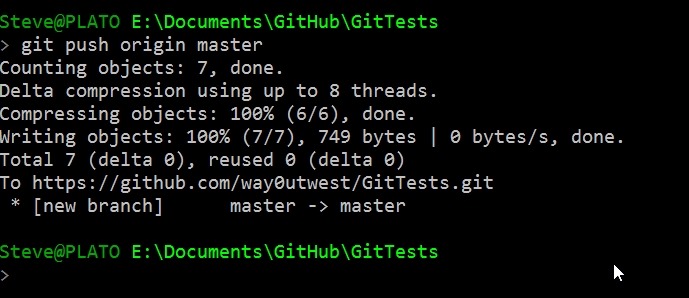
    My push needs to specify the remote and then the branch. Let’s do that.

    2017-04-26 14_39_29-cmd

    Once I do this, 7 objects got pushed, which includes some of the .git stuff. If I go to Github and look at the repo, I see this under Code.

    2017-04-26 14_40_15-way0utwest_GitTests_ Git testing

    I’ve connected my local repo to a remote, and copied my code up. Now I can push/pull as I make changes (or others do) to keep my local copy in sync with the remote.

    I’ll look at other flows in a future post.

    SQLNewBlogger

    This was a fairly quick post, about 10 minutes, as I connected up the local stuff to the remote. I’ve done this before and learned some of this the hard way, but this post allows me to organize my thoughts and be sure I understand what’s going on.

    I did end up spending a few minutes looking at the git docs to be sure I was describing things correctly.

  • A (mostly) Unwired Week at #MSBuild

    Part of a series looking back at Build 2017, going over the 20+ pages of notes I took.

    Last week I had the opportunity to attend Microsoft’s Build conference, and as I wrote, I planned to use a notebook and not my PC. For the most part, that was my week from Wed-Fri, with a small exception.

    I had an interview with Channel 9 (airing this week?) and had to prep a demo. After rebuilding my machine last month, a few things weren’t working, so I dragged my machine to the Thursday sessions and worked on the demo during a few breaks. However, I didn’t take any notes and closed it when sessions started.

    The trip over was nice, though I was scrambling to finish some work on the plan. At least I had a nice view coming into Seattle.

    Photo May 09, 9 42 41 PM

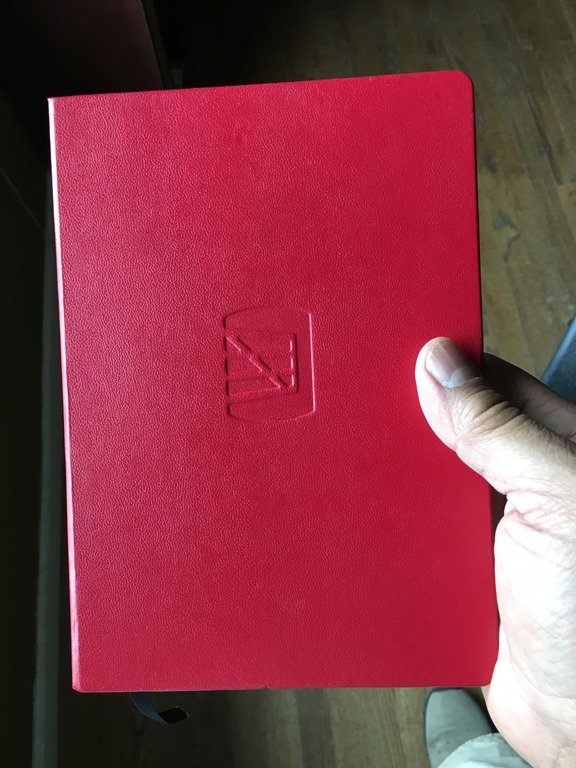
    Here was my notebook, and as I walked around, I carried this with a pen to all the sessions, keynotes, etc., just jotting thoughts and notes on paper. I like to write, as it helps me remember, so many of my notes were just things I heard, with some thoughts around them.
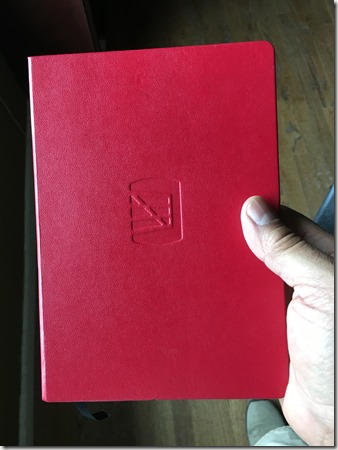
    Photo May 15, 10 02 09 AM

    It’s a good way to attend the conference, as every time I opened my phone or laptop, I was tempted to check things. Email, ESPN, Slack, etc. Taking time away from work was good, though I would have liked to avoid the demo commitment.

    At Build, there were a few things that caught me eye. I’ll talk about each in a post at some point, and I’m drafting some of those now. However, I’ve got to get some work done, and I travel again this week. For this post, let me start with one item from the first day.

    Hololens

    The Hololens mixed reality platform was announced last year just before Build 2016 and was featured there. I went to the conference last year to present part of a session on behalf of Redgate Software, but I was only in San Francisco for about 24 hours. I presented my session, was at the Redgate booth for a couple hours, and flew home. I was tempted to try Hololens, but there was a long line.

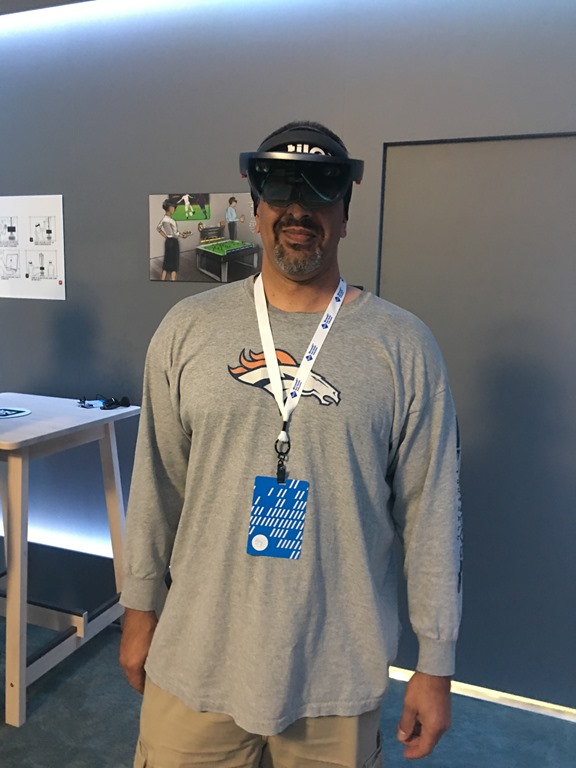
    This year, after the opening keynote, I walked to the expo area and there were 4 or 5 large setups for Hololens from difference companies, each with a different application. I stopped by the Taqtile booth, mostly because it was the closest one I saw near the VSTS display. There wasn’t much of a line, so I decided to stop. They gave me a headband, which I thought was a great idea with lots of people all wearing the same device.

    Photo May 10, 12 28 01 PM

    They measured my pupillary distance, which helps ensure the device focuses the display correctly. Then they explained how the device worked, showing brightness and volume buttons, as well as hand gestures. However, we weren’t going to use any of that as this was a guided walkthrough by one of the app.
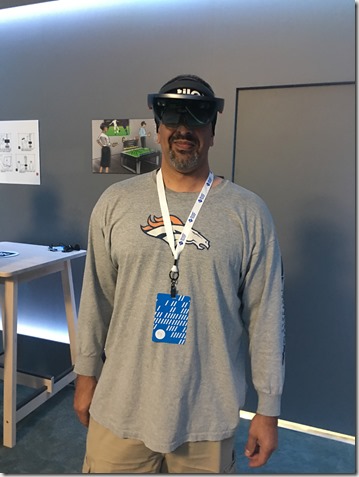
    Photo May 10, 12 36 38 PM

    Wearing the device is interesting. It’s a padded loop that tightens on your head, with an outer loop holding the display that can rotate independently. It’s heavy. Not noticeably at first, but across the ten minutes I saw the app, I could tell it was something that might bother me.

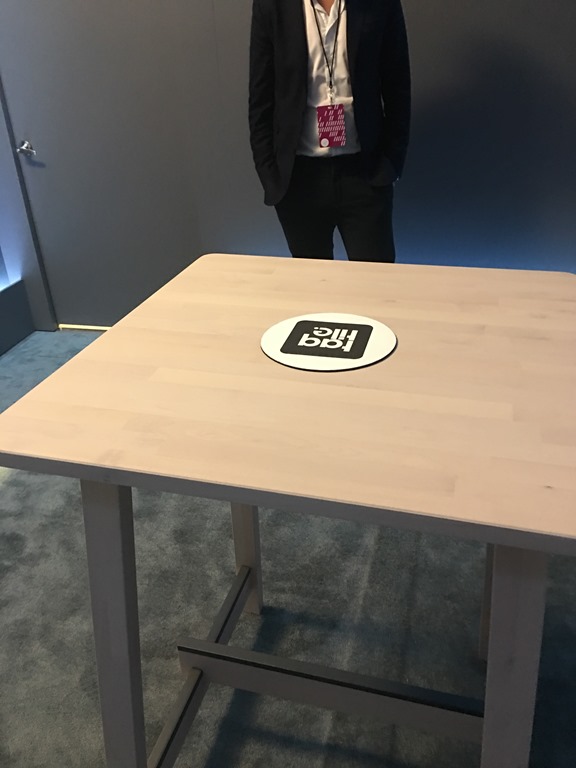
    There were a few of us in the demo, and we looked at a table, which looked like this to everyone in line.
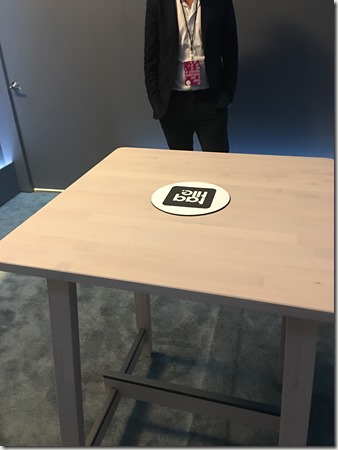
    Photo May 10, 12 38 39 PM

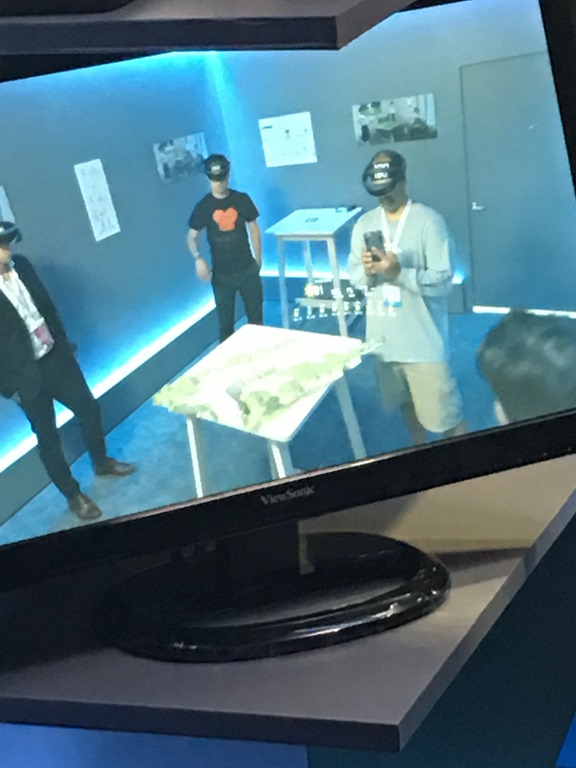
    Nothing to see there. However, the app is a mapping app, in this case for golf courses, and on the display you can see what I saw. Somewhat.

    I could see a three dimensional gold course, with decent, maybe standard def, resolution. I don’t know what the specs of the device were, but this was good enough to see details, but not overly sharp. The model behaved as if it were really on the table, so that as I moved, the device rendered the model in a static manner, as I would see it if I turned, moved, or stepped to the side.
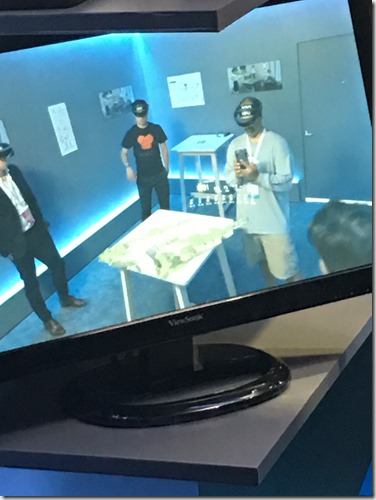
    Photo May 10, 12 38 46 PM

    The demo guy added information, such as the score of players or the weather, that appeared to float above the golf course. It was always in front of me, even if I moved. We could even see animation that showed how the golf ball would move across the course from a player’s shot.

    It’s an interesting device for sure. One of the PMs was nearby and we chatted. He wanted to know what data applications we might think of from the SQL Server perspective. I’m not entirely sure how Hololens is better than other visualizations, but I’m going to try and come up with something.

    My overall thoughts. First, the bad.

    This is too heavy. Not bulky, but something that I think would bother me after a period of time. It’s not as heavy as a motorcycle helmet, but a similar feeling of tiredness over time. Just as with a helmet, if you wear it often then you’d build some strength and get used to it.

    The other issue is the field of vision. It’s similar to what I get with my glasses, but a little narrower, top to bottom. I just don’t get a lot of viewing. If I look down with my eyes, not my head, I see nothing. It’s like a narrow strip of virtual overlaid on reality. I think the amount of screen would have to grow for virtual reality, but maybe not for mixed.

    The thing I couldn’t tell is how the mixed reality works as this demo didn’t let me see much of the real world. There were others, including people demo’ing the Hololens with a real semi-truck in front of them, presumably able to redesign or understand the engine with some overlay’ed imagery. I’d have liked to see that, but lines were too long.

    The good. It’s cool, and interesting. I certainly think the gaming and training industry would like this. I don’t know if the resolution is good enough for medical work, but I’m sure things will improve.

    The lag was really non-existent, and I could easily see the information displayed, whether graphical or text. I think that visual design, fonts, and colors are going to be important for the display, but I was impressed with what I saw.

    It still feels a bit like a toy. It wouldn’t replace monitors as a computer interface for me, nor would I watch movies. Perhaps the resolution is better than I saw, but it felt limited to me.

    It’s still an expensive device, though there were lots of them at Build to demo. I don’t know I think this is the future of computing, but I do think there will be lots of use for this in industrial settings where we are looking for a remote person to transfer knowledge across distances.

  • Trying GO with SQL Server

    Not the batch separator, but the GO language.

    I’m always interested in learning new things, and GO has been one of those items that I’ve wanted to look at and see how it works. This is a big language at Google and

    I saw a new blog from Mat Hayward-Hill on Golang (Go) and decided to make a quick test. After all, he had the code. I first installed the Go language, which was simple. I then added a variable according to the blog and the extension to VSCode.

    From there, I copied his code and tried it. Hello World worked fine, but I had a couple issues with the SQL connection.

    First, I don’t have default instances, just named ones. The connection string was:

    condb, errdb := sql.Open("mssql", "server=localhost\SQL2016;user id=sa;password=SA_PASSWORD=yourStrong(!)Password;")

    However, I had to escape the backslash. VSCode showed this to be an issue, so I tried a second one to clean things up. This worked fine.

    condb, errdb := sql.Open("mssql", "server=localhost\\SQL2016;user id=sa;password=SA_PASSWORD=yourStrong(!)Password;")

    The next thing was the entire password string, including the second equals sign, needs to be your pwd. I connected to SQL 2016 on Win, and once I removed the stuff after the second =, I connected and got the version back.

    The Go Language

    Go was created by Google and is something of an evolution of C, but with some of the ease of Python. It’s apparently good for things like network and web servers where concurrency matters. More of a systems programming language, not one for GUI or desktop apps.

    Who uses it? Quite a few well known sites. Google does, Kubernetes (the container company), YouTube (technically Google as well), 99Designs, Adobe, Bitbucket, Pinterest, and more. It seems to have more popularity than I’d expect, but I don’t examine the language breakdowns often and I’m sure it’s just one of many languages used at these companies.

    Still, it was neat to try a new language. Now to try a few tutorials over at golang.org.

  • Quick Graph Database

    There’s a sample to work through here: https://docs.microsoft.com/en-us/sql/relational-databases/graphs/sql-graph-sample

    I decided to try this in CTP2 and just see how it works. I didn’t do much, but I added a node and an edge with this code:

    CREATE TABLE Person (ID INTEGER PRIMARY KEY, name VARCHAR(100)) AS NODE;
    CREATE TABLE friends (StartDate date) AS EDGE;

    Next I added a few values, based on the samples.

    INSERT Person
     VALUES (1, 'Steve')
          , (2, 'Andy')
          , (3, 'Brian')
          , (4, 'Leon')
          , (5, 'Jon')
    GO
    INSERT Friends VALUES ((SELECT $node_id FROM Person WHERE id = 1), (SELECT $node_id FROM Person WHERE id = 2),'3/10/2001')
    INSERT Friends VALUES ((SELECT $node_id FROM Person WHERE id = 3), (SELECT $node_id FROM Person WHERE id = 4),'5/1/2000')
    INSERT Friends VALUES ((SELECT $node_id FROM Person WHERE id = 1), (SELECT $node_id FROM Person WHERE id = 3), '3/1/2001')

    Then I ran query.

    SELECT *
    FROM Person p1, Friends, Person p2
    WHERE MATCH (p1-(friends)->p2)
    AND p1.name = 'Brian';

    What does this give me? First, these columns with this data. It’s a wide result set, so I have the column and data listed after it, even though this is really a 1 row table.

    $edge_id_5F276FF32E2B492A96858AC68B530F09                                               
    
    {"type":"edge","schema":"dbo","table":"friends","id":1}
    
    $from_id_DE63E53A3F4749C2980FC989BC2E5405                                            
    
    {"type":"node","schema":"dbo","table":"Person","id":2}                                              
    
    $to_id_19F4532DDEC74B22876DCCFBB24797BE                                                 
    
    {"type":"node","schema":"dbo","table":"Person","id":3}                                              
    
    StartDate  
    
    2000-05-01
    
    $node_id_D004B78ADB644588BE4B9E337823356A                                            
    
    {"type":"node","schema":"dbo","table":"Person","id":2}
    
    ID
    
    3
    
    name                                                                                                 
    
    Brian
    
    $node_id_D004B78ADB644588BE4B9E337823356A                                        
    
    {"type":"node","schema":"dbo","table":"Person","id":3}   
    
    ID
    
    4
    
    name
    Leon

    What does all that mean? No idea. Clearly there is JSON that’s returned here and can be deserialized to gather meanings. Is this useful? I think graphs solve a certain set of problems very well, and more efficiently than relational systems. Certainly I could implement a graph structure relationally, but at scale I’m not sure the queries would be as easy to write or run as quickly.

    I don’t know if I’d use a graph structure in any of the problems we try to solve in the SQLServerCentral app, but who knows. Maybe we would if we could.

    This is just another option for SQL Server, another tool in your toolbelt. Should you use it? I don’t know, but I’d recommend that if you think you have a complex relationship structure, maybe lots of FKs internal to a table or you are modeling relationships, learn more about GraphSQL and how graph databases work and build a POC. I’m not sure when the SQL Server implementation will be production ready, but it doesn’t hurt to test and learn a bit if you have the chance.