Tag: syndicated

  • The Desktop Rebuild–Part 2

    You can read part 1, but that’s more about the (initial) hardware changes. This one looks at getting moving on the new desktop. Note, that since I changed the MB/CPU/Boot disk, I decided to reinstall Windows as well on a new disk to ensure I wouldn’t have more issues.

    Having a new Windows desktop is a bit disconcerting. After all, many of us techies are used to loading more and more programs and documents onto our systems. We have lots of history with our machines, and Windows hasn’t always made it easy to move things. OSX is better, but I can’t build a Mac, or at least, I don’t want to.

    In this case, I still had me 2nd, 3rd, and 4th drives connected. The contained most of my documents, pictures, and application code. However, certainly some things needed to be installed.

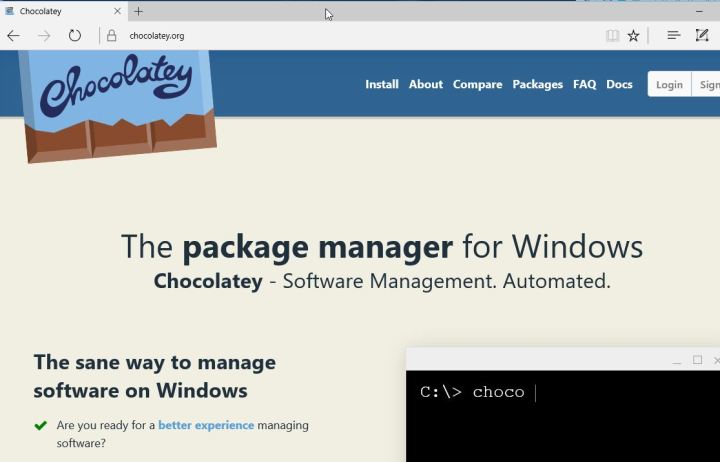
    The first thing I did with the new Windows 10 is run Edge and then go here:

    2016-06-23 23_37_58-Chocolatey ‎- Microsoft Edge

    I used to go get Chrome or Firefox right away, but I have a better way now. I use chocolatey. Once I get here, I first open a Command Prompt as Administrator and run this:

    @powershell -NoProfile -ExecutionPolicy Bypass -Command "iex ((new-object net.webclient).DownloadString('https://chocolatey.org/install.ps1'))" && SET PATH=%PATH%;%ALLUSERSPROFILE%\chocolatey\bin

    Once that finishes, I can begin installing things. In my case, I have a list of packages I want to install in a folder on my Dropbox. However, I need to get Dropbox first.

    choco install dropbox
    
    
    choco install passwordsafe

    Once that’s done, I log in (getting my password from my phone, and then I can run the rest of my installs, using Password Safe to get my passwords.

    choco install googlechrome
    choco install greenshot
    choco install conemu
    choco install firefox
    choco install sublimetext3
    choco install evernote

    I have Chrome and Firefox linked to an account, so my bookmarks come right over when I log in. SQL has to be installed separately, as does Office from my O365 account. I prefer to do Visual Studio myself, but these command line installs get me up and running.

    Fortunately I keep a copy of the .iso’s for those programs and can just run them.

    I also needed to flash my BIOS, which was easy, but I needed to download the newest file from ASRock and put it on a flash drive for a reboot. That went without a hitch, and I now have two monitor support again.

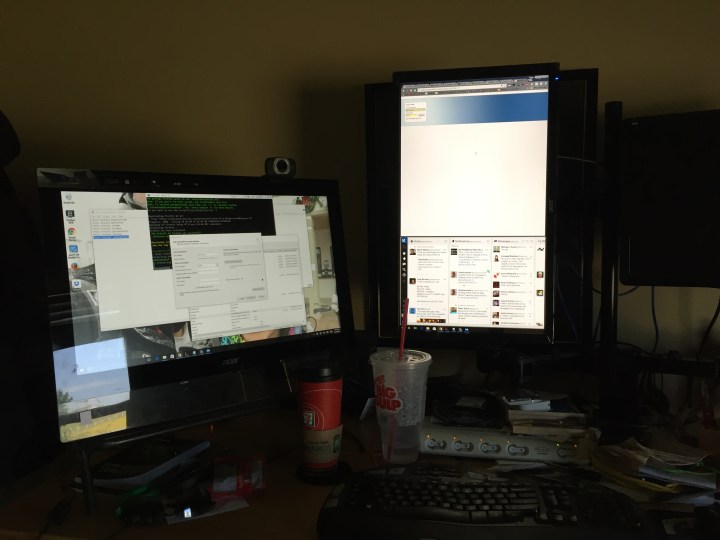
    Photo Jun 24, 10 33 59 AM

    I still need to adjust my monitor and also get a new video card to support the third monitor, but that’s for another day.

  • Debuting Talks at the Summit

    This is a series of posts on the PASS Summit and SQL Saturdays. I’m outlining some thoughts here, sometimes for the first time, but on topics that I think make better events. These are opinions and thoughts, not mandates or demands. I’ve written previously on choosing speakers.

    One of the interesting items at the recent Speaker Selection Town Hall from PASS was a question about wanting sessions submitted to the Summit. The question was about whether the sessions could be given at a SQL Saturday (or other event), or if the Summit should be the first place the talk is given.

    I’m torn on this.

    One one hand, the Summit needs to attract people. This is a business and original content goes a long way to exciting people. I submit and speak at conferences that want this, and I’ve also given sessions at the Summit, which was the first time that I’d ever presented the content in front of an audience.

    On the other hand, we want good sessions. If I had one complaint from many Microsoft sessions, it’s that there are many speakers that struggle to give a good talk because they’ve never practiced it. I appreciate they’re busy, but I would love if they had to present a couple times internally and practice.

    The same thing occurs for us. The two times I’ve presented new content at the Summit (or other events), it’s very stressful. I’ve also struggled with timing and flow. Even having one talk at a local user group to 3 people will help make a better session.

    This isn’t perfect. I’ve seen speakers give the same talk 5 times and not improve or adjust their pace. My preference is to give the benefit of the doubt that speakers will work to improve over time. Note, if they don’t, give them the feedback.

    I also see value in having great sessions repeated. I’ll pick on a couple people here. Aaron Bertrand has given T-SQL: Bad Habits & Best Practices at many events. I think I’ve seen it twice. It’s great, and worth seeing. DBA Mythbusters from Paul Randal is great. I know Paul adjusts and grows content over time, and this is one I could see being on the schedule every year. I’ll also say that almost anything Itzik Ben-Gan presents is worth having at every conference.

    I don’t know what percentage of repeat sessions should be allowed, but I wouldn’t rule this out. I also think it’s fine to pick sessions presented at other events, if they make a good event. One thing to keep in mind is that if you take advantage of every slot at the Summit, you’ll see 13 or 14 talks.

    14/112 (or so)

    You won’t see everything. I doubt you’ll watch everything, even if you a super motivated and buy the content on USB.

    The same thing occurs at SQL Saturdays. At one of the smaller events, Sioux Falls, there were 3 tracks, but only 4 time slots, so you could see 4 of 11 talks at best.

    No one sees all content.

    While you might want Grant to have something new at the Summit that you haven’t seen at SQL Saturday Boston, there are lots and lots of other people that would like to see Grant present, even if it’s the same talk from SQL Saturday Boston.

    If I could wave the magic wand, what I’d want PASS to do is this:

    • Have 80% new content (content not given at a previous Summit), but content that has been practiced somewhere. In fact, I’d ask that many speakers schedule a user group talk (or a SQL Saturday) prior to the Summit to work out any bugs. This might mean some crunches for user groups in the Aug-Oct range, but that’s fine.
    • That means there would be 20% content that’s being repeated. I think that’s OK, if there are great sessions worth repeating. Certainly I think some of the talks that speakers have given could be updated a bit, but many are worth giving again.
    • Of course, that’s just an idea, and one that doesn’t mean we have hard numbers. Maybe the 20% is a hard ceiling, but the percentages can vary, just discuss why. As the committee makes decisions, keep notes and comments and then drop them in a post.
    • More I’d like to have PASS continue to disclose data, discuss this more, and adjust over time.
  • The Desktop Rebuild–Part 1

    I’ve had an aging desktop for some time. I originally bought it from Glenn Berry (b | t), who I think gets a new machine every quarter or two. Seriously, I think there is a computer in every room of his house, and he has a lot of rooms.

    In any case, I had an i7-930, 24GB of RAM, and 4 drives with about 3TB of storage. However, the CPU was aging and I’d get temp alarms when doing heavy video processing. In the last 4-5 years, I’d replaced the power supply and CPU cooler, but still had issues. The Windows 10 upgraded added more, with some weird freezing and loss of the Start menu. I didn’t have all of those things on my laptops (both w10, one new, one upgrade), so I decided it was time to rebuild when a simple Skype call had temp alarms going off.

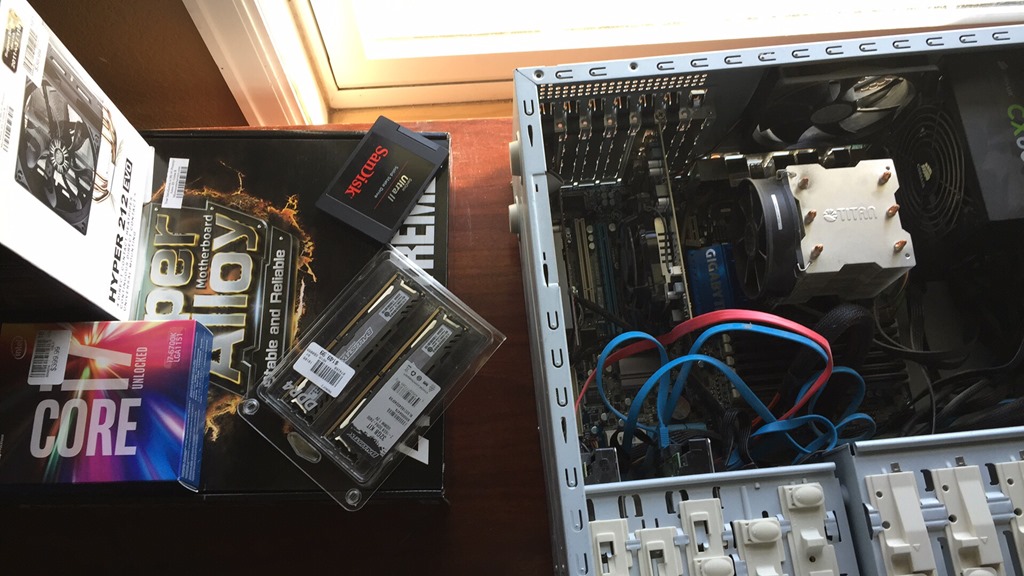
    Glenn is my hardware guy. If I have a question, I ask him, mostly because I don’t care about cool hardware and just want things to work. Glenn recommended these items (some of them), and I drove down to the local Microcenter after my Skype call finished.

    Photo Jun 23, 5 39 33 PM

    I purchased

    • ASRock Z170 Extreme6 motherboard (recommended) – $160
    • i7-6700k CPU ( recommended) – $290
    • CoolerMaster fan – $35
    • 32GB Corsair Ballistic RAM – $150

    I know I could find better prices, but I wanted this done quickly. I also needed a new video card, but I delayed that for now. I wish I hadn’t.

    After a few hours of work, and a day (filled with family commitments), I sat down with parts.

    Photo Jun 23, 5 42 30 PM

    I made sure my Crashplan was up to date, and my cloud services were sync’d. I’ve tried to do this in order to become productive quickly on new machines. I also had a new SSD that I’ve been traveling with, but I repurposed that as a new boot drive. The old one was 256, and this was 1TB, so I won’t be in danger of running out of space, something that I was close to doing on the old machine.

    I disconnected everything and pulled out the old (dusty) motherboard.

    Photo Jun 23, 5 53 11 PM

    It’s worked well, but it’s aging. It’s also somewhat slow compared to newer technologies, though that was (hopefully) a bonus, not a requirement.

    I then installed the new motherboard, which wasn’t too bad. The hardest part was getting the CPU cooler installed. Balancing the four arms and screwing things in while the large cooler wants to slide on thermal compound was a challenge. Fortunately I managed to get it secure without too much grease on my hands.

    I connected all my drives back, using some of the new SATA 3 cables that came with the motherboard. I didn’t bother connecting the front side speaker stuff since those connections are covered by the video cards. I added back both video cards and then plugged in basics: monitor, power, USB keyboard/mouse. I left some things uncovered, since I’ve rarely had things work perfectly on the first assembly.

    Photo Jun 23, 7 27 13 PM

    Crossing my fingers, I booted.

    Or didn’t. I got lights, which I haven’t always gotten. There’s a debug LED in there and I got a 99 code. Looking that up, I realized there’s a PCIe issue. There are only 3 slots, with 2 video cards, so I pulled one. Same issue.

    Pulled the second and it booted.

    I had made a bootable USB (borrowed from my son) and then added the W10 install iso. Things booted up and I installed Windows.

    Photo Jun 23, 7 31 21 PM

    I only had the onboard video, which worked, and I’m glad I had another machine since I needed to download the LAN drivers to connect to the network and video drivers to get beyond a basic 1024 resolution.

    Total time to get Windows back up, around 90 minutes, though most of that was wrestling with the CPU cooler.

    The next post will look at getting productive again, with newer hardware.

  • Selecting Speakers for the Summit

    This is a series of posts on the PASS Summit and SQL Saturdays. I’m outlining some thoughts here, sometimes for the first time, but on topics that I think make better events. These are opinions and thoughts, not mandates or demands.

    I attended, well, listened to, the PASS Speaker Selection Q&A this week. In the spirit of being constructive, I want to thank the board members and committee members for attending. I thought the event was well run and informative. I appreciate the disclosure.

    Tldr: I think the volunteers did a good job, with minor room for improvement. Disclose more numbers and guidelines, and involve the community more.

    Hearing about the process is always good as this affects the community that attends the event. Both speakers and attendees. I’ve been involved before, and should do so again, to see how things might be different. I appreciate the amount of work involved, and would like to thank Allen White, Lance Harra and Mindy Curnutt for their work. I know many others are involved, and thanks for your time as well.

    • 840 abstracts.
    • 255 speakers (3+/speaker)
    • 112 session slots (+10 pre-cons, 4 lightning talks)
    • 5000+ comments from reviewers.

    That last number is quite interesting. That’s an average of 5.9 comments per submissions, much higher than when I was involved. What’s more, Lance and Mindy reviewed all comments, ensuring none were inappropriate to return to speakers. While I abhor censorship, this is something that needs to be done. Some (very few) volunteers will poorly communicate their thoughts, or have a bad day. Reviewing and redacting (or asking for rewording) makes sense.

    There also was a note that Lancy/Mindy tracked the timing of comments to ensure volunteers spent time actually thinking about the sessions/speakers and not racing through with a quick CTRL+C, CTRL+V. That is impressive.

    I asked a question on first time speakers. Not to beat up the committee, but because I think the health of the community depends on regularly getting new speakers, both first timers at the Summit and new pre-con presenters. Note that I don’t want someone to give their first talk or their first pre-con at the Summit. They need to practice elsewhere, but we need a rotation of new speakers.

    Allen mentioned that he looked for 20-25% new speakers, though that guideline isn’t published or listed. I know that the number depends on the submissions, but having guidelines and then giving reasons for deviating is what I’d expect. Give numbers and then react. Adjust and explain why. That’s what many of us do with data and our jobs.

    For the record, I think 25% is high. Maybe 20%, especially as we have more and more speakers. I would like to see a goal of at least 10% each year. If you do more, fine, but explain a bit. Not a lot. A bit.

    Allen has a nice post with some numbers and the process explanation. Thanks, Allen.

    However.

    More Data

    I want to see more numbers. That’s our job. If PASS doesn’t have time, recruit a few volunteers. I’d bet there are a few people in the community that would love to play with data. Let us see the pre-cons broken out. Topics, resutls of surveys. There’s even this cool tool that lets you build some visualizations with data.

    Or better yet, put out a feed, or if that’s too hard, some numbers in an Excel sheet. A flat file. Let people do some analysis and learn. You might learn something as well.

    Honestly, while I think comments deserve some privacy protection, I’m not sure ratings do. I’d like to see those released. The committee is always going to upset people, and there will always be complaints. However, the more information you provide, the more we can comment, yes, also complain, but also you might learn something about how the community thinks about your choices.

    After all, you’re supposed to consider the community.

    I’m not asking you to only listen to the community. After all, the Summit is a business, and it’s fair to say that the 12th PowerBI session rated a 4.2 got bumped to get in a 3rd Extended Events talk rated 3.5.

    Disclose more and analyze more. React and adapt. If you don’t want complaints, resign. That’s part of the job.

    Enough on that.

    Community Vote

    I do think that it’s impossible to build a perfect schedule. Looking at last year’s numbers is inherently flawed. After all, how highly were the AlwaysEncrypted sessions rated last year? Or the first time speakers? It’s a guideline, and I’d like you to publish those numbers to show what you’re considering, but I also think the community deserves a vote.

    I asked the question and Allen responded that not a lot of people voted and there were issues. I dislike terms like “issues” without specifics.

    However, I’m not asking for sessions to bypass the program committee. I think there is good work done here. What I’m saying is that of the 112 sessions, when you get 100, put the last 10 or 12 up for a vote. Take the sessions rated 100-124 and drop them in a survey. Let community people, those that wish to, vote. After all, of your entire membership, how many vote for the Board? Probably a similar number to what you’d get here.

    You take popularity votes from last year’s numbers already. Take a few more.
    If it’s a lot of work, explain that. Maybe we can help you slim things down.

    Break the Bubble

    Mostly what I see from organizations, and what I’ve done, is that groups start to take on responsibility, feel the weight of that responsibility, and work in a bubble. Over time, they become more disconnected from the people they make decisions over.

    This is a hard process, and a lot of work. I know you try and mostly succeed. You may be overthinking this, and over-controlling it. Let go a little, take more feedback, and look to improve the process.

    Continually.

    That’s what we do in this business, or at least, what we should do.