Tag: syndicated

  • Standing Desk Update

    It’s been a long time since I wrote about my workspace, however I made a change recently. This was the "short term test" situation I set up a couple years ago:
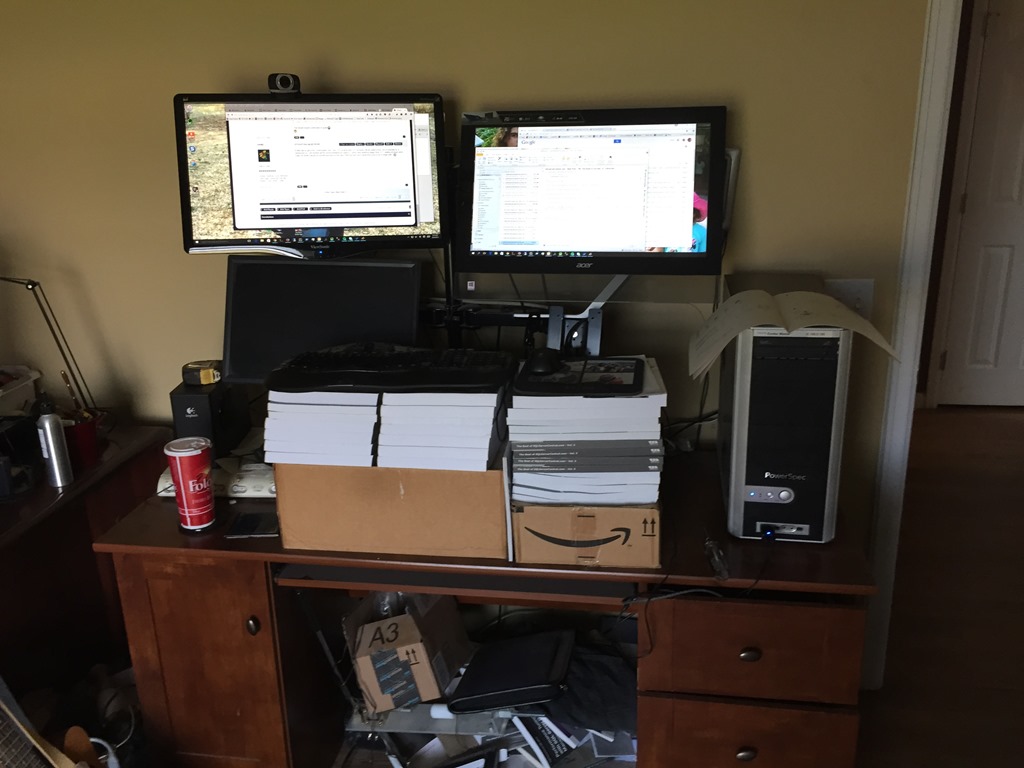
    Photo Aug 24, 9 14 19 AM

    After just using boxes for a few days, I decided I liked things and got monitor stands. However I left my boxes in place for the keyboard and mouse. Mostly because I wanted a few months of playing with heights.

    I actually did experiment, adding and removing books a few times, but mostly I let things languish. I wanted to build my own keyboard stand, but kept finding excuses. I lived with the setup, getting annoyed with no good place to place a mug of coffee or a piece of paper. Precariously balancing my laptop on the books at times.

    A few weeks ago I saw some friends on Facebook mention they were getting standing desks. I’d seen Brent Ozar’s desk, but had no desire to spent that kind of $$. I wasn’t even sure I wanted an adjustable one as when I sit, I usually go to a table or couch with my laptop.

    Someone recommended a simple desk, which I liked, but wasn’t sure I wanted to ask my boss for $700 for a hand crank desk. However I did spend a few minutes shopping when my daughter asked for a desk for her room. She got a normal desk from Ikea as she’s starting high school and wanted a workspace.

    I saw a $400 electric adjustable one, and was tempted, but decided to go for a $40 upgrade for mine. I got a small table, and added it.
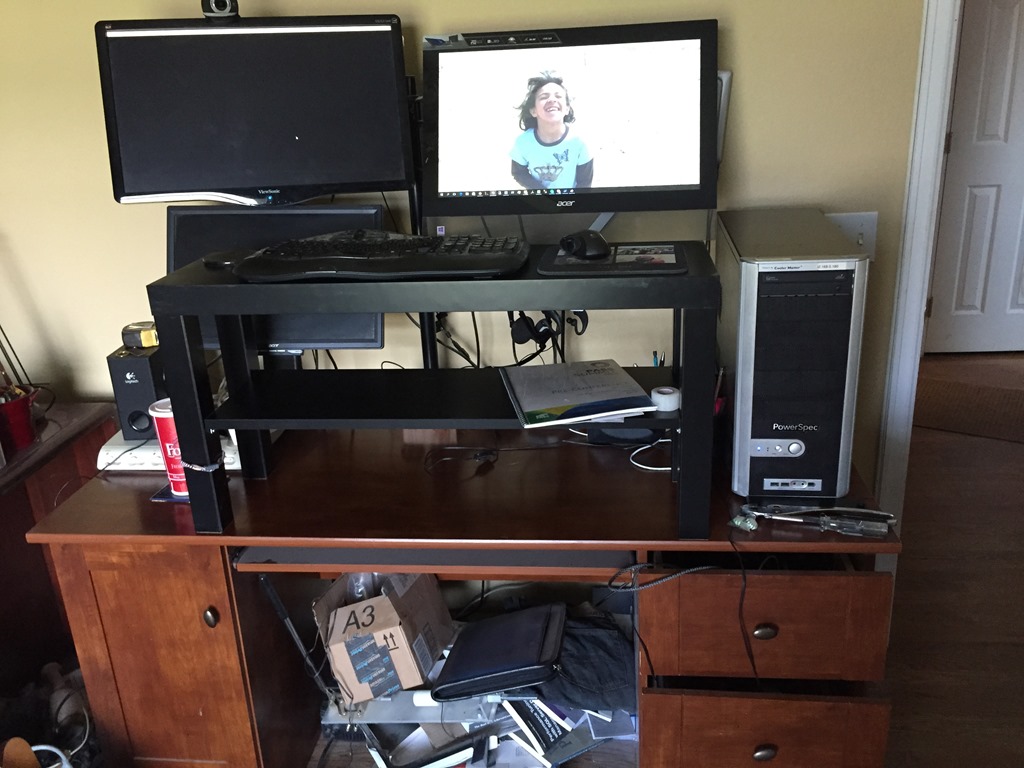
    Photo Aug 24, 10 43 42 AM

    This one isn’t perfect as it’s a touch high. I did add a couple more foam mats and raised myself to a good level, but I’m not sure I love this.

    I do, however, like the extra shelf and space for putting a couple mugs down. I usually have two (coffee and water), so this is handy. I also have space for a few pieces of paper if I need to set them down.

    I’m not sure if this is a good move. For now I want to leave things alone as I’m not in a hurry and want to be sure I would use an up/down desk. I certainly have some tasks that work better sitting down, like webinars, so I am tempted to get a chair and work here at times.

    The one good thing I have going for me is Redgate is good about ergonomics and ensuring a good workspace. I am tempted by the treadmill desks, but I think I’d just as soon just walk away from the desk if I need a break.

  • SQL Data Generator–Masking Production Data

    This is a series on SQL Data Generator, covering some interesting scenarios I’ve run into. If you’ve never tried it, SQL Data Generator is a part of the SQL Toolbelt. Give it a try today with an evaluation today.

    I learned a new trick with SQL Data Generator that I wasn’t aware of previously. I think this is a good idea for masking some of that production data that you might not want developers to have.

    Let’s start with a production table. In my case, I’ve created a Sandbox_Prod database with a table in it for employees. I’ve added a few records that contain some sensitive information.

    CREATE TABLE Employees
    (
    empid INT IDENTITY(1,1)
    , EmployeeName VARCHAR(250)
    , EmpployeeEmail VARCHAR(250)
    , active TINYINT
    , salary money
    , pwd VARBINARY(max)    
    )
    ;
    GO
    INSERT INTO Employees
    VALUES  ( 'sjones', 'sjones@sqlservercentral.com', 1, 10000, ENCRYPTBYPASSPHRASE('The User Sample', 'MyS%83ongPa44#word')) 
         ,  ( 'awarren', 'awarren@sqlservercentral.com', 1, 20000, ENCRYPTBYPASSPHRASE('The User Sample', 'Ano$2therS%83ongPa44#word') )
         ,  ( 'rsmith', 'rsmith@sqlservercentral.com', 1, 5000, ENCRYPTBYPASSPHRASE('The User Sample', 'Kedj93m@@83ongPa44#word'));
    
    GO


    I’ve got a second database, called Sandbox, that simulates my development environment. I’ve got the same table, but without any data in it.

    What I want to do is move some of the production data to my development area, but not all of it. Some of the production data needs to be masked.

    SQL Data Generator Sources

    I can use SQL Data Generator from Redgate to do this, by using a data source that actually exists. In this case, I’ll create a new project and point it at my Sandbox database. I’ve deselected all of the tables except my Employees table.

    2015-09-22 16_31_57-Cortana

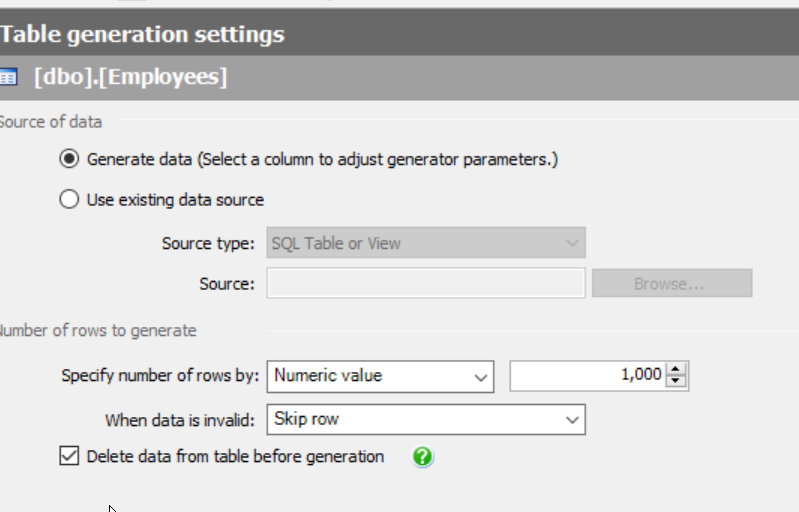
    When I pick my Employees table, I see the familiar generation screen on the right. Most of you are like me and notice the number of rows and the option to delete data.

    2015-09-22 16_32_54-SQL Data Generator - New Project _

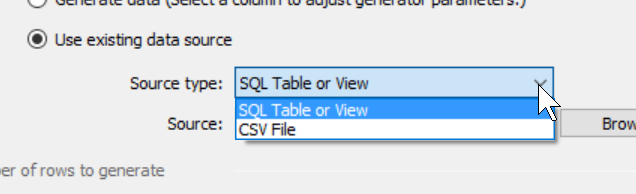
    However there’s another option. I can select the “Use existing data source” radio button instead. When I do this, I have a few choices for data. I can use an existing table or a CSV file. Both of those can be good choices, especially if I have sets of data I want to load into the table. Either one can help me to build known, specific data sets for development (or testing).

    2015-09-22 16_35_19-SQL Data Generator - New Project _

    In my case I will choose an existing table. When I do this, I click the “Browse” button and I get a connection dialog for SQL Server. I pick my instance and the production database.

    2015-09-22 16_35_26-SQL Data Generator - New Project _

    I click “Next” and then get the chance to select the table to use. In this case, I’ll pick the Employees table.

    2015-09-22 16_39_03-Select SQL Table or View

    When I return to the main SDG screen, I see the table listed as the source, but my preview shows the actual production data. This is because I’ve mapped the production table as a source, and it will be used as it currently exists.

    2015-09-22 16_40_12-New notification

    That’s not what I want. I want to mask the email address and the salary. However, now I can change things like I might do for any random data generation.

    Let’s first click in the EmployeeEmail column. When I do that, I see the following, the column with its source set as the existing column in the production table.

    2015-09-22 16_59_52-SQL Data Generator - New Project _

    However the drop down gives me lots of choices, including an Internet email generator.

    2015-09-22 17_00_07-

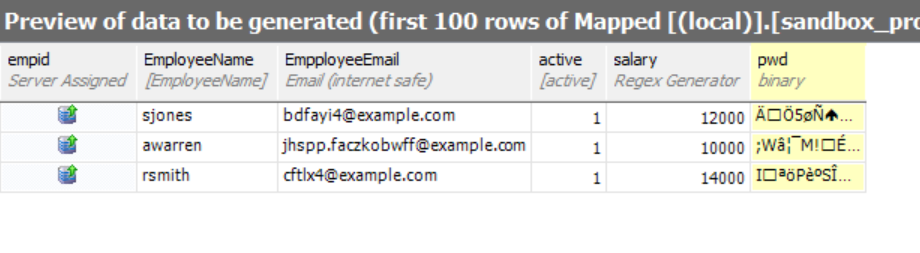
    If I select, then my preview changes. Now the image below shows production data for all columns other than the email.

    2015-09-22 17_01_23-New notification

    I can repeat this for the salary (and password to be safe). When I do that, I’ll see random data for those columns and production data for others.

    2015-09-22 17_03_26-New notification

    I can repeat this for all tables in my project, mapping through data that isn’t sensitive, and masking data that is. It’s a tedious process, but it’s a one time process for specific data. Once this is done, every restore can have the project run and the data masked. If production DBAs do this refresh, then developers never see sensitive information

  • Congrats to Jen, Tim, Ryan, and Argenis

    Last week we received the results of the PASS Board of Directors elections for 2015. Jen Stirrup and Tim Ford were re-elected to new terms. They’ve served for the past few years as members of the BOD. Ryan Adams was elected for the first time, and I supported his candidacy, so I’m glad he won.

    Argenis Fernandez didn’t get elected, but I still applaud his decision to run. He was one of only four out of the thousands of PASS members that did so. However in reading Andy Warren’s notes, perhaps Argenis will end up being on the board anyway.

    If that’s the case, I’m glad. I think Argenis brings a fresh, new, different view, which is needed.

    In any case, I’ll publicly thank them here, and in person when I see them, as their volunteerism should be appreciated and acknowledged.

  • Exercism

    I’ve been looking to work on my programming skills a bit and try some new languages. I’d like to grow my career in a few different ways, as well as investigate where some of the new languages and platforms might be useful for data analysis. As I’ve talked to some developers and been looking around, someone recommended Exercism.io.

    Exercism.io is a site that allows you to practice coding exercises and get feedback from others. When you visit the site, it’s an interesting look, and invites you to log in through GitHub. If you’re not a member of GitHub, and you’re a developer, you probably are making some sort of mistake.

    2015-09-14 11_36_06-exercism.io

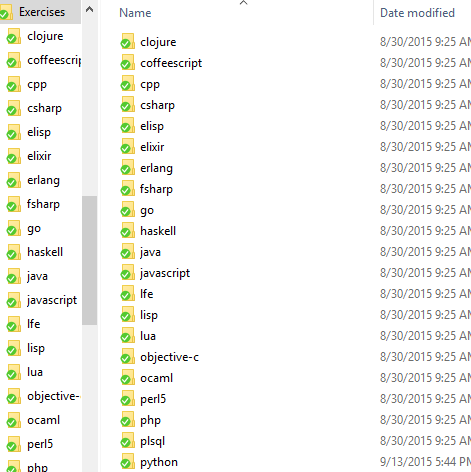
    Once you log in, you really need to download the command line client and execute it. Once you do, you can configure it to connect and download exercises. Each of these is placed in a folder, as shown:

    2015-09-14 12_41_27-Exercises

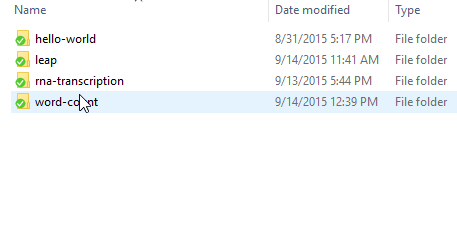
    For each of these languages, you get an exercise that you need to complete in that language. I’ve been playing with Python, and I had a first exercise of hello-world. In the python folder, were my exercises (you can see I’ve moved on).

    2015-09-14 12_41_38-python

    The hello-world folder had a read me and a test file (it’s since gotten my program in there). The Readme has instructions and the test file is a set of tests that can be executed to check your program.

    2015-09-14 12_46_15-hello-world

    When you pass the tests, you submit your solution from the command line client. The submissions appear on the website and people can comment on your code. I am in no way commenting on any else’s Python code at this point, but I did get a comment on my leap year calculation.

    2015-09-14 12_46_26-exercism.io

    I looked over the comment and then changed some code. I had to futz with the command line to get this to resubmit, but as you can see, I ended up getting a second iteration in there. No comments on that one, but we’ll see.

    It’s an interesting idea to share code and get comments. I think mostly this is a way to formally practice some exercises and get comments from experienced users, but the volume means that potentially you won’t get comments on your solutions. I know many of the SQL users may, or may not, comment on solutions.

    I think this is interesting, and I’m tempted to try to do something like this for SQLServerCentral. The hard part of putting together enough questions that others can practice in an organized fashion.