Tag: syndicated

  • Creating a Filetable

    How do you create a filetable? I assume you’ve enabled Filestream and created a filegroup for your filestream and filetable data. Then you just do this:

    -- Create a filetable
    CREATE TABLE AuthorDrafts 
      AS FileTable
    GO


    The only optional part of this statement is the table name. No other options, no columns, no schema needed. The FileTable has a fixed schema, which is mostly metadata about the files that you put in it.

    If I were to select from this table, I’d use this statement. I’m not showing all the columns in the results since there are a lot, but they are in the select.

    -- check the table.
    select 
       stream_id ,
              file_stream ,
              name ,
              path_locator ,
              parent_path_locator ,
              file_type ,
              cached_file_size ,
              creation_time ,
              last_write_time ,
              last_access_time ,
              is_directory ,
              is_offline ,
              is_hidden ,
              is_readonly ,
              is_archive ,
              is_system ,
              is_temporary
     from AuthorDrafts;
    go


    Most of these are really meta data about the file. If I were to drop a table in the share, I’d see results like this:

    filetable1

    Putting files inside the table is really a drag and drop from Windows. I can get the share name for my filetable from :

    -- check the share
    select  FileTableRootPath('dbo.AuthorDrafts');
    go
    

    If I paste this in Explorer, I see my file:

    filetable2

    I can drag and drop, or use any scripting commands (Powershell, VBScript, etc) to move files in and out of this share, and they will appear in my table.

    It’s that easy to start working with FileTables. How you use them in your application? That’s a whole other series of posts. I’ll work on a few examples you can use over time.

  • Back to Pensacola and SQL Saturday #132

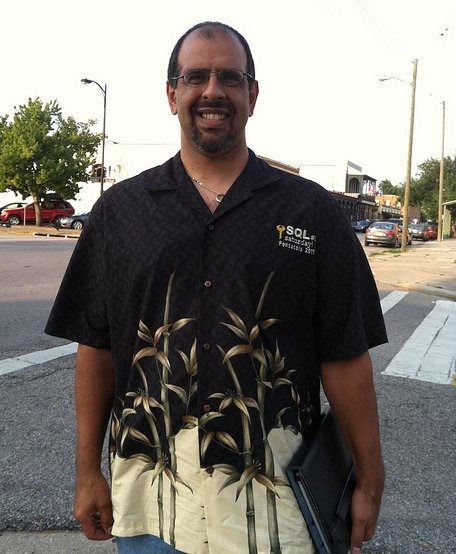
    This will be my fourth trip to Pensacola for SQL Saturday #132. I’ve enjoyed going every time and I usually take a day or two off from work on the trip to spend with my daughter. Last year we both got shirts, and had a good time at the event, and at the beach.

    sqlsat77_asqlsat77_b

    This year I’m giving three talks, which is a lot, but they’re spread out throughout the day. I have the Early Bird morning session, at 7:30, which is really there for the people that arrive early. I’ll be talking about Unstructured Data in SQL Server, going over the Filestream and Filetable options you have for storing binary data.

    At lunch I’ll be doing a Preparing for Disaster Recovery talk at the vendor session where I’ll talk about how some of the Red Gate tools can help you prepare for disaster.

    In the afternoon, I’m then talking Encryption at 4:30. It’s a beginner session, but I’ll show the various options you have and how they work in SQL Server. There’s a ton to learn about encryption, and I scratch the surface, but if you want to know what’s available, come see.

    If you’re anywhere near Pensacola, I’d urge you to register and come by on June 9th. This is a free day of training on all different parts of SQL Server and you get the chance to improve your career for the price of a car trip and a little time on a Saturday.

    If you’re not coming, cancel so others can atttend. It’s not sold out yet, but attendance is always good at this event.

  • The Standing Desk – Week 1

    I finally got my standing desk working last weekend and started on Tuesday (after Memorial Day) working at it on a regular basis.

    This was the initial setup

    Photo May 27, 4 35 10 PM

    I used a box of books, with 4 more under the keyboard and another box for the mouse. I had two monitors working due to a lack of cables, but this would allow me to essentially duplicate what I had upstairs. I added a short barstool (round, no back) and I was ready to go.

    I wrote a bit about this the other day, but this is a more detailed post after almost one work week (3+ days) of working.

    Tuesday when I came downstairs, I was tired, and it was chilly, and I didn’t really want to go in the basement. I spent an hour with my laptop at my regular desk before deciding to go stand downstairs. It wasn’t bad, but I realized quickly that the keyboard and mouse were too low. The ergonomic position is slightly above the elbow, so I added another box, more books and raised things up. Books make a great experimental platform for raising lowering to different heights to see what works.

    I also realized that I needed to get all four monitors going and see if I liked that. So I ordered two new cables, and kept working. I stood for 5-6 hours on Tuesday, taking a few breaks to go upstairs, run, and handle other non-desk tasks.

    Wednesday I felt better and I sat at my desk for an hour for our weekly department conference call. I don’t have a webcam on the desktop and with the books, no desk to set the laptop on. However afterwards I went downstairs and worked. My round bar stool was too short, but I did find an older, tall barstool to use. The height is just high enough that I have to raise up an inch or so to sit down. Or sit up.

    I didn’t love sitting down, but taking 10-15 minutes on the stool was nice.

    Thursday my cables came, and I hooked everything up. I got all four monitors situated in the right position in Windows 7, though I am tempted to raise my bigger monitors up to the top and put the smaller ones below. Right now I feel like I’m looking down when I’m working. It’s not too bad, and it’s similar to how you might work with paper on a desk.

    Photo May 31, 4 31 55 PM

    My legs feel a bit more tired, but not much. I notice it most when I’m running. It’s that they’re slightly more tired than normal. I suspect that I’m adapting better than most since I run every day (1370 days and counting), so I’m used to some amount of work from my legs every day.

    I do find that I take more breaks now. I can’t sit with an empty coffee cup and get lost in work for 90 minutes. Every hour or so I get up and move upstairs. It’s also changing my eating slightly. I’m eating smaller meals, and planning on going upstairs every hour for a small snack or piece of fruit. I’m not sure of the long term health effects, but I can’t think of a reason why this would be bad.

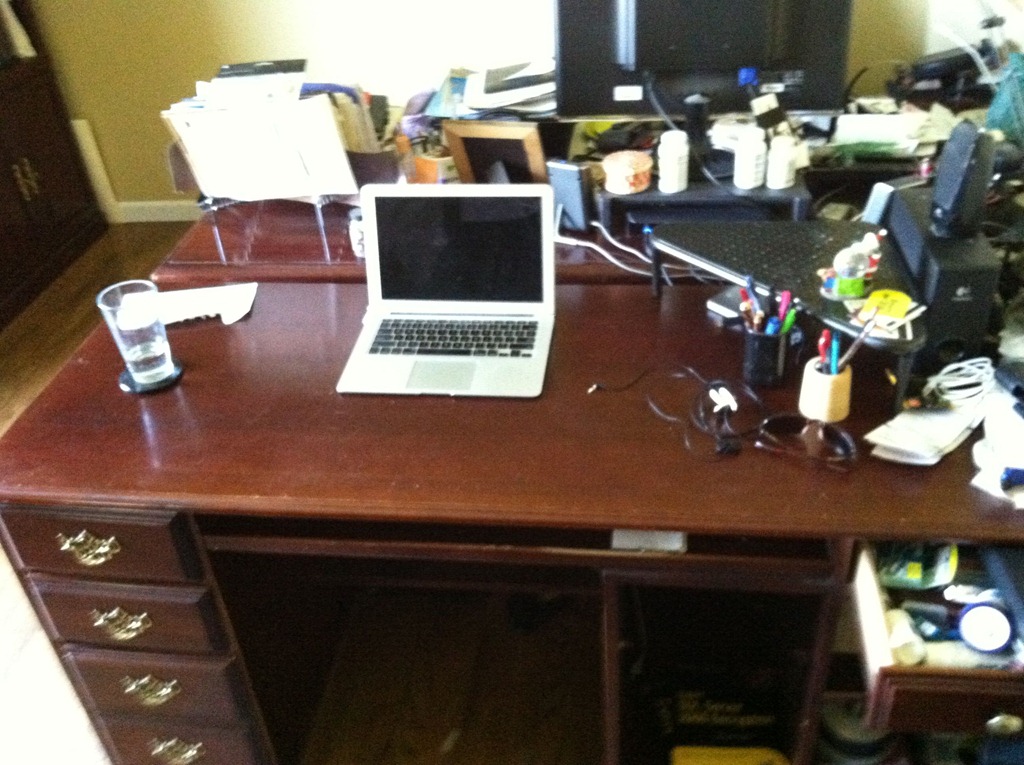
    On the extra plus side, my regular desk is fairly clean now

    Photo May 31, 12 52 10 PM

    So far I like the experiment, and I do feel like I’m burning more calories overall. I’ll give it a couple more week and then set about re-evaluating my move back upstairs.

    A few things I need to consider fixing

    • flooring – Buck talked about padding and I think I need something. I have carpet, but otherwise this is cement and I know that will take a toll. Upstairs I have wood, but probably need more padding.
    • Monitors – The smaller two of my monitors are older and dimmer. I don’t use them as much, but I don’t love looking down so much at the newer ones. I need to reverse the positions.
    • Desk space – I’m used to having space for a bottle of water and a coffee cup, plus my phone, a plate if I eat, etc. I need to consider that as I move to a more permanent setting.
    • Monitor mounts – My desk doesn’t have a lip to clamp on. Do I cut a hole in it or move this one upstairs? Decisions, decisions, and permission from my wife.

    This is cross posted to both my personal blog and the Voice of the DBA.

  • I’m Going on Tour

    I’ve done quite a bit of speaking over the last few years, which has required a lot of travel. I had 15 events that I attended last year, only one of which was in Denver, so I spent quite a few days on a plane.

    sqlinthecitylogoThis year I’ve cut back a bit, with only 3 events so far this year, but it will get busy this fall. The SQL in the City events last year in London and LA were a big success for my employer, Red Gate Software, and this year we’ve decided to expand and build a mini-tour of events.

    We are back in London this July, for two dates this time on July 13, and 14. Friday is booked, but you can still register for Saturday, July 14 and come attend a free training event, which will talk about SQL Server issues and include information about how Red Gate’s products make you more efficient and effective at your job.

    This fall, we are going on a 5-cities-in-11-days tour all over the US. We have booked the following dates:

    In addition, we’ve added a sixth event in Seattle, on Monday, Nov 5, just before the PASS Summit.

    sqltoolbeltThese are free events, and we’ll have some tool tracks, talking about how to better get value from Red Gate tools, but we’ll also have tracks that talk about real issues you encounter as DBAs. I’ll be speaking, along with Brad McGehee and Grant Fritchey on writing better T-SQL, database maintenance, disaster recovery, and more.

    This tour is something we’ve talked about for a few years, and we’ve finally gotten the time, money, and permission for a tour. So look for us to be traveling through your part of the US. I’m not sure if we’ll have a real tour bus to travel in style.

    tourbus2

    With quite a few people coming over from the UK, and a frugal boss, our budget might end up supporting a tour in something like this.

    tourbus

    In any case, if you will be in one of the cities on any of the dates above, register today. It’s an exciting experiment, and one that I hope will be valuable for you and us, and something we’ll get to do every year in different cities.