Tag: version control

  • A Version Control Primer for Databases

    This is a talk for database people that might not be familiar with version control and how it can be used with database code.

    Abstract:

    With modern DevOps software development, there is a need for the database code to be tightly integrated with application code, and this requires the use of a version control system (VCS).

    This session will examine the basics of version control, the different types of systems, and how we can use them for database code. There is an emphasis on Git, as this is the most popular VCS in use today.

    Level: 100

    Slides: vcs_primer.zip

  • A New Git Default Branch

    I learned a new trick from Andrew Pruski. In a blog on avoiding PowerPoint, he had htis neat trick:

    git config --global init.defaultBranch main

    Apparently, this is a new setting in git v2.28. This allows you to set a default branch for all new repos. Since I often create a local repo first before pushing to a remote, this is handy for me.

    This was on the git blog, if you want to know more.

  • Git Tricks–Getting a New Remote Branch–#SQLNewBlogger

    Another post for me that is simple and hopefully serves as an example for people trying to get blogging as #SQLNewBloggers.

    This is probably more for me than anyone, but as I’ve been working in more team demos, I find I need to up my git skills. In this case, a fellow team member created a new branch, and I needed to get it on my local machine.

    I know many git clients will make this easy, but I always like to see what happens at the CLI. This keeps my skills fresh, and I can see all the git output, some of which might be hidden in a client.

    In this case, the team member had created a branch on Github. I’ll demo this by creating my own branch as feature/demotest. I see the branch online.
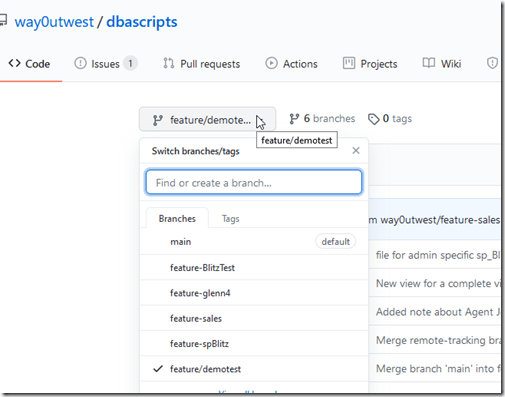
    2020-08-18 15_30_25-way0utwest_dbascripts at feature_demotest

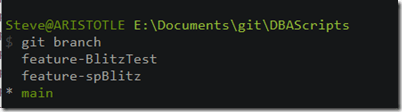
    However, I don’t see it locally.

    2020-08-18 15_31_00-cmd

    If I know the name, I get fetch this, or pull it, from the remote. In this case, either of these code items will work.

    git pull origin feature/demotest

    or

    git fetch origin feature/demotest

    Once I do this, I can checkout the branch, which will match the remote with this code:

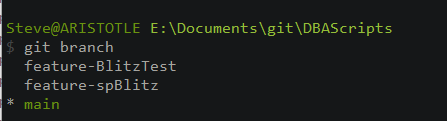
    git checkout feature/demotest

    2020-08-18 15_32_56-cmd

    Now it’s a branch that is tracking the remote with my local copy.

    SQLNewBlogger

    This was a quick Google search to figure out how to do this, but since I’ve had to search a couple times in the last month, I decided to write this and cement the knowledge in my head. At least, I hope it does.

    This took about 5 minutes to write and demo. A quick thing, but a good way to show some learning and knowledge on your blog.

  • Choosing a VCS

    As someone that speaks and promotes DevOps, I get asked for recommendations and specifics all the time for tooling. One of the questions I’ll get asked regularly is about version control. First, use it. There’s no excuse for not using version control these days, especially as most of the software out there is free.

    My view is that Git is really the choice these days. Most IDEs and software tools work with git, and if they don’t, likely they don’t support version control. While there are lots of choices out there, and I’ve used a lot in my career, it seems that Git has really won and is the default choice for so many organizations. What’s interesting is so many of the surveys and tracking of version control systems tend to rank the most often used hosting services, all of which use Git.

    However, does that mean you should abandon your existing TFVC, SVN, or other system for Git? I wouldn’t necessarily recommend that, but I would start learning Git and considering it for new projects. Some people love the change, others see TFVC with more complexity, and many people recommend moving away from TFS. I see similar thoughts about SVN and other VCS systems. Even this svn v git site that links to repo stats shows the stated stats of 47% of projects on SVN v 38% for git is outdated. As I write this, it’s 71% on git. I think that’s a testament to the growth from 2016 to now in Git’s popularity.

    What would I choose today? Git, hands down, for any project at any company. I might live with the existing system in the short term, but I’d be thinking git, if for no other reason than future hires and staff will likely be more familiar with git than anything else. I’d move in that direction. I don’t know I’d spend time converting existing repositories to git, but if the need arose, I’d be ready to do so.

    Steve Jones

    Listen to the podcast at Libsyn, Stitcher or iTunes.