Tag: version control

  • It Starts with Version Control

    As a software developer, I learned about the value of version control over time. My first forays into development were as a child, where I made a single backup of my code on a separate floppy disk in the event I had an issue. This was my one-man-wolf-pack version control system, and it served me well, although it wasn’t efficient. In a few of my early development positions, we zipped up all our code each night to a separate folder, giving us the pentagram-version-control system. This worked as long as we didn’t need to go back over a week, but it still wasn’t very efficient. I think that because we worked on fairly small projects and could hold most of the code in our minds, we muddled through issues.

    Later I was introduced to a real version control system (VCS), Visual SourceSafe. Some of you cringe, but that system worked well. We could see the differences in code, and over time I learned to cut loose with my development, just trying new things, knowing that I could easily revert code backwards without much effort. Since then I’ve worked a bit with Subversion and Git, both of which seem to be very capable, mature systems. I still plan on getting some work done with Mercurial and TFS at some point, just to compare the features and functions.

    I started source controlling my databases after reading an article by Bill Wunder. This was over a decade ago, and it seemed to make sense to me. All of the things I had learned about VCS worked with databases as well, and I learned that having a database under VCS provided me with some stability in development, including the ability to roll back to previous versions of code when we found bugs. Trust me, checking out a previous version of a stored procedure is much, much less stressful than restoring an old backup just to look at stored procedure code.

    These days I see more and more people putting their databases under version control, which is comforting. It makes me think that we, as data professionals, are maturing in our industry. However there are still lots of people out there that don’t use a VCS for their database (DDL) code. Some don’t even use a VCS for their application code.

    There’s no excuse these days. Subversion and Git are free and open source. Download them, spend a few days, and get control of your code. All of the ways in which you can improve the efficiency and quality of your software start with more knowledge, and a bit of version control on which to apply your craft.

    Steve Jones

    Video and Audio versions

    Today’s podcast features music by Everyday Jones. No relation, but I stumbled on to them and really like the music. Support this great duo at www.everydayjones.com.

    Follow Steve Jones on Twitter to find links and database related items and announcements.
    Steve Jones Windows Media Video ( 23.4MB) feed

    MP4 iPod Video ( 27.2MB) feed

    MP3 Audio ( 5.7MB) feed

    Feeds are available at iTunes and Mevio

    To submit an article, rant or editorial,
    log in to the Contribution Center

  • Team-based Database Development with Version Control

    An efficient development process requires that all of your team members coordinate their efforts. This session shows how a version control system (VCS) and standard development practices help improve the speed and quality of your development process.

    This talk will look at:

    • reasons for using VCS
    • methods for including a database in version control
    • how we share changes from a VCS
    • linking static data in VCS
    • enforcing standards in development

    Length: 60-75 minutes

    Slides:

  • Starting with Git for Database Development

    One of the tools that Red Gate Software makes is SQL Source Control. It’s a plug in to SSMS that allows you to hook your database up to version control. I’ve used it a few times in the past in conjunction with Subversion to demo the product. However I hadn’t really used it for my own scripts since it’s primarily a single server system and not distributed. My own demos were on VMs with limited connectivity to the world.

    A few weeks back, I was flipping through the https://www.simple-talk.com/Simple Talk newsletter, and saw an article on Continuous Integration for SQL Server using Red Gate Tools, Atlassian Bamboo, and Github. I’ve had many people over the last few years ask me about Git support for SQL Source Control and I was curious to see how well we supported things. I read the article and started downloading things.

    The first thing I downloaded was GitHub for Windows. I installed it and wasn’t thrilled to see it not working. However what was unclear in the article and the installation was that this is just a GUI for your Git installation. Since I hadn’t installed Git, I needed to do that. Once I had done that, and set up a Github account, things worked fine.

    I have numerous databases that I use for talks, but I usually create and destroy them with scripts during the talks. Not quite the way that SQL Source Control is designed to work. It works with objects, not scripts. However I wanted to test things, so I decided to build a database with the objects in it already. I wasn’t sure this would work for demos, but it would be a good test.

    git_a

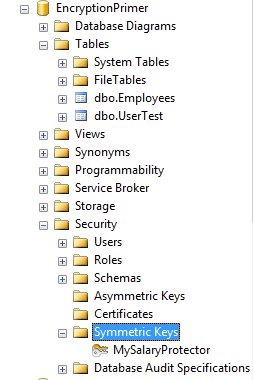
    As you can see above, there are a few objects in my database.

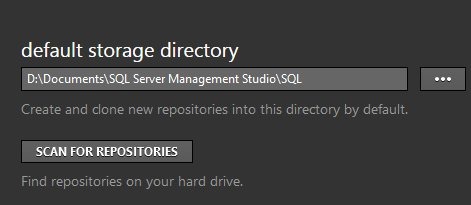
    My next step was to pick a place on my local drive where I could store my Git data. Since I do a lot from Management Studio, and use quite a few VMs, I wanted a standard location I could use easily and chose a folder under my SSMS installation.

    git_b

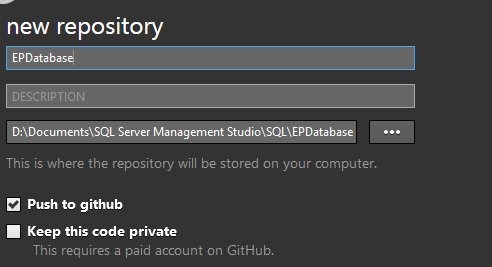
    Once this was setup, I created a new repository on my drive.

    git_c

    This was the place I’d keep all my code. With a free GitHub account, you can’t keep your code private, but that’s OK for this project since I give all my code away after talks.

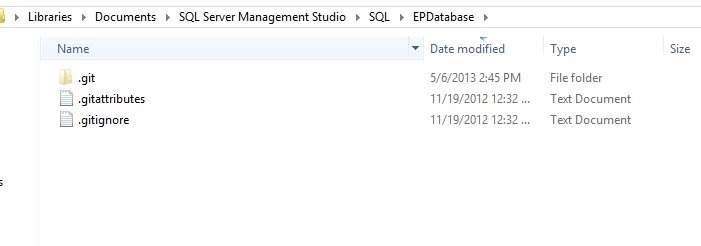
    Once I’d created this, Git put the folder on my drive.

    git_d

    Inside the folder was nothing, just a few Git files.

    git_f

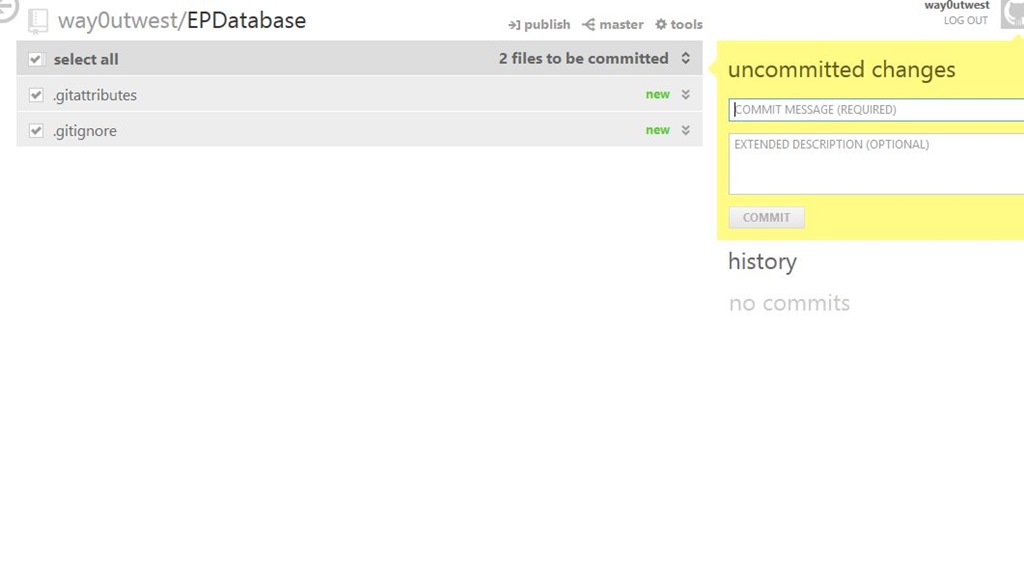
    And in my Github interface, there was nothing to commit.

    git_e

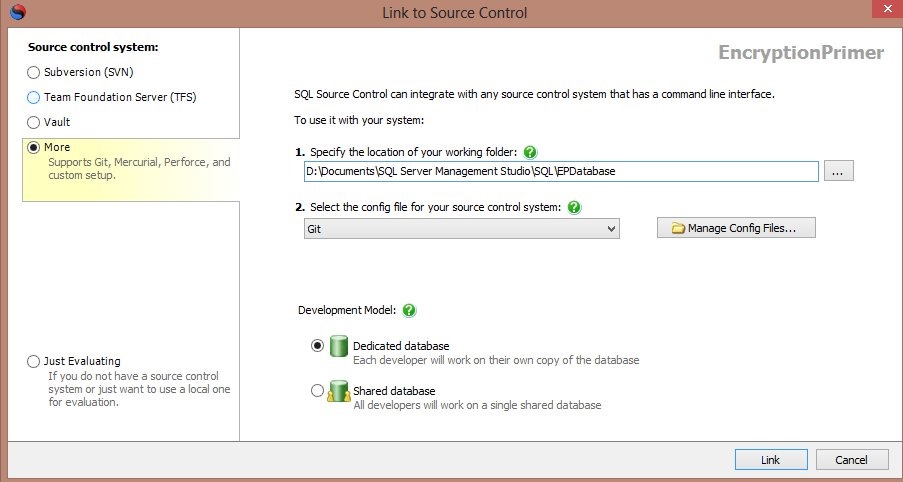
    The next step was to link this with Git. After selecting my database in the Object Explorer, I switched over to the SQL Source Control tab to link my database to source control. I entered the path of my Git folder (from above) and selected Git as my VCS.

    git_

    I chose a dedicated database, meaning this is just my database. The Shared database model can work, but I don’t like it for teams, or even solo.

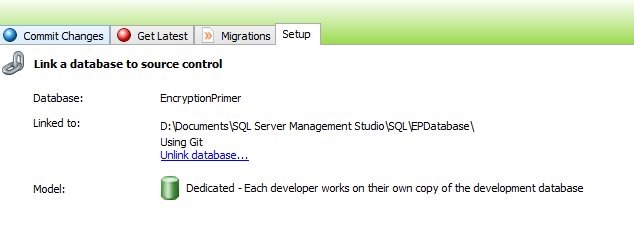
    Once this was done, I could see my database linked in SSMS.

    git_h

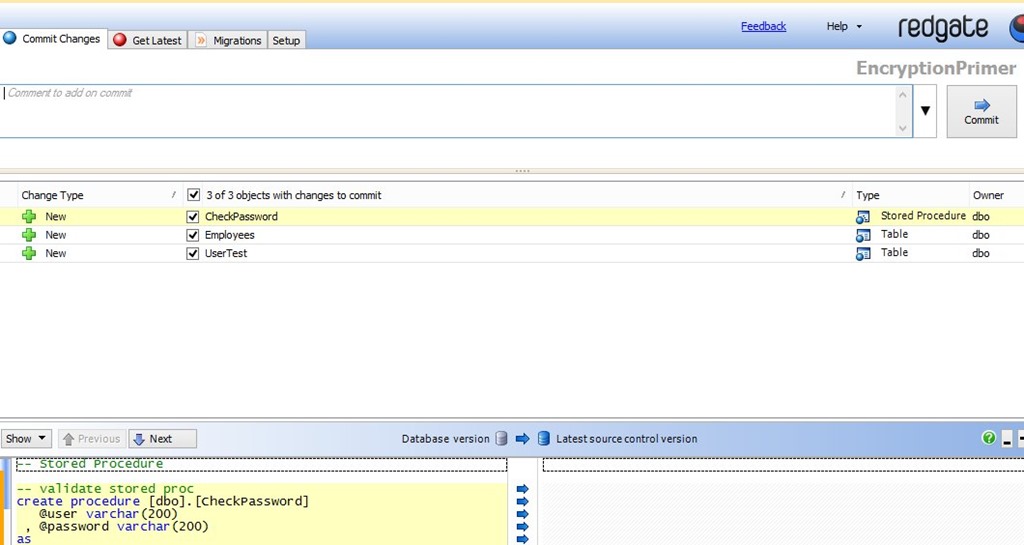
    I clicked the “Commit Changes” tab, and could see my three objects listed there as new items to commit.

    git_i

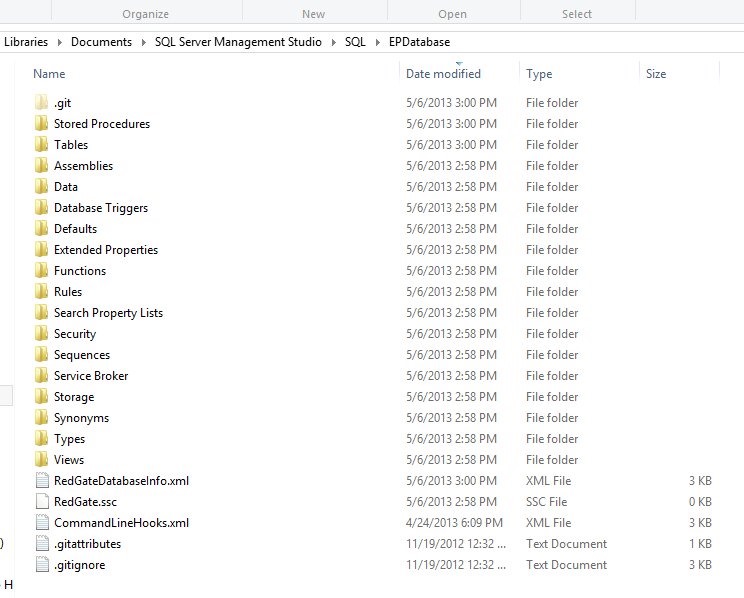
    If you have an existing database, this is the situation you’ll find yourself in most of the time. You link it, and commit all the changes. Once you enter a comment (please enter real comments you’ll understand), and press Commit, the objects are added to your folder. If I look at the folder, I see more stuff:

    git_j

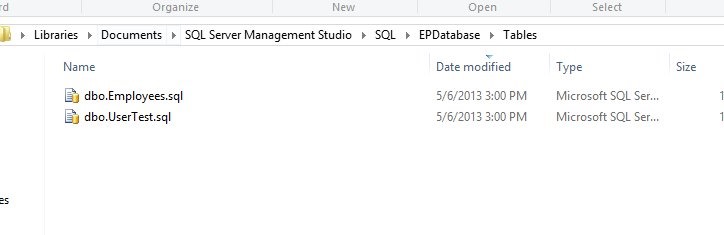
    Only a few folders have objects, and those contain the .sql files for those objects.

    git_k

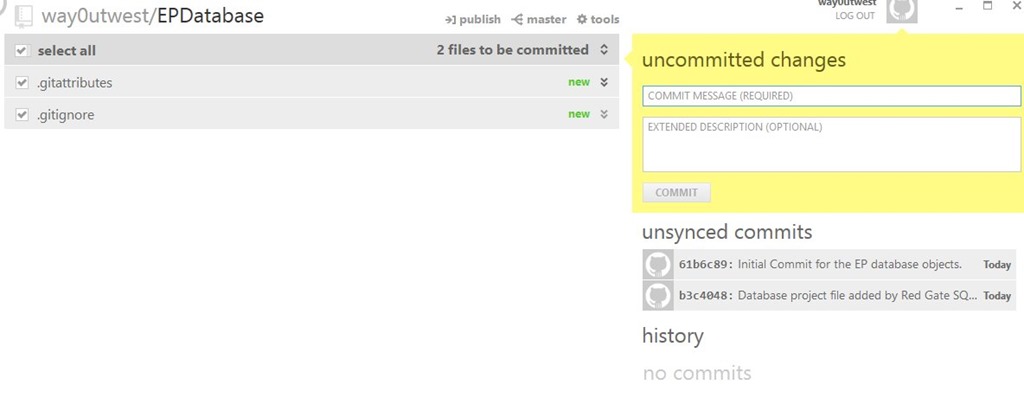
    If I look at Github, I see my comment and the changes are committed, but unsynced. If I press the “publish” button at the top, these are sent to Github.

    git_l

    That’s it. Any changes I make to objects, which I’ll show in another post, will commit to Git, and I can sync them to GitHub.


    Come learn more about these topics on the SQL in the City 2013 tour.

    sitc