A friend of mine, Erin Stellato (blog | @erinstellato) is about to change jobs. She’ll go from working in an office to working at home, and I think it’s great. She’s a very smart young lady, and I think this is a terrific opportunity for her to work at SQLskills.
She posted a note that she’d love to see some work at home tips from friends, and I decided to oblige. I’ve been working at home, away from an office, both for myself and for others, for nearly a decade now. My wife has worked for nearly 20 years at home, and we’ve shared an office for most of that time. When my wife started, we had 1 kid. We now have 3, and my youngest has been watching me work at home for most of her life.
These are some random tips, based on how I work. Whether they work for you is debatable, but I think it’s worth getting a few ideas, trying them out, and incorporating them if they make your life better.
Get a Space
The first thing you really need is a separate office. I know many of us work on laptops, and we can work anywhere, but you need a place you can shut the door. There will be times that the kids are home, your spouse is looking for you, or the doorbell rings while you’re in the middle of a call. Have a door.
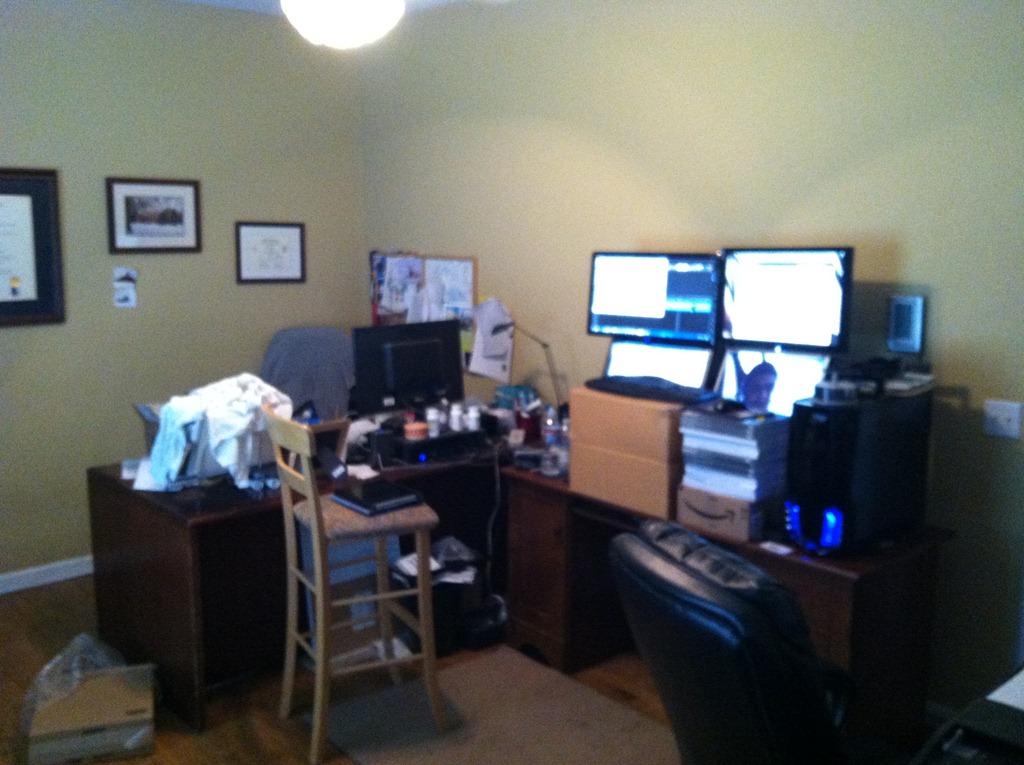
We’ve had a few arrangements over the years. This is the current one:

I went to a standing desk, which I love. I recommend it, and I think it’s making me healthier. M wife and I have shared the space for years, with both desks being in one room. Before I started working at home, we converted a bedroom to an office, putting two kids together in one room because we knew this was critical.
Do yourself a favor, and get a separate space, preferably away from other distractions in the house. You can always take a laptop to the kitchen, or the living room, but have a set place for yourself.
Kids
Kids are the best, and worst, things in your life. They try you, push your buttons, and frustrate you in ways you could never have imagined. They also bring unbelievable joy. I love my kids, and one of the best things about working at home is that I get to see them constantly throughout the year.
For almost the entire time I’ve been working at home, I’ve taken my kids to and from school. I’ve been here when they were sick, I’ve left early to get them to sporting events. I’ve been able to sit with them after school and help them with homework, while I had my laptop nearby to work on my own work. It’s been an amazing Mr. Mom decade for me and I have tried to make as much time as I could for my kids.
However.
You have to set rules. My wife was on conference calls a lot over that time and we had to make it clear to the kids that they had to be quiet if they were home. They learned early on that when we are working, we are working. If the office door is closed, that means they can’t come in. They can’t disturb us.
We also had to teach them the difference between “want” and “need” as well as what an emergency is. If the computer freezes or the DVR won’t play, that’s not a reason to disturb my wife or me. Some rough days as the kids had a dressing down because they thought that their desire was more important than work for us.
DR Plans
One of the downsides of working at home is that you’re responsible for everything. You’re the IT guy, you’re in charge of facilities, maintenance, procurement, the cafeteria, and more. For the most part, that’s fine. Things work as expected, and life goes on. You work along, with the kitchen nearby and coffee handy.
Until something goes wrong.
I never knew how often power fluctuated at my house until I worked there. For awhile it seemed like I lost power for 5 minutes every day. Not a big deal if you come home from the office and you’re down. A bigger deal when you’re in the middle of something or have a deadline. Even worse when you have a conference call or a webinar.
You will have issues. You’ll run out of coffee. Power will go down. A piece of equipment will die on you. It will happen when you’re not expecting it.
Have some plans in place. For me, I know of 3 places I can go, relatively close, to work if I need to. I have UPSes on all equipment, and we have a generator. I keep extra coffee in the pantry.
Schedule
I’m a routine person. I like a routine, so I try to keep to a schedule. It’s not rigid, but it’s fairly regular. I get up with the kids during the school year and then go to work. I stop when they come home, get them settled, and go back to work. I used to work on Sunday mornings, drinking coffee, and moving slowly as I wrote.
I run at lunch most days, though lunch can vary from 11:30 to 1:30. I have chores when my wife is gone, which usually come after I’ve checked and processed email and before I do something else. I do admin type work in the morning, and writing/editing in the afternoon.
Those things work for me, and I think it’s key to get a routine. You know what work you need to do, and you have deadlines. I’ve never really had an issue finding work. I have an issue stopping, so a routine focuses me, and it helps me stop.
My current routine also includes time to not work, which is usually weekends now. I bend the rule if I’ve had a week where I took time off, like for a school play, or to help my wife, but for the most part, I’ve learned to stop working just because I walk by the office.
Making sure you still have time to exercise, to read, to enjoy the rest of your life. Set a routine, alter it when needed, but let it tell you that enough work is done, and go on with the rest of your life.
Multi-Tasking
This is one area where things work well for me. I can often get a few things done at once. For example, I can drive up to ski on a Wednesday while I’m taking my weekly conference call in the car. That’s multi-tasking.
My job mostly involves thought, and since I can think anywhere, I’ve done things like cutting the grass, or folding laundry while I’m working through an issue. I have watched webinars or videos, or had conference calls as well while I’m cooking, or straightening up the house.
And I don’t sweat it. Get a few things done at the same time if you can. If nothing else, it allows you to focus more on work when you need to, knowing other stuff is out of the way.
Backups
I shouldn’t have to tell IT people this, but you need backups. You never know when crap will die, and there is no one to call. I have a desktop and a laptop linked by both Live Mesh and DropBox. I make sure I have two copies of everything. I have a Windows Home Server as well that backs up machines and has copies of files (like presentations).
Keep a spare machine around. Ask work for a new one, and use your old one for backups. Keep a few spare HHDs around and back up to them. Set reminders for backups or automate them.
Hardware will die. Be prepared.
Smile
Life is good. I get more snowboarding done in one during the week in winter than most of my friends get in two on the weekends. I’ve been there to take my little girl to kindergarten almost every day of her year there. I’ve had lunch with my kids and been on more field trips than almost any parent in their classes. I’ve had dates with my wife during the day, and taken an extra day on vacation, knowing I can work anywhere. I worked on that extra day, but the family didn’t.
Working at home is great. It’s a relief, and it takes you out of so many stressful situations: traffic, unfriendly co-workers, time commuting, sick kids, and more.
Know your work, know your responsibilities, and get them done. After that, enjoy your time at home.