This is one of the things in my Encryption Primer presentation that I don’t demo. It’s really easy to do, and it’s rather mechanical, so I just show the image that has the steps from MSDN and leave it at that.
However there are a few things I wanted to change, and test, so I thought I’d show my procedure on a local database. I roughly follow the MSDN article, but a few slight items.
First, use master and create your keys and certificates.
CREATE DATABASE TDETest
;
GO
USE master
;
GO
CREATE MASTER KEY
 ENCRYPTION BY PASSWORD = 'AReallyStr0ngP@ssword'
;
go
CREATE CERTIFICATE SteveCert
 WITH SUBJECT = 'My DEK Certificate'
;
go
USE TDETest
;
GO
CREATE DATABASE ENCRYPTION KEY
 WITH ALGORITHM = AES_128
 ENCRYPTION BY SERVER CERTIFICATE SteveCert
;
GO
I created a test database here for another process, and this is roughly the setup. However before I enable the encryption, here’s what I recommend you do:
USE master
;
go
BACKUP CERTIFICATE SteveCert
TO FILE = 'c:\SQLBackup\SteveCert'
WITH PRIVATE KEY
(
    FILE = 'c:\SQLBackup\SteveCertPrivateKeyFile',
    ENCRYPTION BY PASSWORD = 'R@ndomP3ssW0rd'
);
go
Encryption is serious stuff. If you lose this certificate from a server crash, you are definitely not going to be able to open your database or recover your data. Gone is gone, and data loss means data loss here.
Back up your certificate.
Quick question: do you know where your backup of the certificate is?
Once this is done, you can continue on:
USE TDETest
;
go
ALTER DATABASE TDETest
SET ENCRYPTION ON;
GO
The encryption is quick on this new, small database.
Now let’s see if this worked. We’ll add data and make a backup.
CREATE TABLE MyTable( LogData VARCHAR(MAX))
;
INSERT MyTable SELECT 'This is an encrypted database'
;
GO
BACKUP DATABASE TDETest
 TO DISK='tdetest.bak'
;
If I go to my backup location and look for this backup, I can open it in an editor.

It’s random gibberish. If I run a search for data in my table:

I get no results
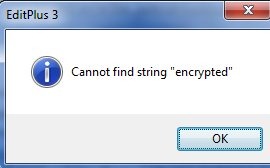
Don’t think this is valid? Run this below and re-search this backup for the string. You’ll find it. This is one thing encryption protects you from.
CREATE DATABASE NoTDE
;
GO
USE NoTDE
;
GO
CREATE TABLE MyTable( LogData VARCHAR(MAX))
;
INSERT MyTable SELECT 'This is an encrypted database'
;
GO
BACKUP DATABASE NoTDE
 TO DISK='notde.bak'
;
The database is encrypted, but anything I do with the database doesn’t require code changes, hence the “transparent” nomenclature.
The value of this is debatable, but I think it’s not a bad feature to implement if you have Enterprise Edition and you need this protection for PCI, HIPAA, or some other regulation.