Author: way0utwest

  • Security by Obscurity

    This is an editorial reprint from Aug 23, 2005

    I wrote awhile back about security through chaos, and that piece provoked some interesting responses. While I’m not sure I’d recommend it for every company, in some places it makes sense. I saw this Info World article on Security by Obscurity and it reminded me of what I’d written.

    The article talks about some basic things you can do to that don’t seem like much, but the suggestions obscure things and ensure that not much on your system is as it would be expected. One simple thing they talk about is not installing to the default locations. That doesn’t sound like it would help much as there are always ways to read the registry or use environmental variables to find installations.

    However it does work. How many pieces of software, including some SQL Server Service Packs, expect things to be installed on c:? How often have you been bitten by a “bug” in some software because you’d renamed or moved something?

    Computer software depends on patterns in many cases to work. And we all use patterns to shorten development time. We reuse code, we cut and past way too much, and we often forget to make simple checks for things being moved around.

    The same goes for virus and worm writers. The people who develop the technology might not be fooled, but so many script kiddies that use kits of modify some piece of code aren’t as savvy and don’t necessarily make these checks. I know that the administrator account has a particular SID that you can scan for, but I’d be willing to bet that most people would write a worm looking for “administrator”. Just think how much less of a problem SQL Slammer would have been if most people had moved SQL Server to some non-default port.

    Simple obfuscating changes aren’t the answer to security issues, but they provide another layer of protection.

  • Off to the Big Apple

    I’m heading to New York today, off for SQL Saturday #59. Another travel day, but I am looking forward to this trip. First, New York is one of the coolest cities in the world. Second, I get to meet a few people that I’ve wanted to meet: Robert Pearl and the @SQLDiva. I’ve known of them for years, and corresponded with Robert many times, and am looking forward to shaking hands and putting a face with a name. It’s also a good chance to hang with Grant Fritchey, Karen Lopez, and Michael Coles, all of whom I always enjoy seeing.

    I’m also looking forward to finding some time to run in Central Park. I’m not sure if I’ll get up early Sat morning or go right after the event, but I have wanted to get a mile or two in that famous place for a long time.

    No sports this time, and it’s a busy trip. As soon as I get back I’m also off for a week’s vacation, so this is the culmination of a very busy week for me. Looking forward to time in the mountains next week and a fairly unwired time.

  • Little Devices

    It seems that I get more and more done with my smartphone all the time. I find myself responding to lots of emails, having text or Twitter conversations, taking pictures, reading, even making notes on my iPhone. I can’t imagine every going back to a non-smartphone device. Whether it’s an iPhone, Android, or WinMo 7 device, I have found that they make me quite productive throughout the day.

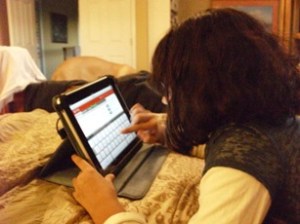
    I was just starting to get away from plain phones when I last worked for a large corporation. These days, I see many of my friends sporting smart phones, and getting work done on them. I even have one Windows administrator friend that carries an iPad around work, RDP’ing into servers to handle small tasks.

    So I wonder how many database people can get things done. Since it’s Friday, I thought that it would make an interesting poll:

    How much of your work could you get done from a mobile device.

    I’m wondering if there is a chance that you can see a good portion of your administration, monitoring, or even daily work done from some device that isn’t a full size laptop? It could be a smartphone (Android, iOS, WinMo) or even a tablet (iPad/Galaxy) that allows you to actually knock things off your to-do list when you are away from your desk or don’t have a laptop.

    If you’ve never used a mobile device for doing work, please don’t complain about them. They are great devices and they’ve made me very productive when I can’t sit at a desk or carry a laptop. I think many others agree, and I’m interested in seeing how use mobile devices.

    Steve Jones

    If you’re a DBA, you might want to check out SQL Monitor, from my employer, Red Gate Software. Maybe your boss will let you get a copy and an iPad to manage your servers.

  • Scheduled Out

    I’m all scheduled out for the next week with newsletters and content ready to go through Nov 29. I’m not sure I’ve ever been this far ahead, often counting on someone else to do a few things for me.

    Hopefully this all works out with no phone calls from work next week.