Author: way0utwest

  • Moving to Serverless for Azure SQL DB

    After the announcement of Serveless Azure SQL Datbase at //build/, I decided to give it a try. I have some Basic databases, so what would Serverless mean for me? I was wondering as the Basic dbs are cheap and moving to Serverless means moving to Gen 5, larger machines.

    Let’s try this.

    Reconfigure an Existing Database

    I’ll pick one of the basic test databases I have and look for the sizing. It’s under Configure, which is where my mouse it in the image below.
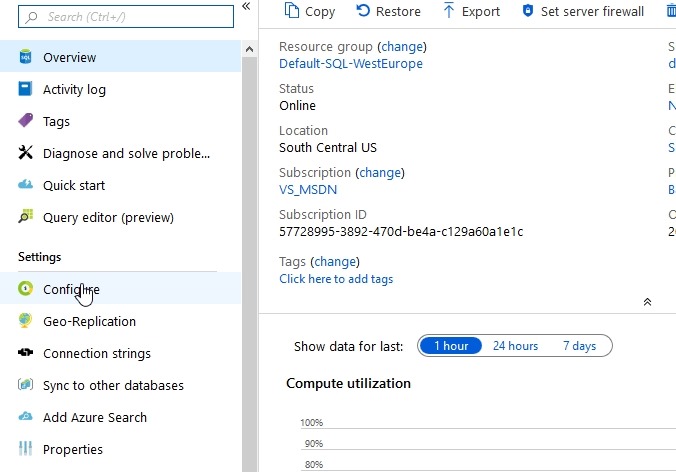
    2019-05-06 16_07_02-SQLPatches - Microsoft Azure

    Here’s my database config and cost. For my little dev/test environment, this makes perfect sense. I’m paying $4.99 a month in virtual cost. Since I get $150/month as part of my subscription as an MVP, I can afford to put up 5 or 6 of these test databases for different things without worry.
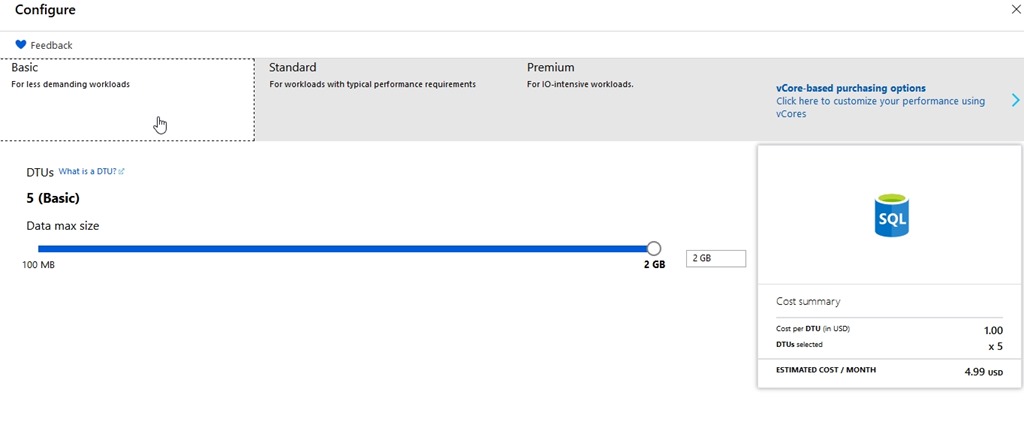
    2019-05-06 16_07_36-Configure - Microsoft Azure

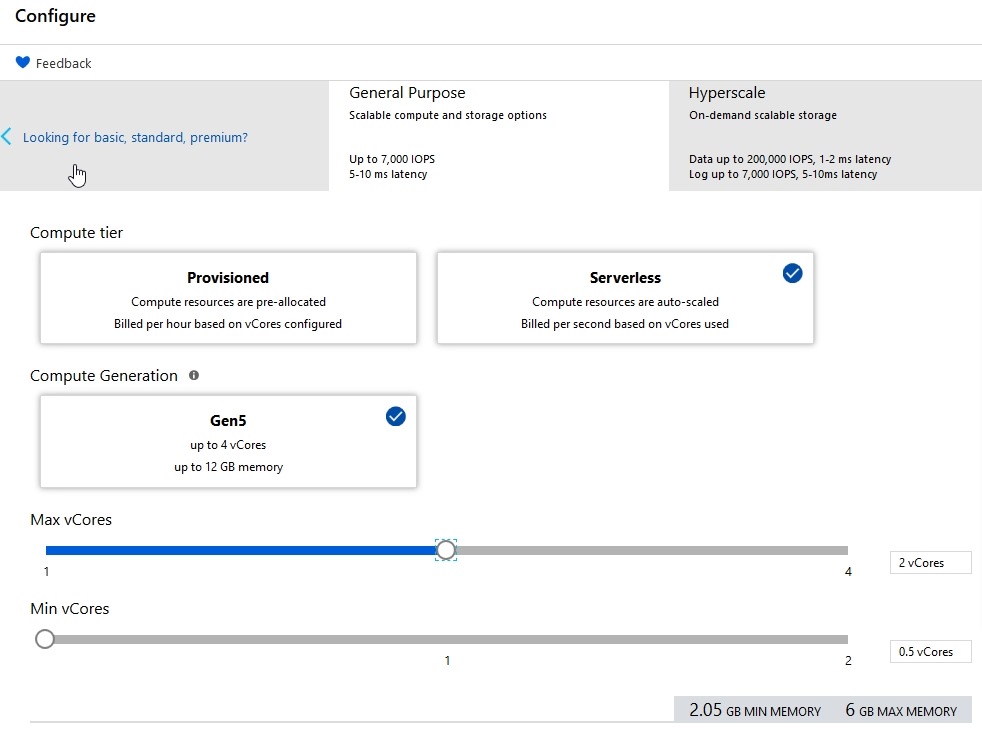
    After I click the vCore pricing, I get new options. I can see Serverless in here.
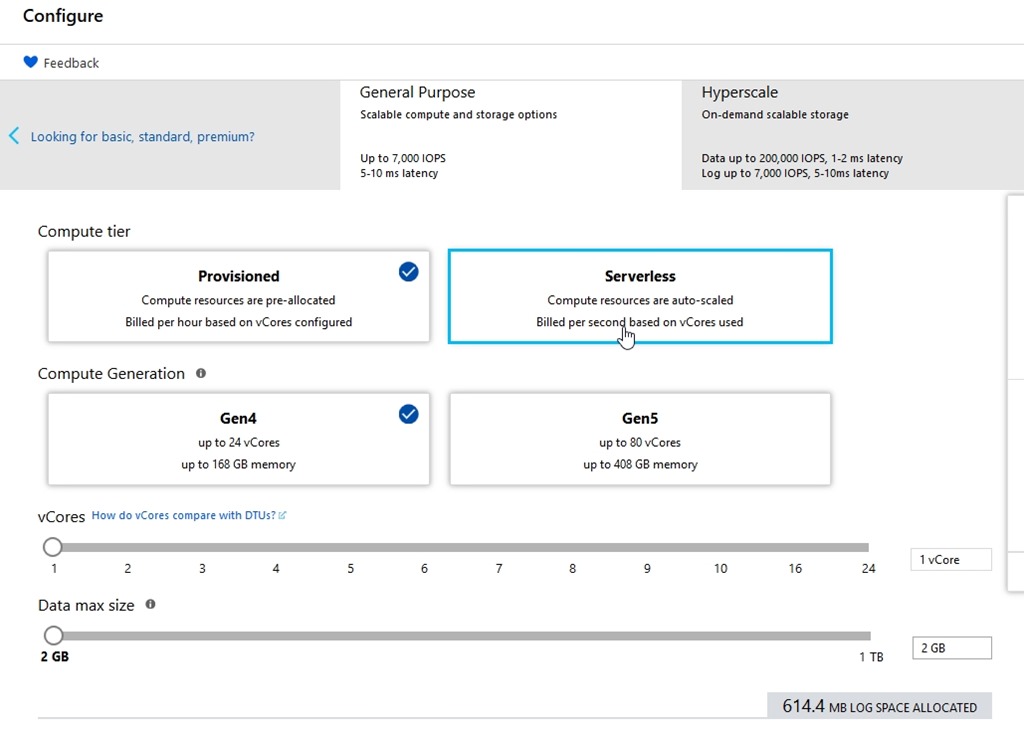
    2019-05-06 16_07_49-Configure - Microsoft Azure

    For dev/test (for me), that’s a lot. I don’t want this kind of bill every month.
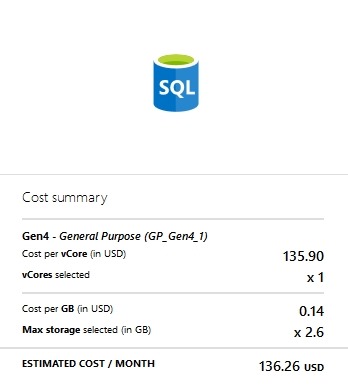
    2019-05-06 16_07_58-Configure - Microsoft Azure

    Let’s change to serverless.

    2019-05-06 16_08_14-Configure - Microsoft Azure

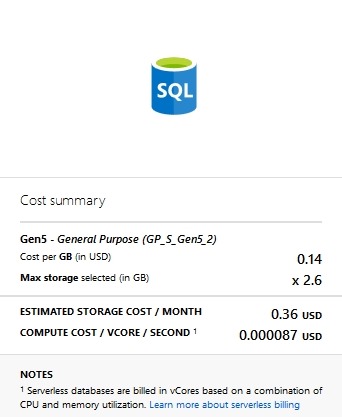
    That cost changes

    2019-05-06 16_08_19-Configure - Microsoft Azure

    That’s more affordable. I think that’s worth trying.

    The last thing to set is the Auto-pause delay. This is the amount of inactive time that we set before the db shuts down. We don’t want this shutting down after a few seconds of inactivity, presumably because there is overhead to shutting down and restarting. I’d expect that most people would want tens of minutes or hours before stopping.

    I hope so, because when you scroll down, you see this:
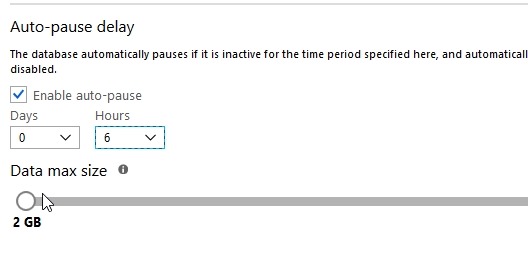
    2019-05-06 16_11_49-Configure - Microsoft Azure

    However, that’s the minimum you can set.
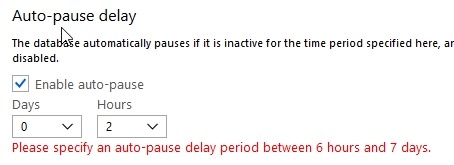
    2019-05-06 16_02_12-Configure - Microsoft Azure

    Six hours seems crazy, but still, it’s better than nothing. I hope this changes after the preview period to something more like 1 hour. Perhaps this is to gather additional telemetry during preview, but we’ll see.

    I click “Apply” and see this:
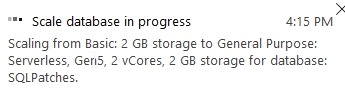
    2019-05-06 16_15_53-Configure - Microsoft Azure

    If I go back to the overview, I see one of the cool things about Azure.

    2019-05-06 16_16_37-SQLPatches - Microsoft Azure

    I can still use the system as I’m making changes. That’s not normally what happens with IaaS or my own systems.

    Is It Worth it?

    We’ll see. I’ll check the bill next month, while making it a point to access this database and do some work. I’m guessing my bill will go down, which is good, but I’d also expect that this database will perform better than my previous one because it’s much larger.

    This is an interesting idea, but we’ll see how it goes.

  • Puzzles–T-SQL Tuesday #114

    This month we have a very interesting topic from Matthew McGiffen. He gets back to the roots of the party with code by asking a question on puzzles. It’s a good question, and one that makes me think. I’m not a big puzzler, but I think I’ve solved a few.

    Interesting Challenges

    One of the things we’ve tried to do at SQLServerCental is come up with some ways to inspire you. We have articles, numerous questions to be answered, our Question of the Day, Crosswords, and more. I’d like to do more, but one thing I’ve found is that puzzles take a lot of time.

    I have enjoyed some of the puzzles from the Advent of Code and Project Euler, which are good programming exercises. I’ve used Python and PowerShell to solve some of these, mostly to practice skills in building algorithms and implementing them.

    Solving a Puzzle

    One of the puzzles that I enjoyed solving was from the Advent of Code 2015, Day 2. This was a surface area problem, and one that reminded me of math class in high school. I always did enjoy that subject.

    In any case, I solved the issue by loading some data into a table and then digging in with a  few CTEs to

    Might not be the best solution, but it was one I enjoyed working out:

    ---- create table

    --create table Day2_WrappingPresents

    --(

    -- dimensions varchar(100)

    --)

    --go

    ---- load data

    --bulk insert Day2_WrappingPresents

    -- from 'C:\Users\Steve\Documents\GitHub\AdventofCode\Day 2 - Wrapping\input.txt'

    --go

    ---- check

    ---- select * from Day2_WrappingPresents

    --go

    -- break this down to get the dimensions

    with cteSplit (d, el, sw, sh)

    as

    (

    select

    dimensions

    , endlength = charindex('x', dimensions) - 1

    , startwidth = charindex('x', substring(dimensions, charindex('x', dimensions),20)) + charindex('x', dimensions)

    , startheight = len(dimensions) - charindex('x', reverse(dimensions)) + 2

    -- , c1 = charindex('x', dimensions)

    -- , c2 = charindex('x', dimensions, charindex('x', dimensions)+1) -

    from day2_wrappingpresents d

    )

    , cteDimensions

    as

    (select

    d

    , l = cast(substring(d, 1, el) as int)

    , w = cast(substring(d, sw, sh-sw-1) as int)

    , h = cast(substring(d, sh, len(d)) as int)

    from cteSplit d

    )

    , cteOrder

    as

    ( select

    d

    , small = case

    when l <= w and l <= h then l

    when w <= l and w <= h then w

    when h <= l and h <= w then h

    end

    , middle = case

    when (l >= w and l <= h) or (l <= w and l >= h) then l

    when (w >= l and w <= h) or (w <= l and w >= h) then w

    when (h >= l and h <= w) or (h <= l and h >= w) then h

    end

    , large = case

    when l >= w and l >= h then l

    when w >= l and w >= h then w

    when h >= l and h >= w then h

    end

    from cteDimensions

    )

    , cteFinal

    as

    (

    select

    d

    , area = (2 * small * middle) +

    (2 * small * large) +

         (2 * middle * large)

    , slack = (small * middle)

    from cteOrder

    )

    select

    sum(area + slack)

    from cteFinal

    -- drop table Day2_WrappingPresents


  • Communicate Smarter Not More

    I recently installed Microsoft Teams. Not because I wanted to, or because Redgate is abandoning Slack, but because Microsoft requires it for some MVP calls. This replaces Skype for Business (S4B), and while it worked OK, I’m not sure it worked better. In fact, for the use cases I have, Teams feels like an abandonment of the Skype codebase for a newer version of the same thing. That’s fine, and I don’t really care. It’s slightly annoying as I have S4B for internal stuff at Redgate and didn’t need another tool, but with a modern, quad core, 2.xGHz CPU and 32GB of RAM, one more application isn’t going to break anything. It is, however, making me less productive.

    We have lots of ways to communicate. In fact, I have Twitter (social media), Slack (work comms), Outlook (email), S4B (calls) and a mobile phone all running as I write this. I don’t get too caught up in any of them, and I have most notifications disabled, precisely for the reasons outlined in this article: the tools can be a productivity drain. I know this, and most of these tools actually live in the background, behind the various tools I use to get work done. I check them at times, but try to stay off most of the day. I need to focus, and having more communication methods is distracting.

    There was a day not too long ago when I needed to find a person that had missed a meeting time. Messages went out through Slack DMs, Twitter DMs, text, Skype IM, and email, hoping that a notification would pop up for someone on some app. I know I’ve used Slack like a PA system at times, pinging other people to go find someone that wasn’t responding to messages. For someone working remotely, it’s frustrating to try and reach out to others, but I’ve seen people in an office take the same tactic, reaching out electronically, which often creates more interruptions and distractions for others. I don’t know if this is that much worse than walking around an office and physically interrupting others, but I do think it can be more pervasive as too many of us have constant notifications on devices that don’t go away when the workday ends. We also do it more, because it’s so easy. Getting up to walk around is a bar that deters some people from interrupting others.

    What might be even harder to deal with is the linkage of various applications together. Now I see GitHub messages in GitHub, Slack, and Email. It’s a barrage of items that aren’t hard to handle, but they each take away a little bit of time and attention.

    That’s the downside of communication methods. Each requires a little time, even if just to click/swipe/eye roll at a notification. Those little bits of time add up and don’t necessarily help us be more productive. Some things require too much time as I’ve watched people look through and consider just the right emoji to use for a reaction on Slack. Most of the time I think there should just be a couple choices, because the richness of the variety equates to the decline of quality time spent on work that needs to be done.

    We constantly hear that communication skills, those soft skills of relating to others and exchanging information clearly, are important. They are, but I think there is another element to communicating well: brevity. Learning to communicate effectively, in a way that allows you yo get your message across quickly, while also being able to focus for long periods of time is a skill more of us need. Being able to turn off distractions, or delay responses when quickness isn’t needed will help you be more productive and efficient. I think one of the interview questions I’d ask in the future would be around how to deal with the constant barrage of Slack/Teams/Skype/Outlook/Github/whatever-comes-next messages.

    Do you know how to reduce the overload of communications in your job? Let us know today.

    Steve Jones

    Listen to the podcast at Libsyn