Author: way0utwest

  • We Don’t Have Perfect Information

    I was discussing the PASS Summit with someone and they were wondering about building their schedule. Actually, they wanted to pick sessions, but see the choices in a calendar format, but the schedule wasn’t out at that point in time. My suggestion was to just build the schedule and then sort out conflicts later.

    A few people have mentioned over the years that they want to build a schedule and be ready for the event to maximize their experience and be efficient. I think that’s a common, normal thing that many technical people like to do. Many of us are Type-A, and we like knowing our plans and having a schedule prepared in advance. We can then decide which sessions might have greater priority for us during a time slow and adjust our choices to have the best experience. After all, we may want to see two speakers, but if they present at the same time, we have to make a choice.

    The problem is that we don’t have perfect information. Even if the descriptions and abstracts included perfect information about the agendas, what is covered, and to what depth, including demos, we’d still not necessarily assimilate and recognize all that data in a way that makes sense, even to us. There are no shortage of people that make plans today and are unhappy a few weeks later.

    Even if we knew what we wanted to watch, many of us might think a session on database design has to cover third normal form, even when the text said this examines PKs and FKs. We might assume an SSIS data load talk included something on CSVs when the presenter described the talk as being for ragged right text files.

    We’re human, and that means we have flaws in how we deal with the world. This includes the ways in which we model and analyze data. We can make mistakes in our analysis often when we simplify our view of a problem to the point where our analysis is inherently flawed. If we don’t account for this and assume we’re flawed, we may overweight our conclusions.

    I try to remember this when I write reports from systems that others will use. I won’t have every piece of information that might affect a decision, but I try to ensure I have the most important, or significant, data. Or at least, the data I and the users feel is significant. The important thing to remember is that out data is always incomplete, and it’s entirely possible that we have missed a valuable piece of data.

    When that happens, we have to adapt and adjust our report, our application, or our conference schedule. We’ll learn more across time and we can use that information to change our system. I know that my view of a conference like the PASS Summit today, or even a week before the event, will be different than how I feel at the event. I should have a plan, but be willing to flex as circumstances change. And, always have a backup. I like to pick two or three sessions for every time slot, just in case.

    Steve Jones

    The Voice of the DBA Podcast

    Listen to the MP3 Audio ( 5.3MB) podcast or subscribe to the feed at iTunes and Libsyn.

  • Importing Flat Files in SSMS 17.x Works

    One of the more annoying things I’ve found in SSIS/SSMS is trying to import CSV files for some quick analysis. For some reason I constantly seem to get files that the import wizard keeps having issues. On top of that, the defaults are annoying. When I need to get a CSV in, I select a Flat File source, but the filter for files always defaults to text files. Then there are more drivers and choices that make this complex.

    Recently I was looking to load a file and noticed a new option: Import from Flat File. I decided to try it and was pleasantly surprised.

    2018-08-27 09_52_03-

    Updating a Database

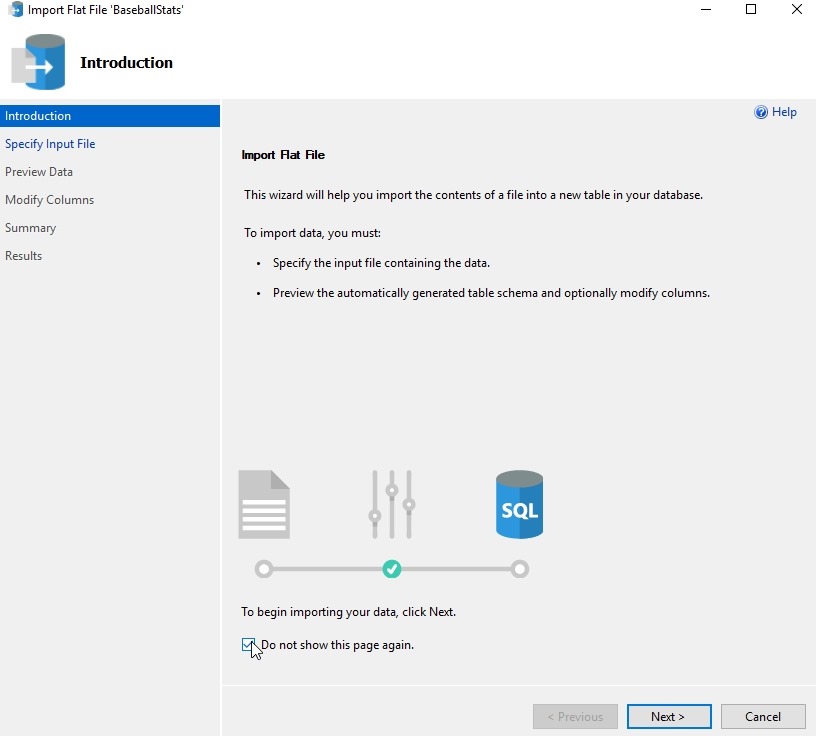
    I have a database of some baseball statistics, but wanted a few updates. I started using this wizard to quickly update about 10 tables. Here’s how this works. When you select the option, a wizard starts with this screen.

    2018-08-27 09_54_42-Microsoft Edge

    There’s no reason to look at this more than once, so check the “Do not show” box, as I did. Click Next.

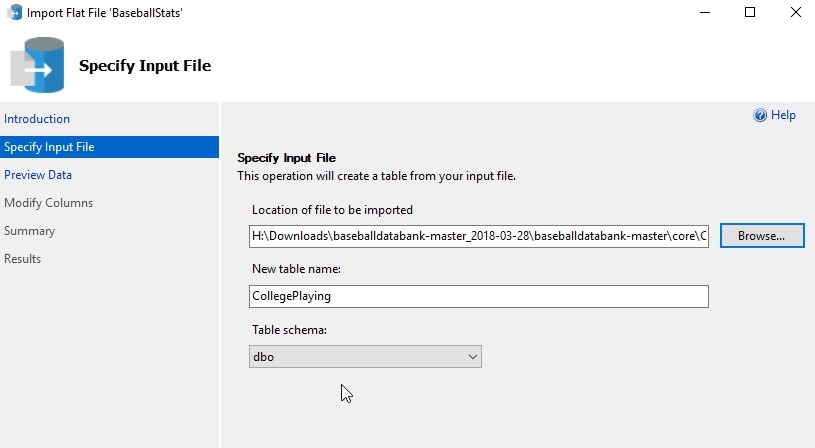
    Once you do that, you need to pick the source of your data. There’s a Browse button, and when you pick the file, you get a filter for Data files, which are .csv and .txt files. The file you pick will be used for the table name in the dbo schema, but those can be changed in the text boxes.

    2018-08-27 09_55_39-Microsoft Edge

    Note that this wizard only works with new tables, so if your plan is to update another table, you need to stage this data in its own space first.

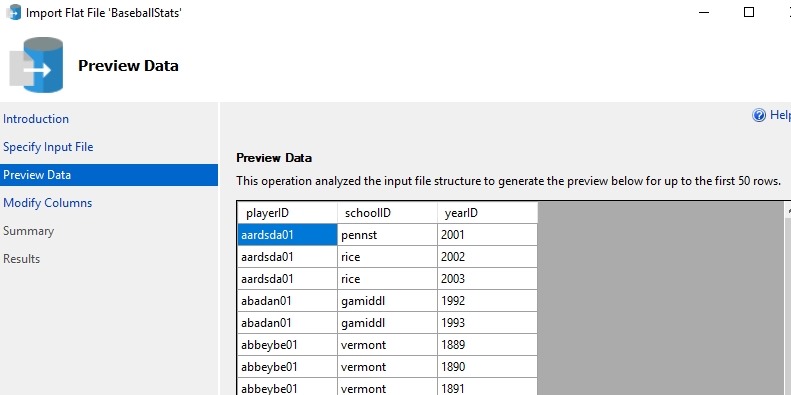
    The next step in the wizard is a preview of the data. This is handy, and for me I glance to get an idea of what the data is. This is useful and you can use the “Previous” button at the bottom to get back here from the next screen.

    2018-08-27 09_56_46-Microsoft Edge

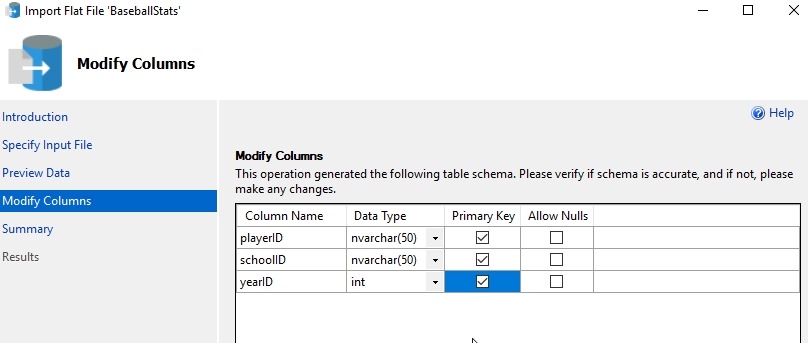
    This next screen is the reason I love this wizard. I can get the data types and the PK for the table. This designer makes it easy to import the data. I can fix the table, which is nice. In a few of these files, I want to change from nvarchar to smallint for data, and allow nulls for some fields. Plus, being able to set the PK here is great.

    2018-08-27 09_58_14-Microsoft Edge

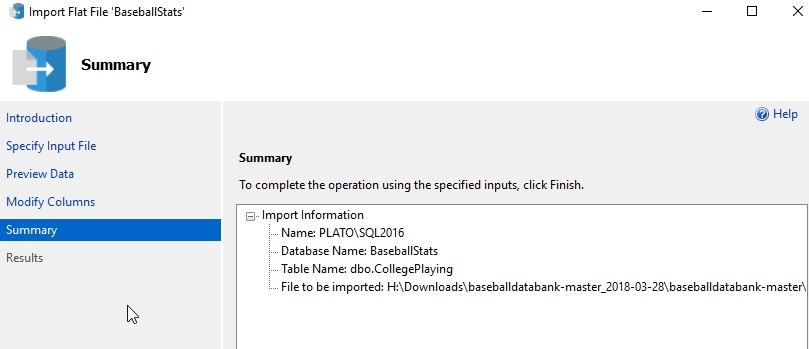
    The next step is a summary. I usually quickly click the Next button to import data.

    2018-08-27 09_58_21-Microsoft Edge

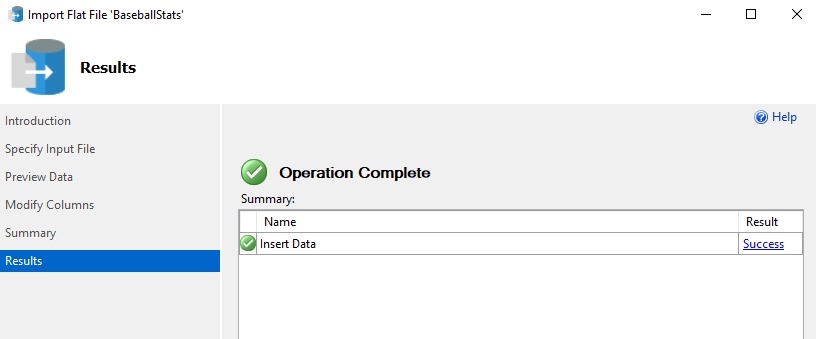
    If things work well, you get a green checkmark here. If not, you can go back and change settings, like adjust the PK or allow nulls. I even go back twice to preview data sometimes.

    2018-08-27 09_58_28-Microsoft Edge

    One note here. If you go back, the table exists, and you’ll need to drop it.

    If you care, you can get the baseball statistics from here: http://www.seanlahman.com/baseball-archive/statistics/

  • SQL in the City Summits–Coming to New York, London, and Chicago

    I love New York. Every time I get to travel to the city, I get excited and look forward to the trip. I was able to spend a night in Brooklyn earlier this year, touring a college with my daughter. Now I’m very lucky to get a second trip this year, with Redgate for a SQL in the City Summit.

    Social all 1200x628

    We have 3 live Summit events coming in October to a few cities: New York, London, and Chicago. These are in person events where we have presentations scheduled for customers and potential customers. These are thought provoking talks and interactive workshops, aimed a C-level and senior staff. If you’re got someone in your organization that might be interested, pass this link along: https://www.red-gate.com/hub/events/redgate-events/sqlinthecity-summit/

    We have Redgate speakers and expert guests, including Bob Ward of Microsoft. If you have the chance to go, contact your account rep today and get a code to register. These are paid events, though a limited number of free tickets are available.

    The schedule is:

    This will be a busy month of travel for me, with the PASS Summit coming the week after Chicago. It should be an inspirational and exciting set of events, and I hope to see some of your at one of these Summits.

  • The Helpful Triggers

    Today is the day for T-SQL Tuesday #106 entries. I’m the host this time, which means that I’ll have a busy week trying to compile all the entries for the round up. Last week I wrote the invitation, which was on triggers. Actually, I wrote the invitation in August, trying to be prepared in case my August host fell through, but Wayne Sheffield did a great job, so my hosting duties went on as planned. You still have time to write a post today for the party, but if you read this later, write at anytime. T-SQL Tuesday is a great set of ideas for blog posts, if you’re ever looking for an idea.

    When I think of triggers, overall I think of the headaches they have caused me. Since I rarely see them in most systems, when they do appear, it’s often because I can’t determine why some strange action is occurring and after hours of troubleshooting, someone else will usually suggest checking a trigger. At least, that’s been my experience in the past. These days when something unexpected happens, I tend to think trigger earlier, but I hate that they’re kind of hidden. The DDL is separate from the table, the folder in SSMS isn’t obvious. Really I wish that trigger folder was hidden unless there was a trigger. That would be nice.

    In any case, my thoughts on this T-SQL Tuesday are actually a time when I thought a trigger solved a problem really well for me. In this case we had an OLTP application and a finance application. In the pre-SSIS, pre-DTS days, moving data between systems was cumbersome, and in this case, I needed to move over some data reliably from one to the other. We elected for replication, since that would solve our issues, but these were disparate systems, with different schemas, and more importantly, a schema were were not supposed to alter for the finance application.

    Enter loose coupling. I set up two additional databases, one on each instance. In these I had my tables that were to be replicated, and that worked really well, until it didn’t. Even in the v6.5 days replication would sometimes flake. No problem, these are two small tables and I can reinitialize things easily. However, to get the data in and out of these tables, I decided to use triggers. We had an insert/update trigger that would take OLTP data and move it into the small publisher database on that system. On the other side, the subscriber database had a trigger to move data into the finance system. It worked well, and if we had replication issues, we could keep working, knowing that data would continue to stack up and we didn’t need to alter our application.

    I’m a fan of each system doing it’s own thing, usually independently, and having processes that do one thing. I can stack those up, but I expect and count on failures at some point. Usually these are minimal, but I try to avoid a long set of things that might have cascading failures if one thing ceases working. In this case, even if a trigger failed or replication had issues, I could manually add some data to another table and it would get moved by subsequent processes.

    Triggers are incredibly useful in places, but I do warn people to be careful. They always fire, and often we have exceptions we might need to deal with. We also need to be sure we easily handle multiple rows in every transaction. If you can remember that, and write tight, quick, small code, maybe you’ll find a helpful use for triggers rather than one that gives you headaches.

    Steve Jones

    The Voice of the DBA Podcast

    Listen to the MP3 Audio ( 4.8MB) podcast or subscribe to the feed at iTunes and Libsyn.