This is part of a series that covers my experience with a Tesla Model Y.
One of the things that a Tesla car does is make a lot of data available. From the mobile app I can not only control the car, but I get see where it is an how fast it’s going. There is more, but it’s a neat idea that I saw lightly implemented in my BMW X5, but in a very crude, 2000-era way.
Tesla is gathering a lot of data, and they’ve made it available to owners. You can log in with your Tesla account and get access to data. In fact, quite a few people are offering services, like Stats, Tezlab, and TeslaFi. I tried a couple, but really I didn’t like the idea of my data flowing out to third party services. There’s already been a hack with one.
Then I found TeslaMate, a project that a Tesla owner built, allowing you to run your own service, capture data in a PostgreSQL database, and run your own dashboards in Grafana. There’s a lot of setup here, but I decided to run it in Docker, which was easier. My plan is to move this to the cloud at some point, but for now it’s on my home machine.
This is what I did.
Setup
I have Docker Desktop running, so pulling the container down was easy enough to do. Then the instructions have you set up a docker-compose file. If you’ve never done this, it’s basically a YAML description of the containers and options you want to run. In this case, I’m configuring four containers: the teslamate service, the mosquito message broker, the granada site, and one for postgres.
I set up a folder on my machine and put the docker file inside of it. I changed the config with my own passwords and left the port alone. I left the volumes along, which was a bit of a pain as I had to track down the location for the data to back it up. Not hard, but a pain.
I then downloaded the Tesla Tokens app, which allows me to see the tokens that the Tesla website will return to me when I log in. This took a little googling around the Internet to figure out, but once you have this, then your container can log into your account and access data.
Then I built a CMD file, which looks like this:
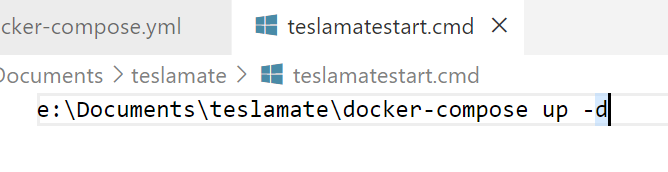
I set this up in the Task Scheduler to run whenever the machine boots. This ensures that if I restart, my containers are running. Overall, this ensures I get most data.
Once I had it running, I can connect to port 4000 on my local machine. To make this easier, I set up DNS entries (since I own a domain) that map from a name to 192.168.100.200 (I have a different internal network). This makes it easy to get to the dashboards.
The View
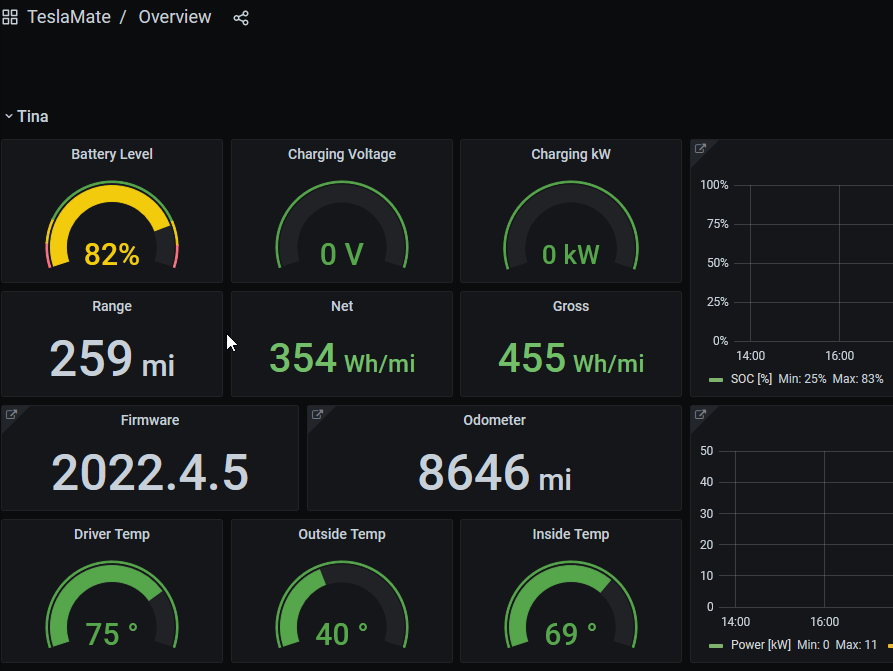
Once I had the containers running, I can go into the Overview, and I’ll see things like this:
I have this list of dashboards:
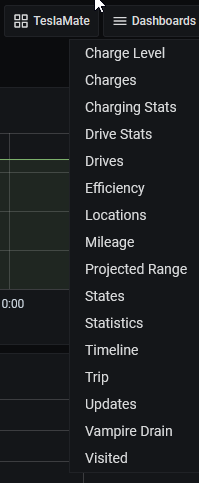
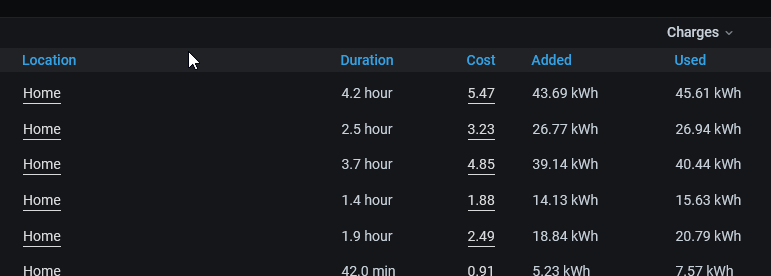
Each of these has different sets of data available for me to view. For example, I can geofence my house, and then enter the cost of charging at home. This lets me see my charges:
I can also see my drives and get an idea of how much it costs me in power to go places. Here’s one of the recent ski trips I wrote about.
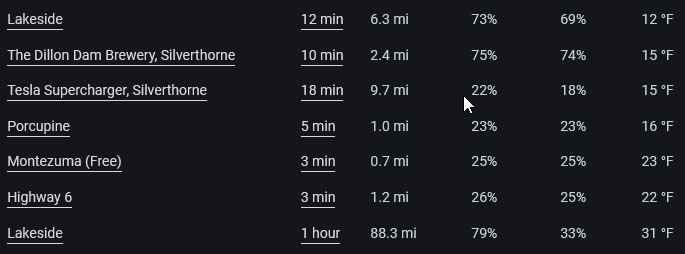
There’s a lot more data to analyze, and most of it I don’t care about, but I do like to see how much power I’m using on average and where I’m going often. It’s not that helpful, but it is interesting. One thing I could have guessed is how temperature affects things, but living in Denver, the most efficient times are the majority of the weather here.
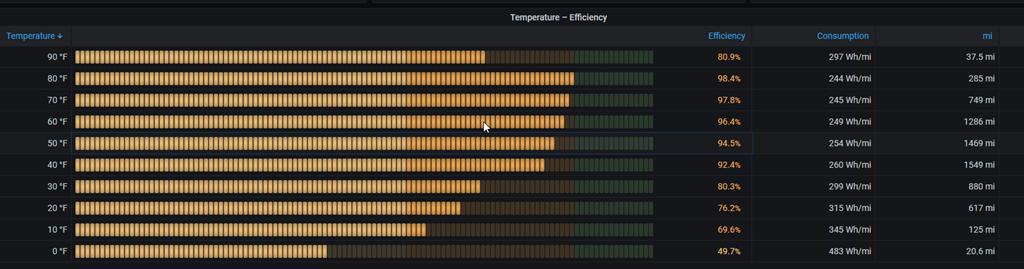
I like the ability to gather my own data, and analyze it. At some point, I want to move the containers into AKS or another cloud service and monitor from there.
Of course, I back up my data periodically, and need to get an automated system running (I do have BackBlaze). Something for another day.

