This is a series on SQL Data Generator, covering some interesting scenarios I’ve run into. If you’ve never tried it, SQL Data Generator is a part of the SQL Toolbelt. Give it a try today with an evaluation today.
A person was wondering about how data is generated with SQL Data Generator and foreign keys. In this case, the person was having an issue with a compound foreign key.
Here’s a quick look at how this works. I’ve got two tables
CREATE TABLE Product
(   ProductCode VARCHAR(30) PRIMARY KEY
   , ProductDesc VARCHAR(100))
;
CREATE TABLE SubProduct
(   SubProductCode VARCHAR(30)
   , ProductCode    VARCHAR(30)
   , SubProductDesc VARCHAR(100)
   , CONSTRAINT SubProductCodePK PRIMARY KEY (ProductCode, SubProductCode)
);
ALTER TABLE dbo.SubProduct
ADD
     CONSTRAINT fk_SubProduct_ProductCode FOREIGN KEY (ProductCode)
                      REFERENCES dbo.Product (ProductCode)
;
GO
These two tables are related with a FK. In this case, SubProduct relates to Product, but there is a constraint that says I can’t have duplicate product/subproduct combinations. That’s fine, and my data looks like this:

Now, I have a new table, this one contains a FK back to the other tables. In fact, I have two FKs, though I could deal with one.
ALTER TABLE dbo.SubProduct
ADD
     CONSTRAINT fk_OrderItems_ProductCode FOREIGN KEY (ProductCode) REFERENCES dbo.Product
                                          (   ProductCode)
;
ALTER TABLE OrderItems
ADD
     CONSTRAINT fk_OrderItems_SubProductCode_within_ProductCode FOREIGN KEY
                                                             (
                                                                 ProductCode
                                                               , SubProductCode) REFERENCES dbo.SubProduct
                                                             (
                                                                 ProductCode
                                                               , SubProductCode)
;
This FK is compound, consistenting of both ProductCode and SubProductCode. What does this mean? It means I can’t have an entry in OrderItems for a SubProductCode unless that SubProductCode has a matching ProductCode in the SubProduct table.
Or, in better English, If I have a Product Code of “RXZP”, of which I have 2 above, I can’t have a SubProductCode of “BA”, which isn’t in the table. I’ve constrained my SubProductCodes to those values that are available for a particular ProductCode. In this case, my only SubProductCode choices are “TJ” and “TW”.
A good data consistency model.
In Data Generator, this DRI is picked up. If I look at the generation for the OrderItems table, I see that both ProductCode and SubProductCode are listed as FK values.
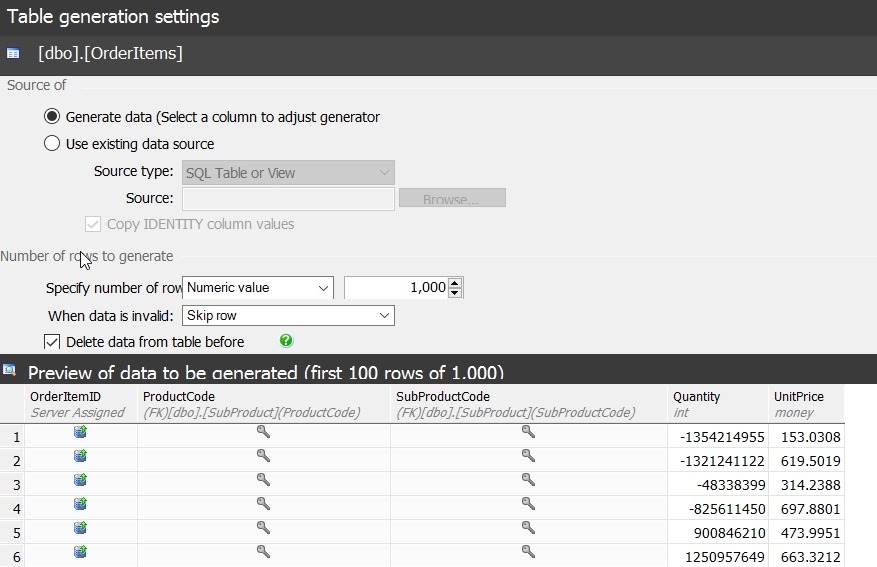
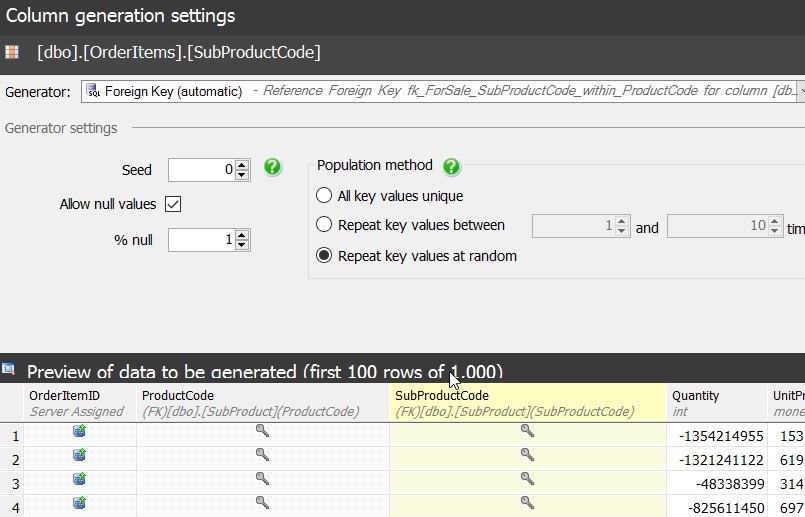
That’s good, but I have two FKs on OrderItems. Which one is important? In this case, I can click the column and see. For ProductCode, it’s using the compound FK.

The same thing appears for the SubProductCode
If I generate data, I then get something like this:

As you can see, my product “RXZP” will all have “TJ” or “TW”. I know this because the FK will prevent anything else. This is handled and enforced by SQL Server, but Data Generator doesn’t create any errors when it generates the data since it’s using the source tables as the domain of possible values.
The User’s Problem
The user in this case didn’t have any DRI declared in this way. Their schema actually had the primary key in Subproduct as only the SubProductCode, not as a compound primary key. Their FK from OrderItems had the same issue, with a FK only to SubProductCode. As a result, Data Generator, and really any script, would assume that all values in SubProductCode are valid, regardless of ProductCode.
The lesson here is that DRI matters, and if you have business rules such as these, use a FK to enforce them.