Category: Blog

  • Replication Silliness

    I wrote an editorial asking about things that needed to be done to improve replication. There are plenty of things that need help, but as I was testing some replication, I got this the other day.

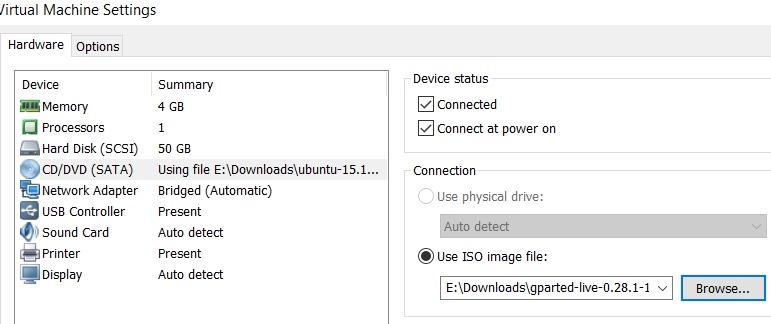
    2017-06-20 10_35_01-Socrates - VMware Workstation

    I am trying to setup a secure home network (other than the same password for a few services to make life easier). I have firewalls running and open specific ports for SQL Server. In this case, I have multiple instances on this machine, so I opened a port for a named instance. I didn’t want the SQL Browser running, and connected with the port.

    These are all valid connections for the server:

    • Atlas,51433
    • Atlas\SQL2016,51433
    • Atlas.home.xxx.net,51433
    • Atlas\SQL2016
    • 192.168.1.201, 51433
    • 192.168.1.201\SQL2016, 51433

    Guess which ones work? Only the name/instance.

    Perhaps I’m doing something wrong, or there’s a setting, but this is a bit silly that valid connection strings with ports don’t seem to work with replication.

    Especially after seeing this:

    2017-06-20 11_20_43-What's New (Replication) _ Microsoft Docs

  • DevOps Basics–Staging and Committing Changes

    Another post for me that is simple and hopefully serves as an example for people trying to get blogging as #SQLNewBloggers. This is also a part of a basic series on git and how to use it.

    In the course of normal work, you’ll change your code files. Git requires that you specify those changes that you want to commit, and those that you don’t. This means I can make changes to a few files, but not commit all those changes.

    For example, let’s say that I add a couple files to my repo. I’ll add the Tables/Log.sql and Views/LogView.sql to my repo. This will give me a status in git that shows these are new files. In this case, I see the folders as they are new as well.

    2017-06-27 21_21_16-cmd

    If I add these files as being tracked, I’ll use “git add Tables” to add that folder and file. I get a new status.

    2017-06-27 21_22_07-cmd

    Here my Log.sql file is being tracked (and the folder) as changes that are staged to be committed. If I commit now, I’ll get just that file added, but not Views\LogView.sql.

    2017-06-27 21_23_40-cmd

    Staged and Changed

    There is one strange thing I’ve run into, at least, strange to me. If I stage my Views folder, I’ll get this:

    2017-06-28 12_12_23-cmd

    Now I’ll change the LogView.sql file, removing the SELECT * and adding columns. When I check the status, I now see the file in both the staged and unstaged areas.

    2017-06-28 12_13_25-cmd

    This is allowed, but if I commit, I’ll get the original version of LogView.sql as it existed when I ran the git add command. See below that after my commit, I still see the modified file.

    2017-06-28 12_15_50-cmd

    If  I add and commit that file, I can use git log to see the actual changes. See the line in red with the – is the original line, while the green line with + is the change.

    2017-06-28 12_17_02-cmd - git  log -p

    Git add and git commit are the main ways you’ll commit files. If you have issues with a GUI client, then this is a good way for you to debug and clean up your repo. Knowing the command line is always the best way to truly understand what is happening.

  • SSoL–Elevating Privileges

    I don’t think most of us need to know Linux, but if you end up managing a system, it’s good to have a little idea of how to get around. This is a short series of posts as I remember the skills I used to have back in university.

    One of the things that you might find the need to do on a Linux system is elevate your privileges. By default when we connect and work on Linux, we are working as normal users. We do this in Windows, but when we need more privileges, Windows will give us a UAC prompt. Linux doesn’t.

    For example, when I want to check for updates of software, I use apt-get. That doesn’t work for my normal user:

    2017-06-15 09_54_59-Ubuntu 64-bit SQL Server .210 - VMware Workstation

    Instead I need to use sudo to elevate privileges. You prefix a command with sudo, enter the root password, and you get elevated privileges, as shown here.

    2017-06-15 09_57_14-Ubuntu 64-bit SQL Server .210 - VMware Workstation

    If you just enter sudo -i, then you get the shell to switch and all commands execute as root.

    2017-06-15 10_00_09-Ubuntu 64-bit SQL Server .210 - VMware Workstation

    Don’t do this. DON’T. Work as a normal user until you need higher privileges. For the most part you don’t.

  • Adding Performance Counters back for SQL Server

    I had a strange situation the other day, where a number of things went wrong with my instance. First, I lost permissions to detached databases. The SID was listed in the file permissions, but apparently unlinked to an account.

    Next, I went to add an alert, and I only had the XTP counters.

    2017-06-14 12_16_20-SQLQuery4.sql - (local)_SQL2016.sandbox2 (PLATO_Steve (63))_ - Microsoft SQL Ser

    The counters are also missing in Performance Monitor. What is interesting is that I show the correct SQLAgent counters for each of my three instances.

    2017-06-16 08_54_19-Add Counters

    A quick search found me this blog on MSDN, where it recommends the following:

    unlodctr mssqlserver
    
    lodctr perf-mssqlserversqlctr.ini

    I had a named instance, so for me I entered:

    unlodctr mssql$sql2016
    
    lodctr perfMSSQL$SQL2016sqlctr.ini

    from an elevated command prompt. Running the last command again shows the counters loaded.

    2017-06-16 09_19_26-cmd (Admin)

    I also checked my registry, which appeared to be fine:

    2017-06-16 09_08_38-Adding Performance Counters back for SQL Server - Open Live Writer

    I next found another blog that noted I might need to resynch WMI, so I ran winmgmt, using the PID from Task Explorer (details tab):

    2017-06-16 09_24_32-cmd (Admin)

    I didn’t see counters at first, but I restarted the instance. Once that was done …

    2017-06-16 09_23_29-New Alert

    A nice fix, and one I probably won’t forget after this blog.