

I don’t think most of us need to know Linux, but if you end up managing a system, it’s good to have a little idea of how to get around. This is a short series of posts as I remember the skills I used to have back in university.
While working with some SQL Server 2017 tests, I ran out of disk space. I tend to size my VMs around 40GB, and that works for some things, but I’ll run out of space.

I needed to expand the VMWare disk. That doesn’t mean Linux sees the space directly, and I had to figure out how to make the partition bigger. I could have added another disk, but I wanted to work through this process. I learned I needed to have an inactive partition, so I download gparted on a live cd and booted to that.
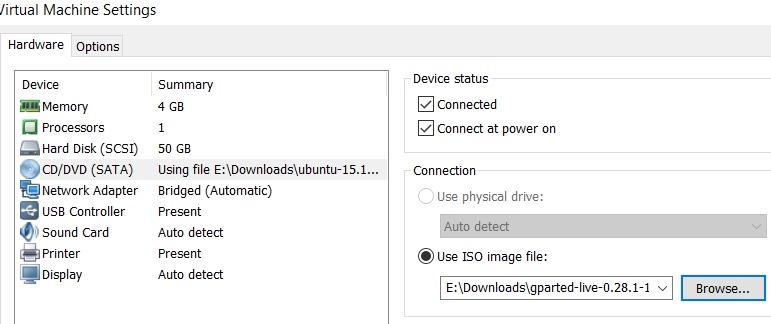
Next I started working through a few of the tutorials on Linux partitions. This one on AskUbuntu was helpful, as I ended up having to move my swap partition to the end of the disk.

GParted isn’t completely intuitive for a Windows guy, but I muddled through it.
Once I had the operations I wanted, I applied them, and partitions moved.

I rebooted, and checking the main partition properties, I had space.

Now, back to SQL Server on Linux.


Comments
4 responses to “SSoL: Adding disk space with a repartition”
I have to do this about twice a year as my media server VM grows. One of these days I will build a proper NAS and replace the bloated old VM with a lean and mean new machine.
LikeLike
Or move to containers. Those are starting to look good to me.
LikeLike
It’s even easier if you use the logical volume manager. Then, you can do this from a command line and do not need a GUI to run gparted. Check out http://www.davidklee.net/2017/07/24/sql-server-on-linux-series-additional-drives/ for more details.
LikeLike
Not sure that’s easier. A glance through there wasn’t clear, but the issue I had was I couldn’t alter a partition in use. Had to boot from a mini distro.
LikeLike