Tag: SQL Compare

  • Deploying an Updated Model with SQL Compare 16

    In a previous post, I deployed a model to a database using SQL Compare 16. This used a new feature in that connects to Redgate Data Modeler. In this post, I want to update my model, and again use SQL Compare to just get the changes deployed.

    There’s a video of this post at the bottom if you’d rather watch me work.

    This is part of a series on Redgate Data Modeler. This is also part of a series of posts on SQL Compare.

    Updating the Model

    As with the last article, everything was in sync with SQL Compare. You can see this below.
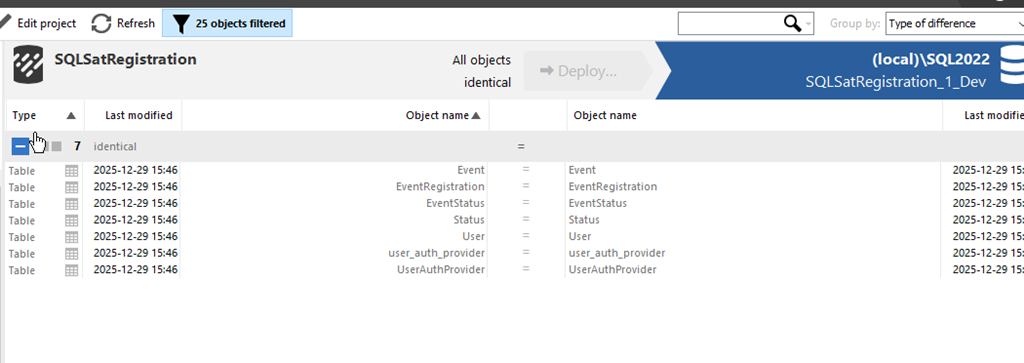
    2025-12_0099

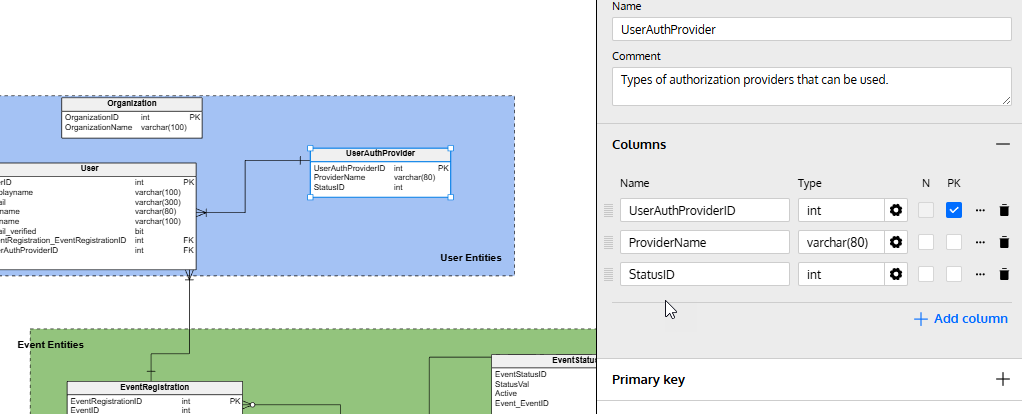
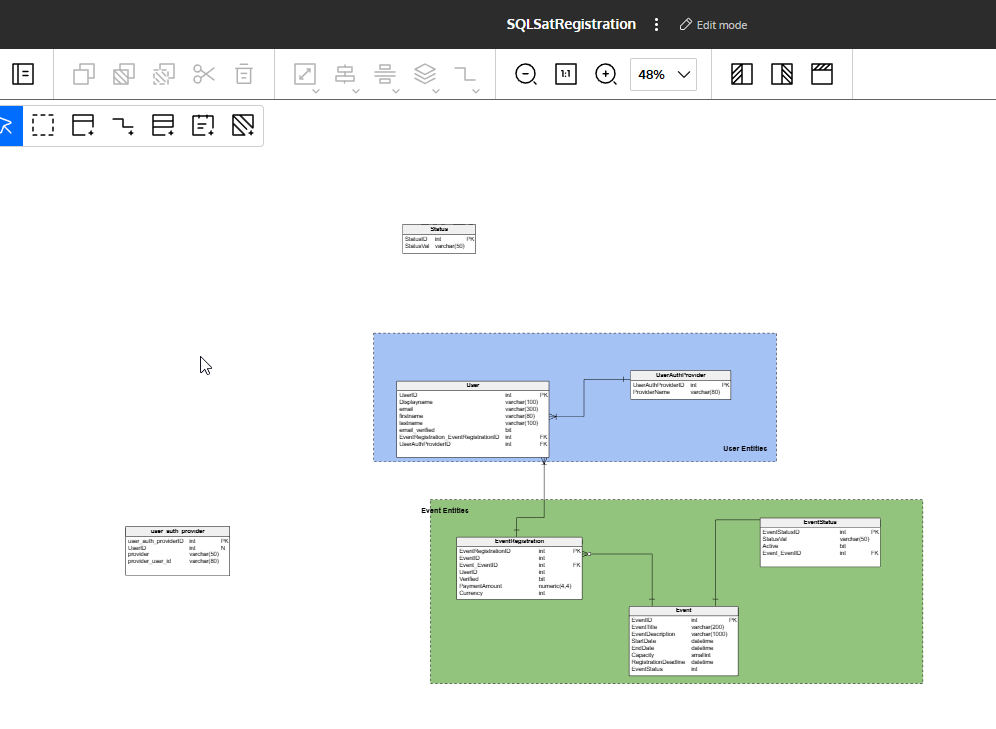
    Let’s alter a few things. First, I’ll add a new table. I wrote about this in another post, but I’ll click new table, click in the diagram and then fill in details. In this case, I’m creating the Organization table.
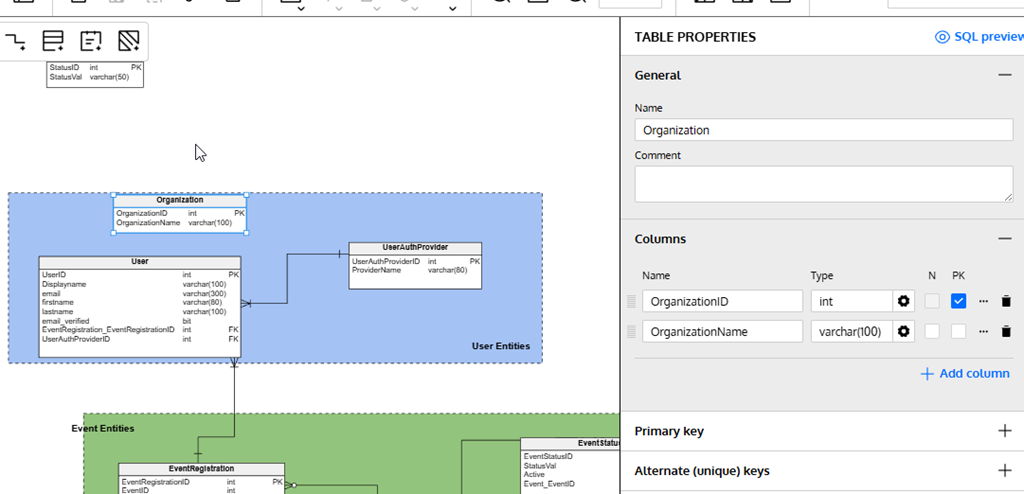
    2025-12_0101

    I’ll also alter an existing table. I’ll click the “Add column” in the lower right of the properties blade after selecting the table in the diagram.
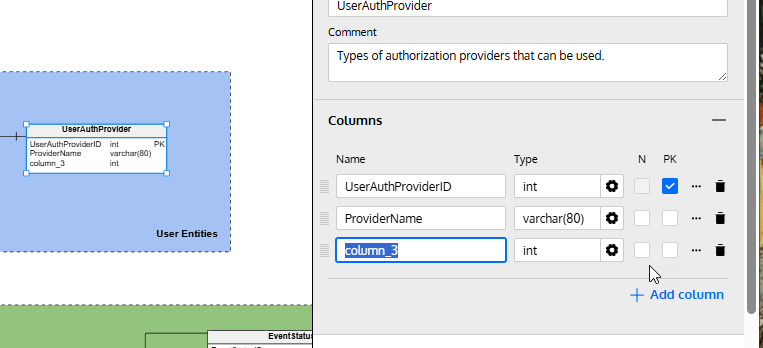
    2025-12_0102

    I fill in some details here.

    2025-12_0103

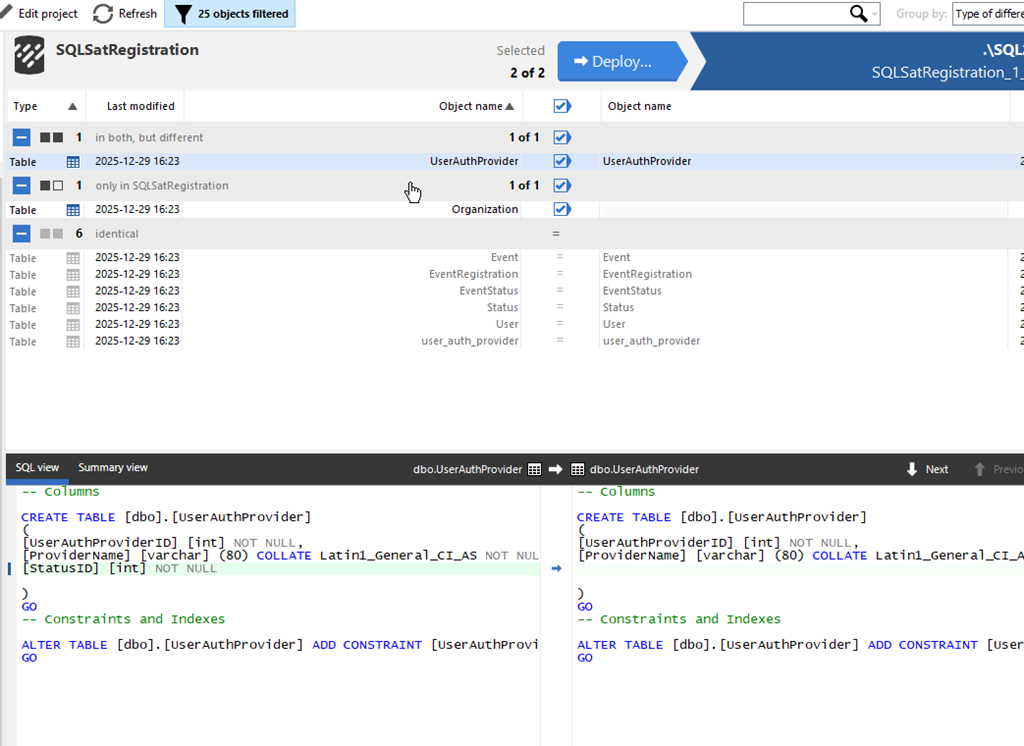
    I’ve made my changes, so let’s now return to SQL Compare and click “Refresh” at the top. This re-runs the comparison and as you can see, I have some changes. My new table is listed at the top, and I’ve clicked on the altered table, UserAuthProvider. At the bottom, I can see the change in the diff view.
    2025-12_0105

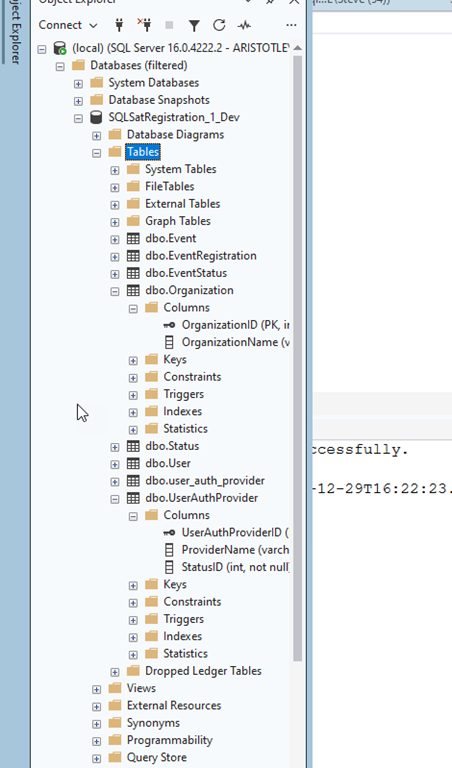
    I’ll click “Deploy” just as I did previously and run the deployment. Once it complete, I can see the changes in my database.
    2025-12_0107

    Summary

    If there’s one thing I’ve learned in many years of work, it’s that I’ll make mistakes in my design and I need to change things. Hopefully I catch these mistakes in development, but even when I do, I need to update my dev database.

    This post showed how I can adjust my model, or someone else can, and I can then pull the new changes into my database with SQL Compare 16.

    SQL Compare is an amazing tool that millions of users have enjoyed for 25 years. If you’ve never tried it, give it an eval today and see what you think. Give Redgate Data Modeler a try and see if it helps you and your team get a handle on your database.

    Video Walkthrough

    Here’s a short video of this post.
  • Using SQL Compare with Redgate Data Modeler

    Redgate recently released SQL Compare v16, which included a new feature to work with Redgate Data Modeler. I decided to give it a try in this post. I’ll take a model and compare it to a database, and deploy my model.

    There’s a video of this post at the bottom if you’d rather watch me work.

    This is part of a series on Redgate Data Modeler. This is also part of a series of posts on SQL Compare.

    A New Model

    I started a new project, mostly as an experiment to help me practice with some technologies, with the idea that this will become useful at some point in time. In my case, I created a new data model for an event registration system. We could really use one at SQL Saturday/Day of Data and right now everyone that runs an event has to handle that themselves.

    In any case, here’s my basic starting model. You don’t need to look at the details, just know I started here by creating a model from scratch in Redgate Data Modeler. I have 7 tables that I setup.

    2025-12_0089

    I want to get this model deployed into a database. I could export the SQL, which is fairly easy, but let’s make this easy with SQL Compare 16. I upgraded after the new release, and I want to see how this works.

    Data Modeler Integration

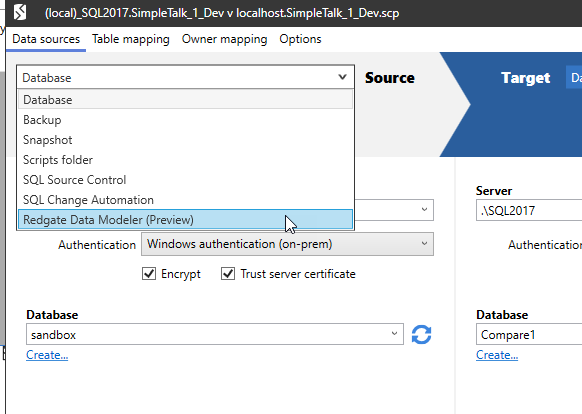
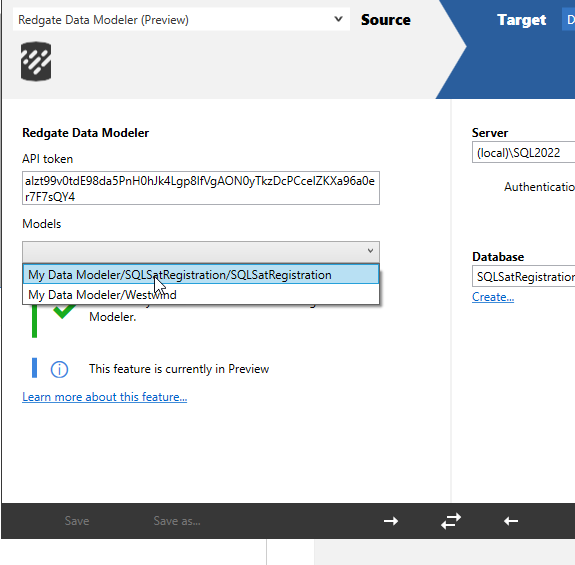
    In SQL Compare we have a new source for connecting to database code. In this case, it is Redgate Data Modeler Integration. That doc pages describes it, but when I open the tool, I can see a new choice in the connection drop down.

    2025-12_0090

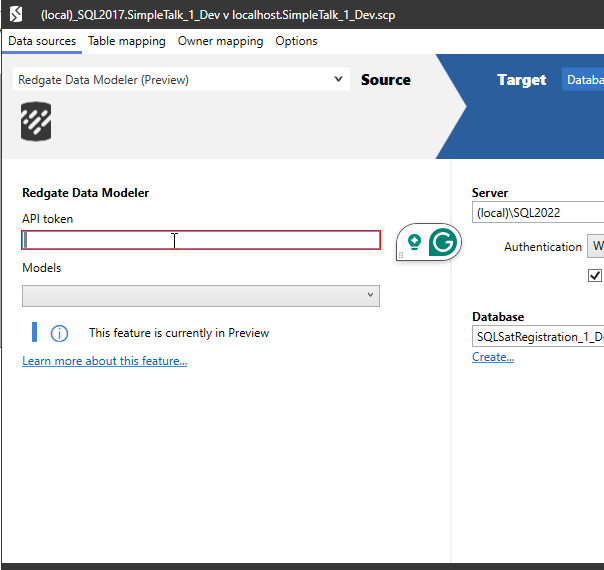
    This is a preview feature for now, but it does work. Once I select this option, I see the settings change. In this case, I need an API to get started.

    2025-12_0093

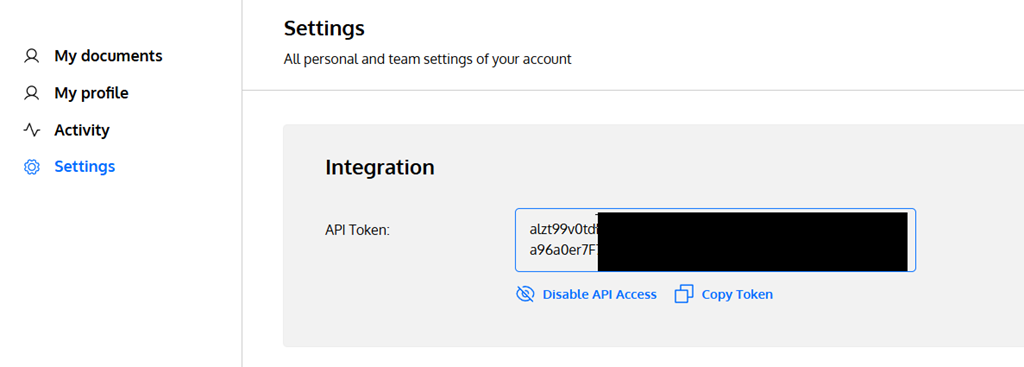
    The documentation says to go to your Settings page in Redgate Data Modeler. When I went there, I got an API section at the top, asking me to enable API access (which I clicked before taking this screenshot) and also a set of Notification Settings below this.

    Once I clicked things, I had the API token listed. I’ve blacked out most of it here, but I clicked the “copy” button to save this to the clipboard.

    2025-12_0092

    I then pasted this into SQL Compare and the model drop down populated. I could see both my models listed.

    2025-12_0094

    For the target, I connected to an empty database that I created with this code:

    CREATE DATABASE SQLSatRegistration_1_Dev

    I could see my comparison looked correct, so I was ready to see if I could deploy my model.

    2025-12_0095

    I ran the comparison and as expected, it sees everything as new in the model and nothing in the database. I selected all objects and then clicked Deploy.

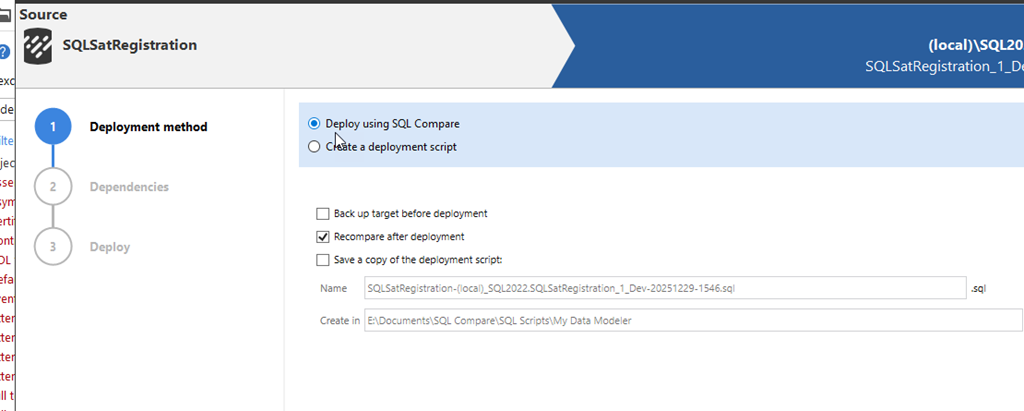
    2025-12_0096Since this is the first time I’ve deployed the model, I decided to let SQL Compare do the work.

    2025-12_0097

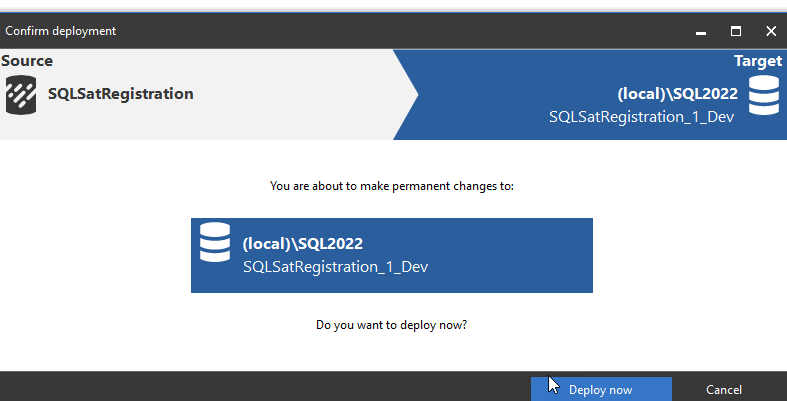
    After looking at the script briefly, I clicked Next and got the final, do you want to deploy, screen. I clicked Deploy here.

    2025-12_0098

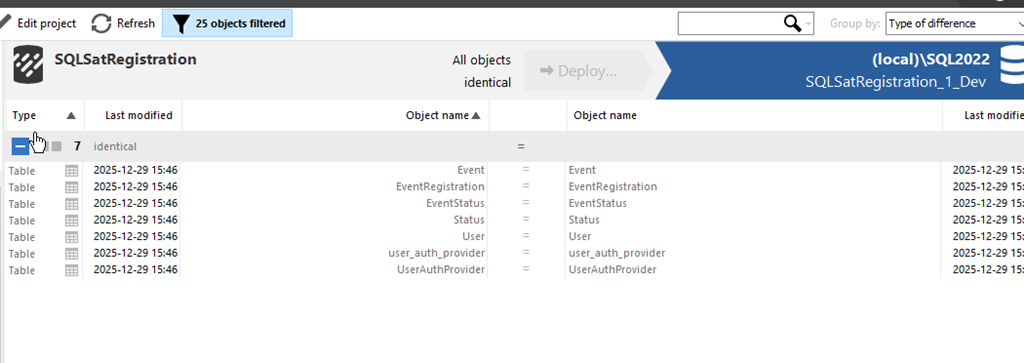
    I had selected the recompare after deployment option, so once this finished, I saw this screen. Everything is the same on both sides of the comparison.

    2025-12_0099

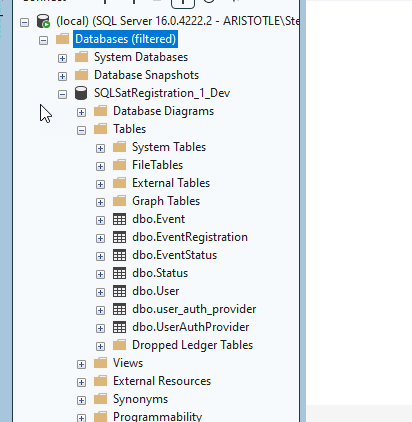
    When I checked my database, I see the objects there.

    2025-12_0100

    Summary

    This was a short look at taking a new model I’m working on and deploying it to a database for some actual work. I took a model previously created in Redgate Data Modeler and using SQL Compare, I deployed all the objects to a live database.

    This is a great integration and it’s much smoother than saving a script and then opening that to run it. I like tools working together, and I could see this being handy for architects and modelers that want to quickly test out their changes.

    SQL Compare is an amazing tool that millions of users have enjoyed for 25 years. If you’ve never tried it, give it an eval today and see what you think. Give Redgate Data Modeler a try and see if it helps you and your team get a handle on your database.

    Video Walkthrough

  • Using SQL Compare to Revert a Stored Procedure

    Imagine this situation, someone edits a stored procedure on a production server to “fix” something. However, they broke the procedure and you find out the next day. How do you fix this?

    We’ll use SQL Compare since most of you don’t have version control (according to surveys), but you do (hopefully ) have backups. Let’s see how SQL Compare can help.

    This is part of a series of posts on SQL Compare.

    The Scenario

    I get a call one morning that we have problems with a report. This report wasn’t producing the expected values. A user said they saw this:

    2025-06_0134

    However,the value the day before had been 2301.54. What was wrong?

    Checking with SQL Compare

    When I hear this, I think immediately two things:

    1. the data changed
    2. the code changed

    Either is possible, but data is most likely. In this case, when I inquired, the user said no new orders were in the system. While I think humans can easily make mistakes when checking data, code is a possibility.

    I asked people, but no one responded with a change being made. So let’s check. I know I have backups, so when I run SQL Compare, I change the source to a backup.

    2025-06_0135

    Next, I pick the “add backup files”

    2025-06_0136

    I choose my file(s) and confirm they are correct. In this case, just one file. I set the target to my database.

    2025-06_0138

    I run the comparison, and I see this. There are a few changes, but the one I’m looking for is my procedure. You can see the code is different.

    2025-06_0139

    Arguably, the new code is more correct, but if I need to revert, I can click the deploy button at the top. I’ll want to also just select the SalesReport item.

    2025-06_0140

    This will produce a script that I can run in SSMS. I can also just let SQL Compare run this. Note the old code is in the script.

    2025-06_0141

    Once I run this, the report works, or at least returns the expected results.

    2025-06_0133

    Summary

    This is a short demo of using a backup as a comparison source against a database to revert code. In this case, I can see the old code and get that back to ensure my database functions as expected..

    SQL Compare is an amazing tool that millions of users have enjoyed for 25 years. If you’ve never tried it, give it an eval today and see what you think.

  • Comparing My Current Schema with a Backup with SQL Compare

    A customer asked if they needed to restore a database from backup to compare the schema in a database. They don’t and this post shows that.

    This is part of a series of posts on SQL Compare.

    Setting Up a Comparison

    When I open SQL Compare, I see a screen that looks like what I’ve shown below, with a database to database comparison.

    2025-03_0096

    At the top, to the left of “Source”, there is a drop down arrow. If I pick that I see these choices: database, backup, snapshow, scripts folder, SQL Source Control, SQL Change Automation, Flyway. Those last 3 are project types for Redgate tools.

    2025-03_0097

    If I select backup, I get a dialog where I can add my backup set files. I can add full or diff backup files, but not transaction log files. If I click the “+Add backup set flies”, I get a file picked, and I can find a backup file.

    2025-03_0099

    Once I pick one, I see it in my list. I can now clear the list or add more files. The details of how this work are documented at: https://documentation.red-gate.com/sc/working-with-other-data-sources/working-with-backups

    2025-03_0100

    Once I have my backup, I’ll set the target, in this case a copy of Northwind that I’ve altered and called Westwind. This is on my local instance.

    2025-03_0101

    When the comparison completes, I see the differences. This was without any sort of restore on my instance. Note that the top left icon for Northwind_FullRestore has a different icon. I have this database on this instance, but it’s different than the backup.

    2025-03_0102

    If I expand the results, these look like any comparison. I see those things that are the same, only in one or different. In this case, as we are trying to make the target look like the source, those objects in my db and not in my backup would be dropped if I deployed all changes.

    2025-03_0103

    Summary

    This is a short demo of using a backup as a comparison source against a database. I haven’t really shown a flow or scenario, but I’ll do that in another post. This is just a short proof that this works.

    SQL Compare is an amazing tool that millions of users have enjoyed for 25 years. If you’ve never tried it, give it an eval today and see what you think.