Category: Blog

  • The 2017 Laptop Search

    It seems that I’m often searching for laptops. I used to get more time out of them, but as technology changes, and my job changes, I find myself refreshing hardware more often. This usually comes about because of some issue. I’ve had numerous issues, though usually around 2 years of use:

    • a machine that would not boot up, going into BIOS and requiring 2-10 hard resets to get going.
    • a machine that stopped charging, with a $600 motherboard repair bill
    • a machine that dropped and the hinges became flaky
    • the current machine that crashed and bluescreened a couple days before  a presentation.

    Fortunately my company is good about supporting this when it makes sense. In this case, I’m looking at a second travel machine. Between my losing some confidence in the reliability of my current machine, and needing to be sure I can demo software, and even a potential travel ban on planes, I think I need another laptop.

    Since this will be a second machine I carry, I want it small. I don’t need more weight or size, and I’m also hoping to stay around the cost of a loaded Surface Book. A colleague, who shall rename nameless in his house in the NE US, boasting a new jeep and puppy, spent quite a bit on that machine. I got a cheap Z Canvas early last year, and I’m hoping my two come out less than his one.

    The Choices

    I’ve been considering and looking around. I really narrowed the choice down to these (in no order):

    • Lenovo Yoga 910
    • Dell XPS 13
    • Surface Pro 4
    • HP Spectre 360

    There may be other choices, but I like all of these and they’ve gotten good reviews. I want something mainstream, with a good chance of borrowing a power adapter if I need one. The Surface line is tempting for that reason since I see so many people with them.

    Comparisons

    This is my view, which might vary across regions

    Dell XPS 13 HP Spectre x360 Surface Pro Lenovo Yoga 910
    US$1999 US $1500 US$2199 US$1300
    16GB 16GB 16GB 16GB
    512SSD 512SSD 512SSD 512 PCIe SSD
    UHD3200x1800 UHD 3840×2160 2736×1824 UHD 3840×2160
    USB3 charge
    USB C
    HDMI
    USB C
    USB C
    USB 3.1
    Displayport
    USB 3
    micro SDXC reader
    Displayport
    USB C – Video
    USB C – Charge
    USB3.0
    Active Pen Active Pen Active Pen Passive Pen
    2.93lbs 2.89lbs 1.73lbs (no keyboard) 3.09lbs

    If I glance at this, I can see that the Dell and Surface are more expensive, and I’m not sure I’m getting more. For sure, I’d then be above the cost I want to pay. I could drop to a 256SSD, which would save $$. I could use external drives for storage, which would work fine. However, for some of those, I need to drop the RAM, and while I can probably get by with 8GB, I don’t want to get in a situation where that doesn’t work. I do know that the one VM I run at times really needs 8-9GB on its own.

    That means I’m looking at HP or Lenovo, both of which are nice looking machines. I’ve got a few days to think about it with Memorial Day sales in the US. Fortunately both models are at local stores, so I can compare them, and look at them with my current machine as well.

    I was hoping, but not expecting, the new Surface refresh to be more competitive with other devices, but it’s not, IMHO. The value isn’t there when compared to the HP and Lenovo, though to be fair, they are different devices.

    In Person

    After writing the above post, I went to a local Best Buy, which carries some of these models. I spent about 10 minutes each with the Spectre, the Yoga, and the XPS. Unfortunately the XPS and Yoga weren’t the UHD ones, so I couldn’t compare screens. However, the UHD screen on the Yoga looked nice in Windows. Unfortunately I couldn’t see SMSS and VS, which are what I’m more concerned about.

    However, I did spend some time typing on each of these machines and that was interesting. The Dell is more expensive, and probably out for me, but both the Spectre and Yoga have nice keyboards. The layout is slightly different, and for the most part I adapted well.

    Except for the right shift key.

    On the Yoga, the right shift key is half the size of the left one, and to the left of the shift key is the Page Up key. You can see it in this image. That was a problem for me as I often use the right key and I kept not getting capitals because I’d hit page up and not Shift. I’m a self-taught typist, not a traditional one, and I use a lot of muscle memory.

    I tried to adpat, and consciously I could reach my right pinky further, but it defaults to the left side of all shift keys, and I think that might be a deciding factor for me. Perhaps it’s the Spectre after all.

    We’ll see. A few more days of thinking.


  • Save on IT/DevConnections this fall

    For the first time in many years, I won’t be at IT/DevConnections this fall.  I’m disappointed to miss the event, but I had other commitments around this time when I heard about being chosen as a speaker and this would be the fourth event in four weeks. That’s a bit much, and so I decided to pull out Sad smile

    However, this is another of those great shows where you can learn about a number of different technologies besides SQL Server. I’ve like having the variety, and seeing different perspectives on technology, data related or not.

    You don’t have to miss IT/DevConnections, however, and you can go for a discount for the next week. Register today and use the code MDS17 to save until June 1.

  • Restore to a point in time–#SQLNewBlogger

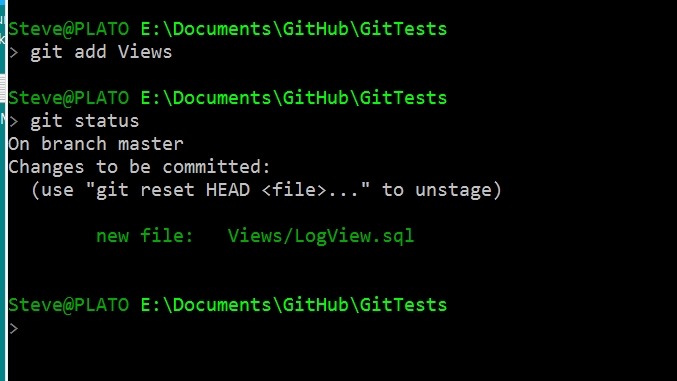
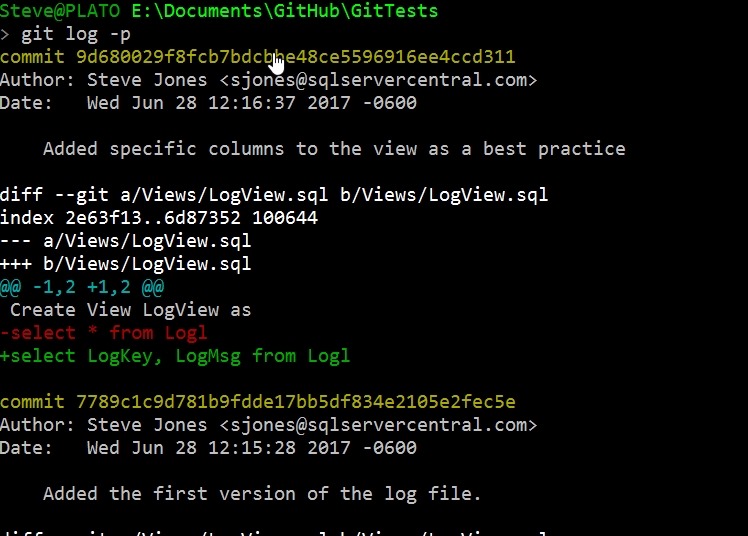
    Another post for me that is simple and hopefully serves as an example for people trying to get blogging as #SQLNewBloggers. This is also a part of a basic series on git and how to use it.

    One of the things I had to show recently was a restore to a point in time, and I needed to actually lookup syntax. That’s a good excuse for a #SQLNewBlogger post, so here we go.

    When you restore, the default is to restore to the end of the backup file, whether full, diff, or log. In the latter, you have the option to stop early, and only restore part of the log. In doing this, you have two choices:

    • restore to a time
    • restore to a marked transaction

    Relatively few of us use marked transactions, but they can be useful. However, this post looks at time.

    Let’s do a few things and show how this works.

    Setup

    The first thing I need to do is get a database, with some data. I’ll create a database, add a table with a row, and then back up the database.

    CREATE DATABASE RestoreTime;
    GO
    USE RestoreTime
    GO
    CREATE TABLE BackupLog
    ( logdate DATETIME2 DEFAULT SYSDATETIME()
    , logmessage VARCHAR(200)
    )
    -- add a message
    INSERT dbo.BackupLog
            ( logdate, logmessage )
        VALUES ( SYSDATETIME(), '1st Log, before a backup' )
    GO
    BACKUP DATABASE RestoreTime TO disk = 'RestoreTime.bak'
    GO

    Next we want to add some data to the table and get some log records. In this case, I’ll use a simple loop to add a new row to the table every second. This gives me some points in time to look for and use to show I  am restoring to a point in time.

    DECLARE @seconds INT = 10,
            @starttime DATETIME2 = SYSDATETIME();
    
    WHILE (SYSDATETIME() < DATEADD( SECOND, @seconds, @starttime))
     BEGIN
      INSERT dbo.BackupLog
            ( logdate, logmessage )
        VALUES ( SYSDATETIME(), 'Log record entered at ' + CAST(SYSDATETIME() AS VARCHAR(30)) )
      WAITFOR DELAY '00:00:01'
     END
    
    GO
    BACKUP LOG RestoreTime TO DISK = 'RestoreTime.trn'
    GO

    I’ve added data, and my table looks like this:

    2017-05-23 15_23_12-SQLQuery8.sql - (local)_SQL2016.RestoreTime (PLATO_Steve (57))_ - Microsoft SQL

    My log backup contains all these records. If I restore the full backup and log now, by default I’ll end up in this state, with all these rows in my table. However, what if I want to only get the first 5?

    I can use the STOPAT syntax in my restore. I start by restoring the full with NORECOVERY and then the log. However, in the log, I’ll choose a time that is after row 5, but before 6. In this case, that’s 2017-05-23T15:22:57. Here’s the code:

    USE master
    GO
    RESTORE DATABASE RestoreTime FROM DISK = 'RestoreTime.bak' WITH NORECOVERY, replace
    GO
    RESTORE LOG RestoreTime FROM DISK = 'RestoreTime.trn' WITH RECOVERY, STOPAT = '2017-05-23T15:22:57'
    GO
    USE RestoreTime
    GO
    SELECT 
     *
     FROM dbo.BackupLog

    I have my results below

    2017-05-23 15_31_10-SQLQuery8.sql - (local)_SQL2016.RestoreTime (PLATO_Steve (57))_ - Microsoft SQL

    Only the log activity before this time is restored.

    SQLNewBlogger

    After I’d looked up the syntax, I spent only about 10 minutes setting up the demo and getting this ready. Practice skills and write about it. Show your next employer you are always learning and working.

  • Looking Back at Build–CosmosDB

    Part of a series looking back at Build 2017, going over the 20+ pages of notes I took.

    One of the big announcements at Build 2017 was the release of CosmosDB. This is a rebranding of DocumentDB, the document store in Azure, with some additional capabilities. You can also choose to store as

    • Column-family (columnar)
    • Key-Value
    • Graph

    The service is interesting in that it supports the MondoDB and Gremlin protocols for querying, which should allow some people to consider Azure instead of those platforms. The announcement was interesting from the data perspective. Microsoft focused a decent amount of time on this platform, and certainly people at the conference were very interested in the offering. Quite a few developers were thinking this would replace SQL Server, since it has some nice capabilities.

    One of the big ones is that CosmosDB offers < 10ms latency for reads and < 15ms for writes. They scale up to millions of transactions/sec, and also grow to PBs in size. There are some good guarantees for the database.

    They call it infinite, but that’s a marketing term. There’s a limit, and there certainly may be a limit you’re willing to store in the service. Jet.com was the featured customer and they talked about how much data they used and how they can scale the platform. I’m sure they went with DocumentDB and moved over, but they have their story in the keynote, if you want to watch. They get over 100 trillion, yes trillion, CosmosDB transactions/day. No matter what you do, a trillion of anything is a lot.

    Perhaps the more interesting thing is that Azure is offering five different consistency models in CosmosDB. They are

    • Strong
    • Bound Staleness
    • Session
    • Consistent Prefix
    • Eventual

    I don’t know how well these are supported in other platforms, but I like to see that developers have a choice. I’m not sure how many will understand the trade-offs and implications, and how many will get burned by choosing one over the others, but I’m glad the choice exists.

    They are also saying a money back guarantee. What that means, or how you get money back, is going to be something to see. I haven’t always been thrilled with the disclosure in billing for new parts of Azure services, but perhaps there is going to be some way to request credit, though I would hope that any telemetry that shows issues results in some credit.

    The other good thing is that the SLA is guaranteed across multiple dimensions: latency, throughput, availability, and consistency.

    Rimme Nehme, who demo’d the product, had an interesting quote. It was something like “developers can concentrate on the app, not the database.” Forgive me if I’ve slightly misquoted as I’m going from notes. While I cringe a bit as a data person, I do know that most developers don’t want to really work deep in the database, especially for many simple apps. If I were building some simple mobile app, I’d seriously look at CosmosDB, and I plan to learn a bit about it.