Category: Blog

  • Better Explorer on High dpi Displays

    I’ve got a high dpi display on my laptop. The recommended resolution is 2560×1704. That’s small. I have had all kinds of issues with SSMS, VS, and various other applications, including a few from Redgate.

    The other day I was looking at the Explorer window from about 2 feet away and struggling to see some of the icons and filenames as the light faded one afternoon. I found I could barely make out some icons and found myself leaning forward to see and back to type. Getting older has really made this annoying.

    I found an article that helped, letting me adjust the title bars and icon sizes in Explorer. I bumped up the sizes for title bars, menus, and icons. Everything went to 12 or 14, from the 9 or 10 points that are the defaults.

    Now I can read my Explorer window better. If you’re struggling with the higher resolution displays, give this a try. It’s hard to tell in the screenshot, but things are much easier to read now.

    2016-06-09 18_14_38-File Explorer

  • Better ReadyRoll Script Naming

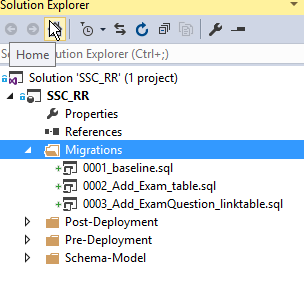
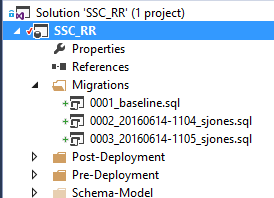
    One of the things that I like about ReadyRoll is that the product will automatically build new scripts that are named in a sequential order. This usually results in a few scripts that look like this:

    2016-06-14 11_05_15-Movies & TV

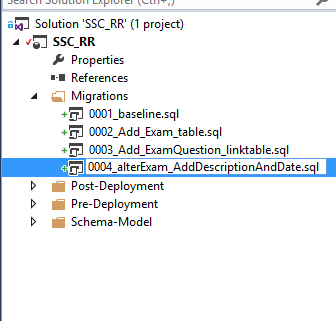
    As you can see, these scripts aren’t very intuitive. In fact, if you get lots of scripts, this starts to look fairly complex and confusing. What about something more like this:

    2016-06-14 11_08_13-Movies & TV

    That’s easier to read and understand. I’d also have a better idea of what happens in each script. How can I do this? It’s easy.

    Add an Object

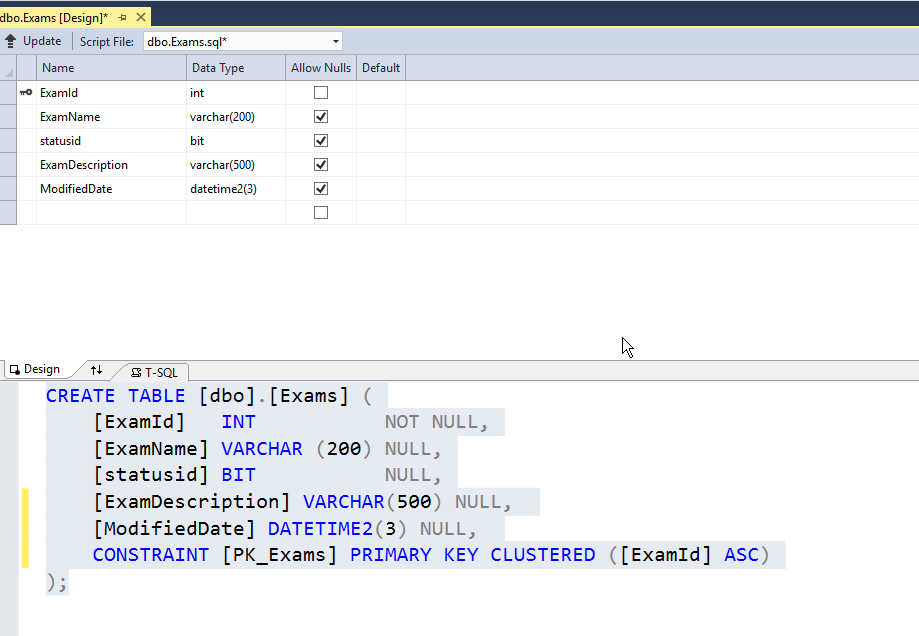
    First, let’s add an object in ReadyRoll. I’ll alter my Exams table to add a few columns. To keep this simple, imagine I want to add a modified date and a short description. I could do this in SSMS, but I’ll open the designer in VS. Here’s the table.

    2016-06-14 11_10_30-Photos

    I’ll make my changes.

    2016-06-14 11_11_01-Photos

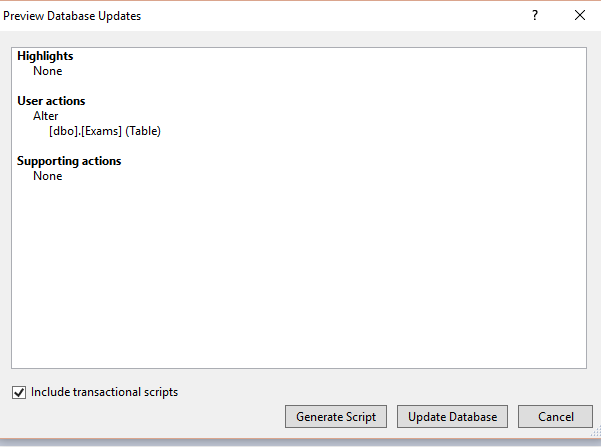
    Now, I click the “Update” button in the upper left. When I do this, I get a Generate script item. I could do other things, but I like to do this and see my script before applying it to the dev database.

    2016-06-14 11_12_04-Movies & TV

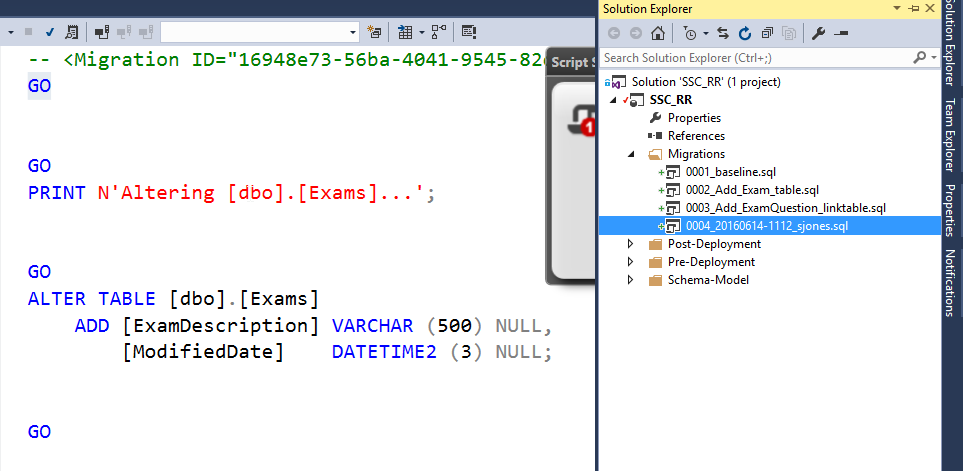
    I click Generate, and I get the script. Notice, it’s named with some random number (after the 0004) on the right.

    2016-06-14 11_12_34-Photos

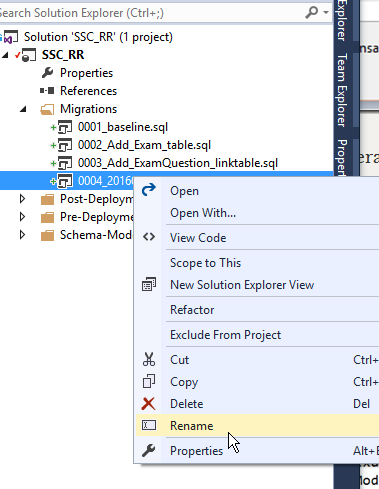
    If I right click the script, I can do all the normal file operations.

    2016-06-14 11_13_32-Photos

    Let’s give this a more descriptive name. It’s taken me a long time from my 8.3 name days, but I’ve learned to take advantage of file names to make them descriptive. A few bytes in a name is cheap.

    2016-06-14 11_13_58-Photos

    That’s it.

    ReadyRoll does use the first characters in front of the underscore (_) to order scripts, so I don’t want to change those. I could, but in this case, I need script 4 to come after script 2 at the very least.

    After the underscore, I can do whatever I like. In this case, I can see the changes being made to my database, just reading down the scripts and seeing how things will occur. I always have the detail in the code, but at a high level, I can see the changes.

    I’m sure if you adopt this technique, you’ll find that it’s much easier to manage scripts and track what’s happening to your database.

  • The Desktop Rebuild–Part 2

    You can read part 1, but that’s more about the (initial) hardware changes. This one looks at getting moving on the new desktop. Note, that since I changed the MB/CPU/Boot disk, I decided to reinstall Windows as well on a new disk to ensure I wouldn’t have more issues.

    Having a new Windows desktop is a bit disconcerting. After all, many of us techies are used to loading more and more programs and documents onto our systems. We have lots of history with our machines, and Windows hasn’t always made it easy to move things. OSX is better, but I can’t build a Mac, or at least, I don’t want to.

    In this case, I still had me 2nd, 3rd, and 4th drives connected. The contained most of my documents, pictures, and application code. However, certainly some things needed to be installed.

    The first thing I did with the new Windows 10 is run Edge and then go here:
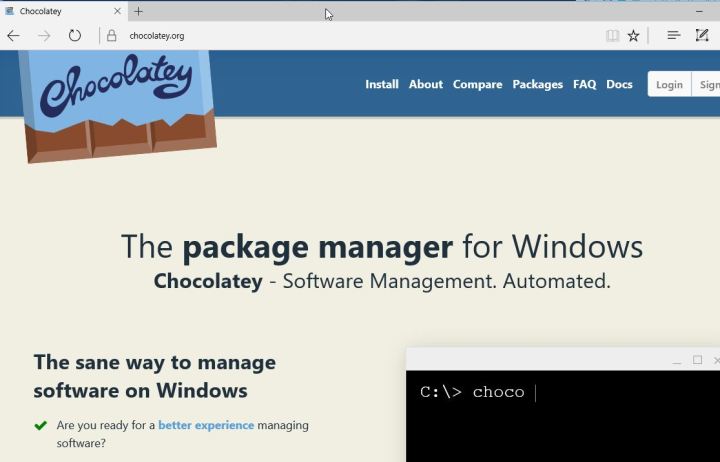
    2016-06-23 23_37_58-Chocolatey ‎- Microsoft Edge

    I used to go get Chrome or Firefox right away, but I have a better way now. I use chocolatey. Once I get here, I first open a Command Prompt as Administrator and run this:

    @powershell -NoProfile -ExecutionPolicy Bypass -Command "iex ((new-object net.webclient).DownloadString('https://chocolatey.org/install.ps1'))" && SET PATH=%PATH%;%ALLUSERSPROFILE%\chocolatey\bin

    Once that finishes, I can begin installing things. In my case, I have a list of packages I want to install in a folder on my Dropbox. However, I need to get Dropbox first.

    choco install dropbox
    
    
    choco install passwordsafe

    Once that’s done, I log in (getting my password from my phone, and then I can run the rest of my installs, using Password Safe to get my passwords.

    choco install googlechrome
    choco install greenshot
    choco install conemu
    choco install firefox
    choco install sublimetext3
    choco install evernote

    I have Chrome and Firefox linked to an account, so my bookmarks come right over when I log in. SQL has to be installed separately, as does Office from my O365 account. I prefer to do Visual Studio myself, but these command line installs get me up and running.

    Fortunately I keep a copy of the .iso’s for those programs and can just run them.

    I also needed to flash my BIOS, which was easy, but I needed to download the newest file from ASRock and put it on a flash drive for a reboot. That went without a hitch, and I now have two monitor support again.
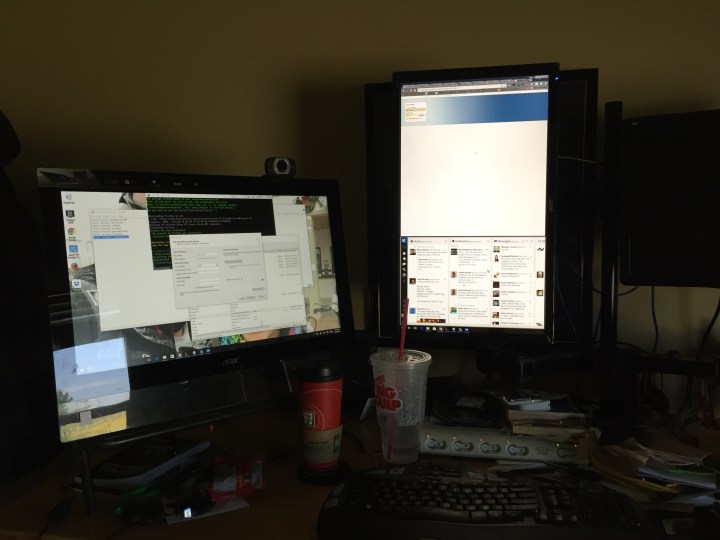
    Photo Jun 24, 10 33 59 AM

    I still need to adjust my monitor and also get a new video card to support the third monitor, but that’s for another day.

  • Debuting Talks at the Summit

    This is a series of posts on the PASS Summit and SQL Saturdays. I’m outlining some thoughts here, sometimes for the first time, but on topics that I think make better events. These are opinions and thoughts, not mandates or demands. I’ve written previously on choosing speakers.

    One of the interesting items at the recent Speaker Selection Town Hall from PASS was a question about wanting sessions submitted to the Summit. The question was about whether the sessions could be given at a SQL Saturday (or other event), or if the Summit should be the first place the talk is given.

    I’m torn on this.

    One one hand, the Summit needs to attract people. This is a business and original content goes a long way to exciting people. I submit and speak at conferences that want this, and I’ve also given sessions at the Summit, which was the first time that I’d ever presented the content in front of an audience.

    On the other hand, we want good sessions. If I had one complaint from many Microsoft sessions, it’s that there are many speakers that struggle to give a good talk because they’ve never practiced it. I appreciate they’re busy, but I would love if they had to present a couple times internally and practice.

    The same thing occurs for us. The two times I’ve presented new content at the Summit (or other events), it’s very stressful. I’ve also struggled with timing and flow. Even having one talk at a local user group to 3 people will help make a better session.

    This isn’t perfect. I’ve seen speakers give the same talk 5 times and not improve or adjust their pace. My preference is to give the benefit of the doubt that speakers will work to improve over time. Note, if they don’t, give them the feedback.

    I also see value in having great sessions repeated. I’ll pick on a couple people here. Aaron Bertrand has given T-SQL: Bad Habits & Best Practices at many events. I think I’ve seen it twice. It’s great, and worth seeing. DBA Mythbusters from Paul Randal is great. I know Paul adjusts and grows content over time, and this is one I could see being on the schedule every year. I’ll also say that almost anything Itzik Ben-Gan presents is worth having at every conference.

    I don’t know what percentage of repeat sessions should be allowed, but I wouldn’t rule this out. I also think it’s fine to pick sessions presented at other events, if they make a good event. One thing to keep in mind is that if you take advantage of every slot at the Summit, you’ll see 13 or 14 talks.

    14/112 (or so)

    You won’t see everything. I doubt you’ll watch everything, even if you a super motivated and buy the content on USB.

    The same thing occurs at SQL Saturdays. At one of the smaller events, Sioux Falls, there were 3 tracks, but only 4 time slots, so you could see 4 of 11 talks at best.

    No one sees all content.

    While you might want Grant to have something new at the Summit that you haven’t seen at SQL Saturday Boston, there are lots and lots of other people that would like to see Grant present, even if it’s the same talk from SQL Saturday Boston.

    If I could wave the magic wand, what I’d want PASS to do is this:

    • Have 80% new content (content not given at a previous Summit), but content that has been practiced somewhere. In fact, I’d ask that many speakers schedule a user group talk (or a SQL Saturday) prior to the Summit to work out any bugs. This might mean some crunches for user groups in the Aug-Oct range, but that’s fine.
    • That means there would be 20% content that’s being repeated. I think that’s OK, if there are great sessions worth repeating. Certainly I think some of the talks that speakers have given could be updated a bit, but many are worth giving again.
    • Of course, that’s just an idea, and one that doesn’t mean we have hard numbers. Maybe the 20% is a hard ceiling, but the percentages can vary, just discuss why. As the committee makes decisions, keep notes and comments and then drop them in a post.
    • More I’d like to have PASS continue to disclose data, discuss this more, and adjust over time.