Category: Blog

  • Git Push in SQL Source Control

    I’m excited. Git support is growing in SQL Source Control and the release recently contains Git push/pull support. If you don’t see the release of 4.1.x, you need to update. The update should be available for everyone.

    I do like Git. I’m working with SVN, TFS, and Git on a regular basis. However I tend to prefer Git overall. Now I can do most things I want to do in SOC, which is exciting. No forgetting to push or the need to drop to the command line or another interface.

    The Git Additions

    In a previous post, I set up a link between a database and a Git repository. Let’s see how the Git push now works.

    I’ve got this database on my local instance.

    soc_git_push_2

    It’s linked with SQL Source Control to a local Git repository.

    soc_git_push_3

    Let’s change something. I’ll pop open a stored proc.

    soc_git_push_4

    Let’s make a simple, but real, change. I’ll add a NOCOUNT setting in there, which is a good idea.

    soc_git_push_5

    In the Commit tab for SQL Source Control, I see my change. Note that most everything looks the same here and I can see the code differences like I always could.

    soc_git_push_6

    Now I commit this change. In this case, it goes to my local Git repo, but isn’t pushed.

    NOTE: In the real world, I’d pull before I commit to be sure I wasn’t causing a merge issue.

    Once that’s done, my Commit tab changes.

    soc_git_push_7

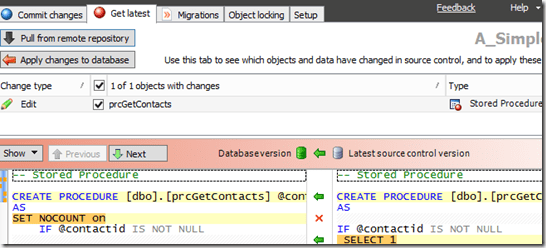
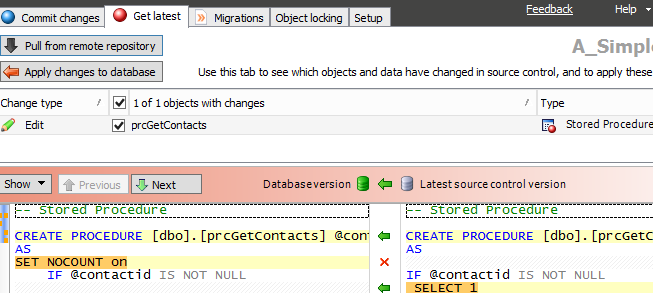
    SQL Source Control (SOC) detects the change and knows we have an unsynced Git repo. I can now push the “Push” button. Once I do this, I get a warning if I haven’t turned this off. I turn it off, but you should always be aware that SOC isn’t managing your Git repo. It’s linking to it. If you make changes in the repo with some other app, like Visual Studio, the entire repo is pushed, not just the change SOC committed.

    soc_git_push_8

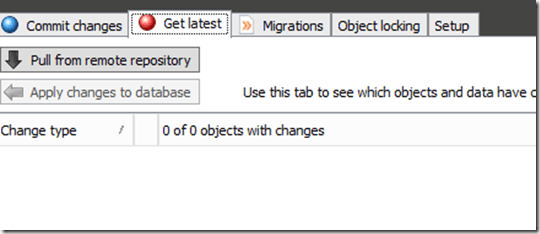
    Once this is done, I once again see a clean Commit tab.

    soc_git_push_1

    However, if I go to the remote repo, which is on GitHub in this case, I see my change.

    soc_git_push_9

    I love Git. I think it’s really cool, and it’s a great way to work with distributed Version Control. I am playing with TFS as well, but I prefer Git, and I think this support is great.

    There are still things needed, things I want, and more, so be sure you add your votes to the SQL Source Control UserVoice page and let the SOC team know what’s important to you.

    If you’re not using SQL Source Control, you might check it out and give it a try for a month: http://www.red-gate.com/products/sql-development/sql-source-control/

  • A Week Before Networking at the PASS Summit

    It’s a week before the Networking Dinner at the PASS Summit. Andy Warren and I are hosting the event next Monday, October 26th, at the Yard House in Seattle. The address is at 4th and Pike, just a few blocks from the convention center.

    Register here if you can come.

    There’s no cost, other than you covering your own food and drink expenses. We would like registration just to try and ensure we have enough staff at the restaurant.

    This is a great chance to network with fellow data professionals. If this is your first or second time at the PASS Summit, please come and meet some people.

  • A Practical Approach to Version Control

    Abstract

    Chances are, your team has several point-in-time backups for your databases. After all, they’re essential for recovering the system in an emergency. And, chances are, you’ve got a version control system (VCS) to provide the same capabilities for your applications.

    But what about version control for the database, too?

    Come to this session to see how you can create a more efficient database development platform by integrating your VCS with SQL Server. In real-time, you’ll see how versioning, branching, merging, and the other manual tasks you hate can fade away with just a few tips, tricks, and tools.

    Level: 200

    Demos

    I’ve built these demos:

    • Connecting your database to a version control system. I use Git here, but can use SVN (or TFS online with connectivity)
    • History and Changes – Getting a few of the changes made over time, tracking to a user, undoing changes.
    • Object Locking – Using Redgate’s SQL Source Control, but explaining how a semaphore is needed
    • Branching – A look at creating a branch in Git and then working with a second database.

    Downloads

    Powerpoint: SITC15_SteveJonesPracticalVCS.pptx

  • Playing with Themes

    I’m not much of a designer. Indeed, I’m best at just putting up tables and information, not producing visualizations. However I wanted to make the blog look a little better (and SSC, for that matter). As a result, I’ve carved out a few minutes here and there to play with themes for this blog. I haven’t often found one that I liked, but ran across one today that I thought I’d try.

    I’ll see how this looks for now. I don’t love that all my sidebar stuff moved to the bottom, but that’s a cleaner look for sure. I may play around with this a bit, and comments are certainly welcome. I’d like to use a few more images in writing as I think they can break up the text, and certainly some of the scrolling images convey interesting thoughts. I’d like to start using some for code as well, showcasing results as wide images.