Category: Blog

  • Changing NULL to NOT NULL – Dealing with Data

    I wrote recently on how to alter a column in SQL Server from NULL to NOT NULL in a simple way. However I didn’t cover some of the cases where you have data in the column, or other restrictions that you might need to deal with. In this post, I want to look at a few options if you have data in the table.

    Let’s take my SimpleTable and add data:

    INSERT Simpletable VALUES (1, A, 1) , (2, B, 0) , (3, C, NULL) , (4, D, NULL) ;

    Now I have 4 rows. If I run this:

    ALTER TABLE dbo.SimpleTable ALTER COLUMN Status TINYINT NOT NULL;

    I get this error:

    Msg 515, Level 16, State 2, Line 2

    Cannot insert the value NULL into column ‘Status’, table ‘Sandbox.dbo.SimpleTable’; column does not allow nulls. UPDATE fails.

    The statement has been terminated.

    Essentially, SQL Server can’t mark this column as NOT NULL because there are NULLs in there. What can I do here?

    UPDATE the Table

    The only thing I can do is to change the data. I can run a query that removes all the NULLs in the column by setting them to some value. That’s what I’ll do here. I can choose a value here and run an UPDATE statement. Something like this:

    UPDATE dbo.SimpleTable SET Status = 0 WHERE status IS NULL;

    Once I do that, I can easily run my ALTER and it succeeds.


  • Unit Testing in Philadelphia

    I’m helping teach a pre-conference session on Friday, June 5, 2015 at the Microsoft office in Philadelphia. This is an all day, paid for event, that looks at how you can use a framework to write unit tests for your T-SQL code. We’re the day before SQL Saturday #390 in Philadelphia

    I really believe in testing, and am trying to advocate for it in many places. I’ve delivered a testing session that has been well received at quite a few events and this is the first time I’m trying a full day training class.

    I am working with Sebastian Meine, the founder of tSQLt, to present the class. We’ve got a busy outline, looking at a variety of ways that you can write tests and use them to find problems in code. Here’s what we’re covering.

    • Introduction to Unit Testing
    • What is tSQLt?
    • Your First Test
    • Executing Tests correctly
    • Effective use of Assertions
    • Separation of Concerns
    • Testing Exceptions
    • Test Case Heuristics
    • Dealing with Test Data
    • Other Types of Testing
    • How Unit Testing fits into your Development Process

    At the end of the class, you should have some good ideas on how to build and structure tests in your own environment and be ready to start testing on Monday.

    I hope to see you there, and register today if you want to learn more about unit testing in SQL Server.

  • DB_Owner Querying for Database Options

    Another post for me that is simple and hopefully serves as an example for people trying to get blogging as #SQLNewBloggers.

    What can a user with the db_owner database role do? I assumed anything inside of the database (create/alter objects, assign permissions, back up the database, etc). However someone asked recently about whether someone could read database properties. I’d assume they can, but I needed to check.

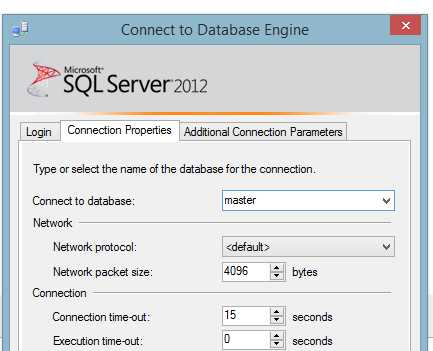
    I decided to start by creating a new login. I have lots on my test instance, but I went with just building a new one. I used the GUI to add [DBOwnerTest] because it’s quicker. I assigned a password, set a default database, and mapped this user to db_owner in a database.

    dbowner_a

    I then opened a query window and changed the connection:

    dbowner_b

    Now I could easily run a query for properties and see the results:

    dbowner_c

    Note the connection at the bottom of the image above.

    Here’s where it’s a little interesting. I disconnected Object Explorer and connected back as DBOwnerTest. I see this:

    dbowner_d

    Looks normal. According to the BOL documentation for permissions, db_owner gets View Any Database as well as control over their own database. I can see the properties of the Sandbox database (where I’m db_owner).

    dbowner_e

    But I can’t see properties of other databases.

    dbowner_f

    I also see my login, but not the couple dozen others I have, other than sa. That’s curious, and perhaps not good. However this isn’t the place to delve into that.

    dbowner_g

    I have the ability to query through databasepropertyex(), which I’ve documented in another post.

    Certainly db_owner conveys lots of rights to the user, and certainly the ability to see some of the outside of the database container, such as the options and properties, as well as other databases.

    Writing

    This was based on a question I saw posted at SQLServerCentral. It took me about 5 minutes to set up a test login and query for information. I had to perform a few searches and try some queries. I spent a few minutes researching databasepropertyex(), which became another post.

    All told, this was about a 15 minute post.

    You can do this. Join the #SQLNewBlogger group and start documenting your career. You can see all my posts that fall into this area by looking through the SQLNewBlogger tag here.

    References

    Permissions of Fixed Database Roles – https://technet.microsoft.com/en-us/library/ms189612%28v=sql.90%29.aspx

  • Refactoring Mistakes Are Why We Write Tests

    I wrote a short piece the other day trying to show how one can use tSQLt to test code. It’s a simple test built against a user defined function. It works well and when the test is run, it passes.

    Here was my code:

    ALTER function [dbo].[calculateEstimateOfReadingTime] ( @value varchar(max) ) returns int as begin declare @ret as int = 1 , @i as int = 1; while @i <= len(@value) begin if substring(@value, @i, 1) = ' ' begin set @ret = @ret + 1; end set @i = @i + 1; end return @ret / 250; ; end

    Someone in the comments pointed out that we can more efficiently refactor this code to :

    ALTER FUNCTION [dbo].[calculateEstimateOfReadingTime] ( @value varchar(max) ) RETURNS int AS BEGIN RETURN ( SELECT LEN(@value) - LEN(REPLACE(RTRIM(@value), ' ', '')) + 1 ) END

    However when I run the test, I get these results:

    functiontesta

    That’s not good, but that’s why we test.

    I could easily see someone refactoring the code, finding a more elegant method of rewriting this code and after running some quick tests, they check this in to source control (hopefully) and maybe deploy it to production. Hopefully QA catches this, but wouldn’t we want to notice this in development?

    The refactored code misses a divide by 250.

    Write tests, use them to catch mistakes. These simple ones slip through at times and are what make deployments really, really stressful.