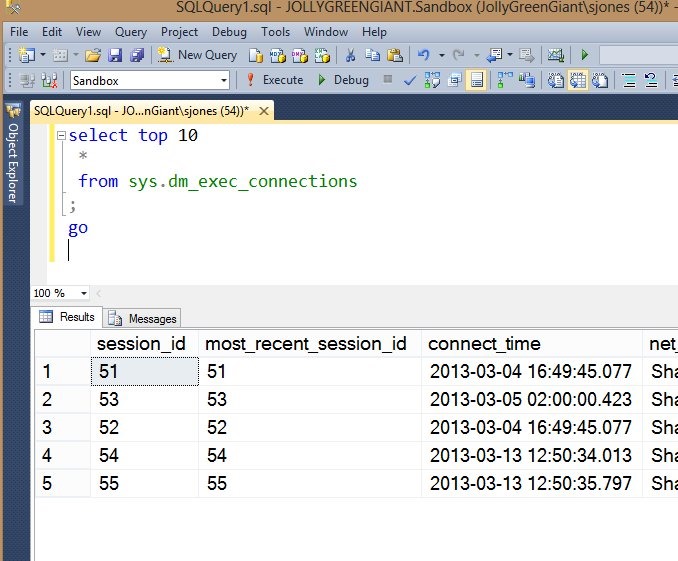
Yes, it does. However, let’s prove it. First let’s create a database, a table, and enter some data:
-- create a database
CREATE DATABASE TDE_Primer
;
GO
-- create and populate a table
USE TDE_Primer
go
CREATE TABLE MyTable
( myid INT
, myname VARCHAR(20)
, mychar VARCHAR(200)
)
;
go
DECLARE @i INT = 65;
WHILE @i < 92
 begin
  INSERT mytable SELECT @i, 'Steve Jones', REPLICATE(CHAR(@i), 200);
  SELECT @i = @i + 1;
 END
;
GO
SELECT * FROM Mytable;
go
If I look at the table, I see my name with lots of data:

Now let’s detach the database and examine the results with a hex editor:
-- detach database
USE [master]
GO
EXEC master.dbo.sp_detach_db @dbname = N'TDE_Primer'
;

GO
I use XVI32 as an editor. It’s free, and you can download it. If I open up my MDF in this utility, here’s what I see:
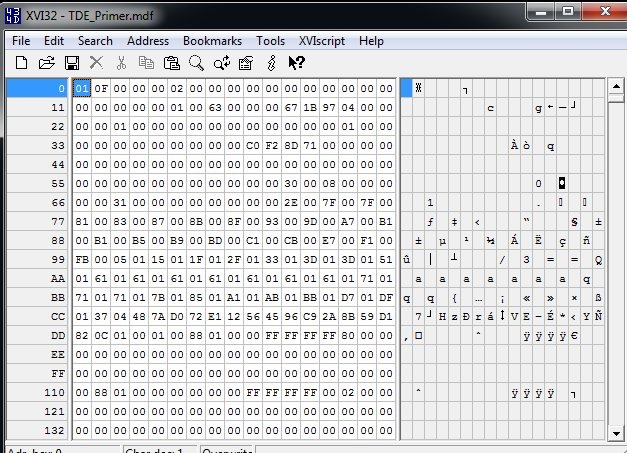
If I search for my name:
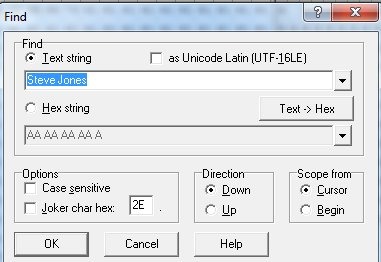
I find it:

This is what I expect, and you should as well. Even without SQL Server, your data files are readable, which is why you must protect them.
Now let’s attach the file and enable TDE.
USE [master]
GO
CREATE DATABASE [TDE_Primer] ON
( FILENAME = N'C:\Program Files\Microsoft SQL Server\MSSQL11.MSSQLSERVER\MSSQL\DATA\TDE_Primer.mdf' ),
( FILENAME = N'C:\Program Files\Microsoft SQL Server\MSSQL11.MSSQLSERVER\MSSQL\DATA\TDE_Primer_log.ldf' )
 FOR ATTACH
GO

USE TDE_Primer
go
SELECT * FROM mytable
;
go

-- begin encryption setup
-- from http://msdn.microsoft.com/en-us/library/bb934049.aspx
USE master;
GO
-- create master key for master
CREATE MASTER KEY ENCRYPTION BY PASSWORD = 'AlwaysU$eaStr0ngP@ssword4This'
;
go

-- create certificate to secure TDE
CREATE CERTIFICATE TDEPRimer_CertSecurity WITH SUBJECT = 'TDE_Primer DEK Certificate';
go

USE TDE_Primer;
GO
-- Create DEK
CREATE DATABASE ENCRYPTION KEY
WITH ALGORITHM = AES_128
ENCRYPTION BY SERVER CERTIFICATE TDEPRimer_CertSecurity;
GO

-- backup TDE cert
USE master
;
go
BACKUP CERTIFICATE TDEPRimer_CertSecurity
 TO FILE = 'tdeprimer_cert'
  WITH PRIVATE KEY (
               FILE = 'tdeprimer_cert.pvk',
               ENCRYPTION BY PASSWORD = 'AStr0ngB@ckUpP@ssw0rd4TDEcERT%')
;
go

-- check encryption status
SELECT
    db.name,
    db.is_encrypted,
    dm.encryption_state,
    dm.percent_complete,
    dm.key_algorithm,
    dm.key_length
FROM
    sys.databases db
    LEFT OUTER JOIN sys.dm_database_encryption_keys dm
        ON db.database_id = dm.database_id;
GO

-- enable encryption
USE TDE_Primer
;
GO
ALTER DATABASE TDE_Primer
  SET ENCRYPTION ON;
GO
-- check encryption status
SELECT
    db.name,
    db.is_encrypted,
    dm.encryption_state,
    dm.percent_complete,
    dm.key_algorithm,
    dm.key_length
FROM
    sys.databases db
    LEFT OUTER JOIN sys.dm_database_encryption_keys dm
        ON db.database_id = dm.database_id;
GO
-- TDE_PRimer and tempdb encrypted

-- detach database again.
-- detach database
USE [master]
GO
EXEC master.dbo.sp_detach_db @dbname = N'TDE_Primer'
;

GO
I won’t go into all the code, but this encrypts the database, backs up the certificate and then detaches it again. There are a few other things, but I cover them in another post.
Now let’s open up the file in the hex editor again.

It looks the same. It’s not in the image, but just below this you can see the database name. There is a header, which is not encrypted. However when I search for my name, it fails.

If you scroll further around, you’ll see that most of the file is now encrypted.

Play with this and prove to yourself that TDE does really encrypt things.