Category: Uncategorized

  • Manage By Delegation

    powershell
    Powershell might be a great skill if you need to manage lots of instances.

    More and more SQL Server instances are being deployed all the time. In fact, with the ease with which we can build a new virtual machine (VM) through snapshotting and cloning, it seems that many administrators are finding that the number of servers for which they are responsible might be doubling or tripling.

    Even moving to the cloud doesn’t completely remove the need for some administration of your data and databases, though it does require you to rework the type of administration that you perform. I foresee more hybrid solutions over time, which will require DBAs to not only manage data, but help analyze the financial impacts of moving data (and analysis) to, or back from, the cloud.

    In SQL Server 2008 we had the chance to begin managing our servers through a set of declared rules with  Policy Based Management (PBM). I haven’t seen that feature take off, and it seems relatively few people are using PBM to manage their servers. I think it’s a great platform for ensuring that your instances are conforming to certain rules, though I think there is a bit of creativity needed to ensure that this system works well for you.

    Powershell is becoming integrated into all Microsoft products. Virtually everything in SQL Server, perhaps even every thing by now, can be managed through Powershell scripts that access the SMO objects. I hear various people say that Powershell is a critical skill for DBAs of the future. I’m not sure of that, but I do think it will be used more and more if you have the need to perform repeated actions on multiple servers. Whether you use it now or not, it doesn’t hurt to learn how it works and what it can do for you.

    It just might be the tool to make your job easier as you get more and more instances to manage, something that seems to happen more and more.

    Steve Jones


    The Voice of the DBA Podcasts

    We publish three versions of the podcast each day for you to enjoy.

  • Wasting Time

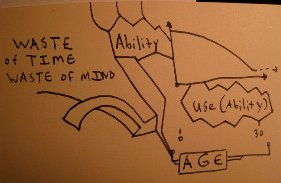
    Wasting time is wasting the talent you have.

    I ran across this infographic on wasting time at work. From the title I was thinking this would point out the ways in which people avoid work, and perhaps it does, but it’s really geared towards showing us the framework and structure that many people have for work. I agree with the first two sections of the page that show email and meetings waste a lot of time. I certainly think they have in many jobs for me, especially when they are used as “catch-all” techniques for including everyone that is remotely relevant to an issue.

    Interruptions at work are hard to quantify as a problem. They definitely can be, but stopping by someone’s office to ask a question or take a quick break can be a way to recharge yourself between long periods of concentration. The issues come into play when the other person is in the middle of focusing on a task and you force a context switch on them. Recovering from the interruption can take time, time that’s often wasted as a person tries to remember exactly what they were focusing on.

    Meetings certainly interrupt the day, but since they are often planned in advance, you can be mentally prepared for the break. It makes me wonder if there wouldn’t be some benefit to scheduling some “open time” in your day where you plan on taking a break. Others that needed a minute of your time would know to come find you at that time.

    Time is very valuable, one of the most valuable resources we have at work. Management should be aware of this and working to limit interruptions, whether through email, meetings or anything else that prevents work from getting done. The fewer meetings and emails you require of your developers, the more time they have to work on the tasks they are being paid to complete.

    Steve Jones

  • Jacks of all trades

    I'm a jack of all trades at the ranch, but not in software.

    Does your envrionment look like the one at Instagram? I’d bet that you ha there are a few of you that have an applicaiton or two that contains as many servers, components, pieces and parts, all held together with the proverbial duct tape and baling twine. I think I’ve had a few environments that were close to this complicated, but in general I try to avoid this type of mish mosh of technologies tools and platforms.

    When I look at the SQLServerCentral architecture, while much smaller, still scales nicely on a single database server (clustered) and a web server. If I needed more performance, I’d hope that I could do something more similar to the setup at StackOverflow, with better development and fewer parts of my architecture than adding the type of complexity that powers Instagram.

    That’s not to say that one environment is better than the other. I know that the staff at Instagram is learning a lot about integrating disparate systems, building new tools that can better manage their environment. As I read through the list, I’m not sure it’s a lot different than some of the environments I’ve worked in. If I listed all the pieces of software I’ve used in some applications, it might be just as complex, though it didn’t feel that way at the time.

    I tend to prefer a simple environment, using as few pieces of software as necessary, but using the pieces that are appropriate for the job. Rather than build a complex XML processor, or fumble with XML in T-SQL, if I could buy a module that handled that function, I’d be happy to do so.

    Working in technology is about choices, making the build/buy decision over and over, on a regular basis, and making the best decisions we can.

    Steve Jones


    The Voice of the DBA Podcasts

  • Brent Ozar Blitz at SQL Server Connections

    The first session of the day for me was Brent Ozars Blitz talk on how to quickly get information on a new server. I have seen Brent’s video on this and read some of his blog posts, but i wanted to see him go over the script in a session.

    Brent is funny and has a way of interacting with the audience that makes his talks enjoyable. In this one, he walks you through the script, taking you through the list of items that he finds important to check when he first takes over a server. You can get the script from BrentOzar.com, or search Brent and Blitz in your favorite engine.

    It’s important to go over certain things in a new server, and i would agree with what Brent checks. He looks for backups, DBCC execution, jobs, privileged accounts and more. He has scripts that query the system databases to find out this information. It’s a good practice to use these types of scripts to ensure that you have self-documenting information from your instance. It prevents your information from being out of date.

    A few things I learned in here. One was to check for backup history in msdb since that can slow down your backup process over time. The msdb table for backup tracking isn’t well indexed and can fill over time 30-60 days should be enough history. Another is to check for encryption of your databases. I typically don’t work with Enterprise Edition so I don’t run into TDE. However its good to know this and prep your keys for a DR situation. Nothing worse than trying to restore and not having those keys. Also, once you encrypt a database, tempdb is always encrypted. Even if you remove the individual database encryption. That’s good to know. It might not e a big deal, but it is extra overhead.

    I also found a nice check for objects in master or model, which isn’t a recommended practice, and you might not think to look and be aware of anything that is stored here. One thing i was not aware of is a query to check for Enterprise Edition features being used in a database since you cannot restore these databases in other editions. actually you can, but at the end the restore process will throw an error and then fail.

    I would definitely recommend this session if you find Brent speaking at an event near you.