Tag: AI

  • Adding an HTTP MCP Server to VSCode

    I wrote earlier this week about the SQL MCP Server using the Data API Builder. In that post I showed how to query the MCP server from VSCode, but I didn’t explain the setup. This post shows how I did that.

    First, you need to ensure you have access enabled for MCP access. There is a doc on this, though  I found it slightly confusing. I think the doc is trying to make this easier as there are public MCP servers available and a bit of a VSCode marketplace. However, that’s not what I wanted.

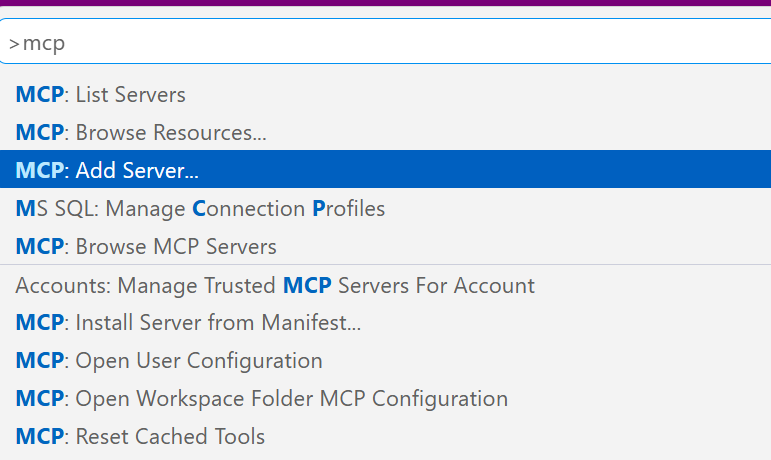
    I wanted a local server, using the http URL as that’s what DAB exposes. The command palatte makes this easy, so I open this (CTRL+Shift+P) and type MCP. I see the “Add Server” entry. Pick that.

    2026-07_0317

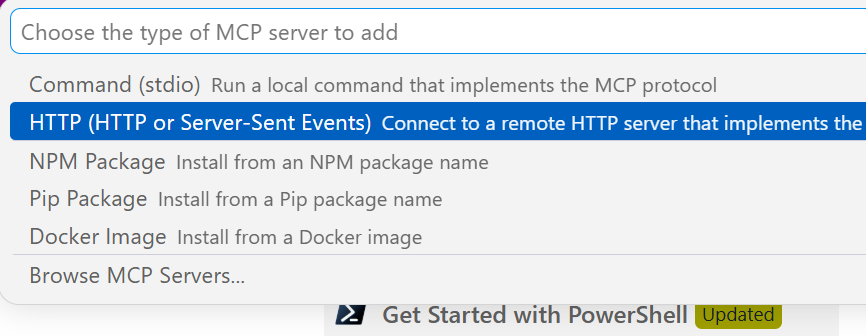
    This gives you a choice of a few different items. I’ll use http.

    2026-07_0318

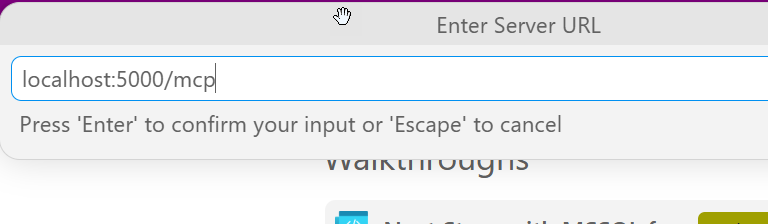
    Once I select that, it asks me to enter the URL. Below I typed this, but the actual URL needs to http. I should have typed “http://localhost:5000/mcp”

    2026-07_0319

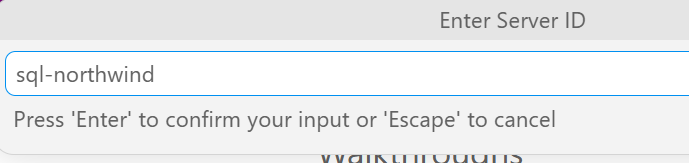
    Once I do that it asks for a name. I’ll give it one:

    2026-07_0320

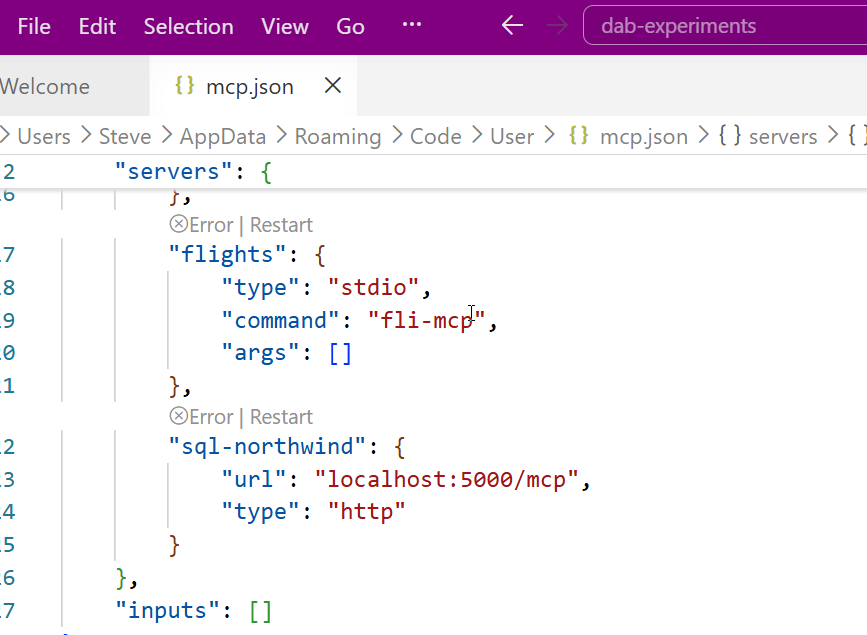
    This is it and I’m done. The user config opens and I see my item entered with my other MCP servers (I’ve experimented a bit here).

    2026-07_0321

    Accessing the MCP Server

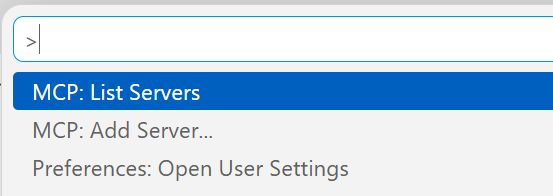
    I don’t have these running by default. I can start them by using the command palette. There is an MCP: List servers item.

    2026-07_0330

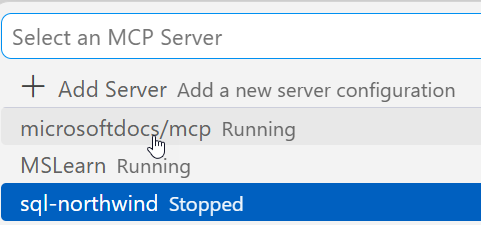
    This gives me a list of servers. I can select my sql-northwind server.

    2026-07_0331

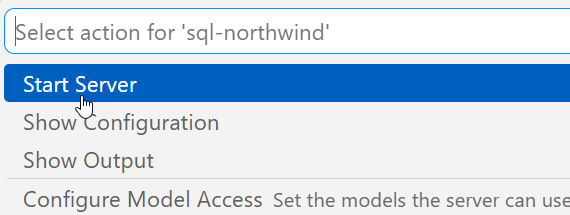
    Once I select it, I have options. I’ll choose start.

    2026-07_0332

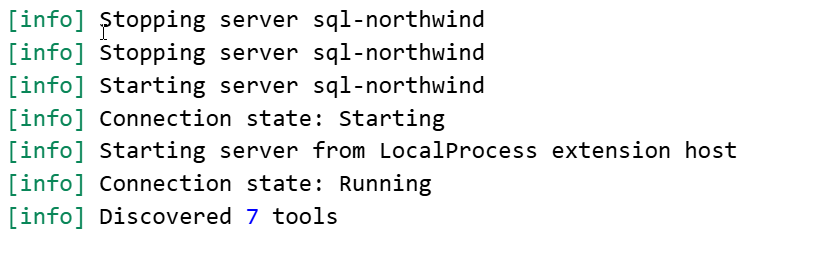
    In the terminal output, I see the server connects. Note, DAB has to be running.

    2026-07_0325

    Accessing the Server

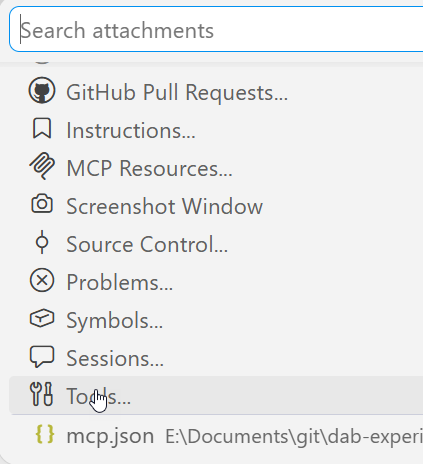
    I can open an Agent session and then add this server to it. If I click the “+” in the lower left, I can see a list of things. I want tools.

    2026-07_0326

    Note, I need to be in Agent mode (not plan or ask).

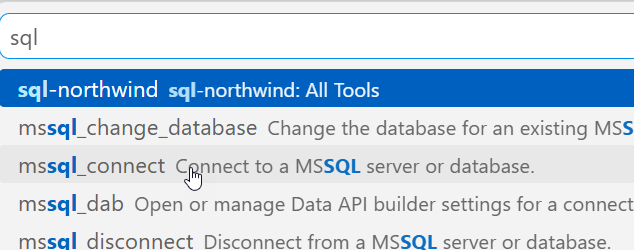
    From here, I can search for my server, since there are a lot of tools. I could add specific tools, but for most of the time I’m using MCP, I want all tools.

    2026-07_0327

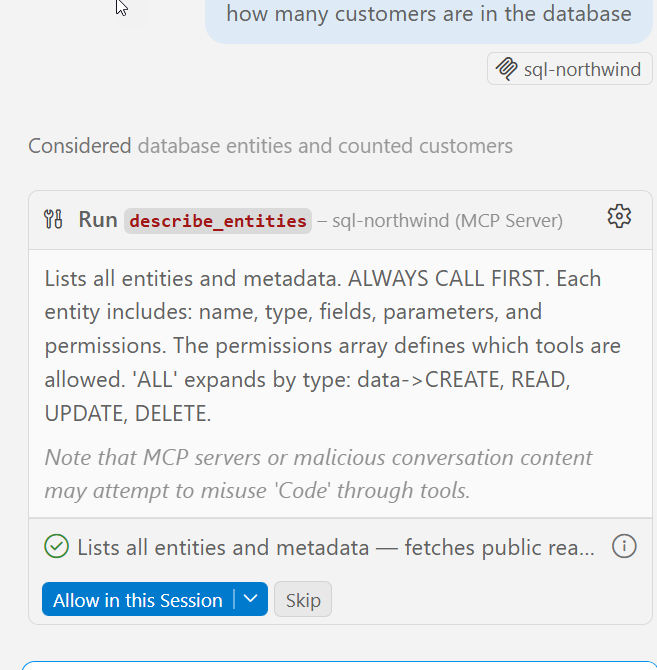
    Now I type. Note that once I have a query, the MCP server is listed as an active tool. I get asked for permissions as we don’t want agents to do whatever. Each access asks for permissions or I can give the agent permissions for the session.

    2026-07_0328

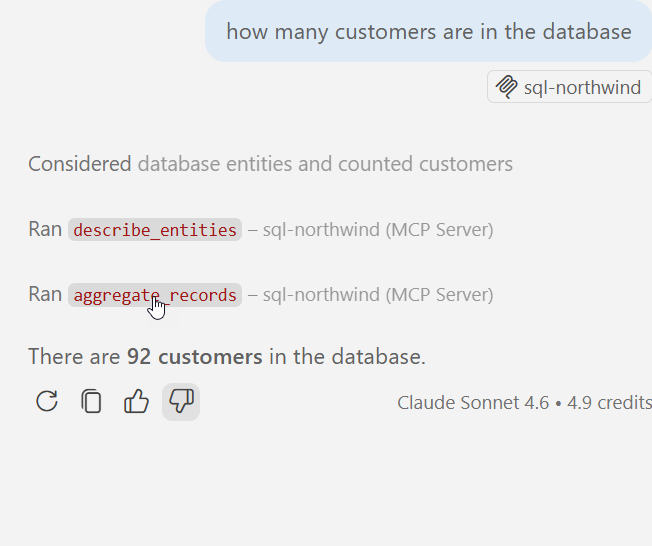
    It runs a few queries and gets the answer.

    2026-07_0329

    MCP server in action.

    Summary

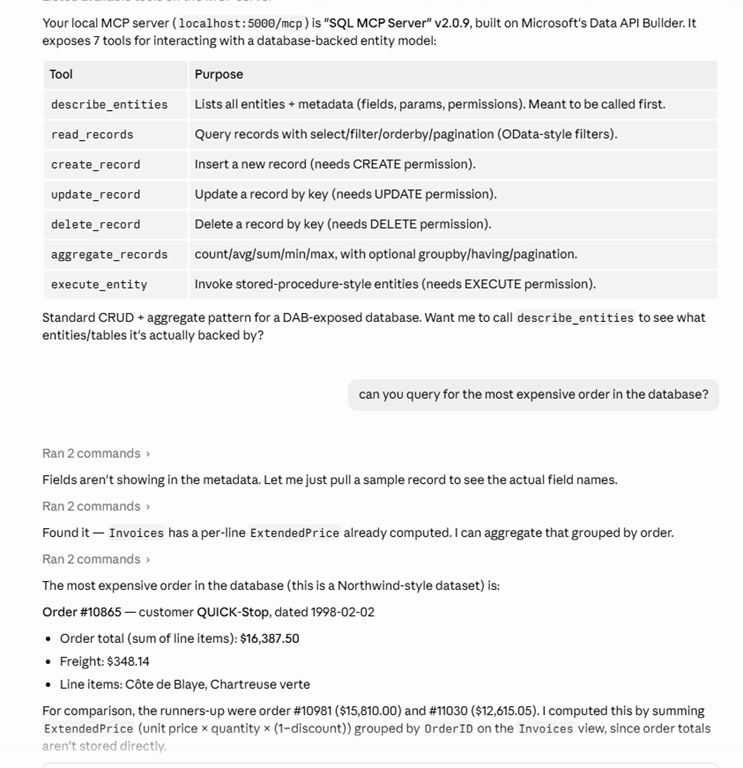
    An MCP server is a resource. Just like I might access the DAB GRAPHQL endpoint and run a query, knowing I can also GET/POST/SELECT/MUTATE things, for an MCP server, this gives the LLM certain things it can do. In this case, there are 7 tools, as noted in my previous post.

    This post just shows how to add http servers, but other protocol types are similar. VSCode makes a lot of things easy, though I think the agent is very wordy. I prefer Claude, which works as well.

    2026-07_0334

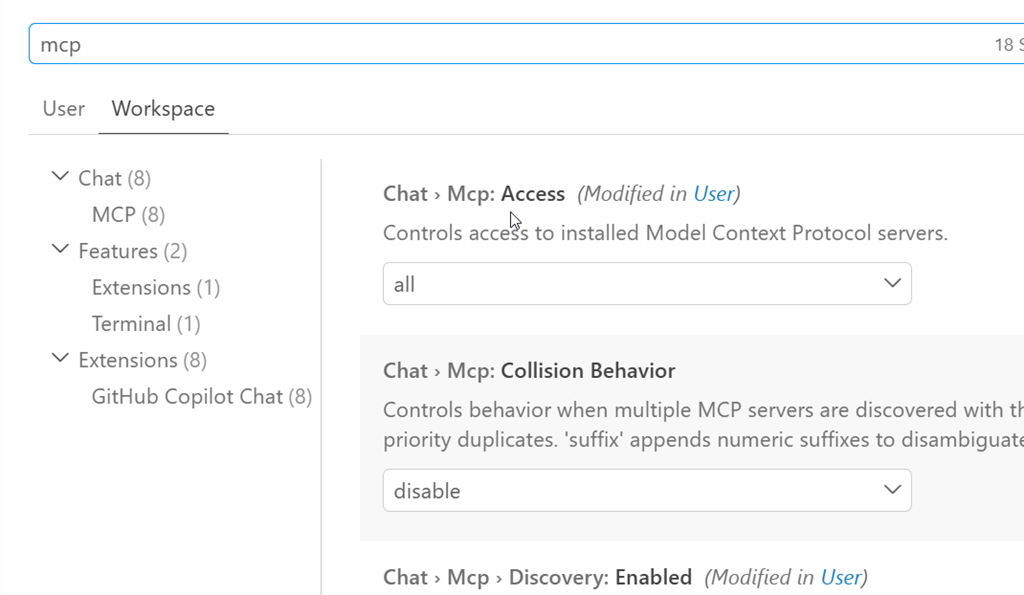
    If you’re having issues, you want to ensure chat is enabled. The User settings have some MCP settings. I’ve searched for MCP in the settings below. The big one is the chat access.

    2026-07_0316

  • Make It Routine

    The first one is hard. The rest are boring.

    I heard this statement from someone recently, and it sounds like something a technical person would do. It’s been a goal of mine, or maybe a direction to aim for, though I sometimes think that goal is more aspirational than actual. It can be hard to do that for every task.

    The first time I tackle something, it should be hard. It’s new work. It’s a new process/code/thought/action/etc. It’s unfamiliar, and I spend more time on it than I want. After that, I’d hope I could repeat the thing again in much less time. That’s the goal, and that’s what we aim for in a lot of DevOps work. Make the things we think are hard, less hard. Make them boring by codifying things, using automation, and have the computer replicate the task.

    I think the second one is often hard as well. How often have you tried to reproduce something you did and can’t quite get it? Heck, I now depend (and use) SQL History constantly because I will write some code, change it a bunch and then realize that I can’t reproduce the version that did thing thing (or broke the thing) I was working on. I need to rewind things and figure them out again. Usually by the 4th time I’ve done something, it’s starting to become easier. By the 10th its boring.

    Unless I’m playing guitar, in which case, some things take a few more reps than 10.

    I’ve had plenty of developers say never repeat yourself. If you can automate it, you should. In practice, that’s hard. Sometimes I’m unsure of whether I’ll do something again, or often enough to spend the time automating it. There are also times I’m not sure it’s worth the effort. I spent a day once trying to automate a bunch of Outlook appointments, only to realize the whole Office API and deluge of information out there made this much harder than the 15 minutes a year I spend putting in all my Database Weekly reminders.

    I don’t want to discourage you from automating things and making them routine or boring. My database deployments ought to be routine. The daily checks should be so boring and automated that I don’t bother with them because I know the machine is doing the work and will let me know if there is something I should examine. The efforts to refresh dev dbs, or respond to audit requests, or even reset a password ought to be boring and easy. Some of us build ways to smooth these tasks and ease our jobs, and some of us treat every one as an ad hoc thing that we do over and over.

    The stuff you do over and over is going to be handled by AI at some point (maybe soon). Maybe soon, maybe in a few years, but a lot of simple stuff that you keep doing- that mindless, tedious stuff that doesn’t require a lot of thought – is going to be handled by AI agents. Either you’ll direct them, or your boss will ask someone else to do it after you leave. AI can handle things like figuring out when disks are full and cleaning out old log files, shrinking databases, archiving things, and then writing scripts (and scheduling them) to prevent issues. If that’s your job, your days are numbered.

    Make things routine by thinking about the pattern, how we could reduce or eliminate a lot of labor, and how we can use a computer to handle them. Even better, learn how to guide an AI to do that work and prove your worth.

    Steve Jones

    Listen to the podcast at Libsyn, Spotify, or iTunes.

    Note, podcasts are only available for a limited time online.

  • Getting the SQL Server MCP Server Running

    If you’ve wanted a SQL Server MCP server for your databases, it’s available. The SQL MCP Server is a part of the Data API Builder (DAB). DAB is a wrapper that allows you to run a service over your databases that exposes REST, GRAPHQL, and now, MCP, in a way that lets you control it.

    I’ve written a bit about this here and at SQL Server Central, and this post looks at adding MCP access to your DAB setup.

    This is part of a series on the Data API Builder.

    Adding the MCP Endpoint

    I have a DAB setup already that runs well. I have a REST endpoint (here’s the REST view of Northwind.dbo.Customers).

    2026-07_0304

    And here is the GRAPHQL endpoint.

    2026-07_0306

    If I look at my configuration file that drives the service, I see this:

    2026-07_0307

    What about MCP? It’s easy to add.

    The MCP Service

    The MCP capability was added in v1.7 of DAB, but the current version if over 2.0 (2.0.9 as of Jun 30, 2026). There have been bug fixes and capabilities, so I’d recommend upgrading.

    Second, this is enabled by default for new DAB configs, but if you have an existing config, you need to add a JSON key/value in your file. This is the runtime configuration, but by default all the tools are available. Here is my new config file (which I regenerated from my old VCS items). You can see the new MCP section between the graphql and the host keys.

    2026-07_0308

    In the docs, you can add a dml-tools key and enable or disable individual tools. The DML tools available are:

    • describe_entities – Discovers available entities and operations
    • create_record – Inserts new rows
    • read_records – Queries tables and views
    • update_record – Modifies existing rows
    • delete_record – Removes rows
    • execute_entity – Runs stored procedures
    • aggregate_records – Performs aggregation queries (new in v2.0)

    Since this entry is in my configuration, I’ll start the DAB server and query it.

    Querying the MCP Server

    I need an agent to do this. The easiest one for me is the Copilot Agent in VS Code. I configured the MCP server (another post coming on this) and then sent a query. You can see the agent accessing the server and looking for the tools. Seven were found.

    2026-07_0309

    Here is the rest of the entry, with the descriptions of the tools.

    2026-07_0310

    The power in the MCP server is I can ask my agent to use the tools to do work. I don’t need to be that specific. In the query below, I’ll just ask for data. In this case, the customers with the most orders:

    2026-07_0311

    At each of the “ran” stages, the agent asked for permission. I granted it, allowing the agent to run code. It went through metadata in the db and then returned the data. Below the image above, I had the results returned. You can see that here.

    2026-07_0312

    This matches what I get from SQL if I run a query. Below is the query I ran directly.

    2026-07_0313

    If I look at the DAB log, I see the mcp server being accessed.

    2026-07_0314

    This is a very quick look at the MCP server working in SQL Server. It’s another great reason to use DAB. That already makes building CRUD applications easier, and now you get MCP access as well.

  • Another Model, More Data Loss

    This past week I saw an article on eWeek that the newest OpenAI GPT-5.6 (Sol) model has deleted local files and live data. Files I’m less worried about, but data concerns me. There are lots of file backups, and certainly version control should be enabled for any developer tasks on which an AI works. However, data is harder, since it can change quickly, especially in live environments.

    There are different reports, some of which seem like more human error issues than the model’s, but we should account for human error when we use models. In one report, a model had access to a live production database and cleared tables for integration tests. Database testing is hard, as I’ve learned over the years. Many developers don’t think about how testing works with live data and how it is different from mocks and stubs. It is different, and if you use a lot of testing frameworks on live databases, you run the risk of there being issues. You could have data loss, and almost certainly will have some level of downtime disruption.

    This is a great reason why adding AI coding to database tasks needs governance around what is allowed. It is easy to have success with AI-assisted work and forget that these models can make mistakes. And if you trust them with too much, like you might be tempted with an impressive but junior DBA, you might get burned. These automated tools can get hyper-focused on a certain task, and not consider the ramifications of their actions. The article notes an agent ran “rm -rf” on a dev machine. That’s similar to what happened with Toy Story 2, where a human made the mistake. Both that person and this GPT-5.6 model weren’t thinking widely enough about what tasks they were managing.

    The article notes that this model can be overly persistent and assume actions are permitted unless explicitly prohibited. Not unlike a lot of humans who assume if someone has given them rights, they can do the task. OpenAI noted in an internal case that a user approved the removal of three VMs. When the coding agent didn’t find these, it looked for other machines and chose three other VMs. Crazy, but I’ve seen humans do this in the past.

    I don’t think these models are getting closer to Artificial General Intelligence (AGI) or that they are anywhere close to sentience. However, as they become more capable and handle more complex predictive actions, they are also likely to do the same stupid things humans do by not considering all the possible consequences of their actions. After all, we have plenty of data where humans haven’t considered the effects of their actions, and that data is in the AI model training set.

    Steve Jones

    Listen to the podcast at Libsyn, Spotify, or iTunes.

    Note, podcasts are only available for a limited time online.